
Automated and animated captions with AI
Instantly generate accurate AI captions for any video. Style, edit, highlight and animate text effortlessly to boost engagement on every platform.
Try it for freeTrusted by 90,000+ podcasters, agencies, and creators worldwide



How to use AI to add animated captions to your videos automatically.

1
Upload a video
Upload or directly import a long video from YouTube.
2
Customize the styles
Pick your favorite style font, animation style and colors.
3
Edit your captions
You have full creative control after clips are generated.
4
Download, publish and grow!
Publish your favorite clips and watch your socials grow!
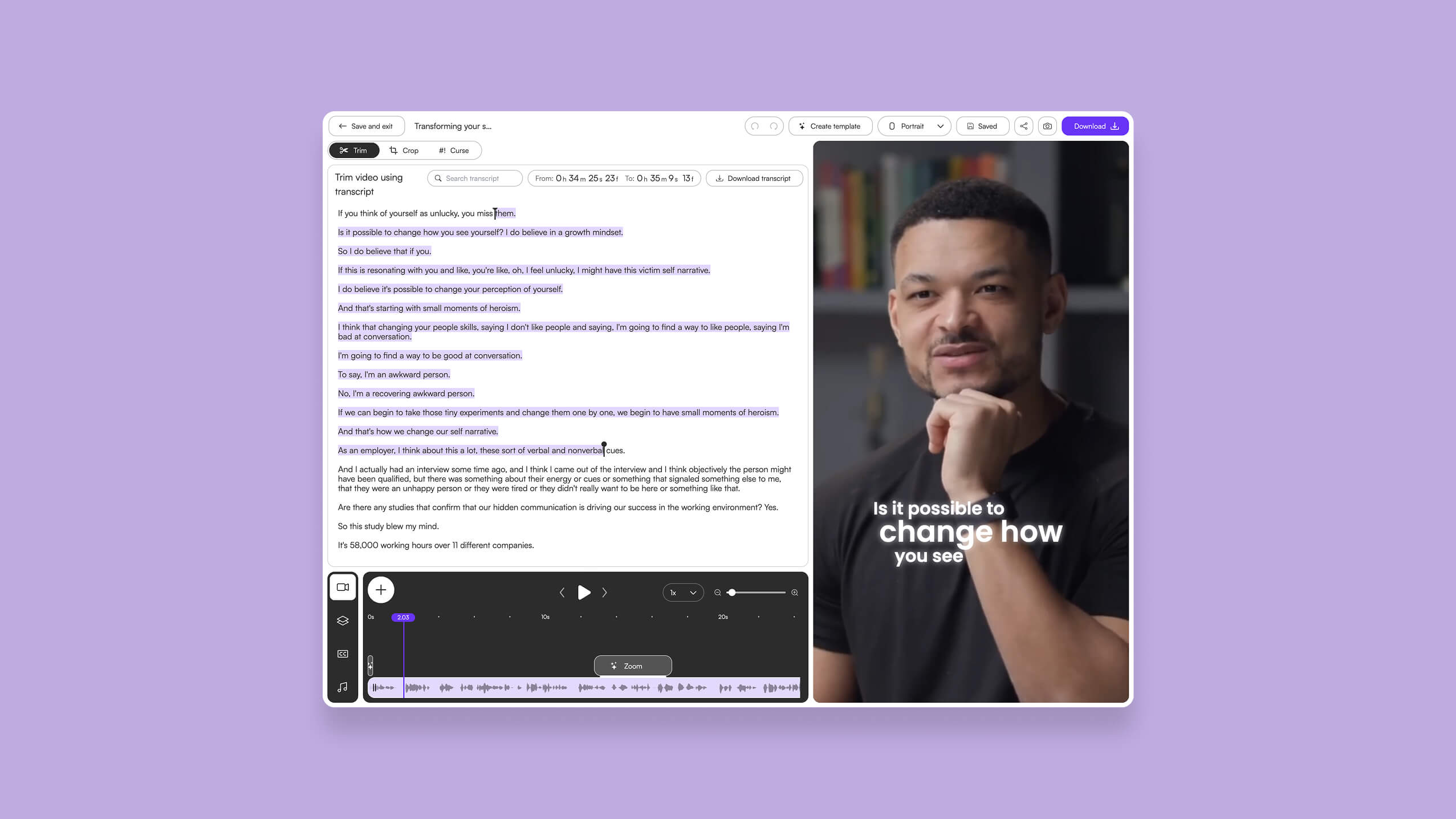
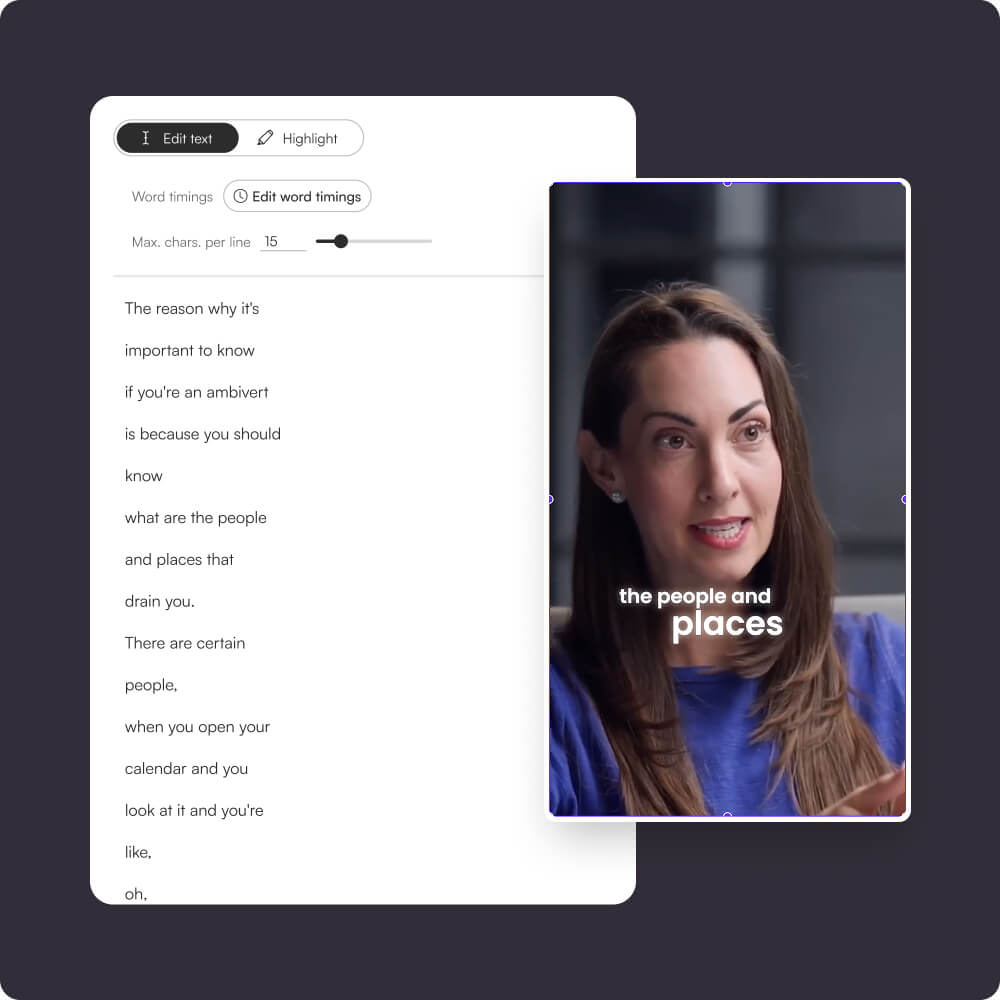
Make changes instantly with transcript-based editing.
Every caption is fully editable.
Fix words, break lines, tighten phrasing or adjust pacing simply by editing the transcript.
No timeline scrubbing - just type, and the captions update in real time on your video preview.
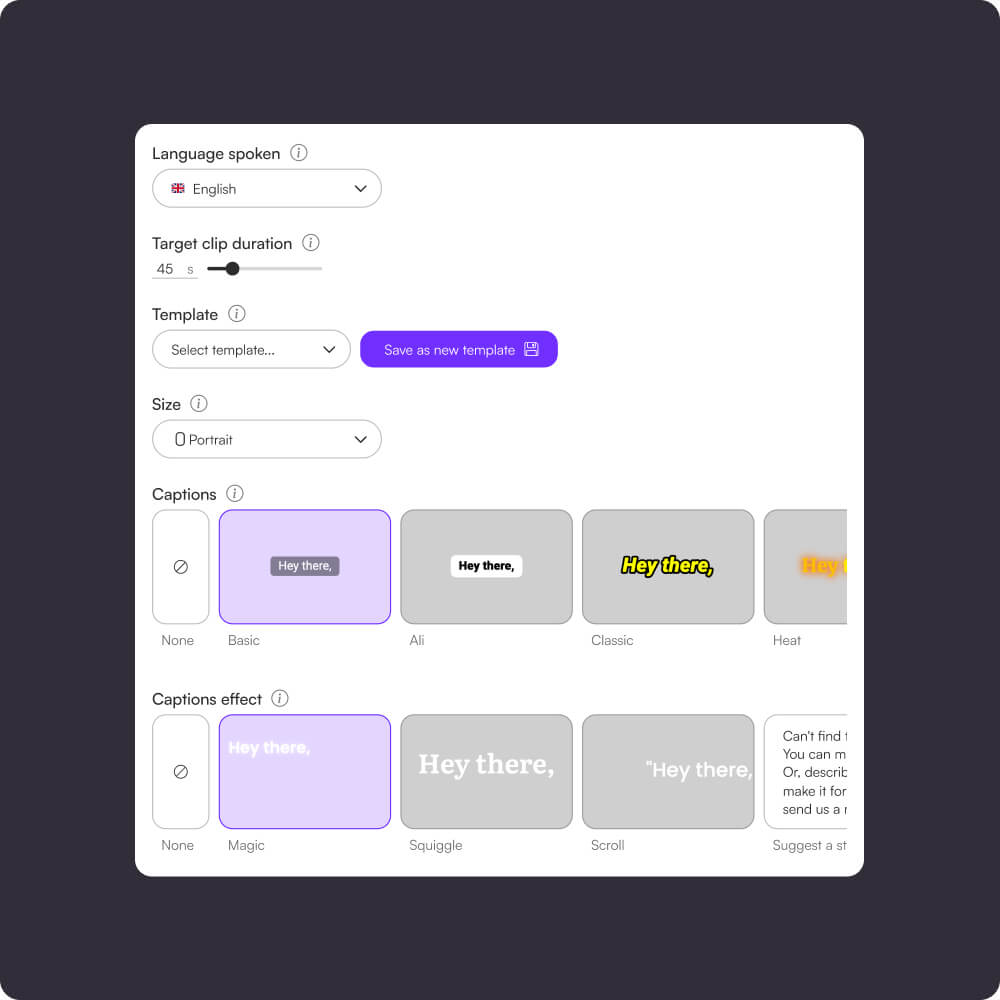
Customise fonts, colors, animations and more.
Choose your font family, size, weight, and color.
Add shadows, background shapes, and smooth word-by-word animations.
Everything updates live so you can design captions that feel native to TikTok, Reels and Shorts.
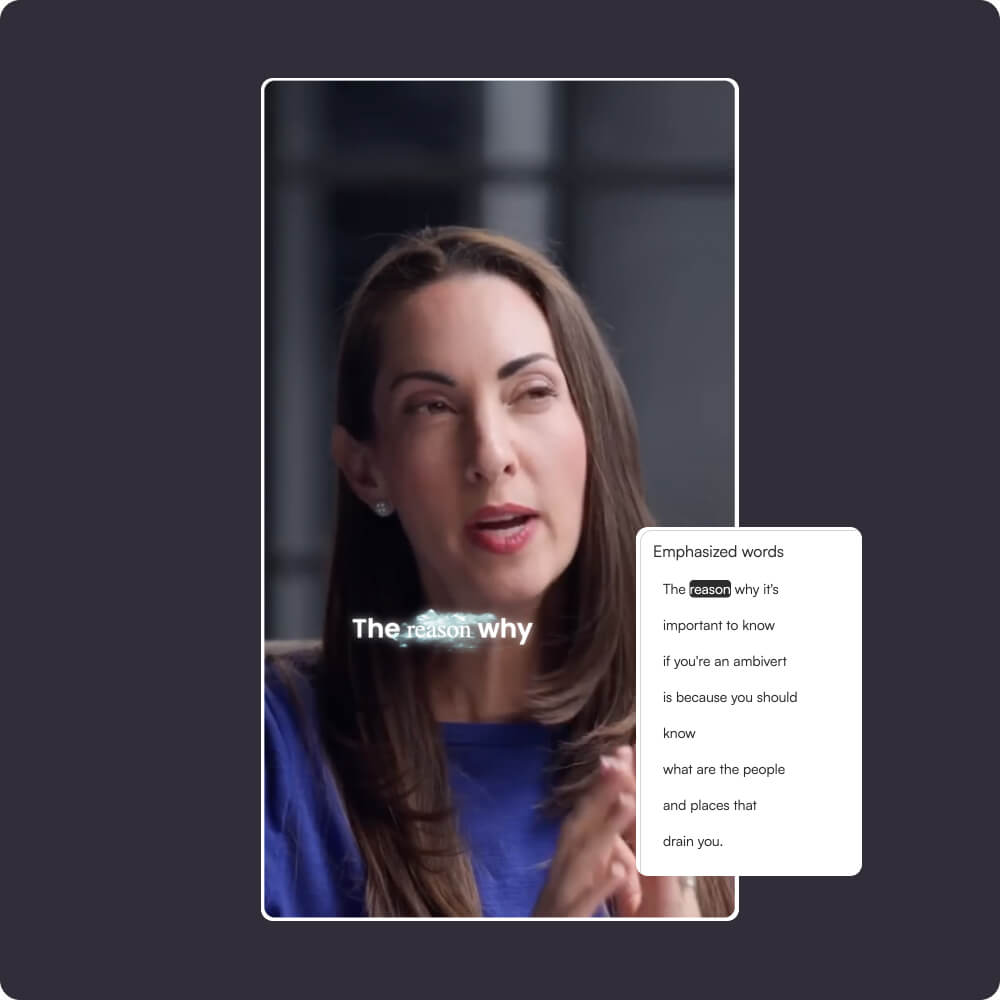
Tap words to spotlight important phrases.
Emphasise keywords by simply clicking them in the transcript.
Highlight them with brand colors to make your message pop and keep viewers engaged all the way through.

Choppity does more than just
Generate automated AI captions
Short clips generator
Automatically turn long-form videos or podcasts into viral short clips. Perfect for TikTok, Reels, and YouTube Shorts with zero manual editing required.
Find specific moments
AI instantly detects key moments, quotes, and highlights in your podcast or video, helping you create high-impact short clips effortlessly.
Animated AI captions
Generate 97%+ accurate subtitles in seconds. Customize animations to mimic the style of top creators like Alex Hormozi.
AI auto-reframing (9:16)
Automatically crop landscape video into vertical vertical formats. The AI keeps the subject centered, so you never have to keyframe manually.
Active speaker detection
Our AI detects who is talking and switches focus instantly. Perfect for multi-speaker podcasts and Zoom interviews.
Auto-censor profanity
Keep your content monetizable and brand-safe. Automatically detect and beep/mute swear words with one toggle.
Text-based video editing
Edit your video by editing the text. Delete a word in the transcript, and Choppity cuts it from the video automatically.
Keyword search and clip
Looking for a specific quote? Search the transcript for keywords and instantly turn that segment into a standalone clip.
FAQ
Common questions about Choppity and how it works
Choppity accepts MP4, MOV, WebM, and most common video formats. Upload from your computer, cloud storage, or paste a link. The tool handles the rest.
Yes. AI generates the clips, but you have full control. Edit captions, trim frames, adjust timing, add transitions, change colors, and customize everything in the web editor.
Most videos process in minutes depending on length and complexity. A one-hour podcast typically generates clips in 5-10 minutes. You'll get a notification when ready.
No. Your videos are processed and then deleted from our servers unless you choose to keep them in your project library. Full privacy control is yours.
AI-generated captions are usually 95%+ accurate for clear audio. You can manually edit any word or timing directly in the editor if needed.
Still have questions
Reach out to our team anytime