
Course creators - Turn 1 lesson into 20-40+ short clips that drive enrollments
Course creators are busy building lessons and programs. Turn educational content into short-form clips to grow reach, generate leads, and increase course sales.
Try it for freeTrusted by 90,000+ podcasters, agencies, and creators worldwide




Turn your lessons into short clips that market your course
1
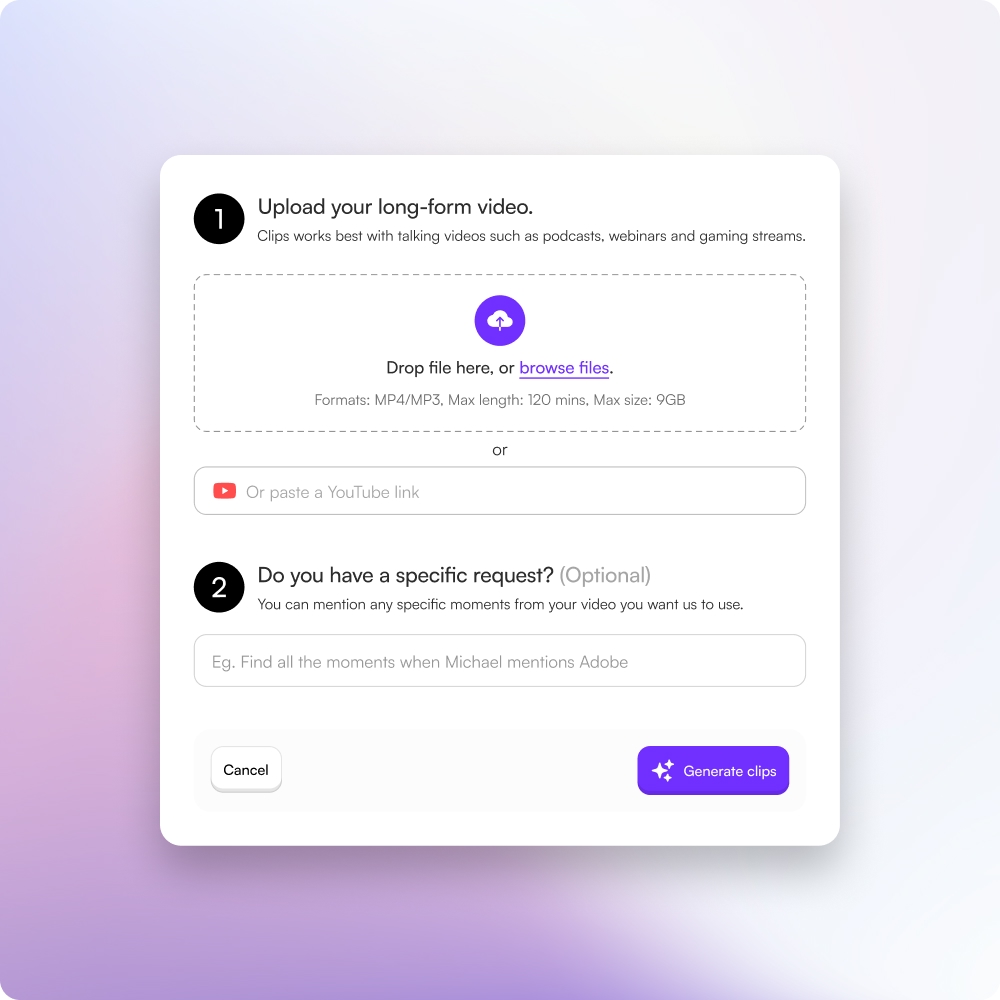
Upload your lesson
Upload course lessons or educational videos.
2
AI finds teachable moments
AI identifies key explanations, insights, and soundbites.
3
Edit with the transcript
Trim clips by editing text, not timelines.
4
Publish and grow enrollments
Export clips and distribute across all platforms.
Creating courses leaves no time for marketing
Most course creators spend all their time building content, not distributing it.
• Clipping lessons manually takes 4–8+ hours
• Hiring editors costs $100–$300 per video
• Marketing and distribution fall behind launches

Automate course content distribution
Choppity turns long educational content into short-form marketing assets.
• Generate 20–40+ short clips per lesson
• Reduce editing time by 80%+
• Export captioned clips for all short-form platforms

Grow reach, leads, and course sales
Short-form clips help potential students discover and trust your expertise.
• Higher engagement on social platforms
• More inbound leads between launches
• Increased enrollments without extra marketing spend

Market your course without extra work
Let your existing lessons do the marketing for you. Choppity helps you stay visible while you focus on teaching and building.
These podcasters, creators, content teams and founders said yes, look what happened
Here's what happened when you stop trying tools or dabble with video editors and start using Choppity.
"All these random startups and VC-backed companies going after the "creator economy".
Now this is how you do it. For creators, built by creators.
Super bullish on products being built for the pain points already felt deeply by the founder.
Let's goooooo!"

"Exactly the solution I was looking for. Just generated all these clips whilst in bed! Awesome work and congrats on the launch"

"After a few small technical issues the team really went above and beyond to help. They were fast and efficient and really made all the difference. I don’t think I have had this type of customer service … maybe ever lol - Thank you and recommend"

"We've been using Choppity for the last 6 months or so for the AutoTrader tech podcast. We've seen a massive increase in our views and subscribers! Couldn't have done it without Choppity."

"Since we've started using Choppity, our socials have seen a 4x increase in overall views across our channels. Love the non-stop product updates as well."

"Want cleaner podcasts without spending hours editing? We found an AI tool that automatically censor swear words audio bleeps AND caption cleanup! Choppity. Game changer"
"The Choppity team have been shipping new updates to the product which I am quite happy about. It's getting faster and they are also giving us the features we've been asking for!"

"In the past I've tried to get my YouTube video editor to create mass amount of short form content, but they struggled.
Economically it didn't make sense and the quality wasn't great.
Choppity has been an INCREDIBLE asset in scaling up my short-form video reach. Having ALL the clips automatically clipped, styled and ready to publish has been the biggest lever to growing my businesses."
FAQ
Common questions about Choppity and how it works
Will Choppity help me focus on teaching instead of marketing?
Absolutely! Choppity lets your existing lessons do the marketing for you. Instead of spending hours creating separate marketing content, you can focus on teaching and building new courses while Choppity automatically turns your lessons into marketing clips.
Can I use clips from my course to build an email list?
Yes! Course clips are perfect for driving traffic to lead magnets and email signups. Share valuable clips on social media with clear calls-to-action directing viewers to your course landing page or email list, turning viewers into leads and students.
How much does Choppity cost compared to hiring editors for course marketing?
Choppity is much more affordable than hiring editors, who typically charge $100-$300 per video. With Choppity, you can process unlimited course lessons on paid plans, saving thousands of dollars while maintaining full control over your marketing content.
What platforms can I share my course clips on?
Choppity exports clips optimized for TikTok, Instagram Reels, YouTube Shorts, Facebook, LinkedIn, and more. You can distribute your course marketing clips across all platforms where your potential students are active.
Can I edit course clips using the transcript instead of video timelines?
Yes! Choppity's transcript-based editing means you can trim clips by editing text, not complex timelines. Simply delete words in the transcript to refine your clips—much faster and easier than traditional video editing software.
How do I turn course lessons into clips that sell?
Choppity's AI automatically finds the most teachable moments, key insights, and valuable soundbites from your lessons. These clips showcase your expertise and help potential students understand the value of your course, naturally driving enrollments.
Can Choppity help me generate more course enrollments?
Absolutely! Short-form clips from your lessons help potential students discover and trust your expertise. By consistently sharing valuable clips, you can increase inbound leads, improve engagement on social platforms, and drive more enrollments without extra marketing spend.
How much time does Choppity save compared to manually clipping lessons?
Choppity reduces editing time by 80%+ compared to manual clipping, which typically takes 4-8+ hours per lesson. Instead of spending days editing, you can generate marketing clips in minutes and focus on creating new course content.
Can I use Choppity to market my course between launches?
Yes! Choppity is perfect for creating consistent marketing content between course launches. By turning your existing lessons into short clips, you can stay visible on social media, generate leads, and build trust with potential students year-round.
How many clips can I generate from one course lesson?
Choppity can generate 20-40+ short clips from a single course lesson, depending on the length and content. The AI automatically identifies key explanations, insights, and teachable soundbites that work perfectly for marketing your course on social media.
Still have questions
Reach out to our team anytime
More for you
A library of guides and tutorials for you