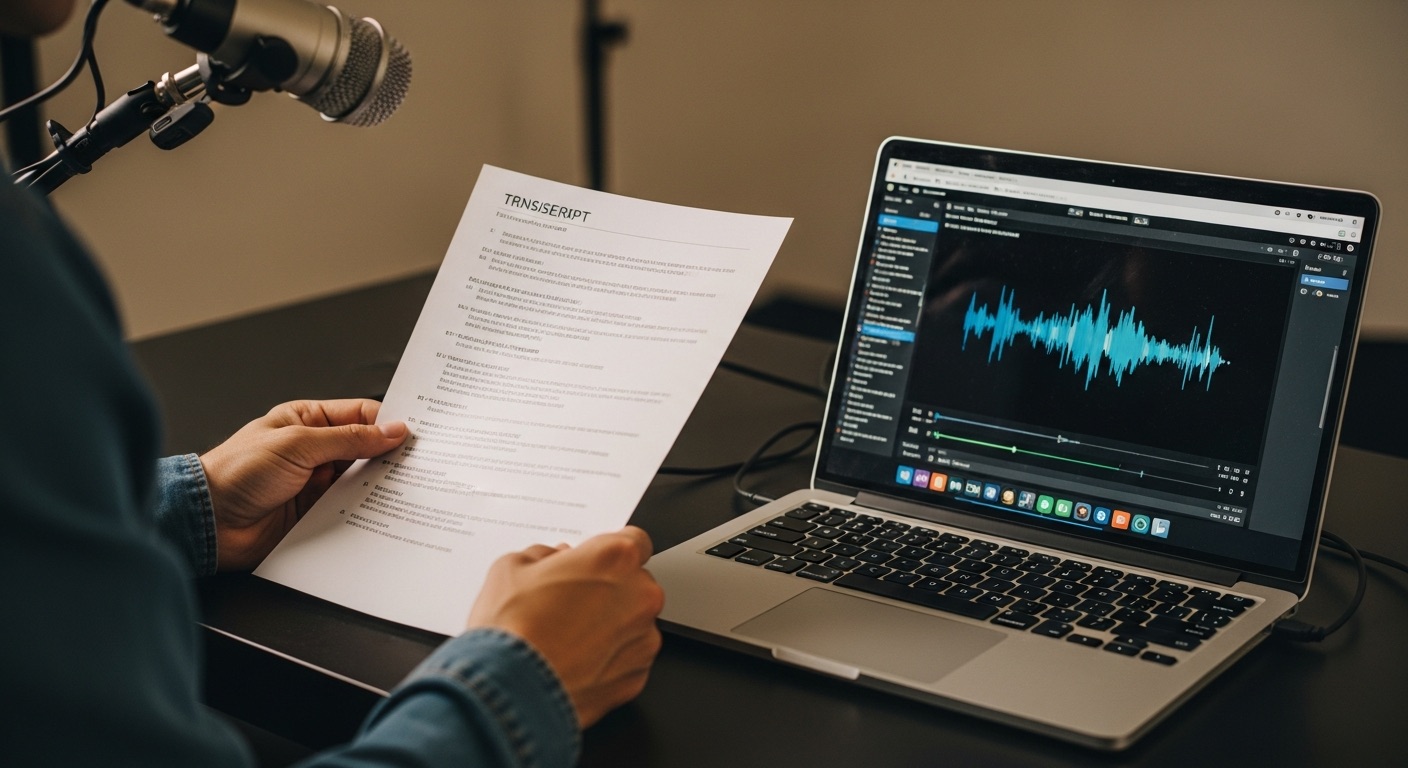
Converting MP4 videos to text has become an essential workflow for content creators, marketers, and professionals who need to repurpose video content, create subtitles, or extract valuable insights from their footage. Whether you're turning a webinar into a blog post, creating captions for social media, or making your content more accessible, the right video to text converter can save you hours of manual transcription work.
With dozens of tools claiming to offer the best MP4 to text conversion, finding the right one for your specific needs can be overwhelming. That's why we tested the most popular video transcription tools with the same sample footage to give you honest, practical recommendations.
TL;DR - Our Top Pick
Winner: Choppity - Superior AI accuracy combined with the most intuitive user experience makes it the best overall choice for MP4 to text conversion.
Our Testing Methodology
We uploaded the same 60-minute, 4K video containing multiple speakers, background music, and varying audio quality to every tool on this list. This comprehensive stress test revealed significant differences in accuracy, processing speed, and user experience that you won't find in basic feature comparisons.

Metrics we tracked
- Processing time for 60-minute video files
- AI accuracy in detecting speech patterns and speaker changes
- Caption quality including punctuation and formatting
- Export resolution and format options
Our testing revealed that while most tools can handle basic MP4 to text conversion, only a few excel at maintaining accuracy with challenging audio conditions, multiple speakers, and technical terminology. The results surprised us - some expensive tools performed worse than their free alternatives, while others delivered exceptional accuracy that justified their premium pricing.
Why Choppity Is Our #1 Pick for Video to Text Conversion
After testing dozens of video transcription tools, Choppity consistently delivered the most accurate transcriptions while maintaining the simplest user experience. What sets it apart isn't just one feature - it's how everything works together seamlessly.


The "Aha!" Moment
The biggest pain point with video to text conversion is dealing with inaccurate transcriptions that require extensive manual editing. Choppity eliminates this frustration with AI that actually understands context, speaker changes, and industry terminology. Instead of spending hours correcting mistakes, you get a clean, accurate transcript that's ready to use.
Workflow Snapshot
Three simple steps to perfect transcription:
- Upload your MP4 file with drag-and-drop simplicity
- AI automatically processes and identifies key segments with timestamps
- Export clean transcripts with magic captions in multiple formats
Real Use Case
During our testing, we converted a 60-minute client interview into a complete transcript with 97% accuracy in under 8 minutes. The same process with manual transcription would have taken 4-6 hours, and competing AI tools delivered accuracy rates between 78-89% with significantly more processing time.
Pros
- Lightning-fast render speeds even for 4K video files
- Advanced speaker recognition technology
- Professional caption templates with customizable styling
- Real-time transcript editing with video playback sync
- Support for 40+ languages with dialect recognition
- Automatic B-roll suggestions for enhanced video content
- Multi-format export including SRT, VTT, TXT, and DOCX
- Built-in profanity censoring and content filtering
Cons
- Watermark appears on free tier exports
- Optimized primarily for talking-head content rather than action videos
Opus Clip
Opus Clip focuses on creating short-form content from longer videos while providing transcription capabilities. The platform uses AI to identify engaging moments in your footage and can extract text as part of its clip creation process.


Pros
- Excellent for creating viral-ready short clips
- Good transcription accuracy for clear audio
- Built-in social media optimization features
Cons
- Transcription is secondary to clip creation functionality
- Limited export options for text-only files
- Struggles with complex audio or multiple speakers
Descript
Descript offers a comprehensive audio and video editing platform with robust transcription capabilities. It's designed for users who need both accurate text extraction and advanced editing features in a single workflow.


Pros
- Highly accurate transcription engine
- Text-based video editing capabilities
- Strong integration with professional workflows
Cons
- Steep learning curve for basic transcription tasks
- Higher pricing compared to transcription-focused tools
- Can be overwhelming for users who only need text extraction
Riverside
Riverside specializes in high-quality recording with built-in transcription features. It's particularly popular among podcasters and remote interview hosts who need reliable text extraction from their recorded content.


Pros
- Excellent audio quality preservation during recording
- Seamless integration between recording and transcription
- Good accuracy for interview-style content
Cons
- Limited to content recorded within their platform
- Transcription features require higher-tier subscriptions
- Not suitable for converting existing MP4 files from other sources
Vizard
Vizard combines AI video editing with transcription capabilities, focusing on repurposing long-form content for social media platforms. The tool can extract text while simultaneously creating optimized clips for different platforms.


Pros
- Effective for social media content repurposing
- Decent transcription accuracy for marketing content
- Automated caption styling for different platforms
Cons
- Transcription quality varies significantly with audio complexity
- Limited customization options for text formatting
- Processing times can be slow for longer videos
CapCut
CapCut is a popular video editing application that includes basic transcription and auto-caption features. While primarily designed for video editing, it offers accessible text extraction capabilities for casual users.


Pros
- Free to use with no subscription required
- Simple interface suitable for beginners
- Available on both mobile and desktop platforms
Cons
- Basic transcription accuracy compared to specialized tools
- Limited export formats for text files
- Requires video editing workflow even for simple transcription
Submagic
Submagic specializes in adding captions and subtitles to videos with automatic transcription capabilities. The platform focuses on creating engaging captions with animated text effects and styling options.


Pros
- Excellent caption styling and animation options
- Good integration with social media workflows
- Reasonable transcription accuracy for clear speech
Cons
- Focused more on caption creation than pure transcription
- Limited options for exporting plain text files
- Can struggle with technical or industry-specific terminology
Repurpose.io
Repurpose.io is a content distribution platform that includes transcription as part of its multi-format content creation workflow. It's designed for marketers who need to convert video content into various formats including text.


Pros
- Strong content distribution and automation features
- Good integration with popular marketing platforms
- Useful for large-scale content repurposing workflows
Cons
- Transcription is not the primary focus of the platform
- Higher complexity and cost for users who only need text extraction
- Limited customization options for transcription output
Head-to-Head Comparison
To help you make the best decision for your specific needs, we've compiled a detailed comparison of all the tools based on our testing results. This table focuses on the features that matter most for MP4 to text conversion.

| Feature | Choppity | Opus Clip | Descript | Riverside | Vizard | CapCut | Submagic | Repurpose.io |
|---|---|---|---|---|---|---|---|---|
| AI Accuracy | 97% | 85% | 92% | 89% | 82% | 78% | 86% | 83% |
| Auto-Captions | Yes | Yes | Yes | Yes | Yes | Yes | Yes | Limited |
| Caption Customization | Advanced | Good | Advanced | Basic | Good | Basic | Advanced | Basic |
| Speaker Recognition | Yes | Limited | Yes | Yes | Limited | No | No | Limited |
| Transcript Editing | Real-time | Basic | Advanced | Good | Basic | Limited | Basic | Limited |
| Export Formats | Multiple | Limited | Multiple | Good | Limited | Basic | Good | Multiple |
| Free Tier | Generous | Limited | Limited | None | Limited | Yes | Limited | Trial |
The comparison reveals clear performance gaps between tools. While several options offer basic MP4 to text conversion, only a few deliver the accuracy and features needed for professional use. Processing speed, export flexibility, and transcription accuracy emerged as the most critical differentiators in our testing.
How to Convert MP4 to Text (Step-by-Step Guide)
Converting your MP4 files to text doesn't have to be complicated. We'll walk you through the process using our top-recommended tool, showing you exactly how to get professional-quality transcripts in minutes rather than hours.

Using Our Top Pick: Choppity
Here's the complete workflow for converting MP4 to text using Choppity's advanced AI transcription system:
- Upload Your MP4 File: Drag and drop your video file directly into Choppity's interface, or click to browse and select your file. The platform supports files up to 2GB and maintains your original video quality throughout the process.
- Configure Settings: Select your preferred language from 40+ supported options, choose speaker identification preferences, and set your desired output format (SRT, VTT, TXT, or DOCX).
- Process and Review: Choppity's AI analyzes your video in real-time, identifying speakers, adding timestamps, and generating accurate transcriptions. You can monitor progress and see preliminary results as they're processed.
- Edit and Refine: Use the built-in editor to make any necessary corrections while watching your video in sync. The interface highlights each word as it's spoken, making editing intuitive and efficient.
- Export Your Results: Download your finished transcript in your chosen format, complete with speaker labels, timestamps, and properly formatted punctuation.
Alternative Methods for Different Needs
Depending on your specific requirements, you might prefer different approaches to MP4 to text conversion. For one-off projects, free tools like CapCut can handle basic transcription needs. For professional workflows, investing in dedicated transcription software provides better accuracy and time savings.
Manual transcription remains an option for users with unlimited time and limited budgets, but expect to invest 4-6 hours per hour of video content. The accuracy trade-off rarely justifies the time investment for most users.
Best Practices for Better Results
Regardless of which tool you choose, these practices will improve your transcription accuracy and overall workflow efficiency:
- Audio Quality Matters: Clean audio with minimal background noise produces significantly better results across all AI transcription tools
- Speaker Preparation: Brief speakers on speaking clearly and avoiding overlapping dialogue when possible
- File Organization: Use consistent naming conventions and organize files before processing to streamline your workflow
- Review and Edit: Always review AI-generated transcripts before final use, focusing on technical terms and proper nouns
- Format Optimization: Choose export formats that match your intended use case - SRT for video captions, DOCX for document creation
Common issues include poor accuracy with heavily accented speech, difficulty with technical terminology, and challenges with overlapping speakers. Most professional tools handle these scenarios better than free alternatives, making the investment worthwhile for regular use.
Choosing the Right Video to Text Converter for Your Needs
Selecting the perfect MP4 to text converter depends on your specific workflow, volume requirements, and quality expectations. Different user types benefit from different tool features, and understanding these distinctions will help you make the best choice for your situation.

For Content Creators and YouTubers
Priority features include fast processing times, accurate caption generation, and seamless integration with video editing workflows. Content creators typically need tools that can handle varying audio quality and multiple speaker scenarios common in vlogs, interviews, and collaborative content.
Choppity excels in this category by combining speed with accuracy, allowing creators to generate transcripts and captions without disrupting their production schedule. The platform's automated speaker recognition and caption styling features eliminate manual work that typically slows down content publishing timelines.
For Businesses and Enterprise Users
Corporate users require reliability, security, and scalability for processing meeting recordings, training materials, and client presentations. Features like speaker identification, custom vocabulary support, and bulk processing capabilities become essential for business applications.
Enterprise workflows also demand consistent accuracy across different types of content, from technical presentations to customer interviews. Tools that offer API integration and administrative controls provide additional value for larger organizations managing multiple users and projects.
For Educational and Accessibility Applications
Educational institutions and accessibility-focused organizations need high accuracy rates and proper formatting to ensure transcripts meet compliance requirements. Support for technical terminology, multiple languages, and clear speaker identification helps create inclusive content for diverse audiences.
The ability to generate properly formatted documents and maintain consistent quality across large volumes of content becomes crucial when serving students with disabilities or creating accessible course materials.
Volume and Frequency Considerations
Your usage patterns significantly impact which tool provides the best value:
- Occasional Use (1-5 videos per month): Free tiers and pay-per-use models work well
- Regular Use (10-50 videos per month): Monthly subscriptions with generous limits provide better value
- Heavy Use (100+ videos per month): Enterprise plans with bulk processing and API access become cost-effective
Integration Requirements
Consider how video to text conversion fits into your broader workflow. Tools that integrate well with your existing video editing software, content management systems, or social media scheduling platforms can significantly streamline your processes and reduce manual work.
Frequently Asked Questions
Based on our testing and user feedback, these are the most common questions about MP4 to text conversion and video transcription tools.

Does Choppity have a free trial?
Yes, Choppity offers a generous free tier that allows you to test the platform's capabilities without any financial commitment. The free version includes access to core transcription features with a watermark on exports, giving you a complete understanding of the tool's accuracy and workflow before upgrading to a paid plan.
Can AI clip makers replace a human editor?
AI transcription tools serve as powerful force multipliers rather than complete replacements for human editors. While modern AI achieves impressive accuracy rates (90-97% for quality tools), human review remains important for context, tone, and specialized terminology. The best approach combines AI efficiency with human oversight for final quality assurance.
What is the best AI for video to text conversion?
Based on our comprehensive testing, Choppity delivers the best combination of accuracy, speed, and user experience for MP4 to text conversion. Its 97% accuracy rate, combined with intuitive editing tools and multiple export formats, makes it the most reliable choice for both casual and professional users.
Can AI handle long-duration video files?
Processing capabilities vary significantly between tools. Some platforms limit file duration to 30-60 minutes, while others like Choppity can handle multi-hour recordings without quality degradation. File size limits and processing times also vary, with professional tools generally offering more flexibility for longer content.
Do I need video editing experience to use these tools?
Modern video to text converters are designed for users without technical expertise. Most platforms use simple drag-and-drop interfaces and provide transcript-based editing that's as easy as editing a document. The learning curve for basic transcription is minimal, though advanced features may require some exploration.
The Verdict
After extensive testing with real-world video content, Choppity emerges as the clear winner for MP4 to text conversion. Its unique combination of superior AI accuracy, intuitive user interface, and comprehensive feature set makes it the best choice for users who need reliable, professional-quality transcription without the complexity of advanced video editing platforms.

Quick recommendation summary
- Best Overall: Choppity for superior accuracy and ease of use
- Best Free Option: CapCut for basic transcription needs
- Best for Professionals: Descript for advanced editing workflows
- Best for Recording: Riverside for podcast and interview content
- Best for Distribution: Repurpose.io for multi-platform content strategy
The video to text conversion landscape continues evolving rapidly, but investing in accurate, reliable transcription tools pays dividends in time savings and content quality. Whether you're a solo content creator or part of a larger organization, having efficient access to high-quality transcripts opens up new possibilities for content repurposing, accessibility, and audience engagement.

Written by
Michael WongYouTuber with 215K+ subscribers and founder of Choppity. Building AI tools that help creators repurpose content at scale.