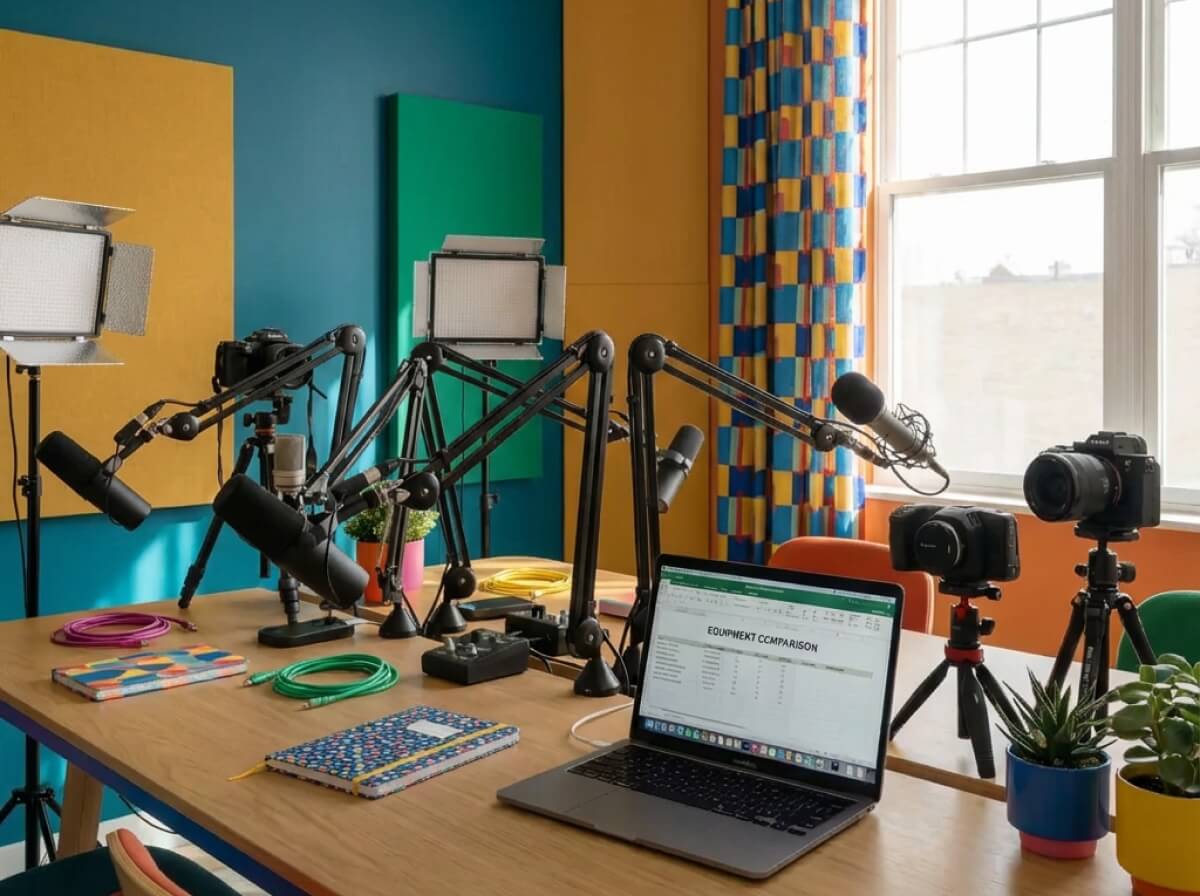
Choosing the right podcast equipment for beginners doesn't require expensive gear. Many successful podcasters started with basic USB microphones and free editing software. The key is understanding what equipment you actually need versus what's nice to have. If you're new to podcasting, our beginner's guide to starting a podcast covers the complete setup process from concept to distribution.
Audio quality matters more than equipment cost. A well-positioned budget microphone in a treated space often sounds better than expensive gear in an untreated room. Focus on fundamentals like microphone placement, room acoustics, and basic editing before investing in professional equipment. You can always upgrade as your podcast grows. Before you start shopping for equipment, make sure you have a clear podcast concept and name—consider using a podcast name generator to brainstorm creative show titles that reflect your content and brand.
Essential beginner equipment
- USB microphone: Easiest entry point for solo or remote interviews
- Headphones: Monitor audio quality during recording
- Recording software: Free or low-cost digital audio workstation
- Basic accessories: Pop filter, microphone stand, and quiet space
What Equipment Do You Need to Start a Podcast?
Beginner podcasters need four core components: a microphone, headphones, recording software, and a quiet recording space. Everything else is optional and can be added as your show grows. Starting minimal helps you learn the fundamentals without overwhelming yourself with equipment choices.
Your microphone is your most important equipment purchase. It directly impacts audio quality and listener experience. Headphones help you monitor audio during recording and prevent feedback. Recording software captures your audio and saves it for editing. A quiet space minimizes background noise and improves overall quality.
Core equipment components
- Microphone: Captures your voice clearly and consistently
- Headphones: Monitors audio and prevents feedback
- Recording software: Captures and saves your audio files
- Recording space: Quiet environment with minimal background noise
Best USB Microphones for Beginners
USB microphones are ideal for beginners because they connect directly to your computer without additional equipment. They offer good audio quality at affordable prices and work well for solo podcasts or remote interviews. USB microphones eliminate the need for audio interfaces, making setup simple and straightforward.
Most USB microphones include built-in headphone jacks for zero-latency monitoring. They work with both Mac and Windows computers and require minimal configuration. USB microphones are portable and work well in home office setups or on-the-go recording situations.
USB microphone benefits
- Easy setup: Plug directly into your computer
- Affordable pricing: Good quality options under $100
- Portable: Easy to transport and set up anywhere
- No interface needed: Works directly with recording software
Popular USB microphone options for beginners include models with cardioid pickup patterns that focus on your voice while reducing background noise. Look for microphones with built-in gain control and headphone monitoring. Consider your recording environment and whether you need a microphone that handles multiple speakers or just solo recording.
Best XLR Microphones for Upgrading
XLR microphones offer higher audio quality and more flexibility than USB options. They require an audio interface but provide professional-grade sound for podcasters ready to upgrade. XLR microphones work well for in-studio recordings and multi-person setups.
XLR microphones connect to audio interfaces that convert analog signals to digital. This setup provides more control over gain, monitoring, and audio processing. XLR microphones are the standard for professional podcasting and broadcasting.
XLR microphone benefits
- Higher quality: Professional-grade audio capture
- More control: Adjustable gain and monitoring
- Scalable: Add multiple microphones as needed
- Industry standard: Used in professional broadcasting
When upgrading to XLR, you'll need both a microphone and an audio interface. Consider your recording setup and whether you need multiple microphone inputs. XLR microphones work best in treated recording spaces where you can control acoustics and background noise.
Essential Recording Accessories
Accessories improve audio quality and make recording more comfortable. Pop filters reduce plosive sounds from speech. Microphone stands position your microphone at optimal distance and angle. Acoustic treatment minimizes echo and background noise. These accessories are affordable and significantly impact your final audio quality.
Pop filters are essential for clear vocal recording. They prevent harsh sounds from plosive consonants like P and B. Microphone stands keep your microphone stable and positioned correctly. Acoustic treatment doesn't have to be expensive—blankets and foam panels work well for beginners.
Essential accessories
- Pop filter: Reduces plosive sounds and improves clarity
- Microphone stand: Positions microphone at optimal distance
- Acoustic treatment: Minimizes echo and background noise
- Shock mount: Reduces handling noise and vibrations
Best Headphones for Podcasting
Headphones are essential for monitoring audio quality during recording. Closed-back headphones prevent audio bleed and allow you to hear your voice clearly. They help you identify audio issues in real-time and make recording adjustments immediately.
Look for headphones with accurate frequency response that don't color your audio. Comfort is important for longer recording sessions. Consider headphones with replaceable cables and durable construction for long-term use.
Headphone features
- Closed-back design: Prevents audio bleed during recording
- Accurate monitoring: Represents audio without coloration
- Comfortable fit: Suitable for extended recording sessions
- Durable construction: Built to last through regular use
Recording Software Options
Recording software captures your audio and saves it in formats suitable for editing. Free options like Audacity provide all essential features for beginners. Paid software offers advanced features like multi-track recording, real-time effects, and cloud backup.
Choose software that matches your technical comfort level and recording needs. Free software works well for solo podcasts and basic editing. Paid software offers more features for complex productions and professional workflows.
Software options
- Free software: Audacity, GarageBand, and browser-based tools
- Paid software: Professional DAWs with advanced features
- Remote recording: Dedicated platforms for guest interviews
- Cloud backup: Automatic saving and syncing features
Setting Up Your Recording Space
Your recording space significantly impacts audio quality regardless of equipment cost. A quiet room with minimal background noise is essential. Soft furnishings like carpets, curtains, and furniture help absorb sound and reduce echo. Avoid rooms with hard surfaces that create reflections.
Test your recording space before starting your podcast. Record a test clip and listen for background noise, echo, and unwanted sounds. Make adjustments to your setup based on what you hear. Simple improvements like adding blankets or moving furniture can dramatically improve audio quality.
Space optimization tips
- Quiet environment: Minimize background noise and distractions
- Soft surfaces: Add carpets, curtains, and furniture to reduce echo
- Microphone placement: Position microphone away from walls and windows
- Consistent setup: Use the same space for continuity
Budget-Friendly Equipment Recommendations
You can start podcasting with a budget under $100. A basic USB microphone, free recording software, and headphones you may already own are sufficient to begin. Focus on learning the fundamentals before investing in expensive equipment.
Many successful podcasters started with minimal equipment and upgraded as their shows grew. Free software provides all essential features for beginners. You can always upgrade your microphone, add accessories, or invest in better software later.
Budget setup components
- USB microphone: $50-$100 for good quality options
- Free software: Audacity or GarageBand for recording and editing
- Basic accessories: Pop filter and stand for $20-$30
- Existing headphones: Use what you already have initially
When to Upgrade Your Equipment
Upgrade your equipment when you've mastered the basics and your podcast is growing. Signs you're ready to upgrade include consistent publishing, growing audience, and revenue generation. Don't upgrade too early—master your current equipment first.
Consider upgrading your microphone when you're ready to invest in better audio quality. Add an audio interface if you want to use XLR microphones. Invest in acoustic treatment when you have a dedicated recording space. Upgrade software when you need advanced features for complex productions.
Upgrade indicators
- Consistent publishing: You're regularly creating content
- Growing audience: Listeners are engaging with your show
- Revenue generation: Your podcast is generating income
- Technical limitations: Current equipment limits your production quality
Frequently Asked Questions
Do I need expensive equipment to start a podcast?
No, you don't need expensive equipment to start a podcast. Many successful podcasters began with basic USB microphones or even smartphone recordings. Audio quality matters more than equipment cost. Focus on a decent microphone, quiet recording space, and basic editing skills before investing in professional gear.
What's the difference between USB and XLR microphones?
USB microphones connect directly to your computer and are easier to set up. XLR microphones require an audio interface but offer higher quality and more flexibility. USB microphones work well for beginners, while XLR microphones are better for professional setups and multi-person recordings.
Can I use my smartphone to record a podcast?
Yes, you can use your smartphone to record a podcast, especially for getting started or recording on-the-go. Modern smartphones have decent built-in microphones, though external microphones will improve quality. Use smartphone recording apps and transfer files to your computer for editing.
Do I need a mixer for podcasting?
Mixers are optional for most podcasters. USB and XLR microphones can work without mixers, though mixers provide more control for multi-person setups. Beginners typically don't need mixers unless recording multiple people simultaneously in the same room.
How important is acoustic treatment?
Acoustic treatment significantly impacts audio quality regardless of microphone cost. A budget microphone in a treated space often sounds better than an expensive microphone in an untreated room. Start with simple solutions like blankets and foam panels before investing in professional acoustic treatment.
What recording software should beginners use?
Beginners should start with free software like Audacity or GarageBand. These programs provide all essential features for recording and basic editing. Upgrade to paid software when you need advanced features like multi-track recording, real-time effects, or cloud backup.
Final Thoughts
Choosing podcast equipment for beginners doesn't require expensive gear or complex setups. Start with a basic USB microphone, free recording software, and a quiet recording space. Focus on learning the fundamentals and creating consistent content before investing in professional equipment.
Audio quality matters more than equipment cost. A well-positioned budget microphone in a treated space often sounds better than expensive gear in an untreated room. Upgrade your equipment as your podcast grows and you identify specific needs. Remember that every successful podcaster started with basic equipment.
For comprehensive guidance on starting your podcasting journey, see our complete beginner's guide. Once you have your equipment, focus on creating quality content and building your audience. Equipment is just one piece of the podcasting puzzle.

Written by
Michael WongYouTuber with 215K+ subscribers and founder of Choppity. Building AI tools that help creators repurpose content at scale.