Choosing the right podcast microphone significantly impacts your audio quality and listener experience. Microphones come in various types, price ranges, and feature sets. Understanding the differences helps you select the best microphone for your specific needs and budget. If you're new to podcasting, our beginner's guide to starting a podcast covers the complete setup process including microphone selection.
Microphone choice depends on your recording setup, budget, and quality requirements. USB microphones work well for beginners and solo podcasters. XLR microphones offer higher quality for professional setups. Dynamic microphones handle background noise better, while condenser microphones capture more detail. Before investing in equipment, make sure you have a clear podcast concept and name. Consider using a podcast name generator to explore creative show titles that will help your podcast stand out and attract listeners.
Microphone types
- USB microphones: Easy setup, direct computer connection
- XLR microphones: Higher quality, requires audio interface
- Dynamic microphones: Better for noisy environments
- Condenser microphones: More sensitive, captures detail
USB Microphones for Podcasting
USB microphones are ideal for beginners because they connect directly to your computer without additional equipment. They offer good audio quality at affordable prices and work well for solo podcasts or remote interviews. USB microphones eliminate the need for audio interfaces, making setup simple and straightforward.
Most USB microphones include built-in headphone jacks for zero-latency monitoring. They work with both Mac and Windows computers and require minimal configuration. USB microphones are portable and work well in home office setups or on-the-go recording situations.
USB microphone benefits
- Easy setup: Plug directly into your computer
- Affordable pricing: Good quality options under $100
- Portable: Easy to transport and set up anywhere
- No interface needed: Works directly with recording software
Popular USB microphone options include models with cardioid pickup patterns that focus on your voice while reducing background noise. Look for microphones with built-in gain control and headphone monitoring. Consider your recording environment and whether you need a microphone that handles multiple speakers or just solo recording.
XLR Microphones for Professional Quality
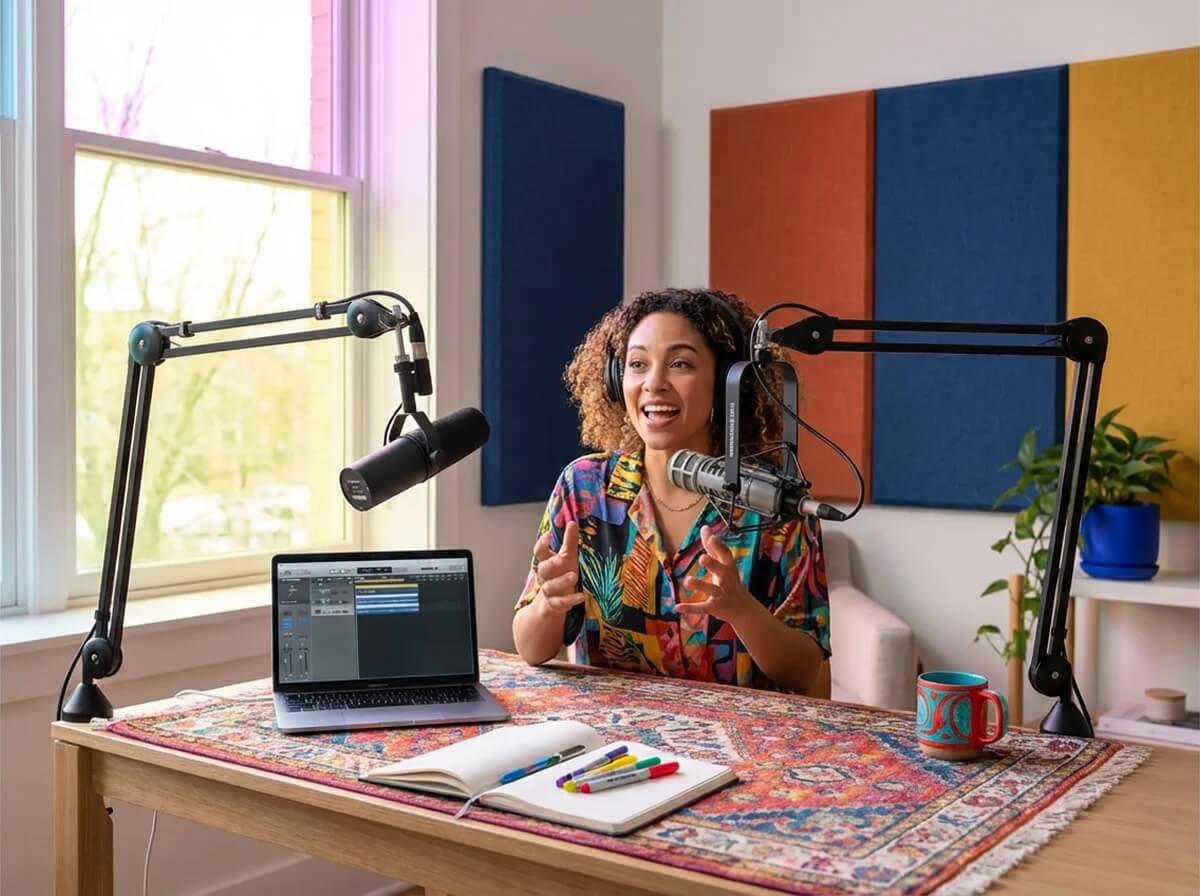
XLR microphones offer higher audio quality and more flexibility than USB options. They require an audio interface but provide professional-grade sound for podcasters ready to upgrade. XLR microphones work well for in-studio recordings and multi-person setups.
XLR microphones connect to audio interfaces that convert analog signals to digital. This setup provides more control over gain, monitoring, and audio processing. XLR microphones are the standard for professional podcasting and broadcasting.
XLR microphone benefits
- Higher quality: Professional-grade audio capture
- More control: Adjustable gain and monitoring
- Scalable: Add multiple microphones as needed
- Industry standard: Used in professional broadcasting
When choosing XLR microphones, consider your recording setup and whether you need multiple microphone inputs. XLR microphones work best in treated recording spaces where you can control acoustics and background noise. They require more setup but offer superior sound quality for serious podcasters.
Dynamic vs. Condenser Microphones
Dynamic microphones are less sensitive and better at rejecting background noise. They work well in untreated spaces and handle loud sounds without distortion. Dynamic microphones are durable and ideal for podcasters recording in home offices or less-than-ideal environments.
Condenser microphones are more sensitive and capture more detail and nuance. They require phantom power and work best in treated recording spaces. Condenser microphones offer superior sound quality but are more susceptible to background noise and handling sounds.
Microphone type comparison
- Dynamic microphones: Better noise rejection, durable construction
- Condenser microphones: More sensitive, captures detail
- Recording environment: Dynamic better for untreated spaces
- Sound quality: Condenser offers more detail in treated spaces
Budget Microphones Under $100
Budget microphones under $100 provide good audio quality for beginners starting their podcasting journey. These microphones work well for solo podcasts and remote interviews. While they may not match professional quality, they offer sufficient audio quality for getting started.
Budget USB microphones typically include essential features like cardioid pickup patterns and built-in headphone monitoring. They connect directly to computers and require no additional equipment. Many successful podcasters began with budget microphones and upgraded later.
Budget microphone features
- Affordable pricing: Under $100 for complete setup
- Essential features: Cardioid pattern, headphone monitoring
- Easy setup: Direct computer connection
- Good value: Sufficient quality for beginners
Mid-Range Microphones $100-$300
Mid-range microphones between $100 and $300 offer improved audio quality and additional features. These microphones work well for podcasters ready to invest in better equipment. They provide professional-quality sound without breaking the bank.
Mid-range options include both USB and XLR microphones. USB models offer convenience with improved quality. XLR models require interfaces but provide more flexibility and control. Choose based on your setup preferences and upgrade plans.
Mid-range features
- Improved quality: Better audio capture than budget options
- Additional features: Advanced controls and monitoring
- Durable construction: Built to last through regular use
- Upgrade path: Good foundation for future expansion
Professional Microphones $300+
Professional microphones over $300 offer studio-quality audio and advanced features. These microphones are investments for serious podcasters and professional broadcasters. They provide exceptional sound quality and durable construction designed for regular use.
Professional microphones typically use XLR connections and require audio interfaces. They offer advanced features like multiple pickup patterns, advanced filtering, and premium construction. These microphones are built to last and provide consistent performance over years of use.
Professional features
- Studio quality: Exceptional audio capture
- Advanced features: Multiple patterns, filtering, processing
- Durable construction: Built for professional use
- Consistent performance: Reliable quality over time
Microphone Features to Consider
When choosing a podcast microphone, consider pickup patterns, frequency response, and connectivity options. Cardioid patterns focus on your voice while reducing background noise. Frequency response affects how your voice sounds. Connectivity determines your setup requirements.
Additional features like built-in headphone monitoring, gain control, and mute buttons improve usability. Consider whether you need multiple pickup patterns for different recording situations. Think about portability if you record in multiple locations.
Key features
- Pickup pattern: Cardioid ideal for solo recording
- Frequency response: Affects voice reproduction
- Connectivity: USB vs. XLR based on setup
- Monitoring: Built-in headphone jacks for zero latency
Microphone Placement and Setup
Microphone placement significantly impacts audio quality regardless of microphone cost. Position your microphone 6-8 inches from your mouth at a slight angle. Use a pop filter to reduce plosive sounds. Keep the microphone away from walls and windows to minimize reflections.
Test different placements to find what works best for your voice and space. Record test clips and listen back to compare results. Adjust gain levels to prevent clipping while maintaining good signal strength. Refer to our equipment guide for detailed setup instructions.
Placement tips
- Distance: 6-8 inches from mouth at slight angle
- Pop filter: Position between mouth and microphone
- Environment: Away from walls, windows, and noise sources
- Gain levels: Adjust to prevent clipping
Frequently Asked Questions
What's the best microphone for podcasting beginners?
The best microphone for podcasting beginners is a USB microphone with cardioid pickup pattern. USB microphones are easy to set up, affordable, and provide good audio quality for starting out. Look for models with built-in headphone monitoring and gain control.
Do I need an expensive microphone to start a podcast?
No, you don't need an expensive microphone to start a podcast. Many successful podcasters began with budget USB microphones under $100. Audio quality depends more on microphone placement, room acoustics, and editing than microphone cost alone.
What's the difference between USB and XLR microphones?
USB microphones connect directly to your computer and are easier to set up. XLR microphones require an audio interface but offer higher quality and more flexibility. USB microphones work well for beginners, while XLR microphones are better for professional setups.
Should I choose a dynamic or condenser microphone?
Choose a dynamic microphone if you're recording in an untreated space or noisy environment. Choose a condenser microphone if you have a treated recording space and want to capture more detail. Dynamic microphones are more forgiving for beginners.
Can I use multiple microphones for podcasting?
Yes, you can use multiple microphones for podcasting, especially for multi-person recordings. XLR microphones work better for multiple microphone setups because they connect through audio interfaces with multiple inputs. USB microphones are typically limited to one per computer.
How important is microphone placement?
Microphone placement is extremely important for audio quality. Proper placement can make a budget microphone sound professional, while poor placement can make an expensive microphone sound bad. Focus on distance, angle, and environment when positioning your microphone.
Final Thoughts
Choosing the right podcast microphone depends on your budget, setup, and quality requirements. Start with a USB microphone if you're beginning your podcasting journey. Upgrade to XLR when you're ready for professional quality. Remember that microphone placement and room acoustics matter as much as microphone choice.
Focus on learning proper microphone technique before investing in expensive gear. A well-positioned budget microphone often sounds better than an expensive microphone used incorrectly. Test different options to find what works best for your voice and recording environment.
For comprehensive guidance on starting your podcasting journey, see our complete beginner's guide. Once you have your microphone, focus on creating quality content and building your audience. The microphone is just one piece of the podcasting puzzle.

Written by
Michael WongYouTuber with 215K+ subscribers and founder of Choppity. Building AI tools that help creators repurpose content at scale.