


Social media scheduler: Plan, preview & schedule posts
Once content is approved, Choppity helps you move it straight into publishing. Schedule social media posts from the same workspace where ideas, drafts, captions, previews, and calendar dates already live—so your team spends less time copying content between tools and more time showing up consistently.
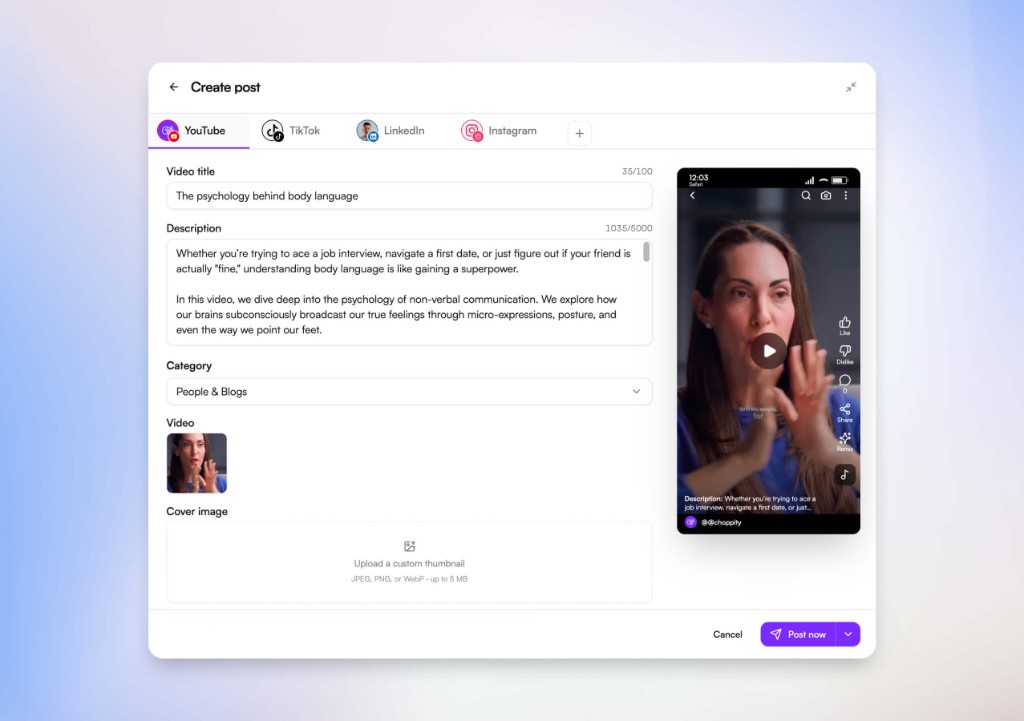
A social media scheduler connected to your whole workflow
Top scheduler pages focus on speed, consistency, best-time publishing, approvals, and one dashboard. Choppity brings that scheduling story closer to your planner and content calendar so every post keeps its context.
Connected accounts
Connect supported social accounts securely so approved posts can move from Choppity into publishing without manual uploads.
Post now or schedule later
Publish immediately when content is ready, or choose a future date and time so your posting cadence stays consistent.
Platform previews
Review captions, titles, thumbnails, media, and mobile layout before content reaches your audience.
Planner handoff
Schedule approved content from the ideas board instead of copying details out of docs, spreadsheets, or chat threads.
Calendar visibility
Keep scheduled and published posts visible in your content calendar so teams can spot gaps and busy weeks.
Consistent publishing
Batch your publishing decisions ahead of time and keep content going live even when your team is offline.
Schedule social media posts without rebuilding your workflow
Social media scheduler
1
Connect your accounts
Use secure account connections so Choppity can publish to supported social media platforms without storing your passwords.
2
Prepare the post
Start from approved planner content or a finished asset, then confirm the caption, title, thumbnail, category, and platform details.
3
Preview before publishing
Check how the post will look before it goes live, so reviewers are approving the actual social experience instead of a spreadsheet row.
4
Post now or schedule
Publish immediately or choose a future time to keep your social media calendar consistent without last-minute manual posting.
01 Publishing without tab-hopping
Move approved content into scheduling
Leading scheduler pages all sell the same relief: stop jumping between a planner, a folder of assets, a caption doc, and every social platform. Choppity’s scheduler is designed to sit after your ideas board and content calendar, so approved posts keep their context all the way to publishing.
That means captions, media, platform choices, and schedule dates stay connected instead of being rebuilt at the last step.
Try it for free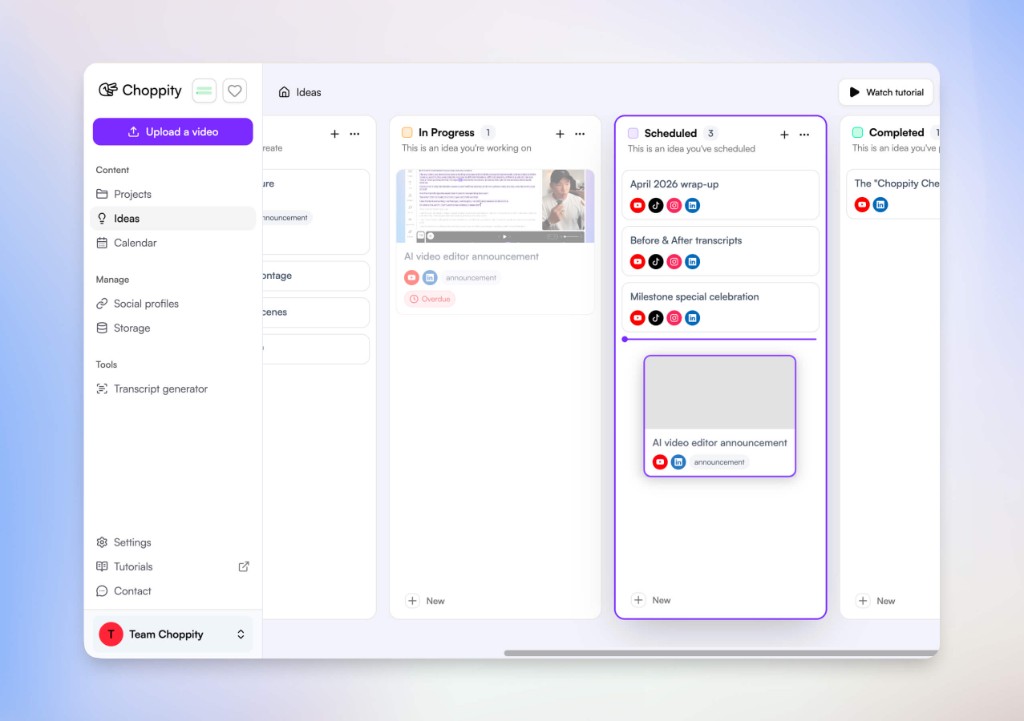
02 Preview-ready publishing
Confirm post details before they go live
Schedulers win trust when teams can review what will actually publish. Choppity keeps the post composer close to your content workflow, with fields for captions, titles, categories, thumbnails, media, and platform tabs.
Use previews to catch mistakes before publishing: wrong copy, missing creative, weak thumbnails, or platform-specific details that would otherwise be missed in a spreadsheet.
Try it for free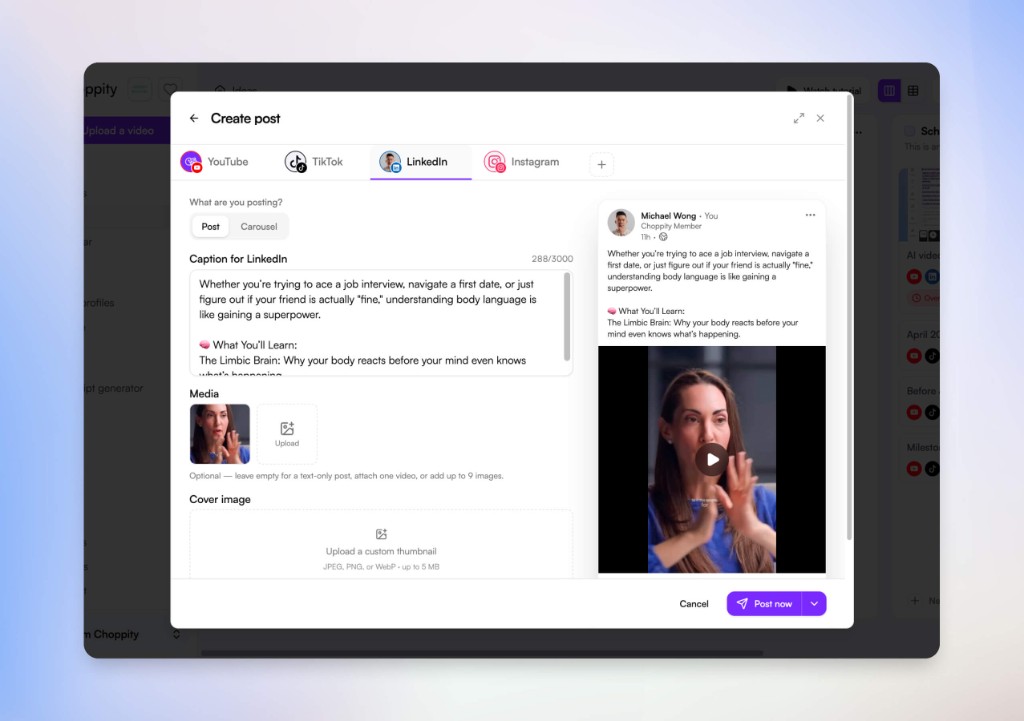
03 Consistent scheduling
Keep your posting cadence alive
Competitors emphasize “best time to post” and bulk planning because consistency matters. Choppity’s scheduling workflow is built for the same outcome: decide what should go live, when it should go live, and which platform it belongs to before the day gets chaotic.
Pair the scheduler with your content calendar to spot quiet weeks, launch clusters, and campaigns that need more coverage.
Try it for free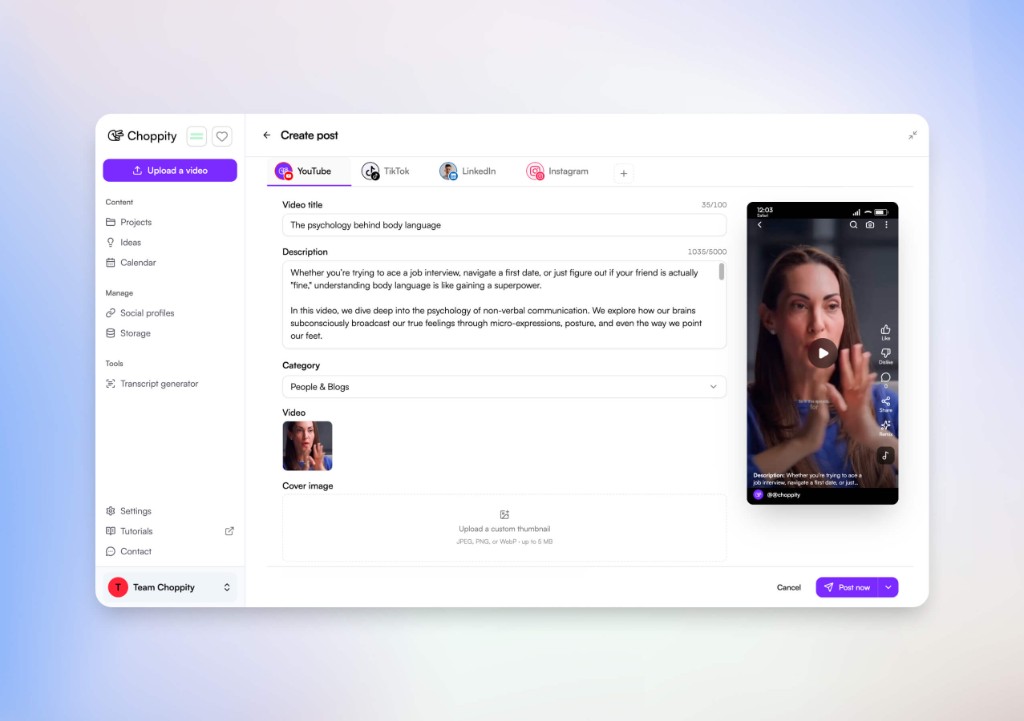
Scheduling is the final step, not the whole workflow
Generic schedulers often start at the upload screen. Choppity connects scheduling to the planning and calendar work that happens before publishing.
Content planner
Capture ideas, briefs, assets, captions, and approvals before a post is ready for a publish date.
Content calendar
See what is approved, scheduled, and published across campaigns, dates, and platforms.
Social media scheduler
Publish now or schedule later once the content is approved and ready for connected social media platforms.
Loved by Content creators PodcastersCreatorsMedia agenciesYouTubersContent creatorsChurch pastorsNon-profits
Here's what happened when you stop trying tools or dabble with video editors and start using Choppity.
"All these random startups and VC-backed companies going after the "creator economy". Now this is how you do it. For creators, built by creators. Super bullish on products being built for the pain points already felt deeply by the founder. Let's goooooo!"

Alex B.
YouTuber & Founder, EfficientApp
"Exactly the solution I was looking for. Just generated all these clips whilst in bed! Awesome work and congrats on the launch"

Ramish
YouTuber & Designer
"After a few small technical issues the team really went above and beyond to help. They were fast and efficient and really made all the difference. I don’t think I have had this type of customer service … maybe ever lol - Thank you and recommend"

Nicole B.
Content creator
"We've been using Choppity for the last 6 months or so for the AutoTrader tech podcast. We've seen a massive increase in our views and subscribers! Couldn't have done it without Choppity."
Callum B.
Product Lead, AutoTrader
"Since we've started using Choppity, our socials have seen a 4x increase in overall views across our channels. Love the non-stop product updates as well."

Vaibhav
Founder, SmartLead.ai
"Want cleaner podcasts without spending hours editing? We found an AI tool that automatically censor swear words audio bleeps AND caption cleanup! Choppity. Game changer"
AwesomeCast
Tech Podcast
"The Choppity team have been shipping new updates to the product which I am quite happy about. It's getting faster and they are also giving us the features we've been asking for!"

Amy L.
Finance creator
"In the past I've tried to get my YouTube video editor to create mass amount of short form content, but they struggled. Economically it didn't make sense and the quality wasn't great. Choppity has been an INCREDIBLE asset in scaling up my short-form video reach. Having ALL the clips automatically clipped, styled and ready to publish has been the biggest lever to growing my businesses."
Michael W.
YouTuber & Designer
Try these free tools
Free Social Media Video Scheduler
Schedule video posts to TikTok, YouTube, Instagram, Facebook, LinkedIn, and X from one dashboard. Free social media video scheduler.
Try freePost or Schedule Facebook Posts Free
Post or schedule Facebook posts directly from Choppity. Turn long videos into short clips and publish them to Facebook instantly or schedule for later.
Try freePost or Schedule Instagram Posts Free
Post or schedule Instagram Reels and posts directly from Choppity. Create short clips with AI captions and publish or schedule them to Instagram in seconds.
Try freePost or Schedule TikTok Posts Free
Post or schedule TikTok videos directly from Choppity. Generate short clips with AI captions and publish or schedule them to TikTok without leaving the platform.
Try freeMore than just scheduling—complete your entire content workflow from creation to publishing
Short clips generator
Automatically turn long-form videos or podcasts into viral short clips. Perfect for TikTok, Reels, and YouTube Shorts with zero manual editing required.
Learn moreFind specific moments
AI instantly detects key moments, quotes, and highlights in your podcast or video, helping you create high-impact short clips effortlessly.
Learn moreAnimated AI captions
Generate 97%+ accurate subtitles in seconds. Customize animations to mimic the style of top creators like Alex Hormozi.
Learn moreAI auto-reframing (9:16)
Automatically crop landscape video into vertical formats. The AI keeps the subject centered, so you never have to keyframe manually.
Learn moreActive speaker detection
Our AI detects who is talking and switches focus instantly. Perfect for multi-speaker podcasts and Zoom interviews.
Learn moreAuto-censor profanity
Keep your content monetizable and brand-safe. Automatically detect and beep/mute swear words with one toggle.
Learn moreText-based video editing
Edit your video by editing the text. Delete a word in the transcript, and Choppity cuts it from the video automatically.
Learn moreKeyword search and clip
Looking for a specific quote? Search the transcript for keywords and instantly turn that segment into a standalone clip.
Learn moreContent planner
Capture ideas, write briefs, preview platform-specific posts, and move approved social content into your calendar without spreadsheets.
Learn moreContent calendar
See planned, scheduled, and published posts by date, platform, status, and campaign so your social calendar never drifts.
Learn more1-click posting to social platforms
Post now or schedule approved social media content to YouTube, TikTok, Instagram, Facebook, X, and LinkedIn from one place.
Learn moreAI video editor
Edit videos automatically with AI. Choppity handles transcription, clipping, framing, captions, and formatting — no editing experience needed.
Learn moreFAQ
Common questions about Choppity and how it works
What is a social media scheduler?
A social media scheduler is a tool that lets you prepare posts ahead of time and publish them at a chosen date and time. It helps teams stay consistent, avoid last-minute manual posting, and keep captions, media, and platform details organized.
Is it safe to connect my social media accounts?
Yes. Choppity uses secure OAuth-style account authorization where supported, so your account credentials are handled through each platform’s secure connection flow rather than being stored as plain passwords in Choppity.
Can I schedule content from the ideas board?
Yes. The content planner is designed to move approved ideas into the calendar and scheduling workflow, so captions, assets, notes, and platform choices stay connected instead of being copied into a separate scheduler.
Can I post immediately or schedule for later?
Yes. Choppity supports the two core scheduler actions searchers expect: publish ready content now, or choose a future date and time so your social channels stay active even when your team is offline.
Which social media platforms can I publish to?
Choppity currently supports direct publishing to YouTube, with additional platform integrations rolling out progressively. The scheduler, planner, and calendar are structured for multi-platform social workflows so teams can prepare content for every channel they manage.
How is a social media scheduler different from a content calendar?
A content calendar shows what is planned, scheduled, and published across dates. A social media scheduler is the action layer that sends approved content live now or at a future time. Choppity connects both so planning, dates, and publishing do not drift apart.