
Free AI Clip Maker & AI Shorts Maker — Turn Long Videos into Short Clips
Choppity is a free AI clip maker and AI shorts maker. Upload any long video or podcast and our clips AI finds 30+ viral-ready Shorts, TikToks and Reels with animated captions — built for long-to-short.
Processing…
This will only take a moment…
Loved and used by real creators, podcasters, brands and more
 LockedOn Lakers
 Jeremy Vine & Daytime on 5
 Lighten Up Podcast
  Unscripted by Raygan
 Made by Mizko
 Design Champs
  MotDollarMiljonen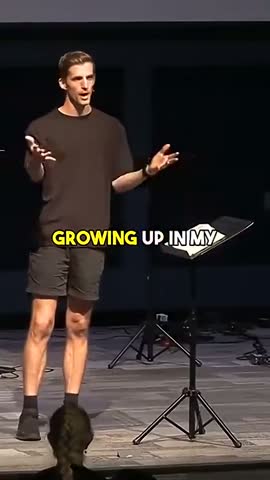
 Southside Presbyterian Church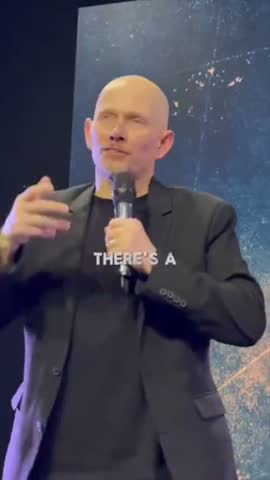
 Hope Rising Church Southside Presbyterian Church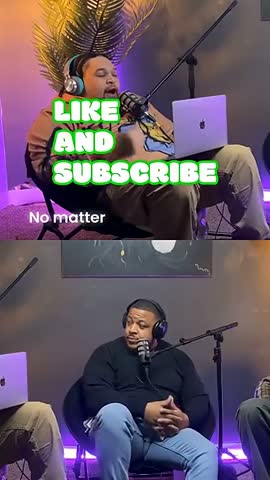
 Let The Streets Rejoice
 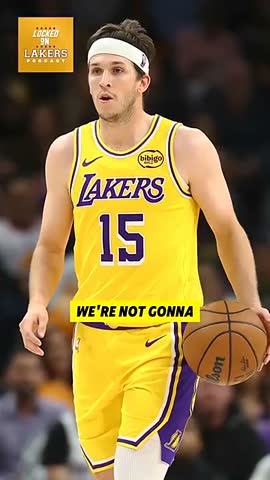 LockedOn Lakers Jeremy Vine & Daytime on 5 Lighten Up Podcast
 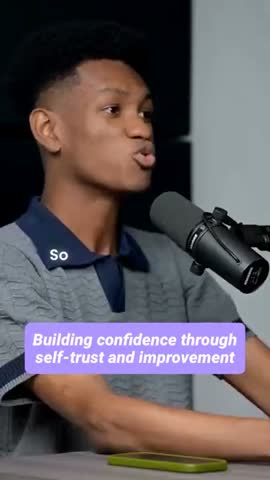 Unscripted by Raygan Made by Mizko Design Champs
 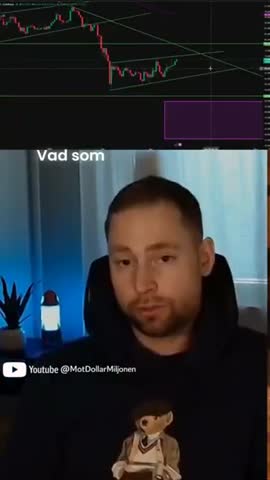 MotDollarMiljonen Southside Presbyterian Church Hope Rising Church
 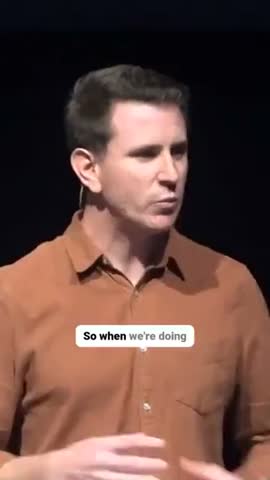 Southside Presbyterian Church Let The Streets Rejoice LockedOn Lakers Jeremy Vine & Daytime on 5 Lighten Up Podcast Unscripted by Raygan Made by Mizko Design Champs MotDollarMiljonen Southside Presbyterian Church Hope Rising Church Southside Presbyterian Church Let The Streets Rejoice LockedOn Lakers Jeremy Vine & Daytime on 5 Lighten Up Podcast Unscripted by Raygan Made by Mizko Design Champs MotDollarMiljonen Southside Presbyterian Church Hope Rising Church Southside Presbyterian Church Let The Streets Rejoice
 Trusted by teams at



 MPS Society
 SonatypeMPS SocietySonatypeMPS SocietySonatypeMPS SocietySonatype
 How to use this tool
Paste a link or upload
Drop in a YouTube, Vimeo, or Twitch URL — or upload any video file. Works with podcasts, interviews, webinars, lectures, and vlogs up to 10GB.
AI finds the best moments
Our AI transcribes at 95%+ accuracy, then scores every segment using clip objectives tuned for viral hooks and trust-building moments — quotable insights, emotional peaks, and complete story arcs.
Get styled vertical clips automatically
Each clip is reframed to 9:16 with AI speaker tracking, camera splits, zooms, and word-by-word animated captions — all handled in 10-15 minutes for a typical hour-long video.
Export, schedule, or post direct
Download captioned MP4s or publish/schedule straight to TikTok, YouTube Shorts, Instagram Reels, Facebook Reels, and LinkedIn from inside Choppity.
How it works
How AI turns one long video into dozens of ready-to-post clips
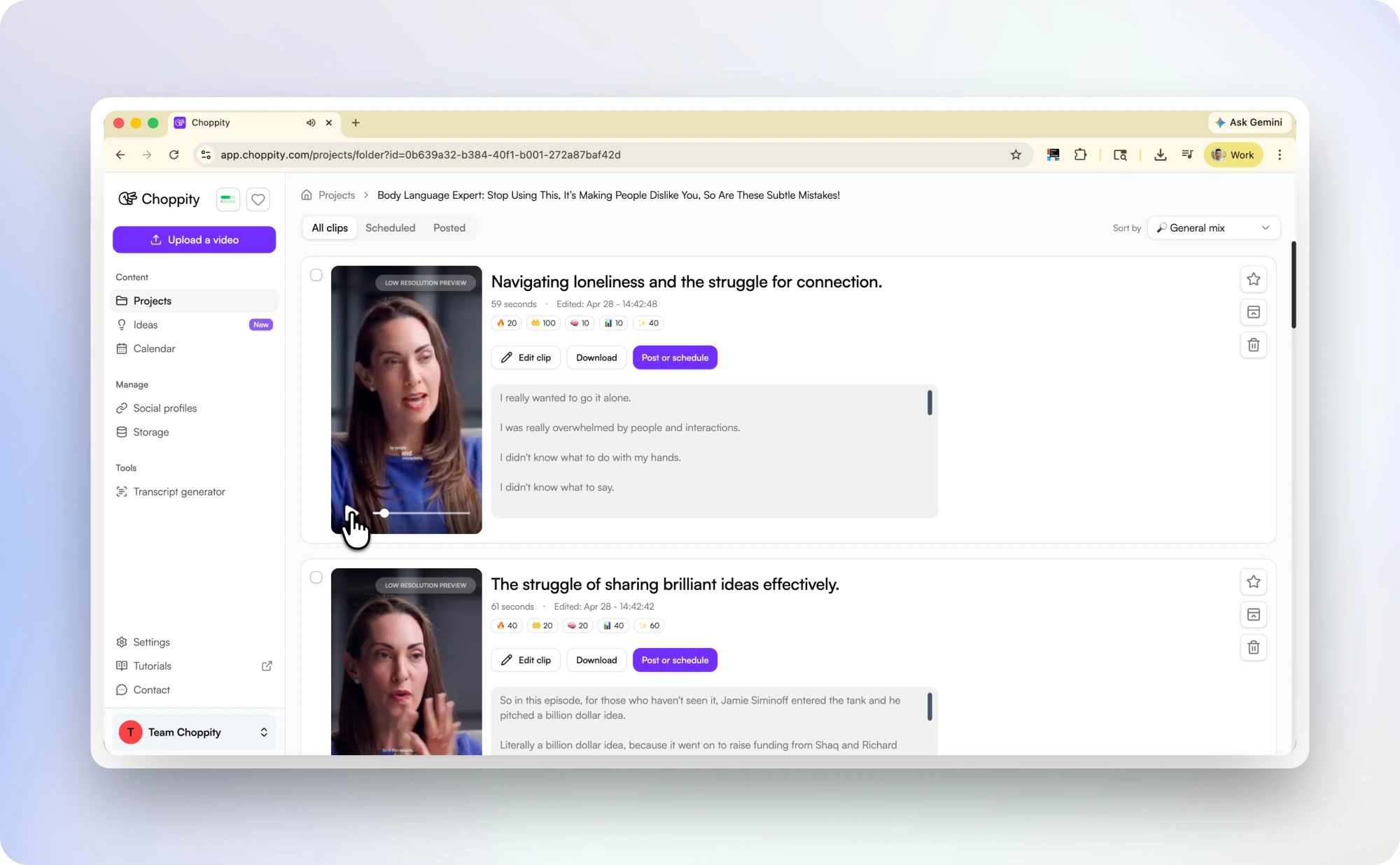
Upload any long-form video and Choppity's AI generates a full transcript, then analyses every sentence for clip potential. It identifies moments that work as standalone short-form content: bold claims, surprising data, personal stories, audience-relevant quotes, heated exchanges, and laugh-out-loud reactions.
Each clip is automatically trimmed to a complete thought (so you never get a clip that cuts off mid-sentence), reframed to 9:16 vertical with AI speaker tracking that keeps whoever is talking centred, and styled with animated word-by-word captions burned directly into the video. AI handles the clipping, styling, transcribing, reframing, zooms, and camera splits — not just the cut points.
A single 60-minute video typically produces 20-40 ready-to-post clips in 10-15 minutes. What used to take 4-6 hours of manual scrubbing and editing now happens in one upload.
Long video to short video
Turn any long video into short clips with AI
Choppity is a long video to short video AI tool: paste a link or upload a file, and it turns long-form content into short clips automatically. It works for podcasts, webinars, interviews, lectures, livestreams, and YouTube videos.
The AI transcribes the full video, finds moments that can stand alone as short-form content, trims each clip to a complete thought, reframes it to 9:16, and adds animated captions.
You can generate and preview clips on the free plan. Paid plans remove the watermark and unlock longer uploads, bulk export, and direct posting to TikTok, Reels, YouTube Shorts, LinkedIn, and Facebook.
Multi-speaker videos
Interviews, podcasts & multi-speaker videos — handled automatically
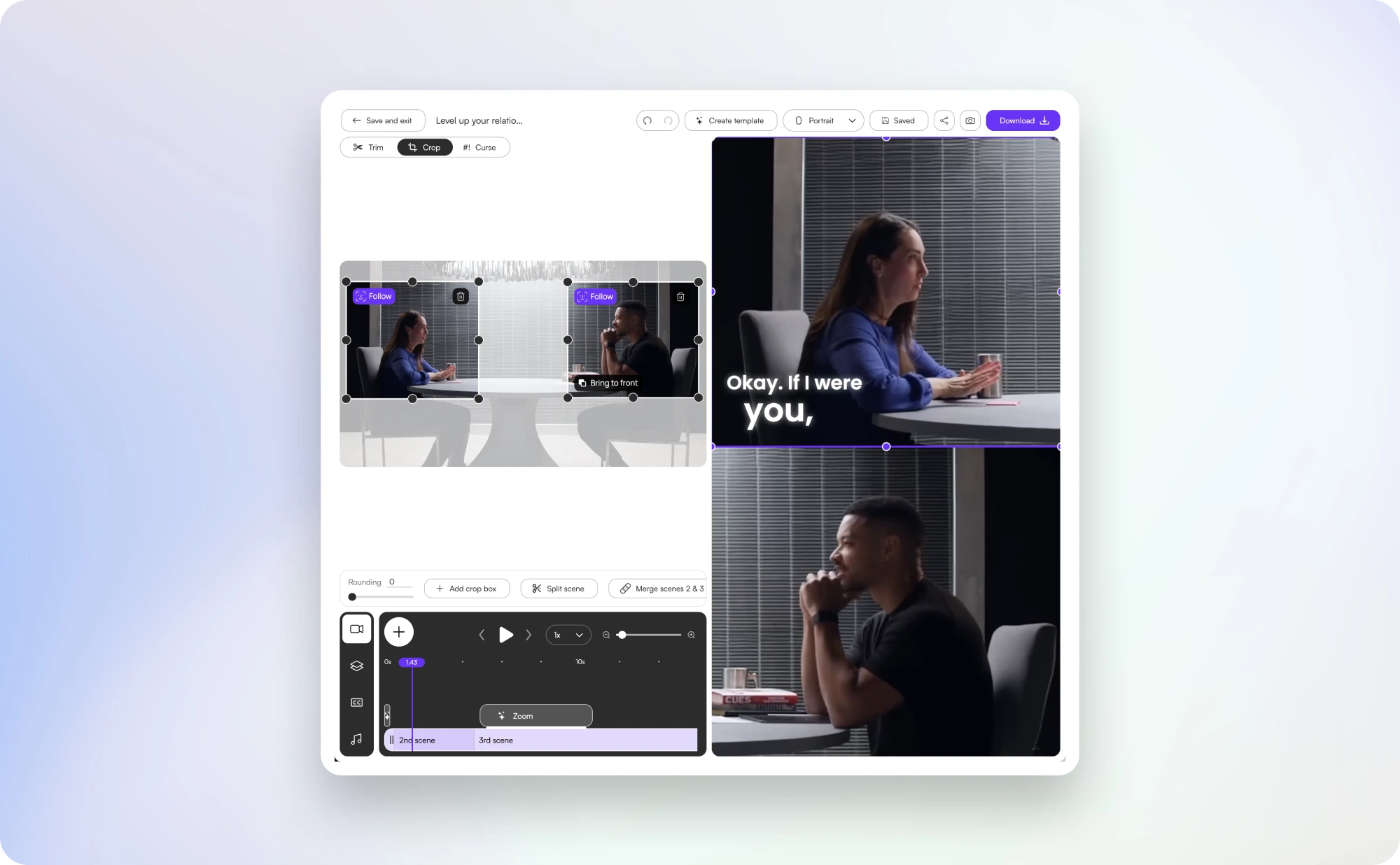
Multi-speaker content is where AI clipping pays off the most. The best moments are scattered across an hour of conversation, and finding them manually is a slog — whether you're clipping a podcast, a panel discussion, a webinar, or a multi-guest interview.
Our AI is purpose-trained on conversational dynamics: it detects speaker hand-offs, identifies complete back-and-forth exchanges (so a question and its answer ship as one clip), and applies different caption colours per speaker so viewers can follow along on mute. The AI also flags moments that consistently outperform on social — the contrarian take, the surprising stat, the personal story with a clear payoff — and ranks them by clip objective, not just raw virality.
That means clips built to nurture audiences and build trust, not just chase views. It's the same workflow top podcasts and creator teams use to turn one long upload into a week of social posts — without an editor on payroll.
Caption styles
AI-powered caption styles built for retention
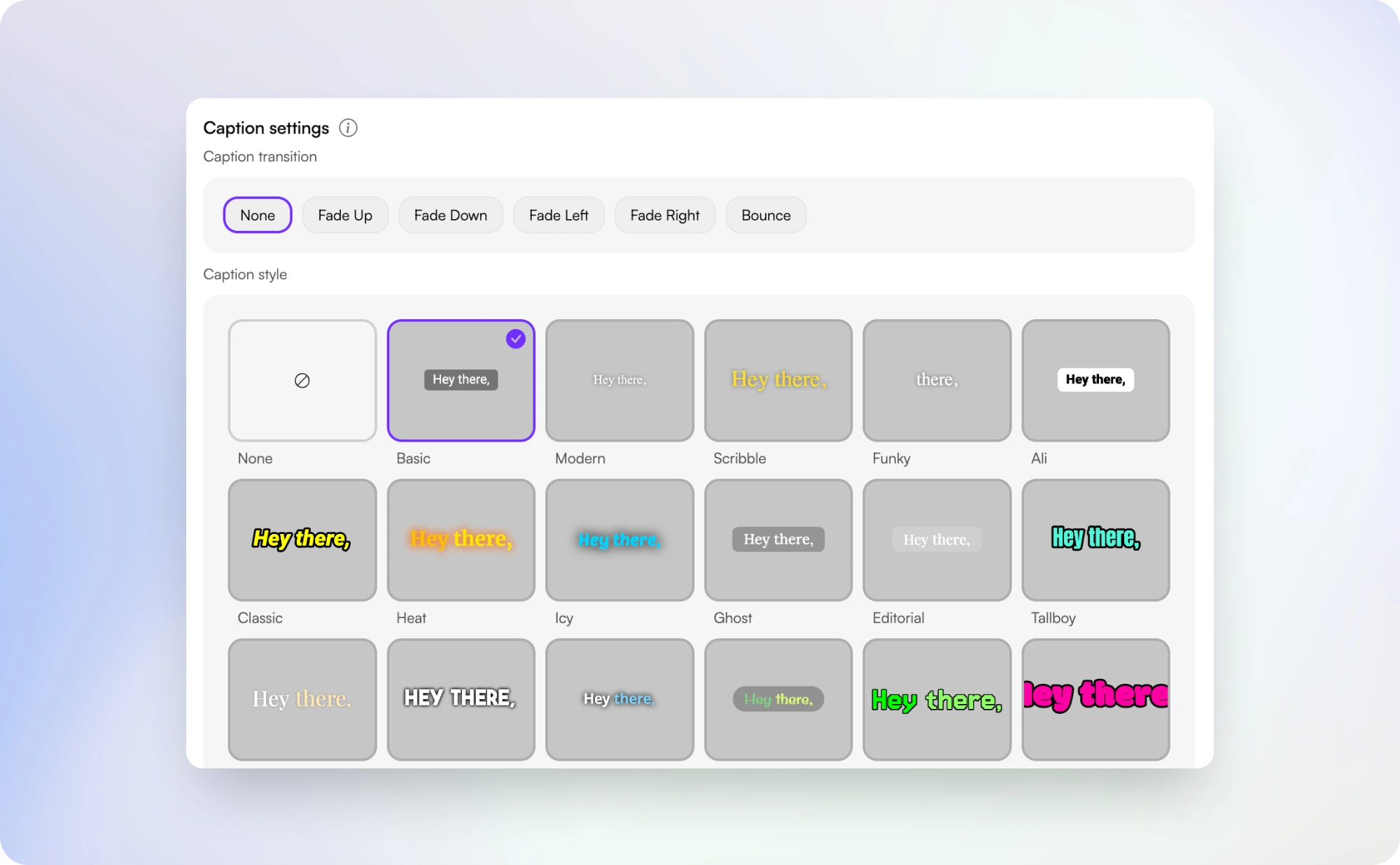
Captions drive retention on muted feeds, but generic white-on-black subtitles get scrolled past. Choppity's animated burned-in captions are AI-timed and tuned for short-form clips: word-by-word pop-on for high-energy moments, karaoke-style highlight that follows the spoken word, Hormozi-style with bold yellow keyword emphasis for business and selling content, and clean minimal subtitles for documentary or interview shows.
Every preset is fully customisable — fonts, colours, stroke, shadow, position, animation timing — so your clips match your brand. Multi-speaker videos can use speaker-specific colours so viewers track who's talking without needing the audio. Compared to generic clipping tools, Choppity's caption presets are purpose-built for the long-to-short workflow, which means they look right out of the box without a designer in the loop. See more in our free video caption generator.
Distribution
Direct posting & scheduling to TikTok, Reels, Shorts, LinkedIn & Facebook
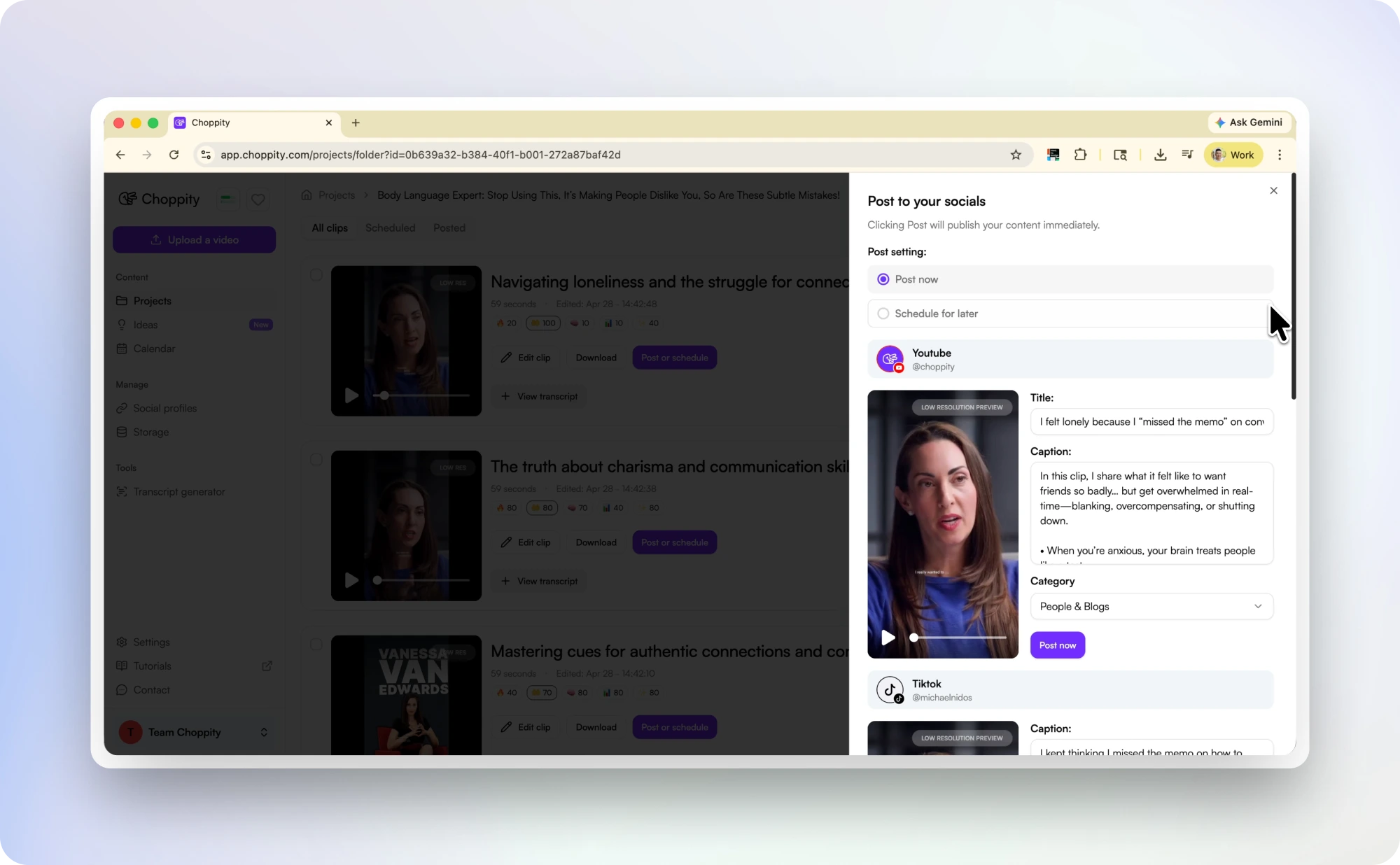
The bottleneck for most creators isn't generating clips — it's actually posting them across every platform on a consistent schedule. Choppity closes the loop inside one AI-powered tool: clip the video, customise the captions, and publish or schedule directly to TikTok, YouTube Shorts, Instagram Reels, Facebook Reels, and LinkedIn from the same workspace.
A typical workflow looks like this: upload your long video → AI generates 30 clips in 10-15 minutes → pick the top 7 → schedule one per day for the week → done. Compared to downloading clips from another tool and manually re-uploading them across 5 platforms, this saves 60-90 minutes per upload and keeps your social cadence consistent. Combined with our social media video scheduler, you can plan an entire content month from a handful of long-form uploads.
Clipping AI
What is clipping AI?
Clipping AI is software that finds useful short-form moments inside a longer video. Instead of cutting a video into random intervals, it uses the transcript, speaker changes, pacing, and context to identify clips that can work on their own.
A good AI clipping agent handles the full workflow: transcribing the video, finding candidate clips, trimming them to complete ideas, reframing for vertical platforms, adding captions, and preparing clips for export or publishing.
Choppity is built for that full workflow. You still review and approve the clips, but the repetitive work of finding, cutting, captioning, and formatting is handled automatically.

Manual vs AI
Manual clipping vs AI clipping software
Manual clipping still works, but it's slow and hard to scale if you're publishing weekly. AI clipping software is faster because it finds, trims, captions, and reframes in one pass.
| Workflow | Manual clipping | AI clipping software |
|---|---|---|
| Time per 60-minute video | 4-6 hours | 10-15 minutes |
| Typical output | 3-8 clips | 20-40 clips |
| Who does the clipping | Expensive, slower freelancers from Upwork | Choppity AI clipper software |
| Best for | Custom one-off edits | Consistent short-form publishing |
| Posting workflow | Download then manually upload per platform | Publish or schedule directly from one workspace |
Compare
Choppity vs OpusClip, Vizard, Munch, Sendshort & Veed
There's a growing field of AI clip makers, but most optimise for one thing: viral hooks. Choppity is built as a leading AI clip maker because accurate AI is the foundation — transcription, moment detection, speaker tracking, caption timing, and reframing all need to work reliably at scale.
Where Choppity stands out: clip objectives tuned for virality and trust-building (nurturing audiences, not just chasing views), a stable and scalable AI video engine that clips an hour-long video in 10-15 minutes with styles, captions, zooms, and camera splits already done, animated burned-in captions baked into the workflow, and direct posting and scheduling to all major platforms from inside the app. Switching tools? See our Opus Clip alternative, Vizard alternative, and VEED alternative comparisons.
| Tool | Strengths | Trade-offs | Free tier | Paid from |
|---|---|---|---|---|
|
Recommended
Choppity | Accurate AI transcription & moment detection, clip objectives for virality AND trust-building, animated burned-in captions, AI speaker tracking with camera splits & zooms, direct posting & scheduling to TikTok / Reels / Shorts / LinkedIn / Facebook, stable scalable video engine | Uploads capped at 10 GB / 120 minutes per file | 1 hour/month, no watermark | $19/mo |
| OpusClip | Most-recognised brand, large template library, well-known viral-score model | Watermark on free tier, deeper caption customisation locked behind paid plans, queues during peak hours | Watermarked | $19/mo |
| Vizard.ai | Multi-language transcription, built-in social scheduling | More complex onboarding, watermark on free tier, general-purpose AI needs cleanup on multi-speaker videos | Watermarked | $30/mo |
| Munch | Marketing analytics, trend tagging, AI-generated hashtags & copy | Higher pricing, fewer caption presets, weaker multi-speaker handling | Limited | $49/mo |
| Sendshort | Affordable entry point, simple workflow | Smaller team means slower releases, fewer presets, limited integrations | Limited | $19/mo |
| Veed.io | Full video editor capabilities if you also need general-purpose editing | Not purpose-built for long-to-short, watermark on free, weaker AI moment detection than dedicated clippers | Watermarked | $25/mo |
Pricing reflects publicly listed entry-tier plans as of April 2026 and may change. Comparison reflects our reading of each tool — your mileage may vary depending on use case.
Try our AI video editing platform
At Choppity we help content creators turn long videos into viral short clips. We use AI to automatically identify highlights, add animated captions, and optimize content for each social platform.
Try it for freeHear it from a real podcaster using Choppity
An unscripted look at how an active podcaster integrated Choppity into their weekly workflow.
"A few weeks ago we started using Choppity. It identifies the moments in a 60-minute episode that are actually captivating, handles captions, formats for different platforms, reframes automatically, and you can post or schedule directly from there. Suddenly the bottleneck wasn't editing anymore."

These podcasters, creators, content teams and founders said yes, look what happened
Here's what happened when you stop trying tools or dabble with video editors and start using Choppity.
"We've been using Choppity for the last 6 months or so for the AutoTrader tech podcast. We've seen a massive increase in our views and subscribers! Couldn't have done it without Choppity."
Callum B.
Product Lead, AutoTrader
"Want cleaner podcasts without spending hours editing? We found an AI tool that automatically censors swear words and cleans up captions! Choppity. Game changer."
AwesomeCast
Tech Podcast
"In the past I've tried to get my YouTube video editor to create mass amounts of short-form content, but they struggled. Economically it didn't make sense and the quality wasn't great. Choppity has been an INCREDIBLE asset in scaling up my short-form video reach."
Michael W.
YouTuber & Designer
"Since we've started using Choppity, our socials have seen a 4x increase in overall views across our channels. Love the non-stop product updates as well."

Vaibhav
Founder, SmartLead.ai
Free AI Clip Maker & AI Shorts Maker — Turn Long Videos into Short Clips FAQs
Common questions about this tool and how it works
What is an AI clip generator?
An AI clip generator analyses a long video, transcribes the audio, and automatically finds the most engaging 30–90 second segments for social media. Choppity's AI clip generator adds animated captions, reframes to 9:16 vertical, and exports clips ready for TikTok, Reels, and YouTube Shorts — typically 20–40 clips from a 60-minute video.
What is the best AI clip maker in 2026?
Choppity is the best AI clip maker for creators who need accurate moment detection, animated burned-in captions, multi-speaker tracking, and direct social scheduling in one tool. It differentiates from Opus Clip and Vizard with clip objectives beyond raw virality, profanity censoring, and a free tier without aggressive watermarking. Clipping YouTube specifically? Use the dedicated YouTube Clip Generator.
How is an AI clip generator different from a clip maker?
The terms are used interchangeably — both describe AI that finds highlight moments in long-form video. "AI clip generator" emphasises automated discovery; "clip maker" often implies manual trimming. Choppity does both: AI finds 30+ clips automatically, and you can refine any clip in the text-based editor.
Is this AI clip maker really free?
Yes — you can upload a video and generate clips for free. Free plans include Choppity branding on exports. Paid plans remove the watermark and unlock additional features like bulk export, longer uploads, and direct social posting.
Can I use this as an AI shorts maker?
Yes. Choppity is an AI shorts maker built for long-to-short — it auto-reframes to 9:16, adds animated captions, and exports Shorts, Reels, and TikToks from a single long upload. Paste a link or upload a file and the clips AI does the rest.
Is this an online AI clip maker, or do I need to download an app?
It is a fully online AI clip maker that runs in your browser on any PC or Mac — nothing to install and no app to download. Paste a link or upload a file and your clips are ready in minutes.
How long does it take to clip a video?
A typical hour-long video is processed in 10-15 minutes — including transcription, AI moment detection, vertical reframing, speaker tracking, zooms, camera splits, and animated captions. Shorter videos finish faster.
What video formats are supported?
You can paste a YouTube, Vimeo, or Twitch URL, or upload MP4, MOV, WebM, and MKV files up to 10GB. The AI handles videos up to 2 hours long.
Can this tool help with clipping YouTube videos?
Yes. Paste any public YouTube URL and the AI finds clip-worthy moments automatically, then exports captioned vertical clips for Shorts, Reels, and TikTok.
Can I use this as a video to Shorts converter?
Yes. This tool converts long-form video into Shorts-ready clips with 9:16 framing, captions, and fast export. For a YouTube-first workflow, use the dedicated video to Shorts converter page.
How many clips does it generate?
It depends on the length and content of your video. A 30-minute video typically produces 10-20 clips. A 1-hour video can generate 30-40+ clips ranked by clip objective — viral hooks, trust-building moments, and complete story arcs.
Does it add captions automatically?
Yes. Every clip gets word-by-word animated captions with 95%+ accuracy. You can customise the font, colour, size, animation style, and highlight keywords — all AI-timed to the transcript.
How well does it handle multi-speaker videos?
Multi-speaker is where Choppity's AI is strongest. It auto-detects each speaker, applies speaker-specific caption colours, and groups complete back-and-forth exchanges into single clips. Tested heavily on 2-4 person interview and panel formats.
Can I use it for TikTok, Reels, and YouTube Shorts?
Absolutely. Clips are auto-reframed to 9:16 vertical format and can be published or scheduled directly to TikTok, Instagram Reels, YouTube Shorts, Facebook Reels, and LinkedIn from inside Choppity.
How does this compare to OpusClip, Vizard, Munch, or Sendshort?
Each tool has trade-offs. OpusClip has the biggest brand but watermarks the free tier. Vizard does multi-language well but isn't purpose-built for long-to-short. Munch leans marketing analytics but is pricier. Sendshort is affordable but smaller. Choppity differentiates on accurate AI, clip objectives beyond virality (trust-building and audience nurturing), a stable scalable engine, and direct posting/scheduling from inside the app. See the comparison section above for the full breakdown.
Do the clips have a watermark?
Free exports include a small Choppity watermark. Paid plans remove it completely, giving you clean, brandable clips.
How do I turn a long video into a short video for free?
Paste a video link or upload a file, and Choppity's AI will transcribe the video, find the strongest short-form moments, and generate vertical clips with captions. You can generate and preview clips on the free plan. Paid plans remove the watermark and unlock longer uploads, bulk export, and direct posting.
Is there a free long video to short video AI with no watermark?
Choppity lets you generate and preview short clips from long videos for free. Free exports include a small watermark. Paid plans remove the watermark completely, so you can export clean clips for TikTok, Reels, YouTube Shorts, LinkedIn, and Facebook.
What is clipping AI?
Clipping AI is software that analyzes a long video and finds the best short segments to repurpose as social clips. It usually combines transcription, highlight detection, vertical reframing, and captions so creators can turn one long video into multiple short clips.
What is an AI clipping agent?
An AI clipping agent handles the clipping workflow automatically: it transcribes the source video, identifies candidate moments, trims them into complete clips, adds captions, and formats them for short-form platforms. You review the clips before publishing.
Learn more about captions & subtitles
Guides, tutorials, and platform deep-dives from the Choppity blog.
Opus Clip Alternative
Switch from Opus — 30+ clips, hour-based pricing, native scheduling.
YouTube Clip Generator
Paste a YouTube URL and let AI find 30+ viral clips automatically.
11 Best AI Podcast Clip Makers (Tested & Ranked)
Deep-dive comparison of AI clip tools built specifically for podcasters.
8 Best AI Clip Generators for Long Videos
Side-by-side comparison of every major clip generator tool.
11 Best YouTube Clip Makers in 2026
How the leading YouTube clip tools compare for creators and agencies.
How to Turn a Podcast Episode into Short Clips
Step-by-step guide from upload to published short-form clips.
More free tools
Animated Subtitles Generator (Free Animated Captions Tool)
Create stunning animated subtitles for your videos instantly. Our free animated subtitles generator adds eye-catching motion effects.
Try freeAdd Subtitles to Video for Free
Add subtitles to video online free with our AI subtitle generator. Upload any video and get accurate subtitles in seconds.
Try freeFacebook Reel Caption Generator (Add Captions Facebook Reel - Free Tool)
Add captions to your Facebook Reels instantly with our free AI tool. Upload any video and get perfectly formatted captions in minutes.
Try freeFree Facebook Video to Transcript Generator
Convert any Facebook video to text instantly. Upload your video or paste a link to get an accurate transcript. Free.
Try freeFree Video Caption Generator - Add Animated Subtitles & Captions to Videos with AI
Upload your MP4 or MOV, pick a caption style and transitions, and our AI automatically adds animated subtitles to your video. Download the finished MP4 or post straight to socials. 100% free.
Try freeHormozi Caption Style Generator - Free Alex Hormozi Subtitles
Generate Alex Hormozi-style animated captions for your videos instantly. Free tool. Get viral Hormozi caption style now!
Try freeExplore AI clip generator tools
Platform-specific clip generators, watermark-free export, and specialised AI clip makers for every use case. Clipping YouTube? Use the YouTube Clip Generator.
Free AI Clip Maker — No Watermark, Full Quality Export
Export AI-generated clips with no watermark and full quality using Choppity. Smart clip detection, animated captions, and broadcast-grade exports on paid plans.
Free AI Clip Maker for TikTok — Create Viral TikToks from Long Videos
Create viral TikToks from long videos with Choppity's AI clip maker for TikTok. Auto-reframe to 9:16, add trending captions, and export optimised clips instantly.
Best Free AI Clip Maker in 2026
Discover why Choppity is the best AI clip maker in 2026. Compare top tools and see how AI-powered clip generation, animated captions, and auto-reframing set it apart.
Long Video to Short Clips AI — Turn Hours of Footage into Viral Shorts
Turn long videos into short clips with AI. Upload a podcast, webinar, interview, or lecture and generate captioned vertical clips for TikTok, Reels, and YouTube Shorts.
Repurpose YouTube Video into Shorts with AI
Repurpose any YouTube video into Shorts with AI. Paste a URL, get 30+ vertical clips with hooks, animated captions, and 9:16 reframing — ready to post.
Free AI Clip Maker with Dynamic Subtitles — Animated Captions Built In
Create clips with dynamic animated subtitles using Choppity. AI detects highlights and adds word-by-word captions, colour bursts, and motion effects automatically.
Free Twitch AI Clip Maker — Turn Streams into Viral Clips
Turn your Twitch streams into viral clips with Choppity's AI clip maker. Automatically detect hype moments, add animated captions, and export for TikTok and Shorts.
Free Adobe Express AI Clip Maker Alternative
Looking for an Adobe Express AI clip maker alternative? Choppity offers smarter AI clip detection, animated captions, and free multi-platform export.
Free AI Clip Maker for Zoom Interview Highlights
Extract highlights from Zoom interviews with Choppity's free AI clip maker. Automatically find key moments, add captions, and share interview clips on social media.
Free AI Clip Maker for Gaming — Highlight Your Best Plays
Create gaming highlight clips with Choppity's AI. Automatically detect clutch plays, funny moments, and epic kills — then export with captions for TikTok and Shorts.