
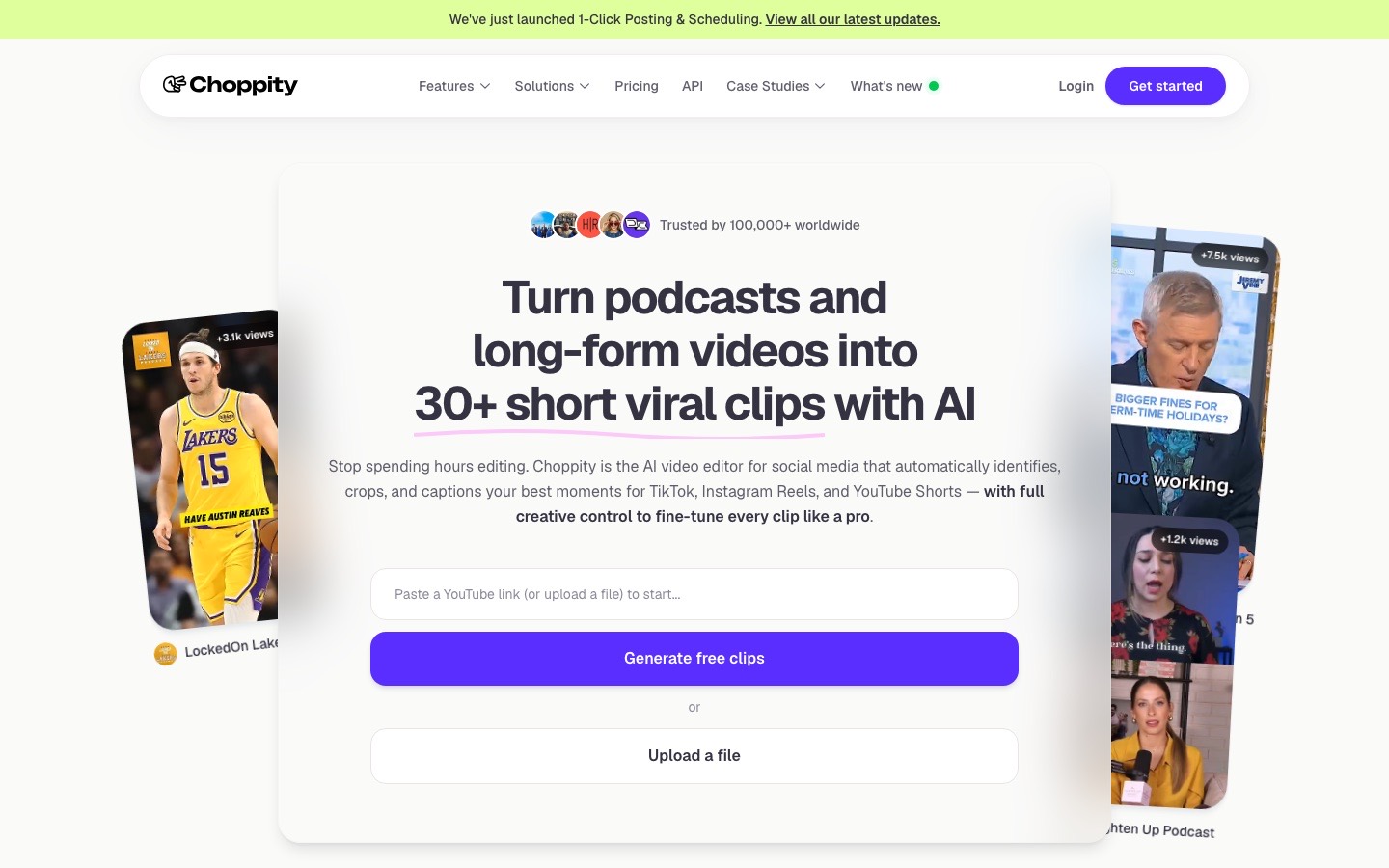
Your church records a powerful sermon every week — but how many people outside Sunday service actually see it? TikTok, Instagram Reels, YouTube Shorts, and Facebook Reels are where your congregation (and potential new members) spend their time. The challenge is turning a 45-to-90-minute sermon into dozens of shareable clips without burning out your volunteer media team.
We tested and compared 11 AI clip makers to find which tools actually deliver accurate highlights, usable captions for Scripture and theological terms, and a workflow beyond "export and manually re-upload." This is our ranked guide for churches and ministries in 2026 — comparison tables, verified monthly pricing, and an honest #1 pick.
At a Glance: Best AI Clip Makers for Churches Compared (2026)
We tested and compared every tool below. Here's the snapshot before the full reviews.
| Tool | Best for | Starting price | Transcript editor | Native posting | Our pick |
|---|---|---|---|---|---|
| Choppity | Churches needing sermon clip → edit → schedule → analytics workflow | $20/mo | Yes | Yes | ✅ #1 |
| Opus Clip | Hands-off clip generation from Sunday sermons | $15/mo | Limited | Limited | — |
| Descript | Transcript-based precision editing for sermon teams | $24/mo | Yes | No | — |
| Vizard | Simple browser sermon clips for volunteers | $29/mo | Basic | Yes | — |
| Klap | Polished brand-consistent sermon visuals | $29/mo | Yes | No | — |
| Submagic | Animated captions on pre-trimmed sermon clips | $19/mo | No | Yes | — |
| Kapwing | Free browser editing for budget church teams | $24/mo | Yes | Yes | — |
| Riverside | Multi-campus recording + basic Magic Clips | $29/mo | Basic | No | — |
| Vidyo.ai | Basic sermon-to-social repurposing | $29/mo | Basic | Yes | — |
| CapCut | Completely free manual sermon editing | Free | No | Yes | — |
| Repurpose.io | Auto-distributing finished sermon clips | $35/mo | No | Advanced | — |
Pricing as of June 10, 2026 — verified on each tool's /pricing page (monthly billing, lowest paid plan). Free tiers include restrictions.
TL;DR — Why Choppity wins for churches
- ✅ Fastest processing — full 60-minute sermons analyzed in minutes
- ✅ Custom AI criteria — "find Scripture illustrations," "highlight calls to action," and more
- ✅ Face tracking keeps the pastor centred in every vertical crop
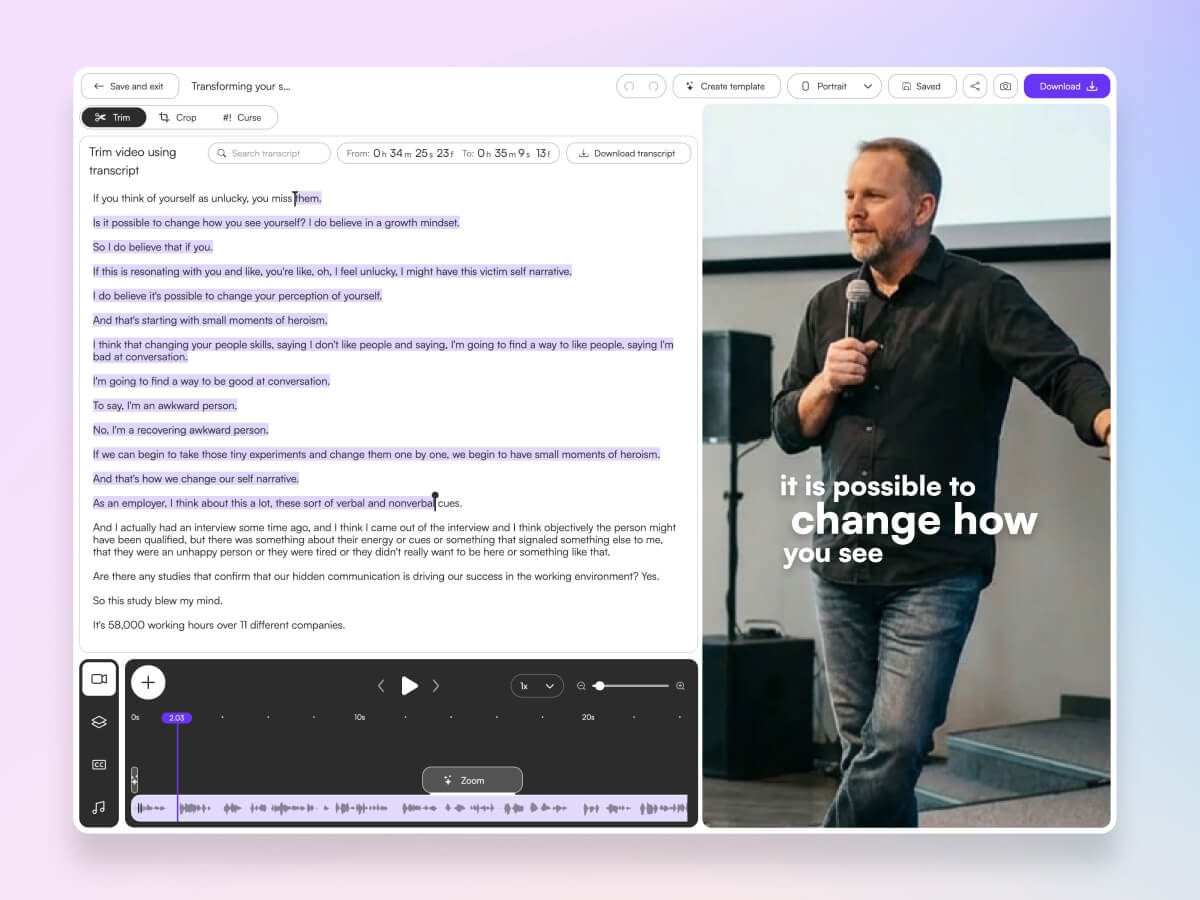
- ✅ Transcript-native editor — volunteers edit text, not timelines
- ✅ Native scheduling to Instagram, TikTok, YouTube & Facebook
- ✅ From $20/mo — replaces clip tool + editor + scheduler stack
“Choppity transformed how we share sermons. We went from posting once a week to daily clips — without any extra work from our volunteers.”
Ben
Lead Pastor, Southside Presbyterian Church
Try the Sermon Clip Generator free →
For a deeper sermon-specific breakdown, see our best sermon clip makers for churches guide. Learn how Choppity serves ministry teams on our churches solution page, or test it directly with the sermon clip generator.
Our Testing Methodology
We evaluated each tool on this list using long-form sermon recordings and the criteria below — clip duration targets (30–90 seconds), processing time, AI accuracy for sermon content, caption quality, and post-clip workflow.
Metrics we tracked
- Processing time: How long from upload to first usable clip suggestions
- AI accuracy: Did it find complete sermon moments — illustrations, Scripture points, calls to action — or random loud fragments?
- Caption quality: Accuracy for Scripture references, theological terms, and multi-language congregations
- Post-clip workflow: Editing depth, native posting, scheduling, and analytics for church social teams
Top SERP articles crown Opus Clip for virality scoring or Kapwing for free browser editing. None emphasize custom AI criteria for sermon structure — finding Scripture illustrations and calls to action before the AI runs — plus native multi-platform scheduling in one tool. That gap is where Choppity differentiated in our tests.
Why Choppity Is Our #1 Pick for Churches
Choppity is the best AI clip maker for churches we tested in 2026 because it doesn't stop at clip suggestions. It understands sermon structure — complete thoughts, Scripture readings, illustrations, and calls to action — and gives volunteer media teams a full workflow: custom AI criteria, transcript-native editing, animated captions with magic reframe, native posting to TikTok/Instagram/YouTube/Facebook, scheduling, and cross-platform analytics — in one browser tab.
The "Aha!" Moment
Most church media volunteers know the pain: scrubbing through 60 minutes of sermon footage, trying to find the three moments that will resonate on Instagram. Choppity eliminates that entire phase. Its AI doesn't just detect loud moments or applause — it analyzes conversation context to find complete thoughts. For sermons, that means it captures full illustrations, Scripture readings, and calls to action rather than clipping mid-sentence.
What sets it apart from every other tool on this list: you can tell the AI what kind of moments to find before it runs. Set a custom prompt like "find Scripture illustrations" or "highlight calls to action" and Choppity filters the entire sermon to match. No other tool on this list offers this level of control for ministry content.
How does Choppity work?
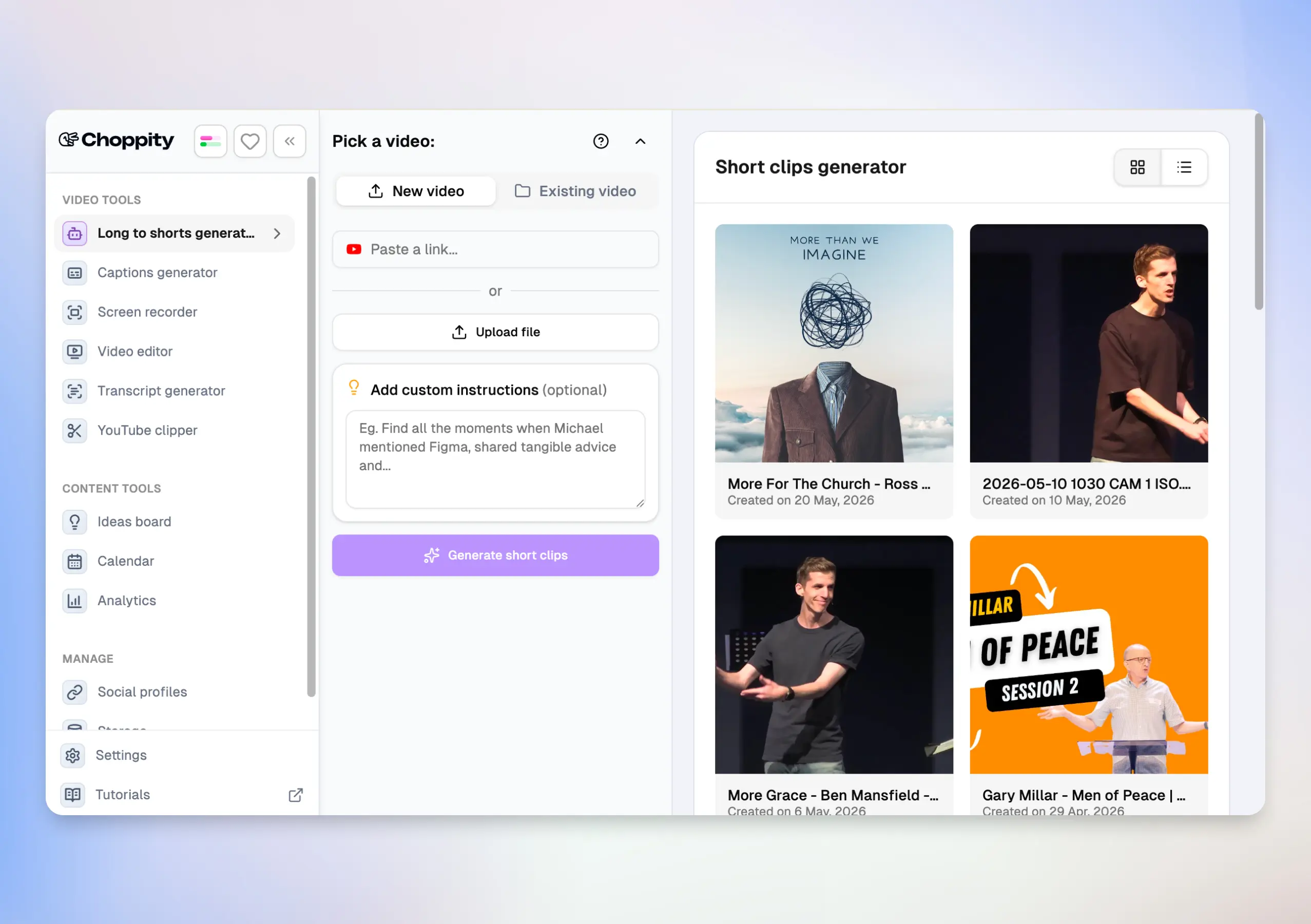
From Sunday sermon to daily social content in 3 steps:
- Upload your sermon recording or paste a YouTube link from your church channel
- Set custom AI criteria (e.g. "find Scripture illustrations" or "highlight calls to action"), clip duration, caption style, and magic reframe template
- Review AI clips, edit in the browser, then post or schedule to TikTok, Instagram, YouTube, and Facebook
Find your best sermon moments in minutes
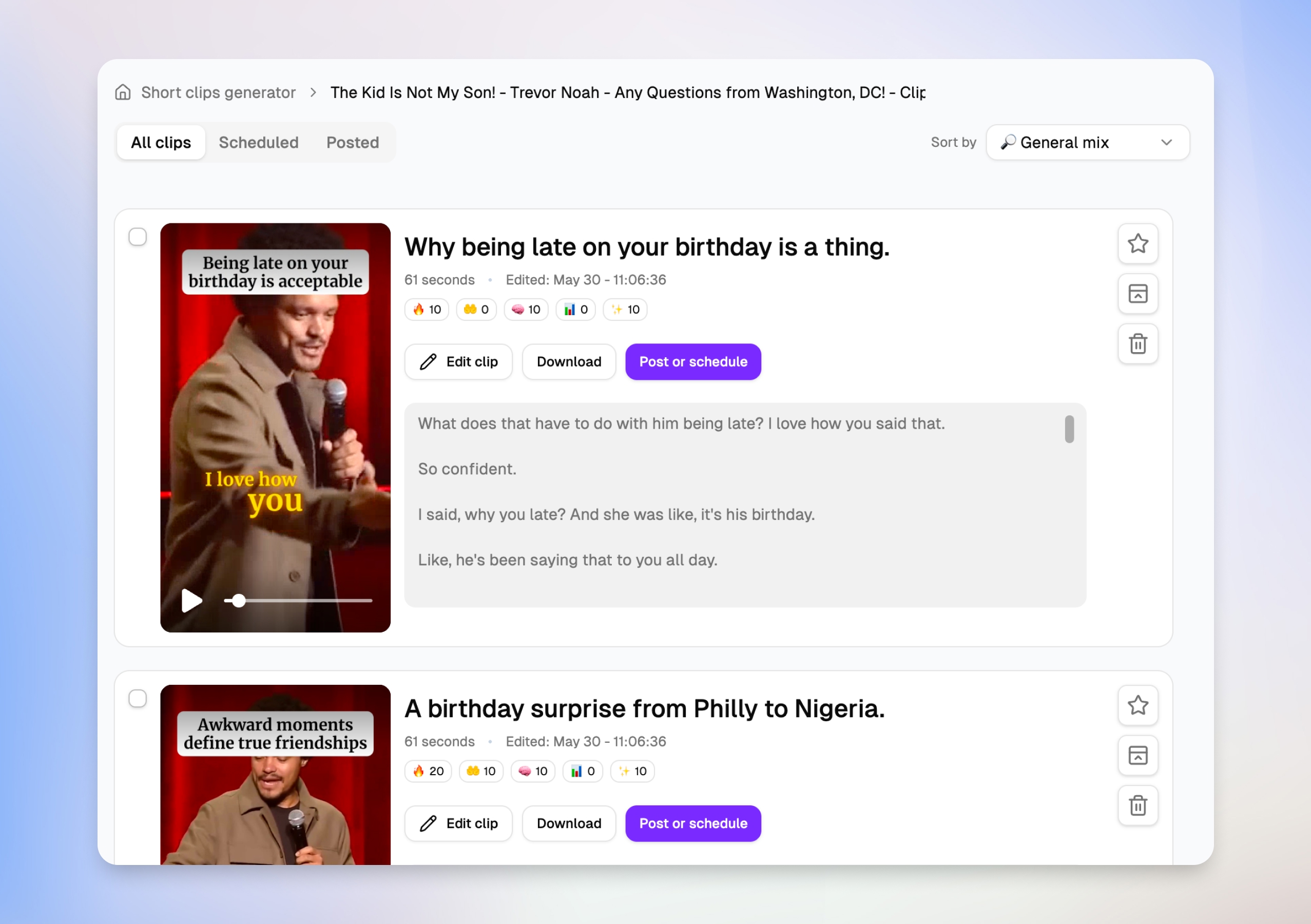
After you upload a sermon, Choppity surfaces dozens of clip suggestions — each with a title, duration, engagement scores, and a transcript preview. Your media team can scan what each short will actually say before opening the editor, then favorite, schedule, or jump straight to Edit clip without downloading anything.
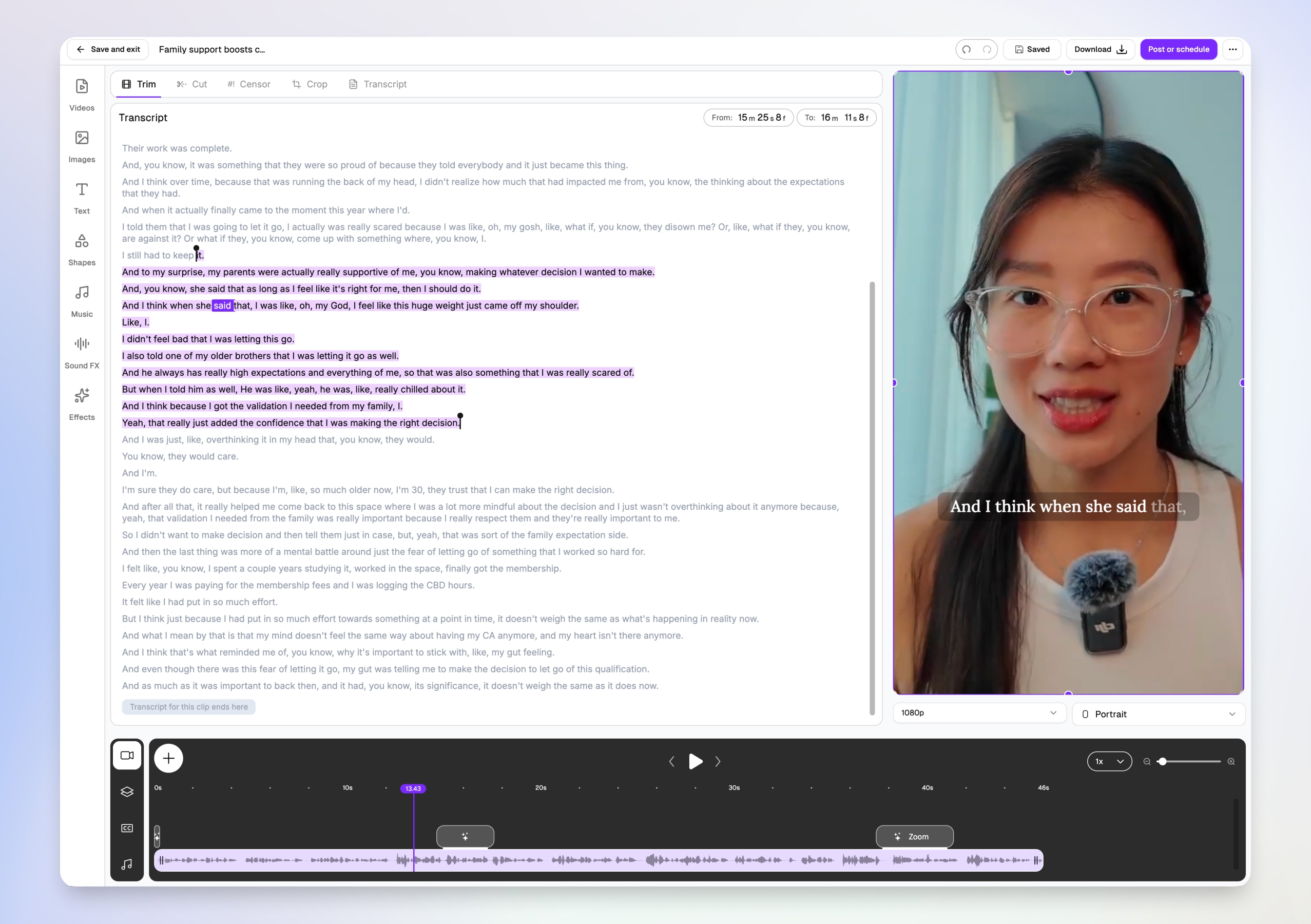
Edit sermons by transcript, not timeline
Volunteers don't need Premiere skills. Choppity's transcript-native editor lets you trim, cut, and censor by highlighting text — the video updates automatically. Word-level karaoke captions sync to the speaker in real time, and you can add B-roll, worship footage, and Scripture graphics from the same browser tab.
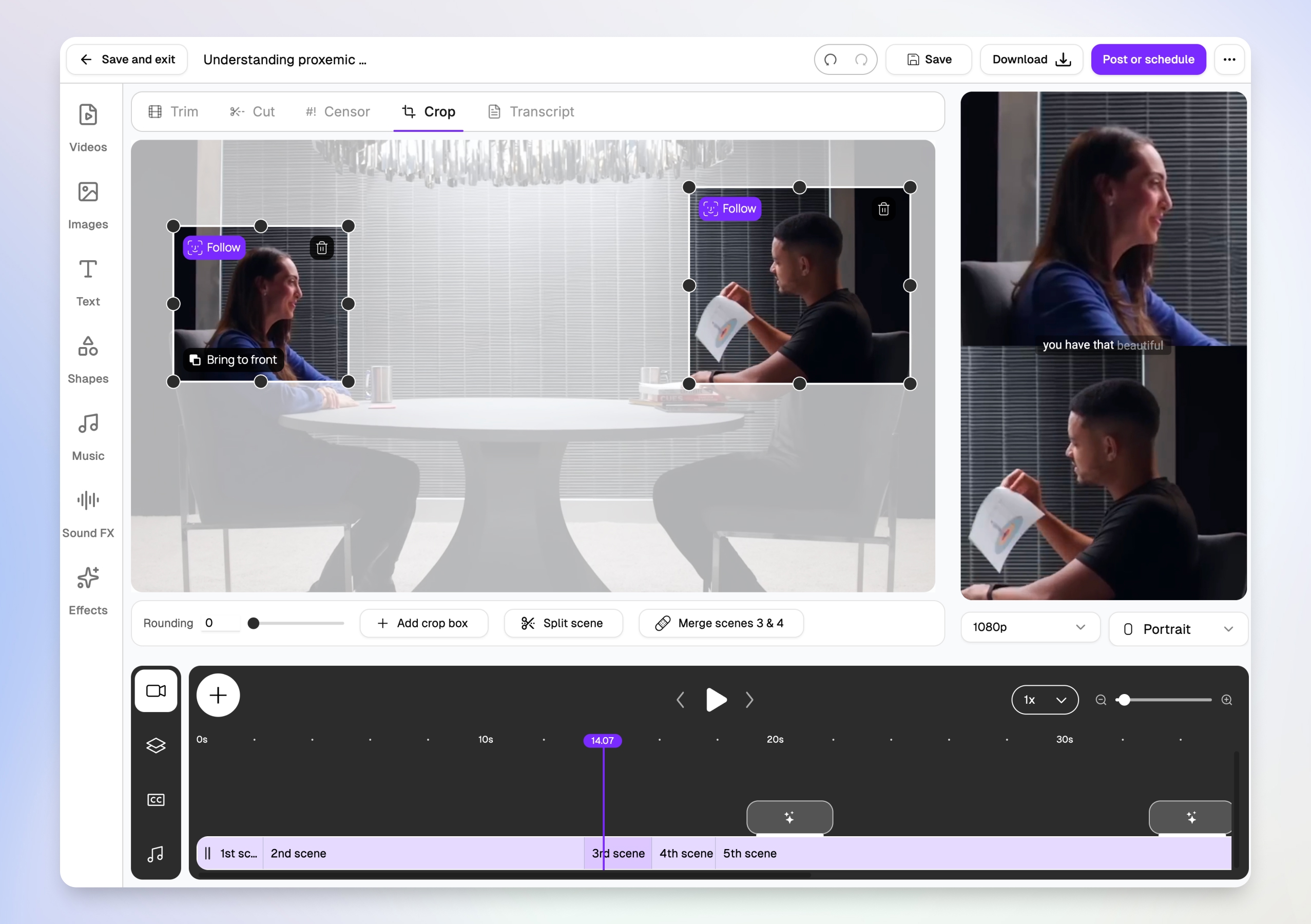
Face tracking for wide-angle stage shots
Wide-angle sanctuary footage is brutal to crop manually. Choppity's magic reframe follows the pastor with Follow tracking boxes, then outputs centered 9:16 vertical crops for TikTok, Reels, and Shorts — so the speaker stays in frame without hours of keyframing.
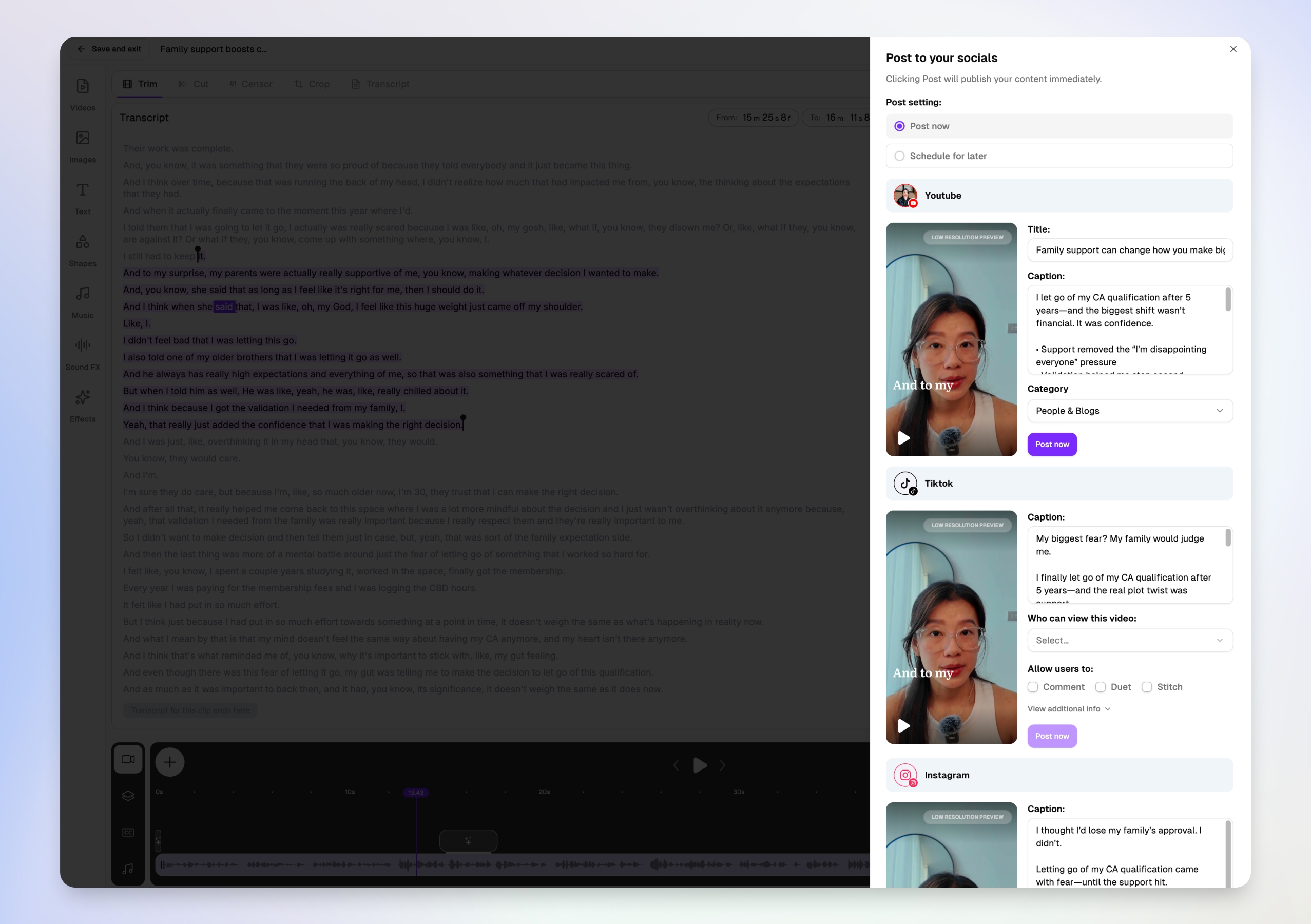
Post or schedule to every platform from one modal
Downloading MP4s and re-uploading to five apps is where sermon repurposing dies. Choppity's Post to your socials modal lets you write platform-specific titles and captions for YouTube Shorts, TikTok, and Instagram in one view — then post now or schedule for later without leaving the editor.
More than a clip maker — full create → publish → measure loop for churches
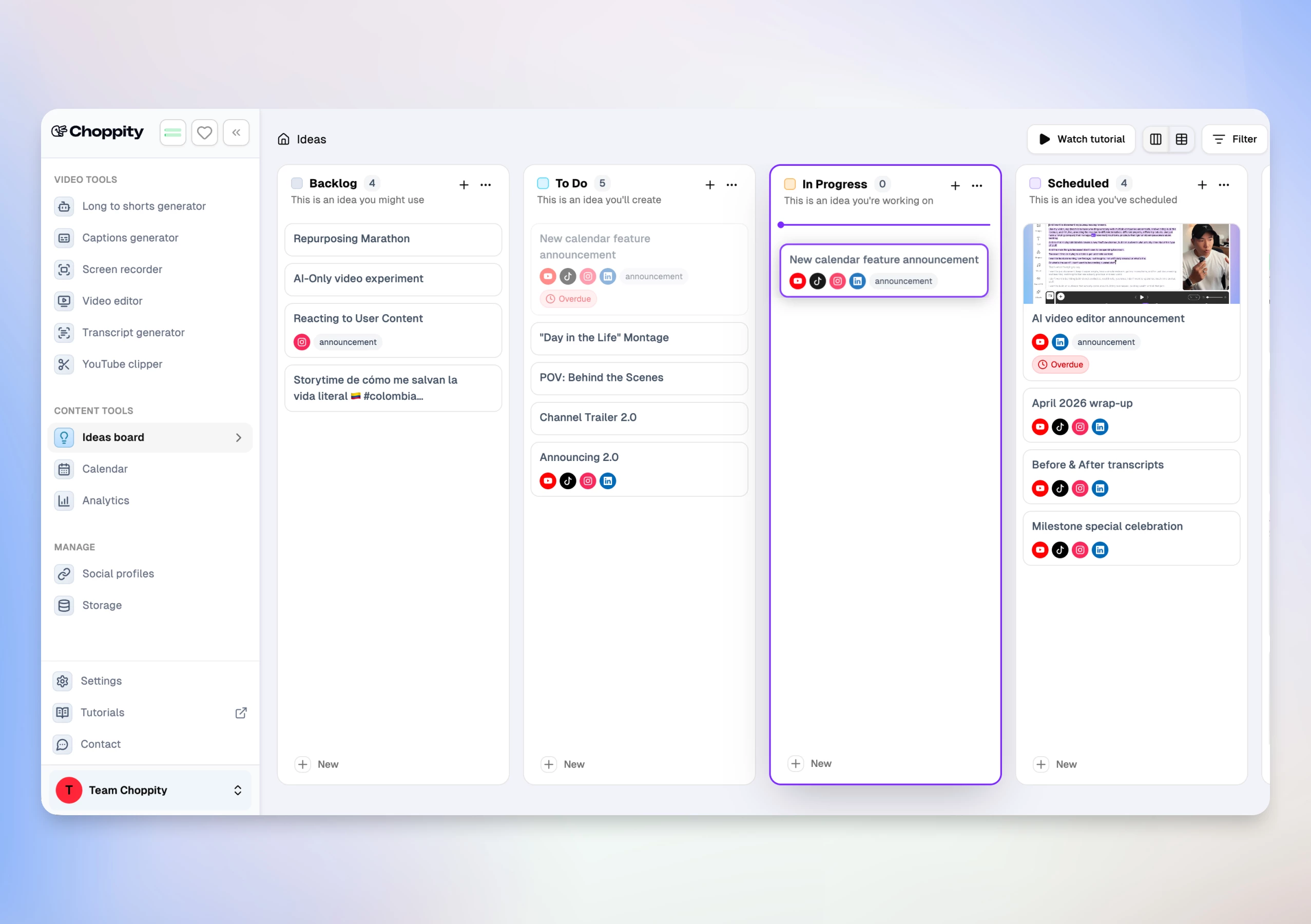
Competitors like Opus Clip and Vizard excel at one step. Choppity covers the cycle church media teams otherwise stitch together with 3–4 subscriptions:
- Transcript-native editor — trim, cut, semantic search, profanity censor, B-roll with worship footage or Scripture graphics, music, and 20+ caption styles with CFX effects
- Native posting & scheduling — per-platform captions, scheduled posts to Instagram, TikTok, YouTube, and Facebook
- Analytics dashboard — impressions, likes, comments, shares across posted sermon clips
- Ideas Board + Calendar — Kanban from sermon series idea → clip → published post
Real Use Case — Southside Presbyterian Church
Ben, the lead pastor at Southside Presbyterian Church (Brisbane, Australia), had a straightforward problem: a powerful sermon every Sunday, but almost no online reach beyond the live service. His media volunteer had no video editing background and couldn't sustain a manual clipping workflow.
After switching to Choppity, Southside went from posting once per week to daily social content — all from a single sermon upload. See Ben's full testimonial in the TL;DR above.
Pros
- Fastest end-to-end workflow — analysis, edit, post, and analytics in one product
- Custom AI criteria for Scripture illustrations, calls to action, and sermon-specific moments
- Clip picker with engagement scores and transcript previews — decide what to post before you edit
- Native face tracking keeps the pastor centred in vertical 9:16 crops from wide-angle stage shots
- Transcript-native editing — volunteers edit text, not timelines
- Per-platform titles and captions in one post-or-schedule modal
- 20+ caption presets plus CFX dynamic effects; 97-language support for diverse congregations
- B-roll support — layer worship footage, Scripture graphics, or church logos over clips
- Multi-format export: 9:16 (Reels, TikTok, Shorts), 1:1 (Instagram feed), 16:9 (YouTube, church website)
- Native posting and scheduling to Instagram, TikTok, YouTube, and Facebook
- Profanity censoring built-in — useful for testimony and interview content
Cons
- Free tier is preview-only — no downloads or full AI features until Starter ($20/mo)
- Best suited for talking-head sermon content (less ideal for cinematic worship footage with no speaker)
- Maximum upload 120 minutes / 10 GB (sufficient for most Sunday sermons)
Opus Clip
Opus Clip is a one-click AI clipping tool that analyzes long-form video and generates multiple short clips automatically. It includes a virality score — useful for sorting suggestions, though sermon engagement metrics differ from entertainment content.

Pros
- Zero-effort clip generation — upload and wait
- Fast processing for standard-length sermons
- Virality scoring can help identify outreach-friendly moments
Cons
- No custom AI criteria for Scripture or calls to action
- AI optimizes for viral hooks, which may miss quieter sermon moments
- Limited post-generation editing compared to Choppity's transcript-native NLE
- No cross-platform analytics or content planning board
Considering a switch? See our Choppity vs Opus Clip comparison.
Descript
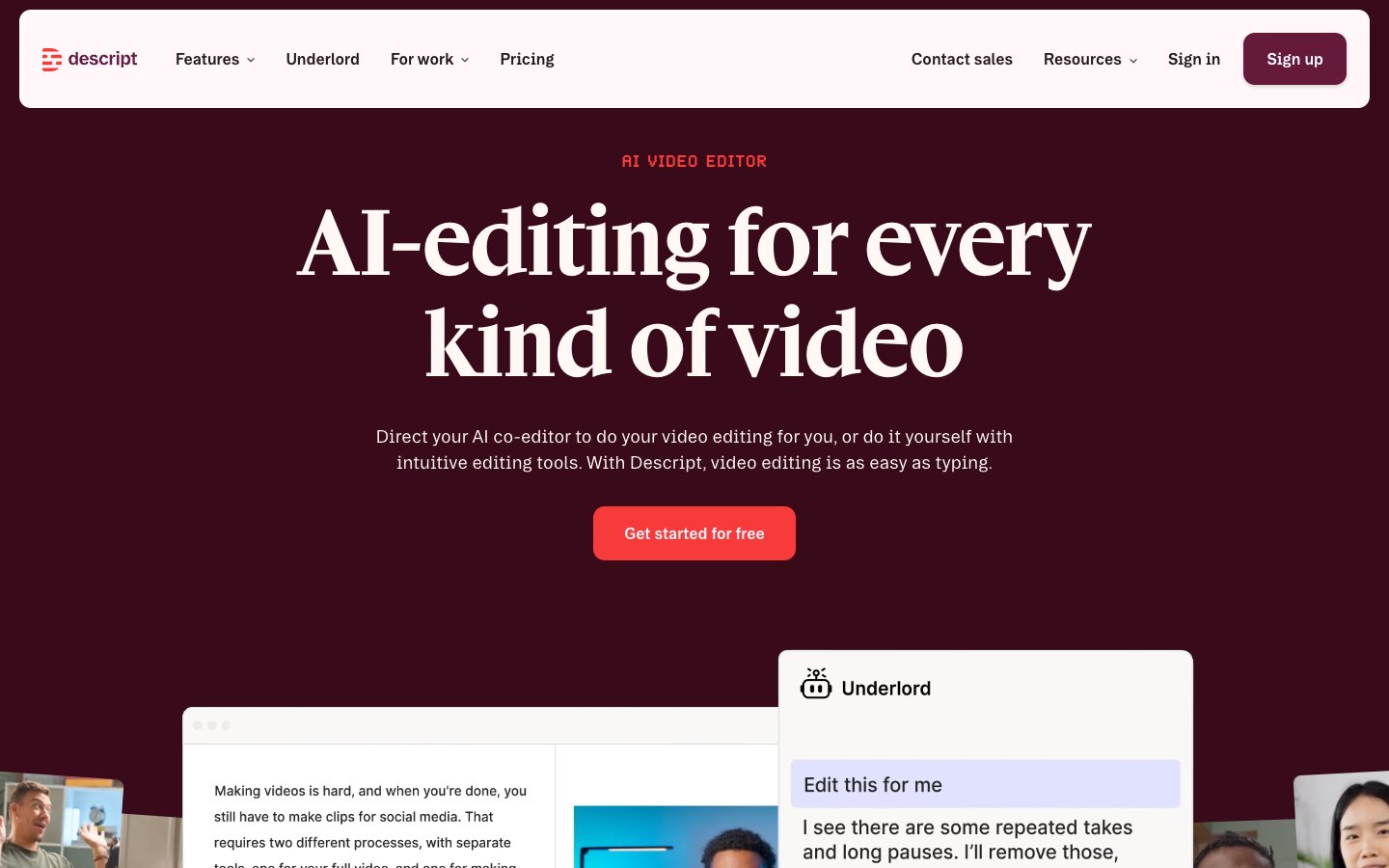
Descript pioneered text-based video editing — delete a word in the transcript and the video cuts. It's powerful for sermon precision editing, but AI clip generation requires more manual selection than dedicated clippers.
Pros
- Powerful transcript-based editing — intuitive for text-oriented volunteers
- Filler word removal cleans up casual sermon delivery
- Full editing suite for podcast and video production
Cons
- No sermon-specific AI highlight detection — you still find moments manually
- No native social posting or scheduling
- Steeper learning curve than dedicated clip makers
Vizard
Vizard is a browser-based AI clip generator. Upload a sermon, and the AI identifies potential short clips with auto-reframing and captions — accessible for volunteer media teams with no software to install.

Pros
- No installation — runs entirely in the browser
- Simple interface accessible for volunteer media teams
- Auto-reframing and basic caption generation included
Cons
- Generic AI detection — not optimized for sermon content flow
- Less control and customization than Choppity
- No Ideas Board or cross-platform analytics
Considering a switch? See our Choppity vs Vizard comparison.
Klap
Klap positions itself as the premium visual option for sermon clips — cleaner crops, 4K exports, and brand-consistent output for churches that care about on-brand social presence.
Pros
- Polished visual output and 4K exports on Pro
- Strong speaker tracking and brand template controls
- Good for churches prioritizing aesthetic consistency across sermon clips
Cons
- No custom AI criteria for Scripture or calls to action
- No native multi-platform scheduling or analytics dashboard
- Fewer clips per sermon than Opus Clip at the same price tier
Submagic
Submagic specializes in animated captions and visual overlays. If your church already has trimmed sermon clips and wants viral-style animated captions, Submagic's template library is one of the strongest in the market.

Pros
- Best-in-class caption animation templates
- Strong visual styling options for social-native sermon clips
- Easy to use for caption-focused workflows
Cons
- No AI sermon highlight detection — needs pre-trimmed clips
- Limited input duration — not designed for full 60-minute sermons
- Primarily a caption tool, not a full clip maker
Considering a switch? See our Choppity vs Submagic comparison.
Kapwing
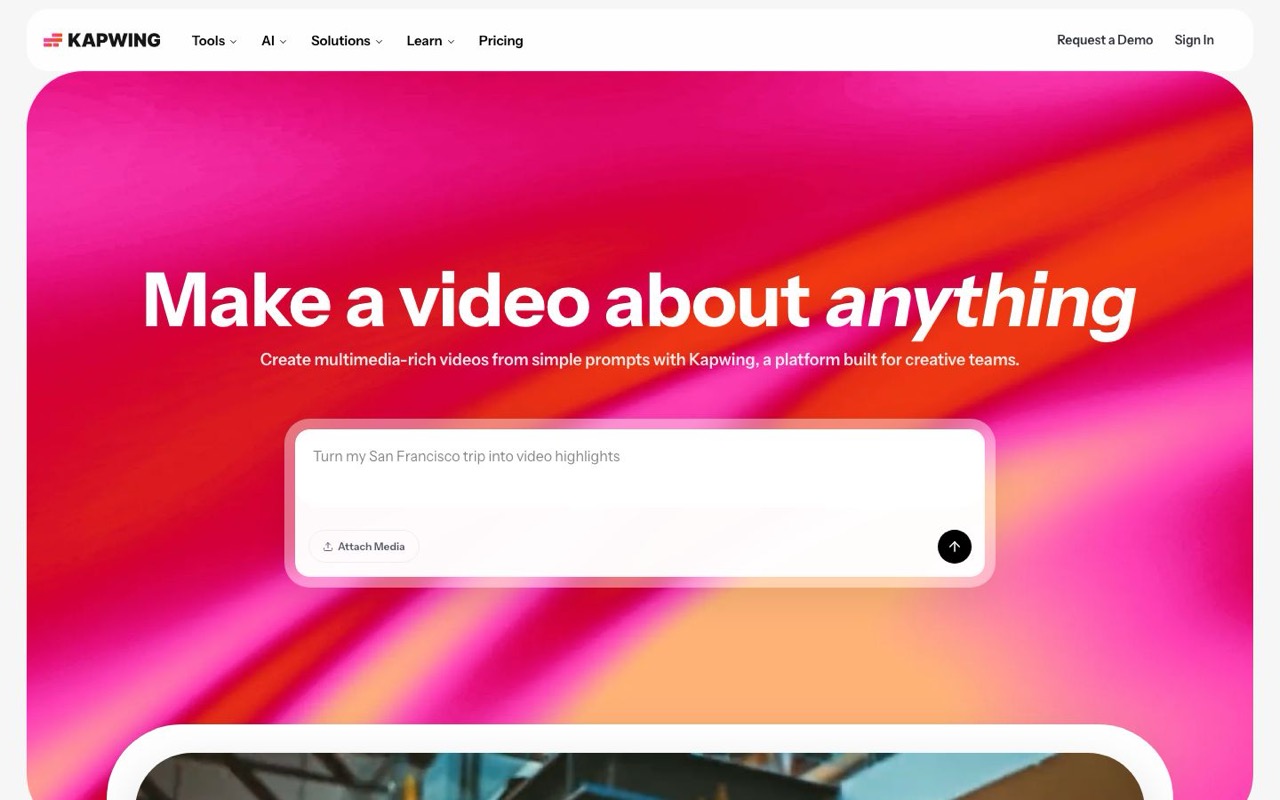
Kapwing is the strongest free starting point for church media teams on a tight budget. Browser-based AI clip detection, filler word removal, and 100+ language translation — ideal for volunteers with no editing background.
Pros
- Generous free tier — no credit card to start
- AI highlight detection plus manual editor in one browser tab
- 100+ language translation — great for multilingual congregations
- Brand kit templates for consistent church visual identity
Cons
- Watermark on free exports
- Less context-aware AI than Choppity for sermon-specific moments
- No native cross-platform analytics
Riverside
Riverside combines high-quality recording with Magic Clips AI — useful for multi-campus churches or remote sermon capture, though clipping is secondary to recording.

Pros
- High-quality local recording for remote or multi-campus sermons
- Combined recording + clipping eliminates tool-switching
- Good transcription accuracy for sermon content
Cons
- Magic Clips AI detection less context-aware than Choppity
- Expensive if you only need clipping, not recording
- No Ideas Board, deep transcript editor, or cross-platform analytics
Vidyo.ai
Vidyo.ai focuses on AI-driven repurposing from long-form video to short-form with template-driven output — a straightforward option for basic sermon repurposing.

Pros
- Simple, template-driven workflow for non-editors
- Quick generation of multiple clips from a single sermon
- Affordable entry for small churches
Cons
- No custom AI criteria for Scripture or calls to action
- Template rigidity limits creative customization
- AI detection accuracy lower for nuanced sermon content
Considering a switch? See our Choppity vs Vidyo comparison.
CapCut
CapCut is a free video editor with AI-powered captions, templates, and direct TikTok integration. It requires manual sermon clip selection — there's no AI to find sermon highlights for you.

Pros
- Completely free with a rich template library
- AI-powered auto-captions included
- Seamless TikTok publishing integration
Cons
- No AI sermon highlight detection — fully manual clip selection
- Time-intensive workflow compared to AI clip makers
- No native analytics, scheduling, or team planning
Repurpose.io
Repurpose.io is not a clip creation tool — it's an auto-distribution platform. Once you've created sermon clips with Choppity or another tool, Repurpose.io can automatically publish them across YouTube, TikTok, Instagram, Facebook, and more.

Pros
- Automates multi-platform publishing — post once, distribute everywhere
- Strong analytics for cross-channel tracking
- Saves hours on the upload grind after clips are made
Cons
- Zero AI clip detection — requires another tool upstream
- No editing, captions, or reframing built in
- Best as an add-on, not a standalone sermon clip maker
Head-to-Head Comparison
Side-by-side on the features that matter for turning Sunday sermons into daily social content.
| Tool | AI sermon detection | Transcript editor | Face tracking | Native posting | Analytics | Custom AI criteria | Best for |
|---|---|---|---|---|---|---|---|
| Choppity | Excellent | Yes | Yes | Yes | Yes | Yes | Full sermon → clip → schedule → analytics workflow |
| Opus Clip | Good | Limited | Yes | Limited | No | No | Hands-off generation, no sermon-specific criteria |
| Descript | Manual | Yes | No | No | No | No | Transcript editing and filler word removal |
| Vizard | Good | Basic | Yes | Yes | No | No | Simple browser sermon clips for volunteers |
| Klap | Good | Yes | Yes | No | No | No | Polished brand-consistent sermon visuals |
| Submagic | Poor | No | Basic | Yes | No | No | Animated captions on pre-trimmed sermon clips |
| Kapwing | Good | Yes | Yes | Yes | No | No | Free browser editing for budget church teams |
| Riverside | Basic | Basic | No | No | No | No | Multi-campus recording + basic Magic Clips |
| Vidyo.ai | Good | Basic | Yes | Yes | No | No | Basic sermon-to-social repurposing |
| CapCut | None | No | Manual | Yes | No | No | Completely free manual sermon editing |
| Repurpose.io | None | No | No | Advanced | Yes | No | Auto-distributing finished sermon clips |
Pricing as of June 10, 2026 — verified on each tool's /pricing page (monthly billing, lowest paid plan). Free tiers include restrictions.
Pricing Comparison (2026)
Budget matters for churches — especially smaller congregations where the media role is a volunteer position. Here's what each tool actually costs at the entry level.
| Tool | Free tier? | Paid from | Annual discount | What you get on paid |
|---|---|---|---|---|
| Choppity | Yes — preview AI, no downloads | $20/mo | Yes (~30% off annually) | Starter: AI clips, transcript editor, captions, face tracking, posting, scheduling, analytics |
| Opus Clip | Yes — watermark | $15/mo | Yes (~$14/mo annual) | Virality scoring, AI B-roll, team seats on Pro |
| Descript | Yes — limited | $24/mo | Yes (~35% off annually) | Hobbyist: filler removal, overdub, screen recording, full timeline |
| Vizard | Yes — watermark | $29/mo | Yes (~50% off annually) | Creator: 600 credits/mo, 4K export, brand kits, scheduling |
| Klap | Limited trial | $29/mo | Yes (~50% off annually) | Standard: 10 uploads/mo, 100 clips, HD export |
| Submagic | Yes — watermark | $19/mo | Yes (~41% off annually) | Starter: 15 videos/mo, premium caption effects, clip detection |
| Kapwing | Yes — watermark | $24/mo | Yes (~33% off annually) | Pro: no watermark, team collab, 4K exports, 100+ language translation |
| Riverside | Yes — limited | $29/mo | Yes (~17% off annually) | Pro: 4K recording, Magic Clips, 15 hrs multi-track/mo |
| Vidyo.ai | Yes — limited | $29/mo | Yes (~50% off annually) | Lite: 100 credits/mo, 1080p exports, AI clips & captions |
| CapCut | Yes (fully free) | Free | N/A | Full editor — manual clipping only |
| Repurpose.io | No | $35/mo | Yes (~17% off annually) | Starter: 5,000 published videos/mo, 3 accounts per network |
Pricing as of June 10, 2026. All "Paid from" prices are monthly billing on each tool's lowest paid tier.
How to Choose an AI Clip Maker for Churches
Custom AI criteria for sermon content
Generic virality scoring misses quieter sermon moments that matter to your congregation — a Scripture illustration, a pastoral call to action, a testimony hook. Only Choppity lets you set natural-language instructions before analysis: "find Scripture illustrations," "highlight calls to action," or "pull the main teaching point." If sermon structure matters more than loud moments, this feature alone may decide your pick.
Face tracking for stage-camera footage
Sermons are typically recorded with a wide-angle camera capturing the full stage. When you crop to vertical 9:16 for Reels or TikTok, the pastor can end up off-center. AI face tracking keeps the speaker centred regardless of movement across the stage. Choppity handles this automatically — a feature most competitors lack or implement inconsistently.
Caption quality for ministry content
Over 85% of social video is watched on mute. Scripture references, theological terms, names of biblical figures, and church-specific language all need accurate transcription. Look for tools with high accuracy rates, editable captions, and multi-language support — Choppity supports 97 languages for diverse congregations.
Volunteer-friendly workflow
Most church media teams are volunteers without video editing backgrounds. Transcript-based editing (edit text, not timelines), browser-based tools (no Premiere required), and built-in scheduling reduce the skill barrier. Choppity and Kapwing lead here; Descript and CapCut require more editing familiarity.
Frequently Asked Questions
What is an AI clip maker for churches?
An AI clip maker for churches analyzes long sermon recordings and automatically suggests short segments for TikTok, Reels, YouTube Shorts, and Facebook Reels. The AI scans transcripts for Scripture illustrations, calls to action, key teaching moments, and engaging exchanges — then formats each clip with captions and the correct aspect ratio. Advanced tools like Choppity let you set custom prompts before the AI runs.
What is the best AI clip maker for churches in 2026?
Based on our head-to-head testing with identical 60-minute sermon footage, Choppity is the best AI clip maker for churches in 2026. It combines the fastest processing, custom AI criteria for sermon-specific moments, native face tracking for stage-camera footage, transcript-native editing for volunteers, and direct social publishing — all in one platform. CapCut is the best free manual option if your team has time to edit by hand.
How do I turn a sermon into short clips automatically?
Upload your sermon recording (or paste a YouTube link from your church channel) to an AI clip maker like Choppity. Set custom AI criteria if needed — e.g. "find Scripture illustrations" or "highlight calls to action." The AI transcribes the full sermon and surfaces the most impactful 30–90 second moments. Review suggested clips, adjust captions, and export or schedule directly to TikTok, Instagram Reels, YouTube Shorts, and Facebook Reels. A 60-minute sermon typically yields 10–20 clips in 15–25 minutes from upload to ready-to-post.
Is there a free AI clip maker for churches?
CapCut is completely free with no watermark, but requires fully manual clip selection — no AI sermon highlight detection. Choppity and Opus Clip offer free tiers with limited features. Choppity's free tier lets you explore the platform; AI clip generation and downloads require Starter ($20/mo). For most church media teams, the time saved by AI detection makes the paid plan worth it after the first Sunday.
Can AI clip makers find Scripture references and calls to action?
Most tools detect loud or high-energy moments — not necessarily theologically meaningful ones. Choppity's custom AI criteria is the only feature on this list that lets you instruct the AI to find Scripture illustrations, calls to action, or specific teaching themes before analysis runs. Opus Clip, Vizard, and Kapwing use general-purpose detection that may surface these moments by chance but cannot be directed.
Can AI handle a full-length sermon (60–90 minutes)?
Most tools can technically process long sermons, but accuracy and speed vary. Choppity, Opus Clip, and Descript accept full-length input without pre-trimming. Submagic has input duration limits and requires pre-trimming — which defeats automation for Sunday workflows. If your sermons regularly run 45 minutes or longer, choose a tool built for long-form input.
Do I need video editing experience to use these tools?
No. Tools like Choppity use transcript-based editing — volunteers edit text, not timelines. Any volunteer who can edit a document can produce professional sermon clips in minutes. CapCut and Descript have steeper learning curves, but most tools on this list are designed for non-editors.
Choppity vs Opus Clip for church content — which is better?
For sermon content, Choppity outperforms Opus Clip in three areas: custom AI criteria for Scripture and calls to action; AI accuracy for sermon-length, context-heavy content; and caption customization for church branding. Opus Clip's virality scoring targets entertainment content and can miss quieter sermon moments. Choppity's direct social publishing also provides a more complete end-to-end workflow.
What's the difference between this guide and your sermon clip maker comparison?
This article targets the keyword "best AI clip maker for churches" with the same 11-tool test as our general clip maker roundup, optimized for churches evaluating all major options. Our best sermon clip makers for churches guide goes deeper on sermon-specific workflows, Castmagic for written assets, and face-tracking for stage footage. See also our churches solution page and the sermon clip generator for ministry-focused product details.
Which AI clip maker has the best captions for sermon clips?
Submagic leads on pure caption animation aesthetics. Choppity offers 20+ caption presets plus CFX dynamic effects, word-level karaoke, and 97-language support — the best balance of style and transcription accuracy for Scripture references and theological terms in our test.
The Verdict
After comparing 11 AI clip makers in this roundup, Choppity is the clear winner for churches and ministries. It's the only tool that combines context-aware AI clipping with custom criteria for Scripture and calls to action, native face tracking, transcript-based editing for volunteers, customizable captions, and multi-format export with native scheduling — all in a single platform.
The most effective sermon clip strategy is consistency. One sermon per week can fuel an entire week of social media content — daily Reels, TikToks, Shorts, and Facebook clips, all from a single Sunday recording. AI makes that sustainable even for the smallest volunteer media teams.
For the full sermon-specific deep dive, read our best sermon clip makers for churches comparison. Learn how Choppity serves ministry teams on our churches solution page. Ready to test with your own sermon? Start with the sermon clip generator below.

Written by
Michael WongFounder & CEO · Founder of Choppity
Content creator for 12+ years with 215K+ YouTube subscribers and an active presence across YouTube, Instagram, LinkedIn, and X. As founder of Choppity, Michael has personally tested every major AI clip maker — giving him a unique perspective on what works and what doesn't for real creators.