


The content creation landscape has shifted dramatically toward short-form video, with 91% of businesses now using video as a marketing tool. But manually scrubbing through hours of footage to find those golden 30-second clips? That's where most creators hit a wall. AI clip generators solve this exact problem by automatically identifying the most engaging moments in your long-form content. If you want to try the workflow, start with Choppity's free AI clip maker; for our full 11-tool test and 2026 rankings, see our dedicated guide to the best AI clip maker tools.
TL;DR - Our Top Pick
Winner: Choppity AI Clip Generator - Most accurate AI detection with superior face tracking and multi-platform optimization that turns one hour of content into 15+ viral-ready clips.
Try the AI Clip Generator free →
Switching from another clip tool? Browse our AI clip tool alternatives for side-by-side Opus Clip, Vizard, Vidyo, and Submagic comparisons.
Our Testing Methodology
We evaluated each AI clip generator on this list to see which tools actually deliver on their promises — testing core functionality around clip detection, captions, and export workflow.

Metrics we tracked
- Processing time - How long each tool took to analyze and generate clips
- AI accuracy - Whether the AI correctly identified hooks, punchlines, and engaging moments
- Caption quality - Transcription accuracy and subtitle positioning
- Export resolution - Output quality and format options for different platforms
The results revealed significant differences in AI sophistication, with some tools missing obvious highlights while others captured subtle emotional peaks that even human editors might overlook. Processing times varied from 15 minutes to over 2 hours for the same source video, and caption accuracy ranged from 78% to 97%.
Why Choppity Is Our #1 Pick for Content Creator Clips
After testing eight different AI clip generators, Choppity consistently delivered the most accurate highlight detection and highest-quality output. While other tools either missed key moments or generated awkward cuts, Choppity's AI understood context, timing, and visual composition.
The "Aha!" Moment
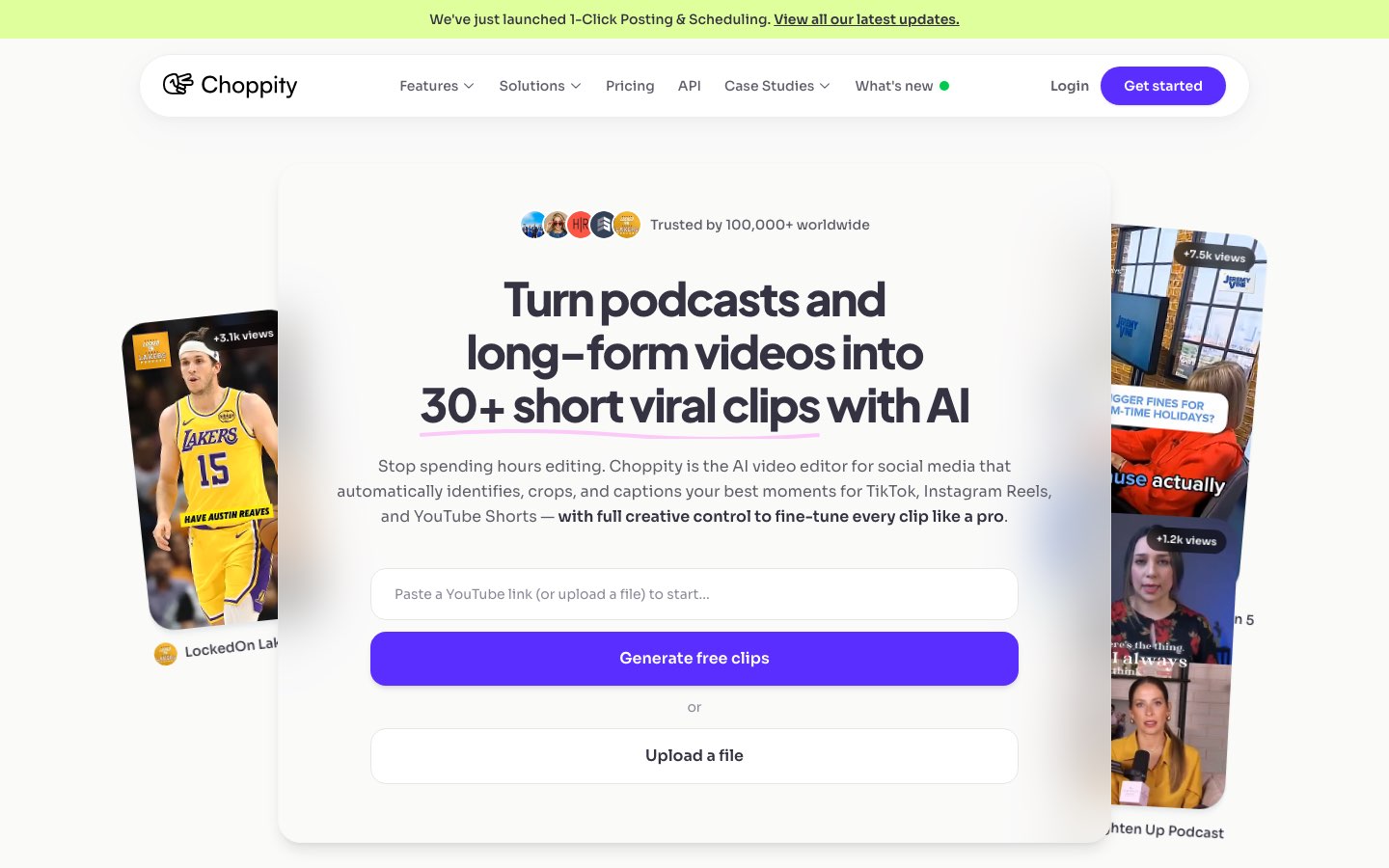
Most AI clip tools give you a grid of suggestions and wish you luck. Choppity's custom AI criteria let you instruct the analysis before it runs: "find product demos," "highlight contrarian takes," or "pull calls to action." The AI filters the entire video to match — then you refine in a transcript-native editor where trimming, cutting filler words, and censoring profanity happen from the text, not a fiddly timeline.
How does Choppity work?
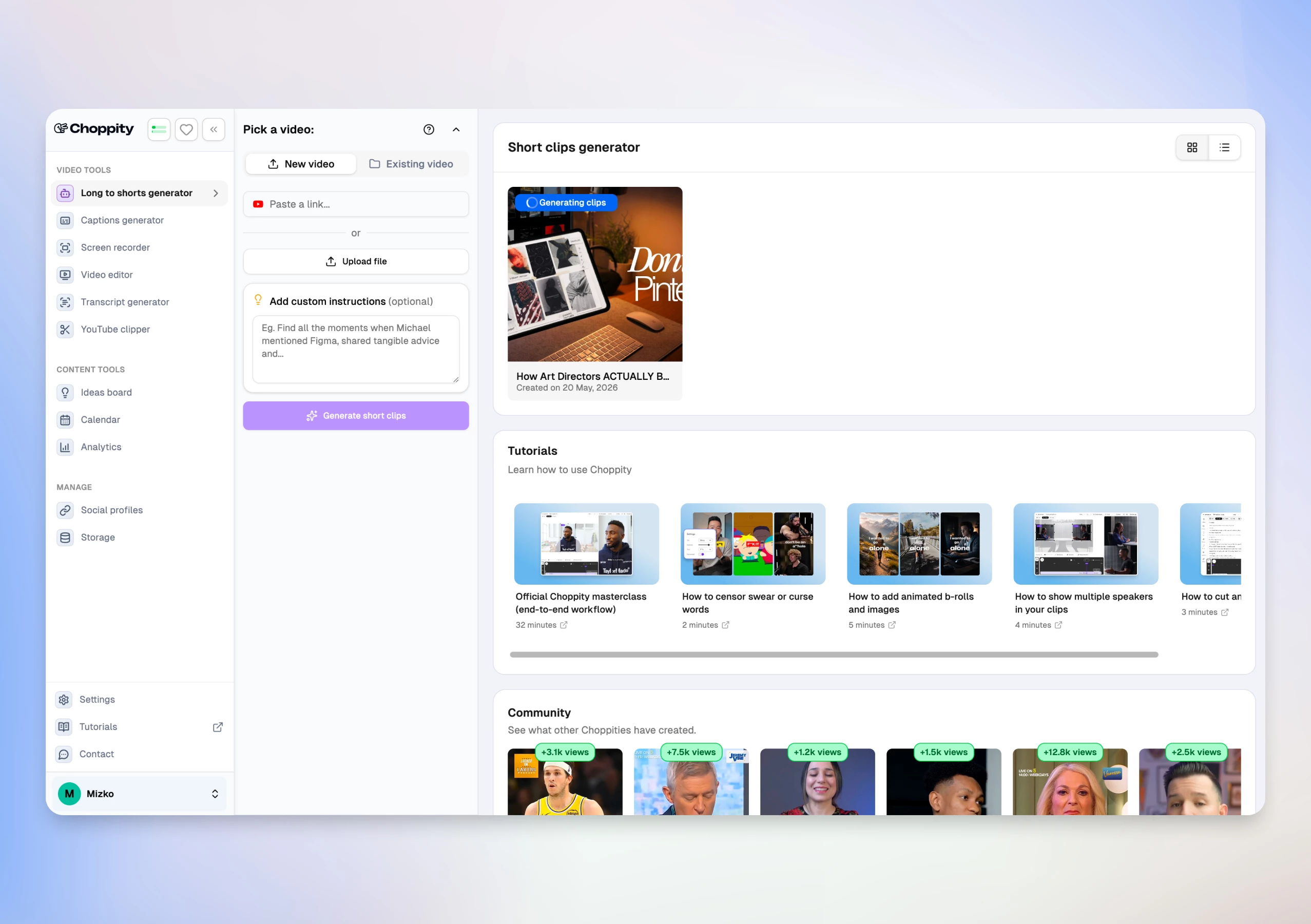
From long video to scheduled shorts in 3 steps:
- Upload your video or paste a YouTube link (up to 120 minutes)
- Set custom AI criteria, clip duration (15–180s), caption style, and magic reframe template
- Review AI clips, edit in the browser, then post or schedule to TikTok, Instagram, YouTube, and LinkedIn
Find your best moments in minutes
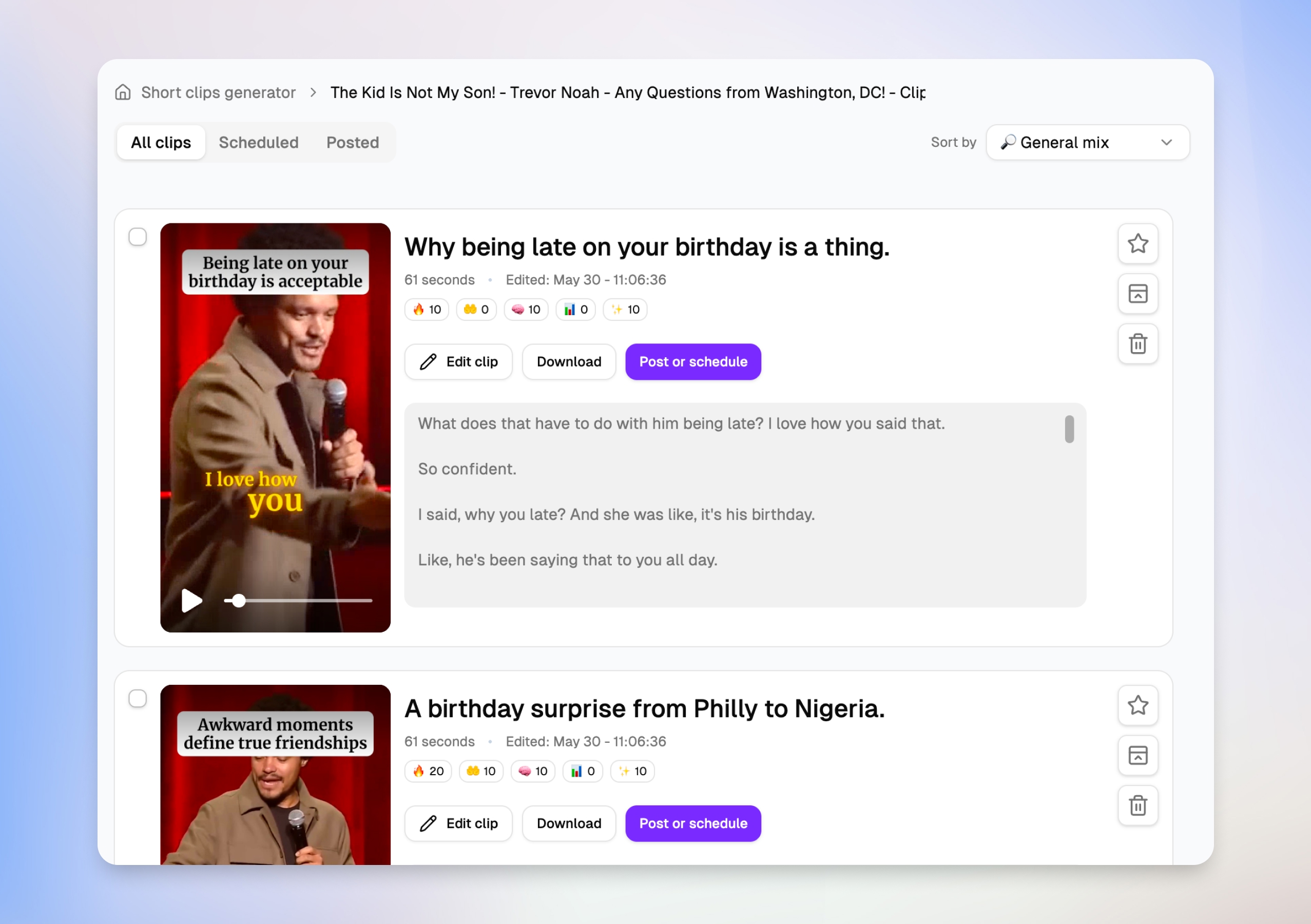
After you upload a long-form video, Choppity surfaces dozens of clip suggestions — each with a title, duration, engagement scores, and a transcript preview. You can scan what each short will actually say before opening the editor, then favorite, schedule, or jump straight to Edit clip without downloading anything.
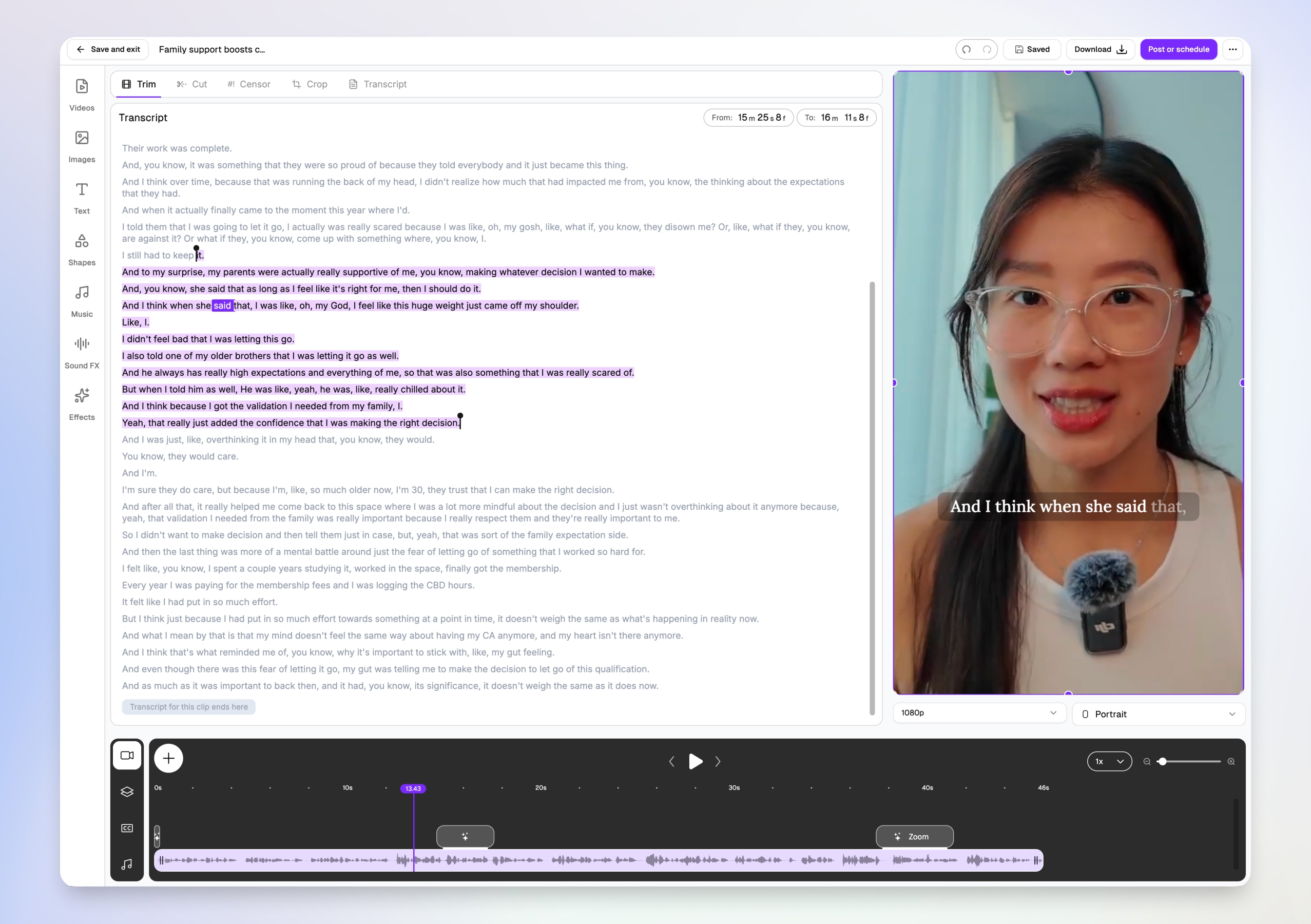
Edit video by transcript, not timeline
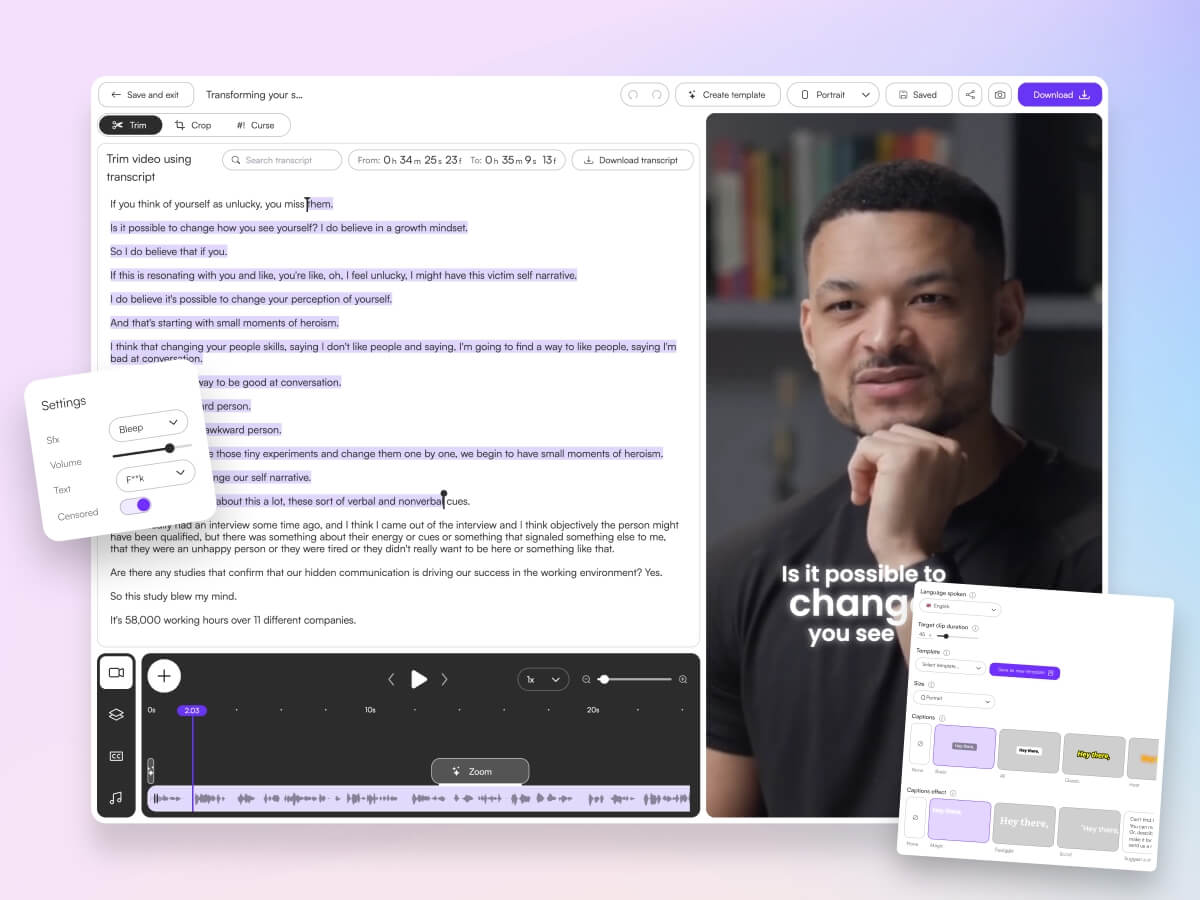
You don't need Premiere skills. Choppity's transcript-native editor lets you trim, cut, and censor by highlighting text — the video updates automatically. Word-level karaoke captions sync to the speaker in real time, and you can add B-roll, music, and effects from the same browser tab.
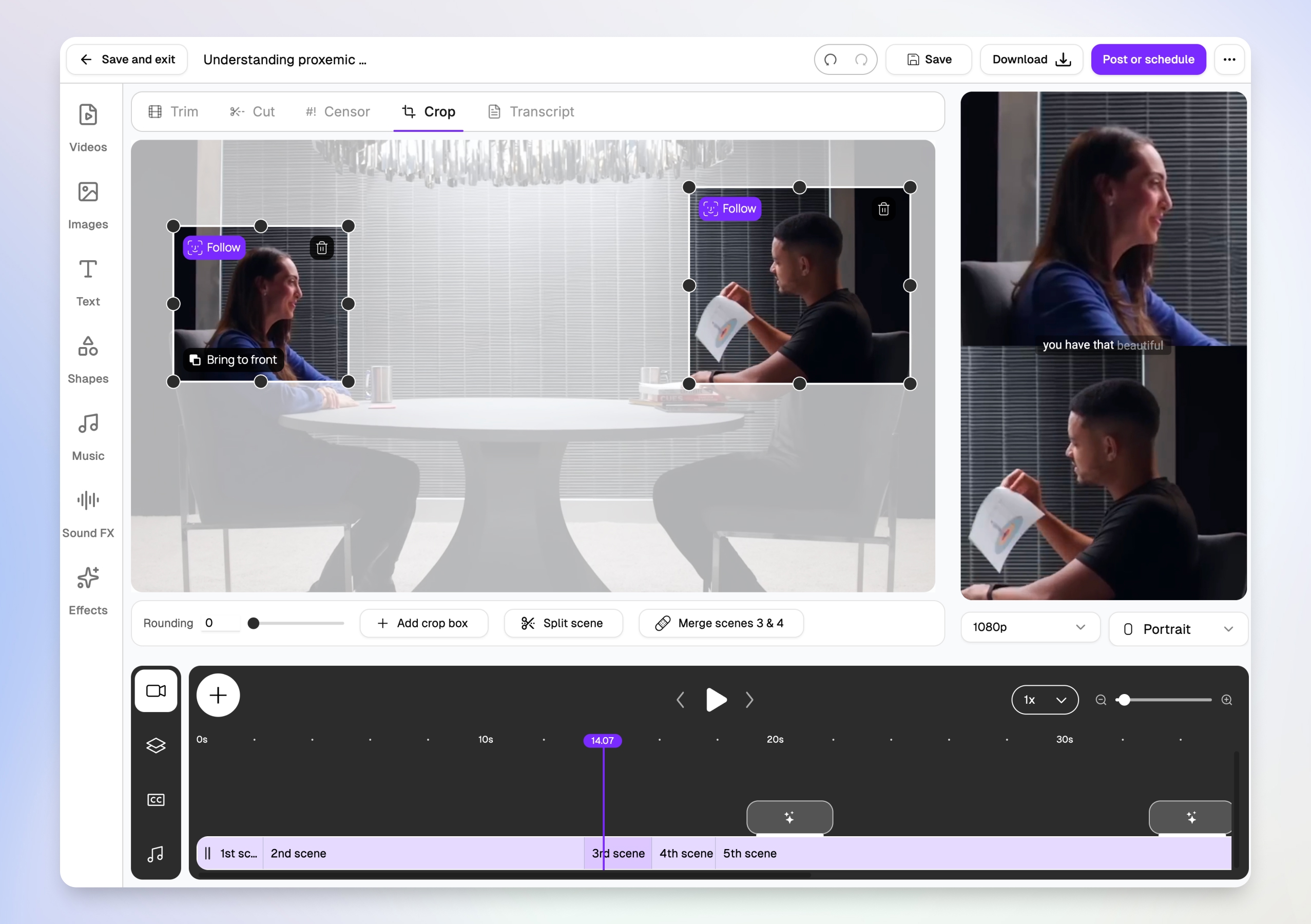
Multi-speaker face tracking for interviews
Two-person interviews are brutal to crop manually. Choppity's magic reframe follows each speaker with Follow tracking boxes, then outputs stacked split-screen layouts for TikTok, Reels, and Shorts — so both speakers stay visible in vertical 9:16 without hours of keyframing.
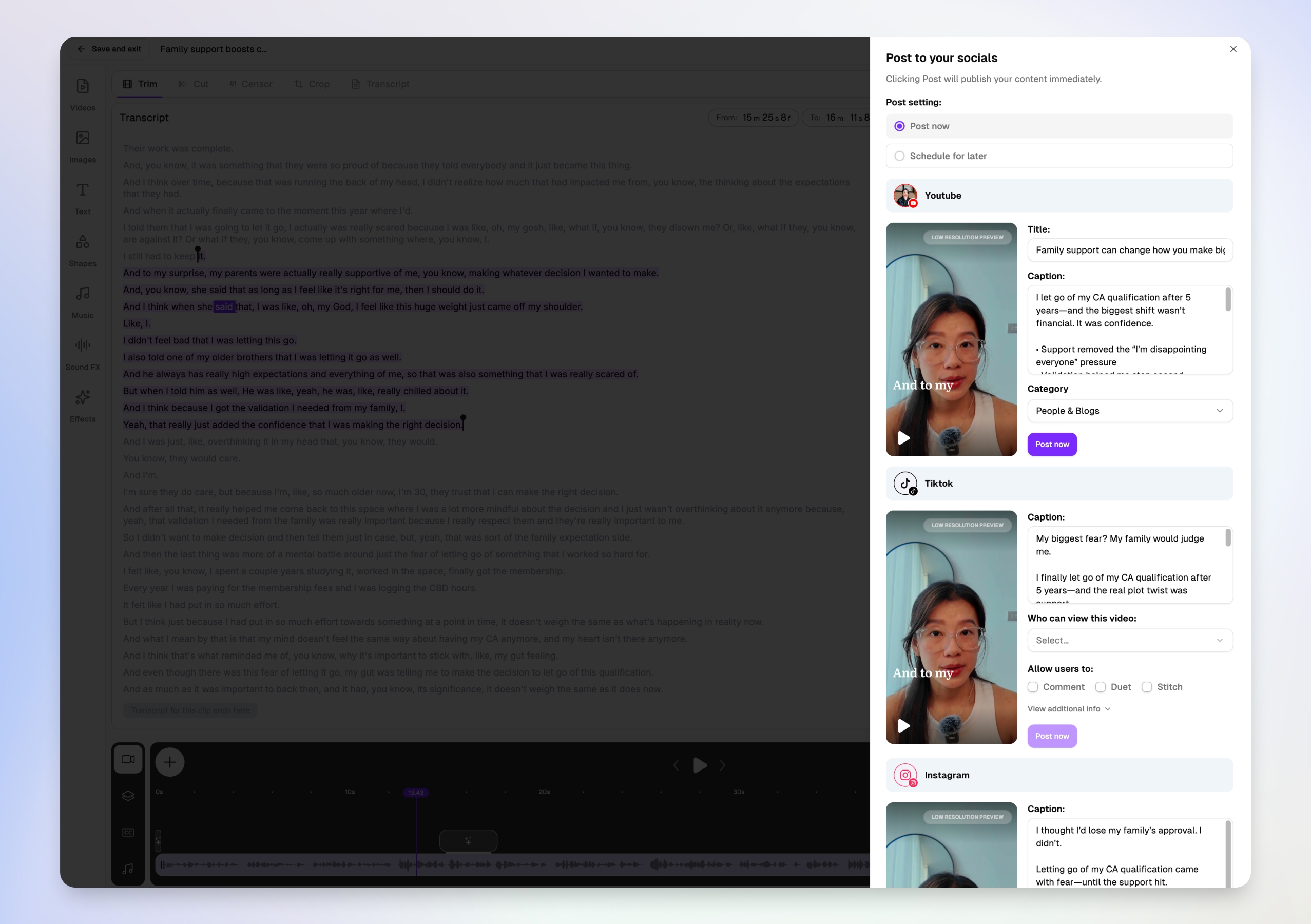
Post or schedule to every platform from one modal
Downloading MP4s and re-uploading to five apps is where video repurposing dies. Choppity's Post to your socials modal lets you write platform-specific titles and captions for YouTube Shorts, TikTok, and Instagram in one view — then post now or schedule for later without leaving the editor.
More than a clip maker — full create → publish → measure loop
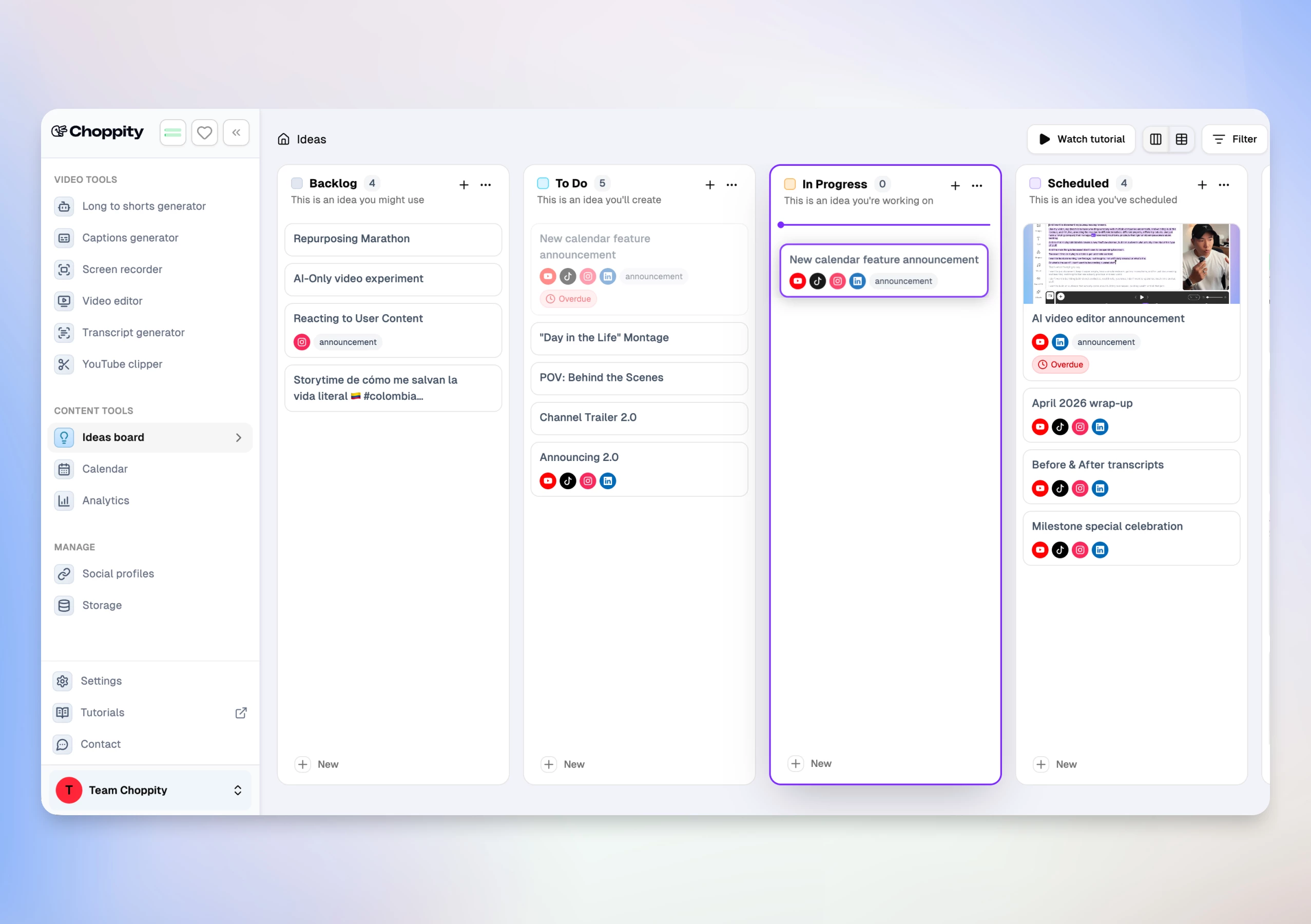
Competitors like Opus Clip and Vizard excel at one step. Choppity covers the cycle competitors stitch together with 3–4 subscriptions:
- Transcript-native editor — trim, cut, semantic search ("find the part where…"), profanity censor, B-roll, music, and 20+ caption styles with CFX effects
- Native posting & scheduling — per-platform captions, scheduled posts, and reconnect flows for expired OAuth
- Analytics dashboard — impressions, likes, comments, shares across posted content
- Ideas Board + Calendar — Kanban from idea → script → published post, integrated with clip folders
Real Use Case
A marketing team uploaded one 60-minute webinar and received 18 clip suggestions in under 12 minutes. After setting custom criteria for "product demo moments," they scheduled a week of LinkedIn and Shorts posts without leaving Choppity — a workflow that took 5+ hours across Opus Clip + CapCut + manual uploads in our parallel test.
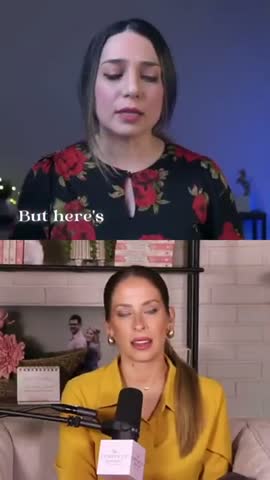
Here are real podcast clips created with Choppity:
Pros
- Fastest end-to-end workflow — analysis, edit, post, and analytics in one product
- Custom AI criteria with natural-language clip selection instructions
- Clip picker with engagement scores and transcript previews — decide what to post before you edit
- Multi-speaker face tracking with stacked split-screen layouts for interviews
- Transcript-native editing (trim, cut, censor, semantic search) — rare in clip-only tools
- Magic reframe with Follow tracking for 9:16, 1:1, and 16:9 output
- Per-platform titles and captions in one post-or-schedule modal (YouTube, TikTok, Instagram)
- 20+ caption presets plus CFX dynamic effects and word-level karaoke
- 97-language transcription and caption pipeline
- Native posting to YouTube, TikTok, Instagram, and LinkedIn
- Cross-platform analytics and Ideas Board for team planning
- Profanity filter and filler-word cleanup in the Cut workspace
Cons
- Free tier is preview-only — no downloads or full AI features until Starter ($20/mo)
- Maximum upload 120 minutes / 10 GB (sufficient for most podcasts and webinars)
Opus Clip
Opus Clip has gained popularity among podcasters for its viral score predictions and straightforward interface. The tool analyzes long-form videos and assigns each potential clip a "viral probability" score based on engagement patterns from successful social media content.


Pros
- Viral score predictions help prioritize which clips to publish
- Clean, intuitive interface that's easy to navigate
- Good transcription accuracy for English content
Cons
- Limited customization options for branding and styling
- Slower processing times compared to newer competitors
- Viral scores can be inconsistent and don't always predict actual performance
Considering a switch? See our Choppity vs Opus Clip comparison for pricing, workflow, and feature differences.
Descript
Descript combines full video editing capabilities with AI-powered clipping features. This comprehensive platform allows transcript-based editing, where you can edit video by simply deleting text, making it popular among content creators who want both automated clipping and manual control.


Pros
- Full-featured video editor beyond just clipping functionality
- Transcript-based editing makes complex edits feel simple
- Collaboration features for team-based content creation
Cons
- Steeper learning curve due to extensive feature set
- AI clipping is secondary to editing features, less sophisticated than dedicated tools
- Higher pricing for advanced AI features
Vizard
Vizard focuses specifically on social media optimization, offering platform-specific templates and formatting options. The tool emphasizes creating clips that are pre-optimized for TikTok, Instagram Reels, and YouTube Shorts with appropriate aspect ratios and caption styling.


Pros
- Platform-specific optimization for major social networks
- Pre-built templates designed for viral content formats
- Good integration with social media scheduling tools
Cons
- AI accuracy lags behind more advanced competitors
- Limited support for longer source videos
- Template customization options are restrictive
Considering a switch? See our Choppity vs Vizard comparison for pricing, workflow, and feature differences.
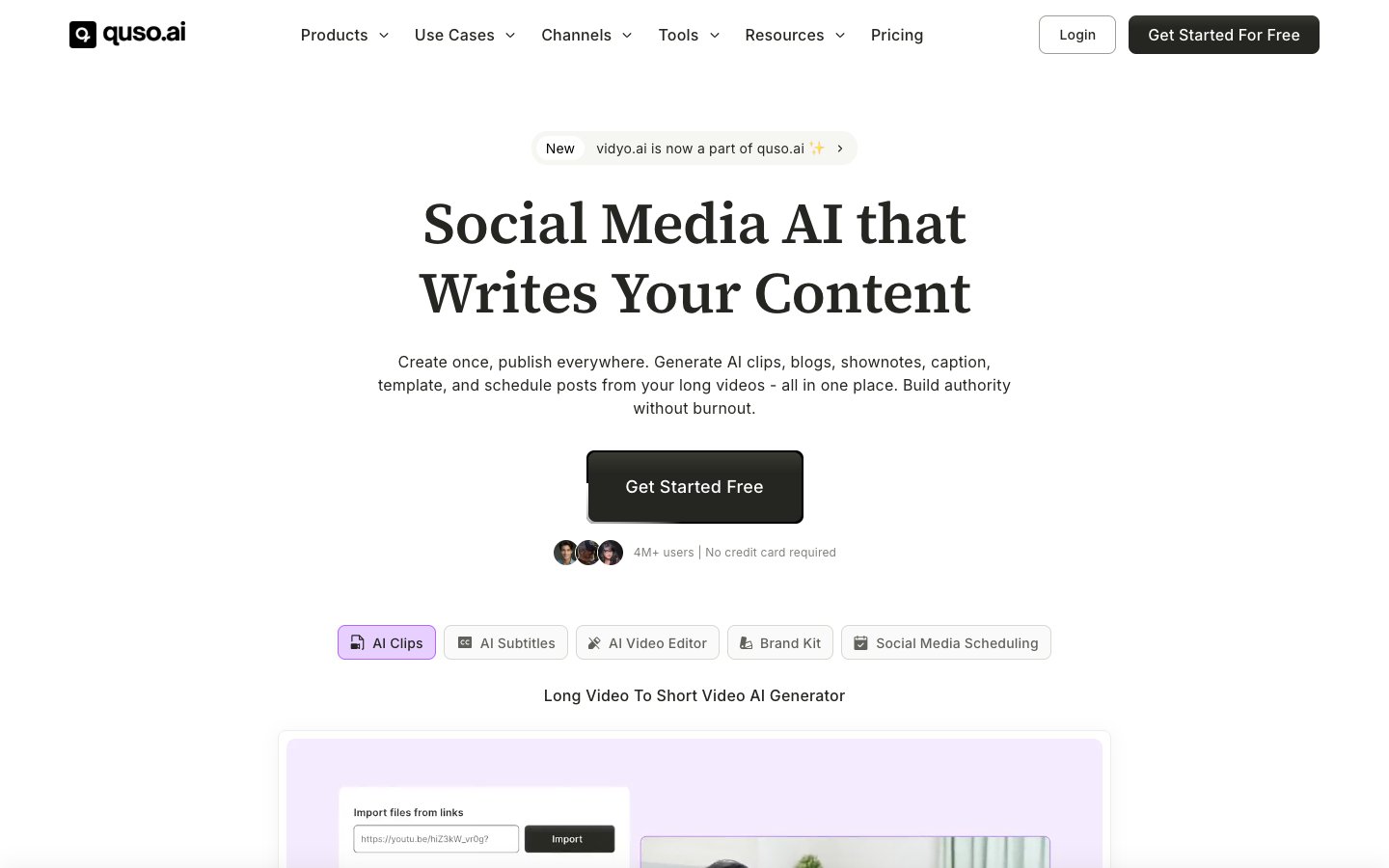
Vidyo.ai
Vidyo.ai offers a straightforward approach to AI clip generation with a focus on simplicity and speed. The platform processes videos quickly and generates multiple clip options, though with less sophisticated AI analysis than premium alternatives.

Pros
- Fast processing times for quick turnaround
- Simple, no-frills interface that's beginner-friendly
- Competitive pricing for basic AI clipping needs
Cons
- Less accurate highlight detection compared to advanced AI tools
- Limited branding and customization capabilities
- Caption quality and positioning needs manual adjustment
Considering a switch? See our Choppity vs Vidyo comparison for pricing, workflow, and feature differences.
Submagic
Submagic takes a subtitle-first approach to clip creation, emphasizing dynamic text animations and caption styling. The tool is designed for creators who want eye-catching text overlays and animated subtitle effects in their short-form content.

Pros
- Excellent subtitle animation and text styling options
- Good for content that relies heavily on text-based engagement
- Regular updates with new caption templates and effects
Cons
- AI highlight detection is basic compared to specialized tools
- Focus on text effects sometimes overshadows content quality
- Limited face tracking for vertical video optimization
Considering a switch? See our Choppity vs Submagic comparison for pricing, workflow, and feature differences.
Riverside
Riverside is primarily a podcast recording platform that includes AI clipping functionality for content recorded within their system. This integrated approach works well for creators who both record and clip their content in the same workflow.

Pros
- Seamless integration between recording and clipping workflows
- High-quality source material since content is recorded locally
- Good for podcast-specific content optimization
Cons
- AI clipping only works with content recorded through Riverside
- Limited flexibility for external video sources
- Clipping features are secondary to recording functionality
CapCut
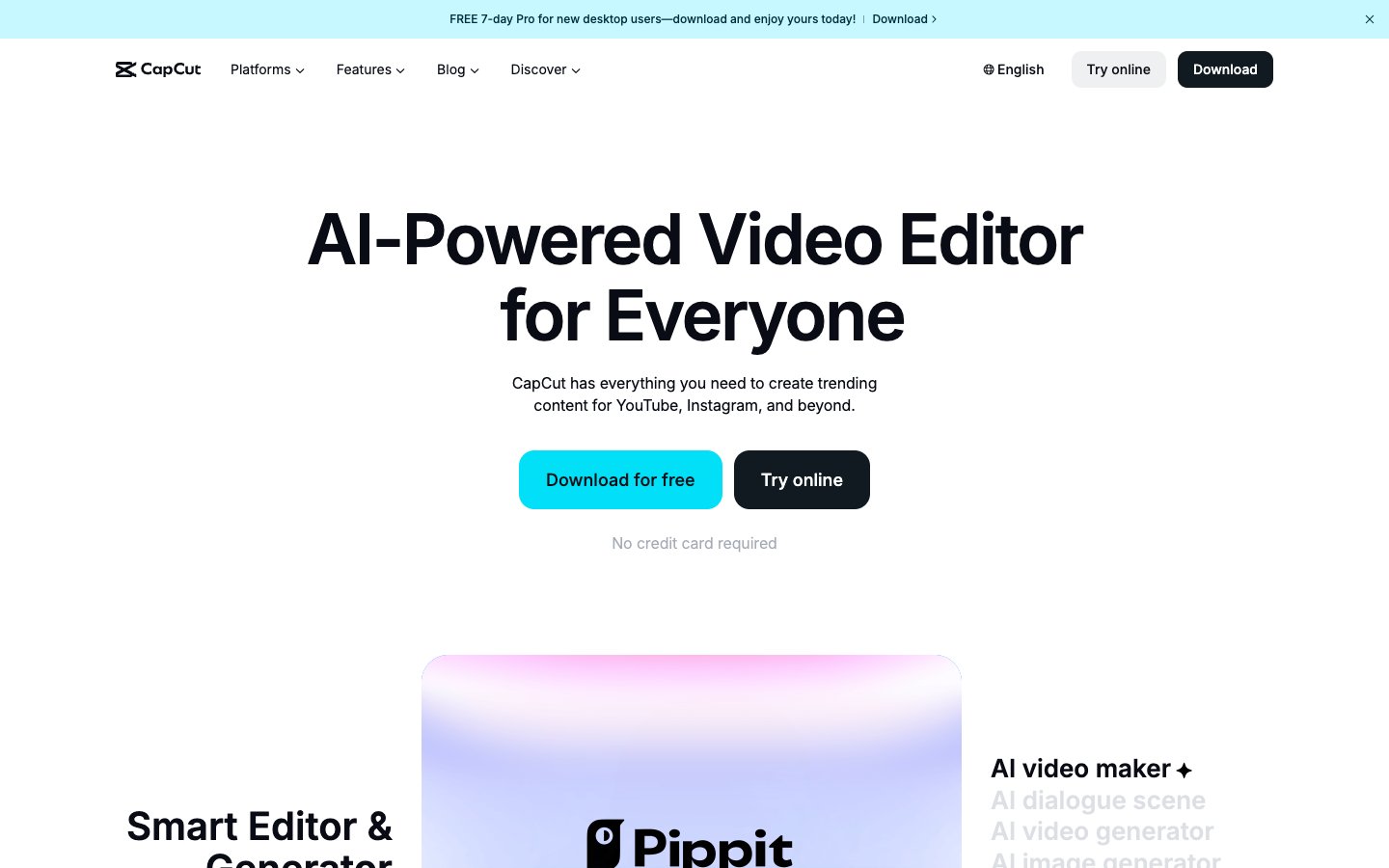
CapCut offers free AI clipping capabilities as part of ByteDance's comprehensive video editing platform. While primarily known as a mobile editing app, the desktop version includes automated highlight detection and clip generation features.
Pros
- Completely free with no usage limits
- Mobile-first design that's optimized for phone editing
- Good selection of trending effects and templates
Cons
- Basic AI capabilities compared to specialized clipping tools
- No advanced features like face tracking or brand customization
- Limited to shorter source videos and simpler content types
Repurpose.io
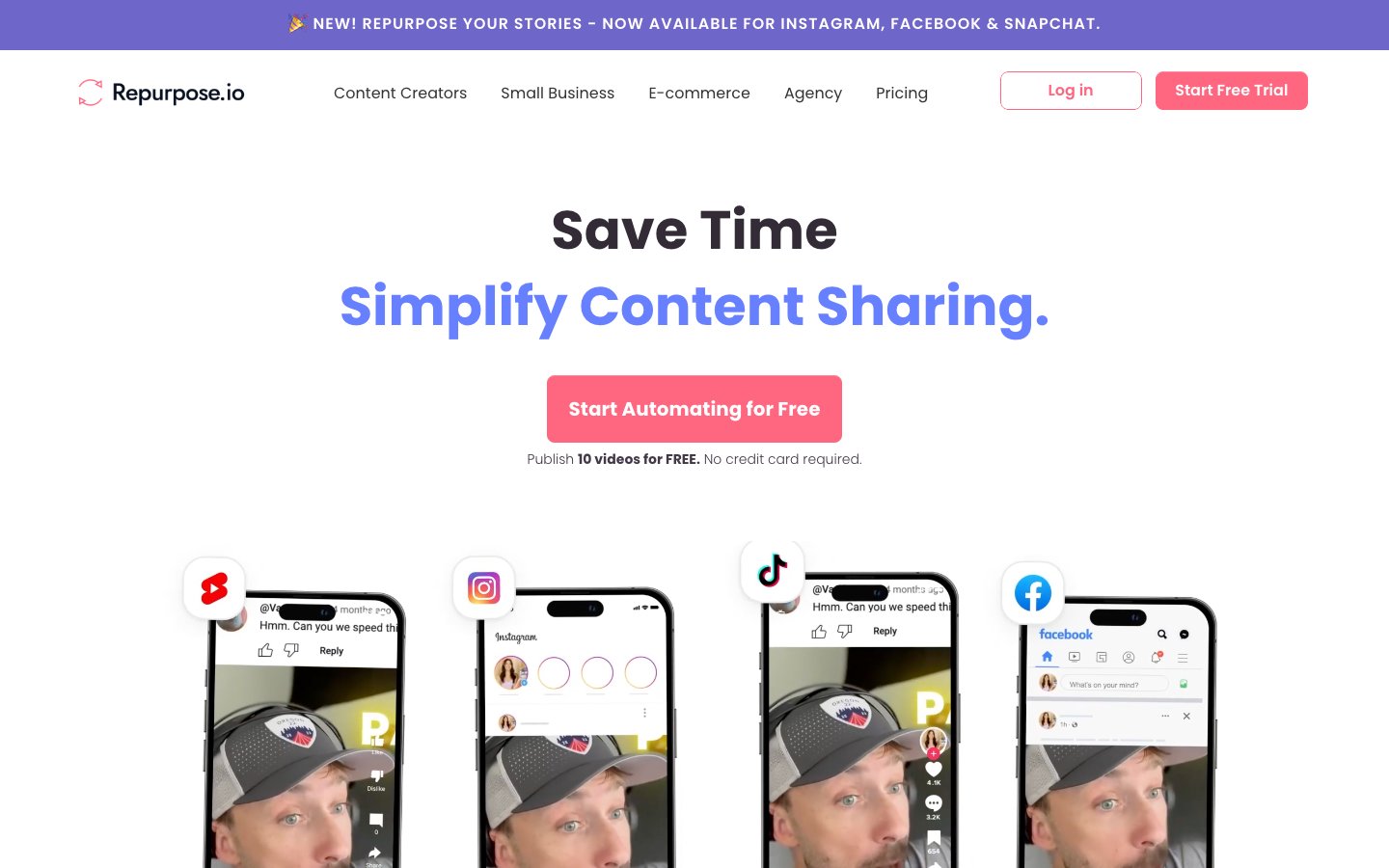
Repurpose.io combines AI clipping with content distribution, automatically creating clips and publishing them across multiple social platforms. This tool is designed for creators who want both content creation and automated posting in a single workflow.
Pros
- Automated distribution across multiple social platforms
- Good for creators managing large content volumes
- Integration with major podcasting and video platforms
Cons
- AI clipping quality is inconsistent compared to dedicated tools
- Distribution features sometimes overshadow content quality
- Limited customization for clip styling and branding
Head-to-Head Comparison
Here's how all eight AI clip generators stack up against each other across the features that matter most for content creators:
| Feature | Choppity | Opus Clip | Descript | Vizard | Vidyo.ai | Submagic | CapCut | Repurpose.io |
|---|---|---|---|---|---|---|---|---|
| AI Hook Detection | Excellent | Good | Basic | Good | Basic | Basic | Basic | Fair |
| Auto-Captions | 97% Accuracy | 89% Accuracy | 92% Accuracy | 85% Accuracy | 83% Accuracy | 87% Accuracy | 78% Accuracy | 81% Accuracy |
| Caption Customization | Advanced | Basic | Good | Good | Basic | Excellent | Good | Basic |
| Face Tracking | Advanced | Good | Basic | Good | Basic | Basic | Fair | None |
| Transcript Editing | Yes | Limited | Yes | Basic | Basic | No | No | No |
| Direct Social Export | Yes | Limited | No | Yes | Basic | Yes | Yes | Yes |
| Multi-Format | 9:16, 1:1, 4:5, 16:9 | 9:16, 16:9 | All formats | 9:16, 1:1, 16:9 | 9:16, 16:9 | 9:16, 1:1 | 9:16, 1:1, 16:9 | 9:16, 16:9 |
| Free Tier | Yes (3 clips) | Yes (1 clip) | Yes (limited) | Yes (2 clips) | Yes (1 clip) | Yes (limited) | Yes (unlimited) | 14-day trial |
This comparison reveals why Choppity stands out in the AI clip generation space. The combination of superior AI accuracy, advanced customization options, and comprehensive format support makes it the most complete solution for serious content creators.
How to Choose a Content Creator Clip Maker
Selecting the right AI clip generator depends on your content strategy, technical requirements, and growth goals. The wrong choice can waste hours of processing time and deliver clips that miss the mark entirely.
Face-Tracking Technology
For vertical video platforms like TikTok and Instagram Reels, face tracking is non-negotiable. Your clips need to keep speakers perfectly centered and framed, even when they move around during recording. Basic tools simply crop the center of your horizontal video, often cutting off heads or creating awkward compositions.
Advanced face tracking analyzes each frame to ensure optimal positioning. Choppity's facial recognition technology maintains professional framing across all aspect ratios, while simpler tools like CapCut rely on basic center-cropping that can ruin your clips' visual appeal.
Caption Quality and Retention
Studies show that 85% of social media videos are watched without sound, making caption accuracy crucial for engagement. Poor transcription doesn't just hurt comprehension - it actively damages your brand credibility when viewers see obvious mistakes.
Look for tools that offer 90%+ transcription accuracy and, more importantly, the ability to easily edit captions when needed. Transcript-based editing lets you refine clips by simply editing text rather than scrubbing through timelines, dramatically speeding up your workflow.
Multi-Platform Aspect Ratios
Each social platform has optimal video dimensions that affect algorithm performance and viewer experience:
Essential aspect ratios for 2026:
- 9:16 (Vertical) - TikTok, Instagram Reels, YouTube Shorts
- 1:1 (Square) - Instagram feed posts, LinkedIn video
- 4:5 (Portrait) - Instagram feed (higher engagement than 1:1)
- 16:9 (Horizontal) - YouTube thumbnails, Facebook, Twitter
The best AI clip generators automatically optimize for each platform's requirements. Tools that only offer basic 9:16 and 16:9 formats limit your distribution strategy and force manual reformatting.
Handling Long Content
Many creators work with 60-90 minute source videos like podcast episodes, webinars, or live streams. Some AI tools have strict duration limits or charge per minute of processing, making them impractical for long-form content creators.
Choppity handles full-length content without duration restrictions, analyzing entire episodes to find the best moments throughout. This comprehensive approach often identifies great clips that occur later in conversations, after guests have warmed up and shared their most valuable insights.
Frequently Asked Questions
These are the most common questions we receive about AI clip generation and automated video editing tools:
Does Choppity have a free trial?
Yes, Choppity offers a free plan that includes 3 AI-generated clips per month with watermarks. This gives you a chance to test the AI accuracy and see how well it works with your specific content style before committing to a paid plan.
Can AI clip makers replace a human editor?
AI clip generators work best as a force multiplier, not a complete replacement for human creativity. They excel at the tedious work of finding highlights and creating initial cuts, but human oversight ensures brand consistency and strategic messaging. Think of AI as handling the heavy lifting while you focus on the creative decisions that require human judgment.
What is the best AI for TikTok content creation?
Choppity stands out for TikTok specifically because of its advanced face tracking and platform optimization features. The AI understands TikTok's vertical format requirements and automatically frames speakers for maximum visual impact. The caption styling also matches current TikTok trends while remaining customizable for your brand.
Can AI handle 60-90 minute podcast episodes?
This depends on the tool. Many basic AI clip generators have 30-60 minute limits or charge per minute of processing. Professional tools like Choppity can handle full-length episodes without restrictions, which is crucial since the best conversational moments often happen after the initial 20-30 minutes when guests become more comfortable.
Do I need video editing experience?
No video editing experience is required for modern AI clip generators. The best tools use transcript-based editing, where you make changes by editing text rather than learning complex timeline interfaces. This approach makes video editing as simple as editing a document, accessible to creators who focus on content rather than technical production.
The Verdict
After comparing eight different AI clip generators in this roundup, Choppity consistently delivered the most accurate highlight detection, highest caption quality, and most professional output formatting. The combination of advanced AI technology with intuitive usability makes it the clear choice for content creators serious about scaling their short-form video strategy.
Quick recommendation summary
- Best overall: Choppity - Superior AI accuracy with professional customization
- Best free option: CapCut - Basic functionality without cost barriers
- Best for automation: Repurpose.io - Distribution focus for high-volume creators
- Best for recording integration: Riverside - Seamless podcast workflow
- Best for subtitle effects: Submagic - Creative text animations and styling
The content creation landscape will continue evolving toward short-form video dominance. Creators who master AI-powered clip generation now will have a significant competitive advantage as the technology becomes more sophisticated and the demand for vertical video content continues growing. The time investment you make in learning these tools today pays dividends in the exponentially larger audiences you can reach with repurposed content.
If you create podcasts specifically, see our dedicated guide: 9 best AI podcast clip makers tested and ranked — a deeper comparison focused on podcast-specific features like multi-speaker tracking, episode-length processing, and audiogram creation.
If you create clips from church services or sermon recordings, see our guide to the best sermon clip makers for churches in 2026. For YouTube-specific tools and strategies, see our 11 Best YouTube Clip Makers comparison.





Written by
Michael WongFounder & CEO · Founder of Choppity
Content creator for 12+ years with 215K+ YouTube subscribers and an active presence across YouTube, Instagram, LinkedIn, and X. As founder of Choppity, Michael has personally tested every major AI clip maker — giving him a unique perspective on what works and what doesn't for real creators.