Choppity and Klap are both AI video clipping tools designed to turn long-form videos into short clips ready to be published on your socials.
We wanted to find out whether Choppity was a good Klap alternative, so we put them both to the test.
We uploaded the same podcast to both platforms, gave them the same custom instructions and measured how long they took to generate clips. We then evaluated them both on clip quality, ease of use, branding, pricing, and other features.
The first result we documented was that Choppity turned a 54-minute podcast into 26 short clips in just 6 minutes, while Klap took 12 minutes to generate 30 clips. Only 4 more clips than Choppity, but twice the time.
But that was just the tip of the iceberg. We documented more findings in this full comparison. So, if you want to compare Choppity vs Klap and see which AI video clipper is better, this guide is for you.
Let's get into it.
Choppity vs Klap: Quick Comparison
Are you short on time and want a quick answer? Here's a comparison table to help you decide which AI video clipper is right for you.
Feature | Choppity | Klap |
Clip generation speed (our test) | 6m 12s for 26 clips from a 57-minute podcast. Faster in our test. | 12m 5s for 30 clips from the same podcast. |
Ease of use | Intuitive, guided workflow. Straightforward clip generation, clearly organised settings and an accessible editor. | Minimalist dashboard. Simple upload process, although some customisation and editing controls took longer to locate. |
Clip quality | 3/3 reviewed clips considered publishable. Clear context, accurate captions and effective speaker framing. | Mixed results across three reviewed clips. Relevant content and accurate captions, but two had disruptive endings and one showed a framing error. |
AI clip scoring | Goal-based AI scoring. Relevancy scores and five content-goal scores: views, trust, value, sales and inspiration. | Virality scoring. Each clip receives a score out of 100 with an explanation of its potential appeal. |
Brand customisation | Automatic brand detection. Brand Template Wizard identifies YouTube channel branding, with reusable templates and customisable captions. | Custom templates. Typography, colours, effects, caption styles and reusable templates. |
Video editing | Clean, accessible editor. Transcript-based editing, caption controls, visible zoom effects and timeline adjustments. | Timeline and transcript editing. Supports trimming, caption changes, manual reframing and additional visual elements. |
Automatic B-roll | Successfully tested. Automatically inserted two relevant cutaways from uploaded media after manual tagging. | Automatic B-roll option available. No relevant footage was found in our test; manual stock footage insertion was available. |
Social scheduling | Social Scheduler and Content Planner. Paid plans support scheduling, with connected-account limits depending on the subscription. | Social scheduling and analytics. Paid plans advertise unlimited connected social accounts. |
Additional tools | Broader content production tools. Screen Recorder, Content Planner, bulk uploads on eligible plans, Auto Multi-Cam and API/MCP integrations. | Clipping-focused workflow. Includes social publishing and analytics, with API/MCP integrations also advertised. |
Free access | Ongoing free plan. Includes one hour of AI video analysis, an editor and clip generation. Exports require a paid plan. | One-video free trial. Allows clip generation and previews, but downloading requires payment. Trial access was initially blocked in our location-based test. |
Paid plans start at | $24/month. Starter includes three hours of AI video analysis, 1080p/4K exports and social scheduling. | $29/month. Basic includes 100 clips per month, with social publishing and analytics advertised. |
Want to see how Choppity performs with your own videos? Try it for free and see what clips its AI can generate from your content.
How We Tested Choppity and Klap
To test both AI video clippers, we used the same YouTube video by Jay Shetty, where he and Codie Sanchez talked about money.
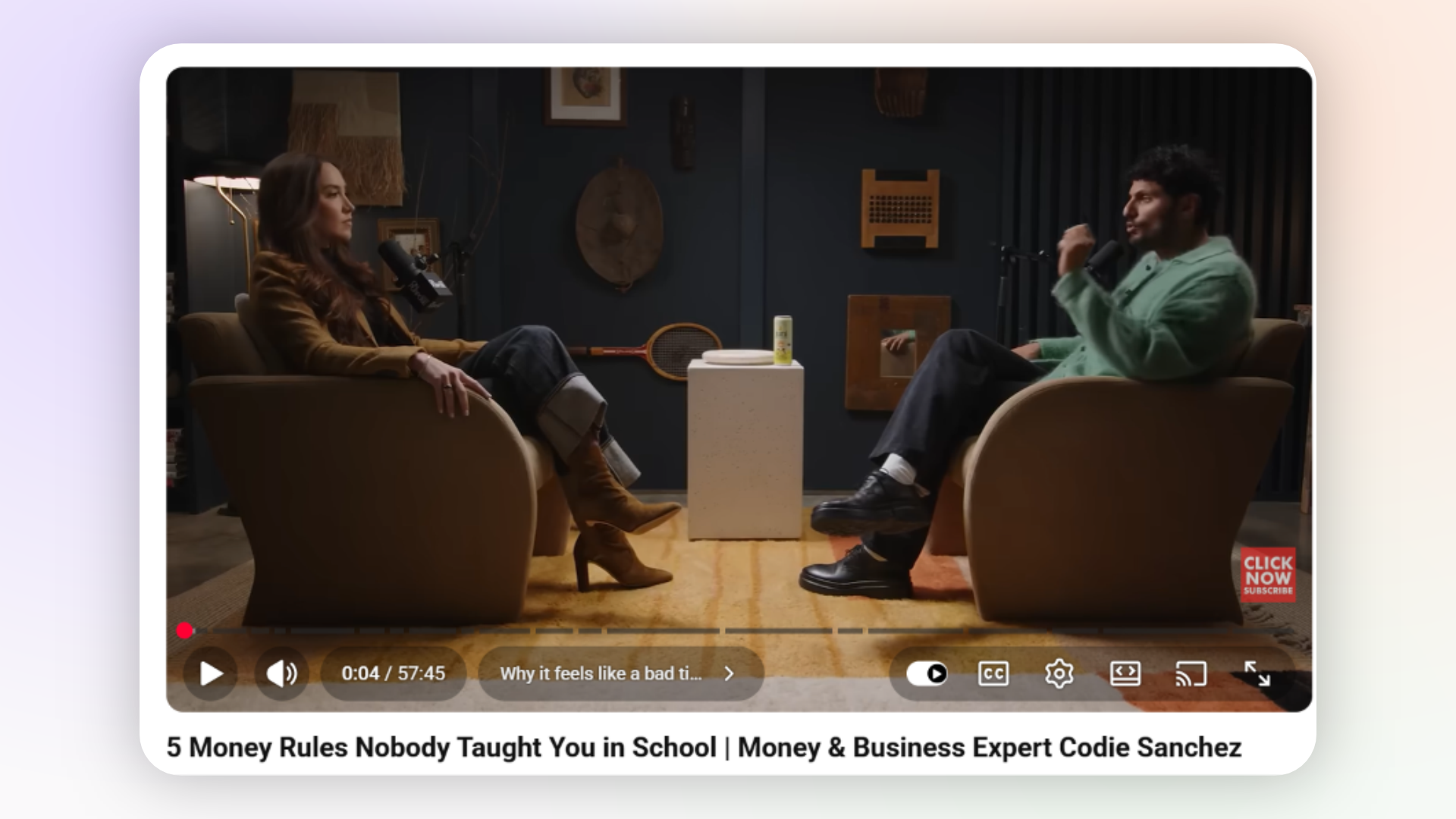
As you can see, the video is 57 minutes and 45 seconds long and features two people discussing many interesting topics. And this choice was intentional.
We wanted to test how both AI clipping tools would identify valuable moments, handle speaker changes, and turn long-form content into engaging, self-contained short clips.
Here's how we proceeded to generate the clips:
Step 1: We Uploaded The YouTube Video to Both Platforms
On Choppity, is was straightforwared process. Here's how we proceeded:
Opened Choppity's AI Clipper and pasted the YouTube video URL.
Added custom instructions to help the AI identify engaging moments.
Selected our preferred clip length, video format and caption settings.
Started generating clips and recorded the processing time.
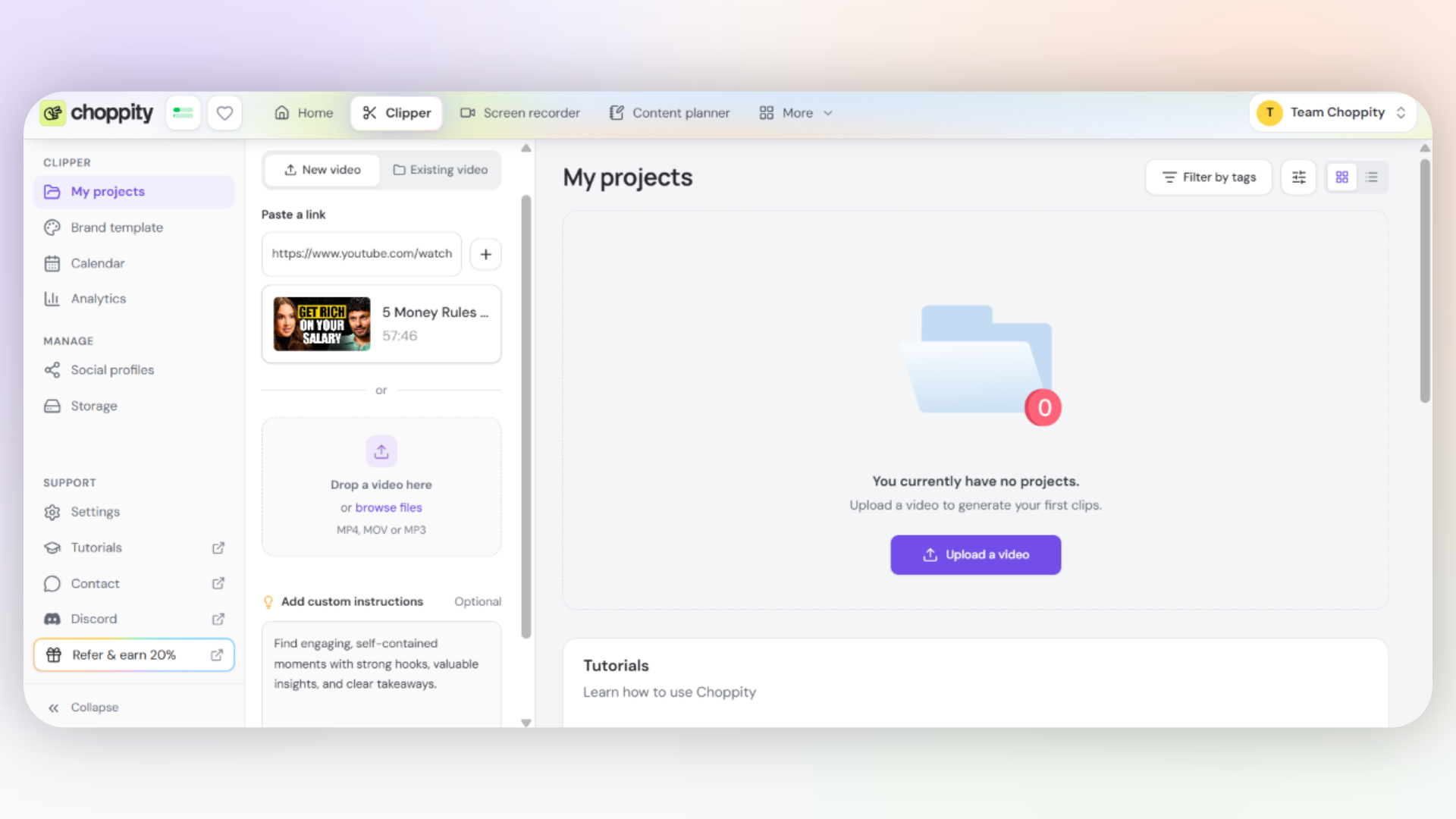
When we went to upload the same video on Klap, we noticed that its dashboard was very minimalistic and contained only one item: the field where you'd paste your link or upload your video. That's it.
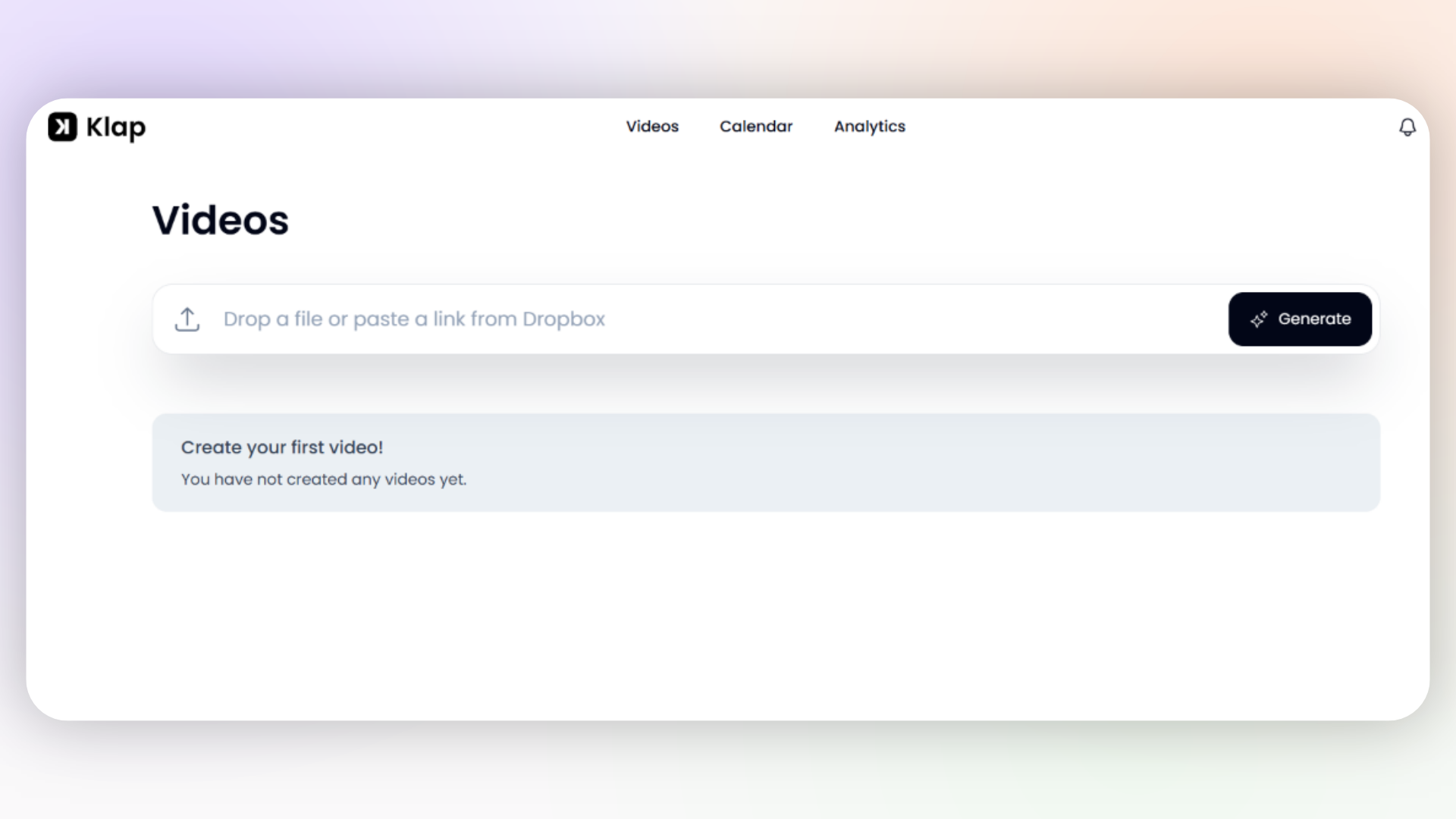
Here's what we did:
Opened Klap and pasted the same YouTube URL.
Selected the clip duration and caption template.
Added the same custom instructions used in Choppity.
Started generating clips and recorded the processing time.
Custom instructions
Here's the exact instruction we gave both AI clippers to guide their clip selection:
"Find engaging, self-contained moments with strong hooks, valuable insights, and clear takeaways."
This helped us evaluate how each platform responded to the same guidance.
Step 2: We Configured Similar Clip Generation Settings
We configured both platforms with comparable settings to make the test as fair as possible.
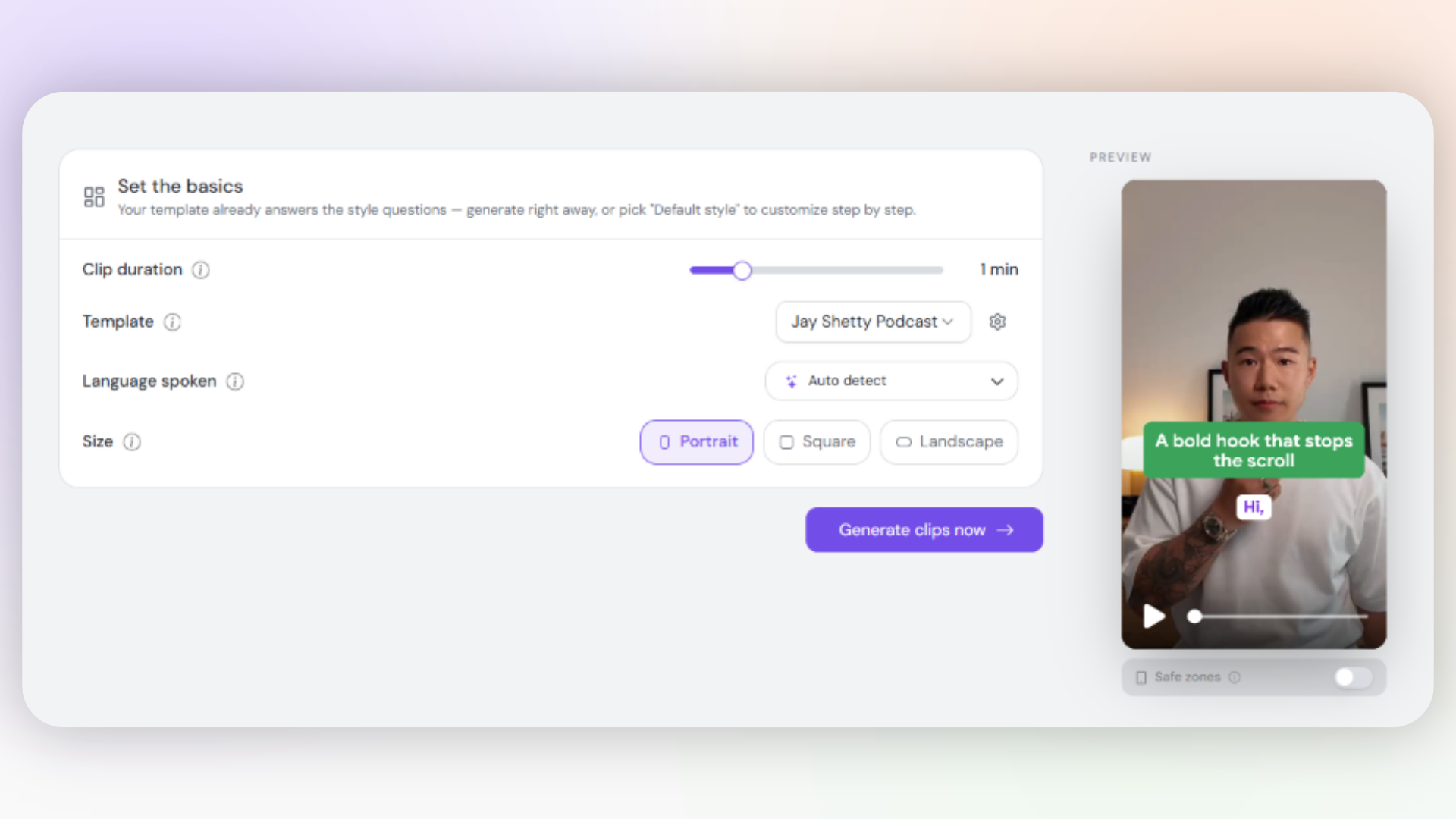
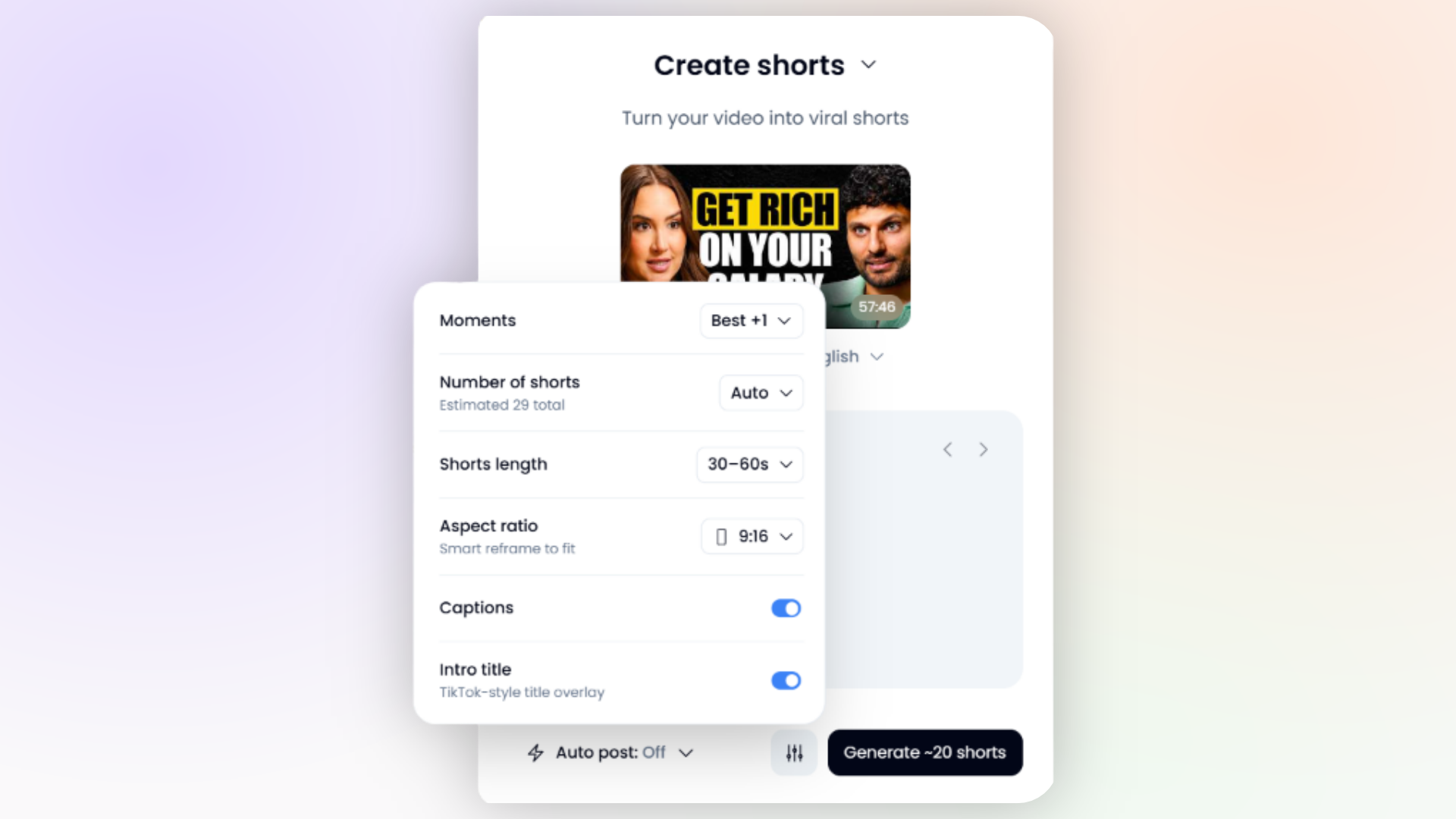
Choppity's generation settings
For Choppity, we selected approximately one-minute clips in portrait format and applied our preferred template.
Klap's generation settings
For Klap, here’s what we selected to make it as close as possible with Choppity's generation settings:
Step 3: We Measured Processing Time And Evaluated Clip Quality
After setting everything up, we used our iPhone's stopwatch to measure processing time for both platforms.
The moment we clicked the final button to begin AI clip generation, we simultaneously started the stopwatch. As soon as the first generated clips became available, we stopped the timer.
We then evaluated clip quality by comparing hooks, captions, auto-framing, and how engaging and useful the clip was.
Step 4: We Compared Each Platform's Additional Features
We also tested the additional features each platform offered, such as their video editors, automatic zoom effects, automatic b-roll, template creation, social scheduling, etc.
Want to know the nitty-gritty details about our findings and thoughts? Let's get into it.
Clip Generation Speed and Quality
Let's start with one of the most important sections of this Choppity vs Klap comparison, where we'll share our original test results, stopwatch evidence and three detailed clip comparisons.
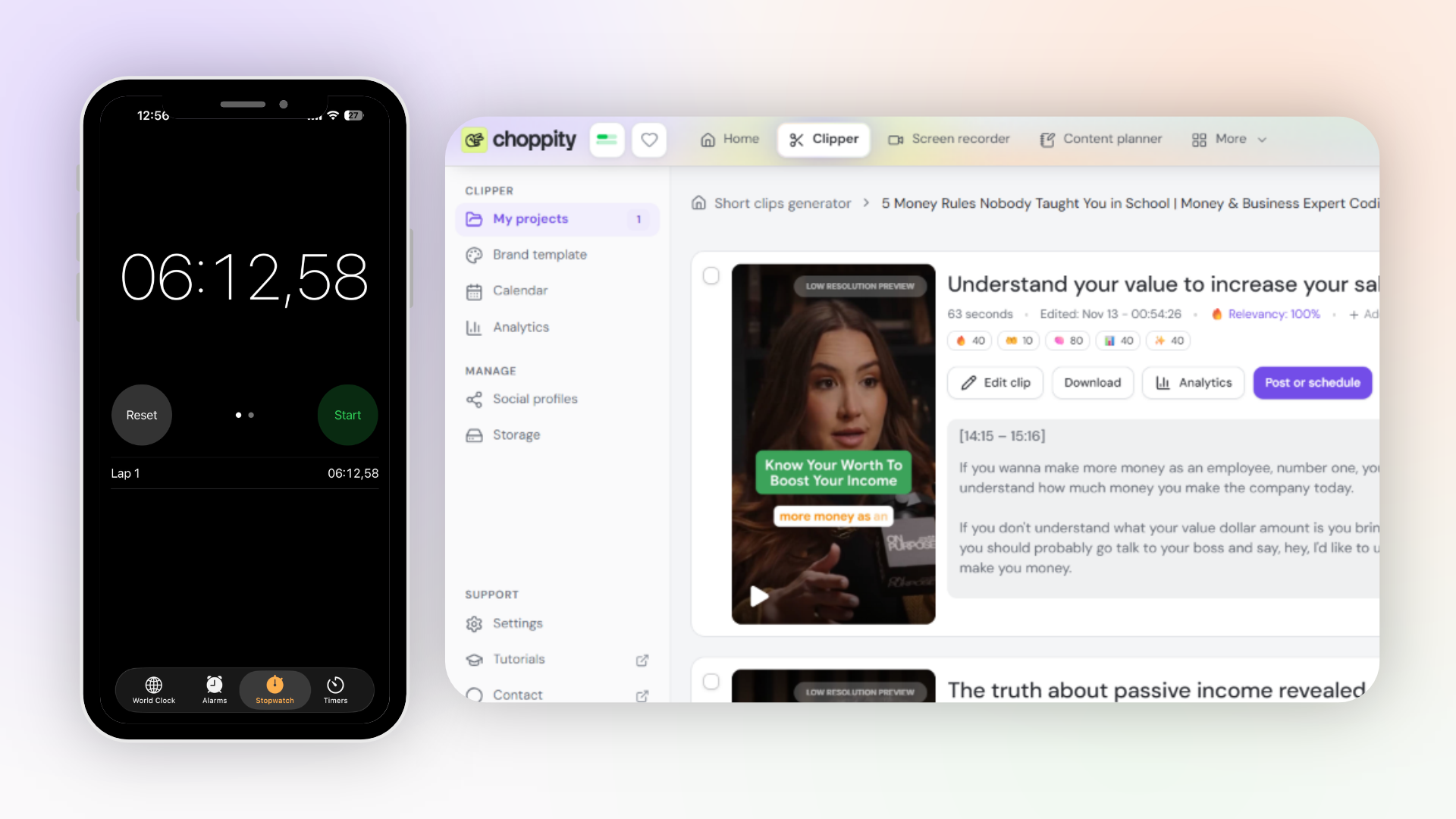
In our test, Choppity was faster than Klap. The overall quality of the generated clips was also great, although there were a few imperfections.
Clip Generation Speed: Which AI Clipper Is Faster?
The fastest AI clipper in this comparison was Choppity. It generated 26 clips in 6 minutes and 12 seconds from the 57-minute podcast.
What about Klap's generation results?
Klap took 12 minutes and 5 seconds to generate 30 clips from the same source video we used on Choppity, with the same custom instructions. It generated four more clips than Choppity, but it took almost twice as long to finish processing.
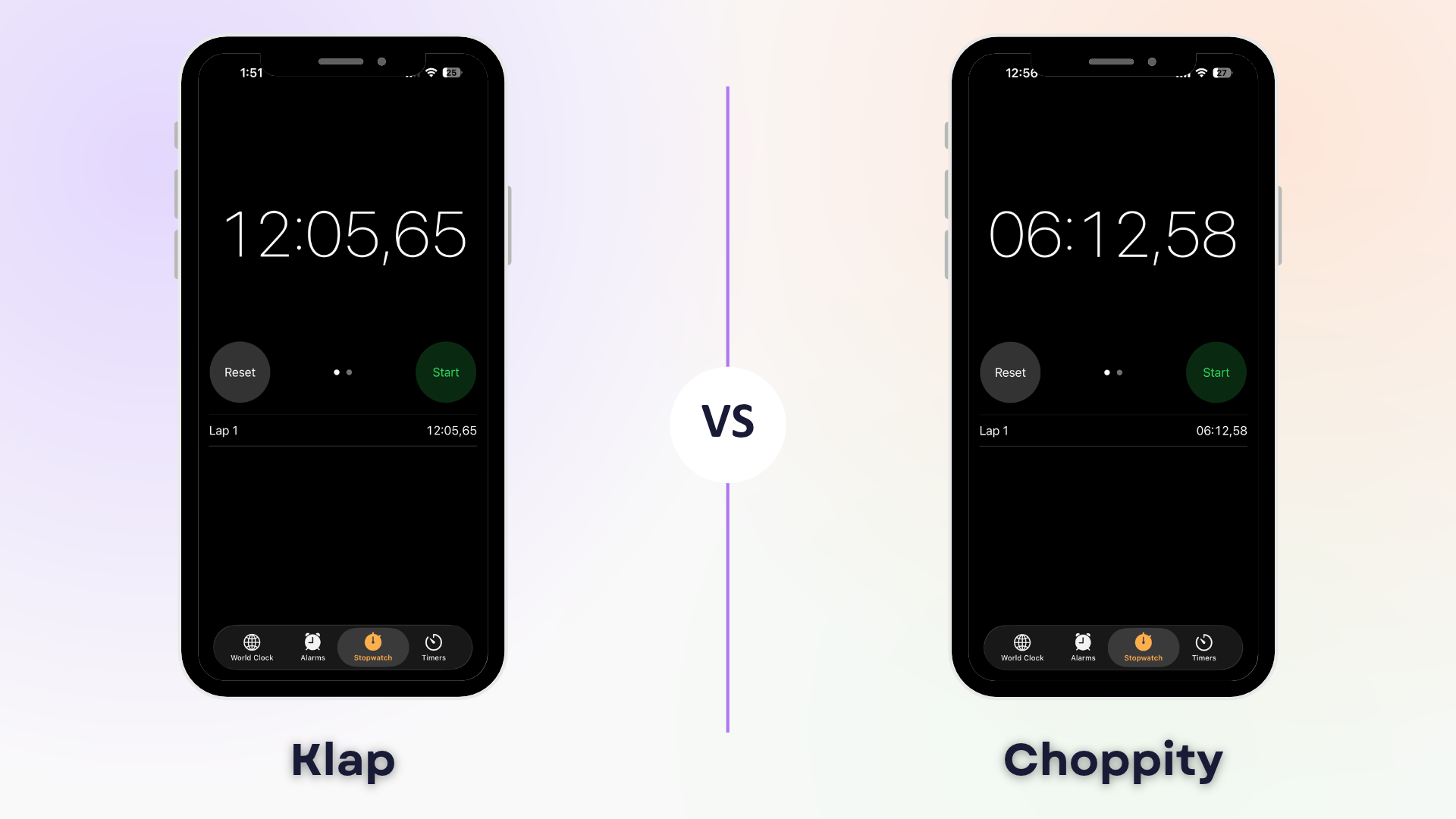
So, Choppity finished approximately 5 minutes and 52 seconds faster than Klap, making it almost twice as fast in this particular test.
Although Klap generated 30 clips compared with Choppity's 26, those additional four clips don't automatically make its results better. After all, the number of clips generated doesn't tell us much about their quality.
And that takes us to the next section.
Clip Quality: Which Platform Generates Better Shorts?
Clip quality is way more important than the number of clips generated. To evaluate clip quality, we picked three matching topics for which both platforms generated a clip and compared how each AI video clipper handled them.
Our main criterion was simple: How publish-ready was each clip?
Comparison 1: Salary Negotiation Clip
Both Choppity and Klap generated clips about this topic.
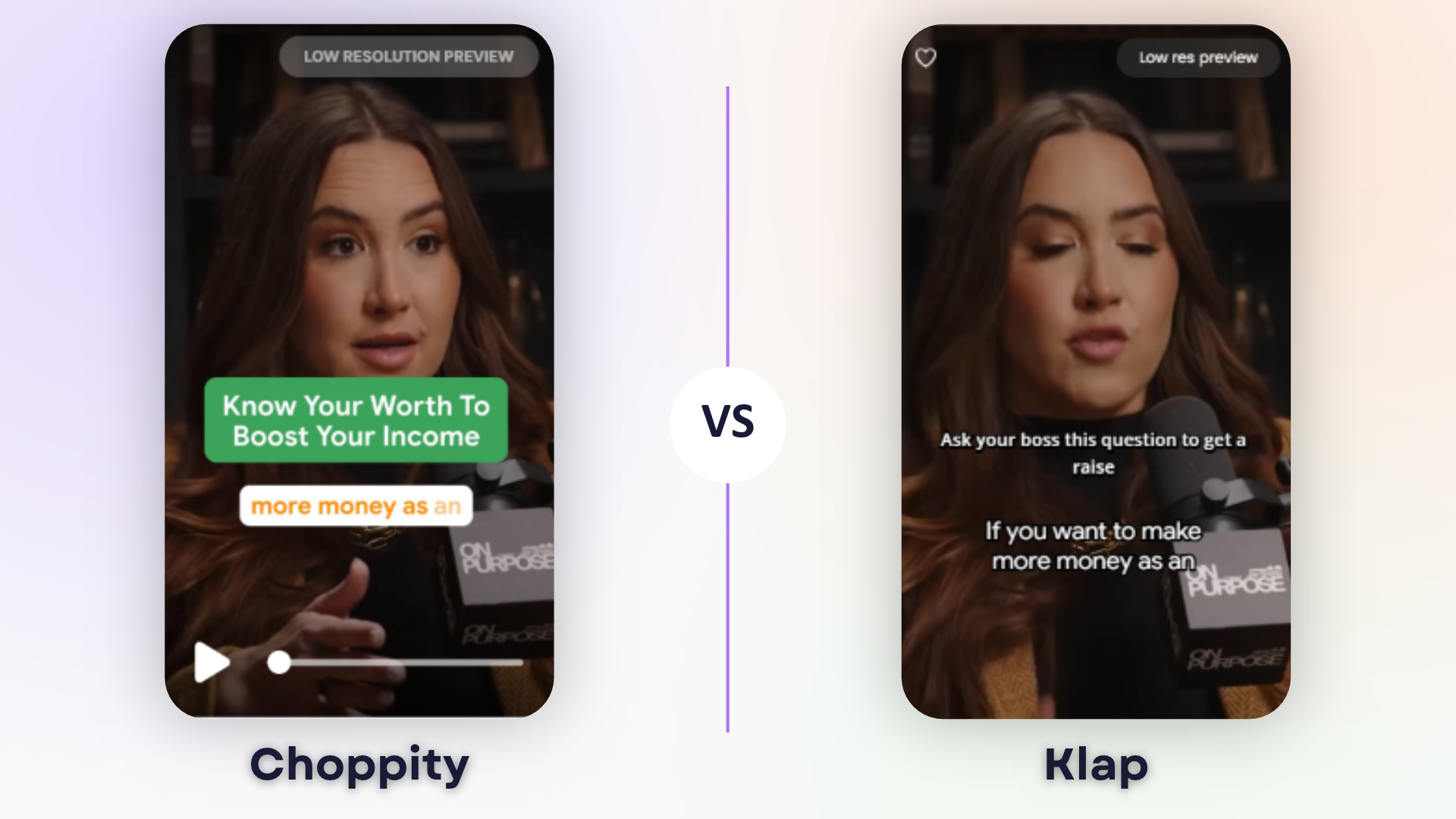
Here's how they compared:
Aspect | Choppity | Klap |
|---|---|---|
Clip title | Understand Your Value to Increase Your Salary | How to Negotiate Your Salary |
Duration | 63 seconds | 50 seconds |
Opening & context | Strong hook with clear, self-contained advice | Same engaging hook, with understandable advice |
Captions & framing | Accurate, readable captions; correct framing with dynamic zooms | Accurate captions and framing; less readable caption style |
Ending | Natural and complete | Cuts off mid-sentence after “and” |
Publishability | ✅ Ready to publish | ❌ Needs editing to fix the ending |
Main finding: Both platforms identified a strong moment, but Choppity produced a more complete, publish-ready clip.
Comparison 2: Side Hustles and Entrepreneurship
Here's the clips we compared:
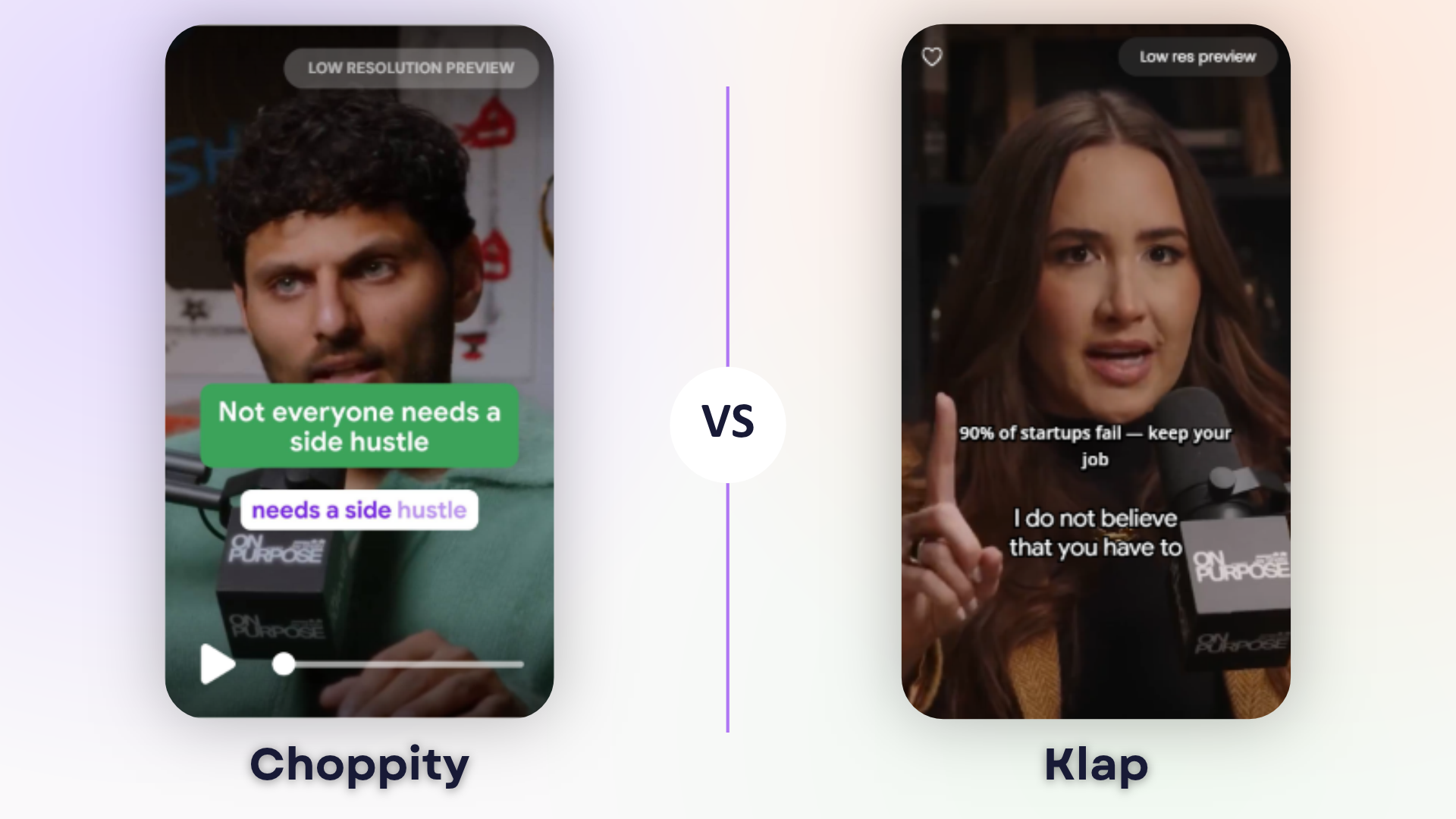
And here are our key findings:
Aspect | Choppity | Klap |
|---|---|---|
Clip title | The Truth About Side Hustles and Entrepreneurship | Why You Shouldn't Quit Your Job for Your Side Hustle |
Duration | 63 seconds | 66 seconds |
Opening & context | Starts with a clear question about side hustles, followed by a complete answer | Starts directly with the advice, providing less immediate context |
Captions & framing | Accurate, readable captions; correct framing with dynamic zooms | Accurate captions, prominent on-screen hook and correct framing |
Ending | Natural and complete | Complete, but includes a few unnecessary seconds |
Publishability | ✅ Ready to publish | ⚠️ Could benefit from a clearer opening |
Main finding: Choppity preserved Jay Shetty's original question, which was scroll-stopping enough, and which made the clip easier to understand without watching the full podcast. Klap selected a relevant moment too, but its opening lacked context.
Comparison 3: Who Should Pay on the First Date?
Last clip we evaluated. This one showed a huge error in Klap's framing.
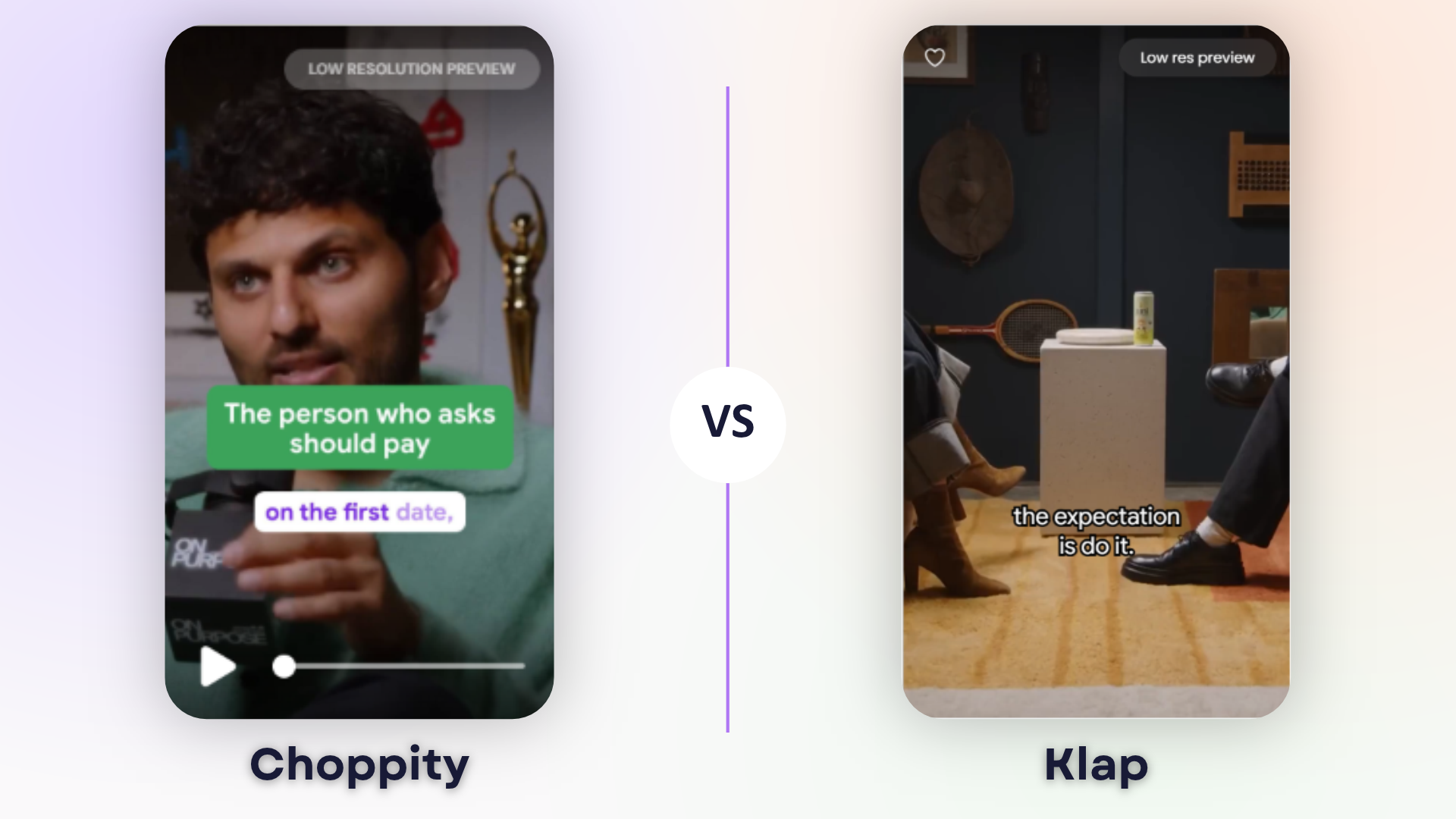
Here are our key thoughts:
Aspect | Choppity | Klap |
|---|---|---|
Clip title | Who Should Pay on the First Date? | The Date That Made Her Instantly Lose Interest |
Duration | 58 seconds | 31 seconds |
Opening & context | Starts with a clear question and provides enough context | Same engaging opening, with understandable context |
Captions & framing | Accurate, readable captions; correct speaker framing | Briefly frames the speakers' feet instead of their faces; captions not separately assessed |
Ending | Slightly abrupt, but the main point is complete | Cuts off mid-word |
Publishability | ✅ Publishable, although the ending could be improved | ❌ Needs editing to fix framing and ending |
Main finding: Both clips had imperfect endings, but Klap also introduced a noticeable framing error. Choppity's clip wasn't perfect either, but we would still consider it publishable without editing.
Overall Clip Quality Findings
Both platforms identified useful moments from the podcast, and we noticed that they often selected similar topics. However, the way they handled those moments was different.
Choppity produced more publish-ready content in the three clips we compared.
For example, we liked how Choppity often preserved Jay Shetty's original question before Codie Sanchez's answer. This made the reviewed clips easier to understand independently. Klap, on the other hand, sometimes cut out the part where Jay Shetty asked the question, meaning viewers would need more context to fully understand the discussion.
What about captions and speaker framing?
Choppity's captions were accurate and readable across all three clips we reviewed. Its active-speaker framing also worked well, and the dynamic zoom effects helped make the videos more engaging.
Klap also produced accurate captions in the clips where we assessed them, and its speaker framing generally worked well. However, we noticed one framing error where the camera focused on the speakers' feet instead of their faces. It was in the clip of comparison 3:
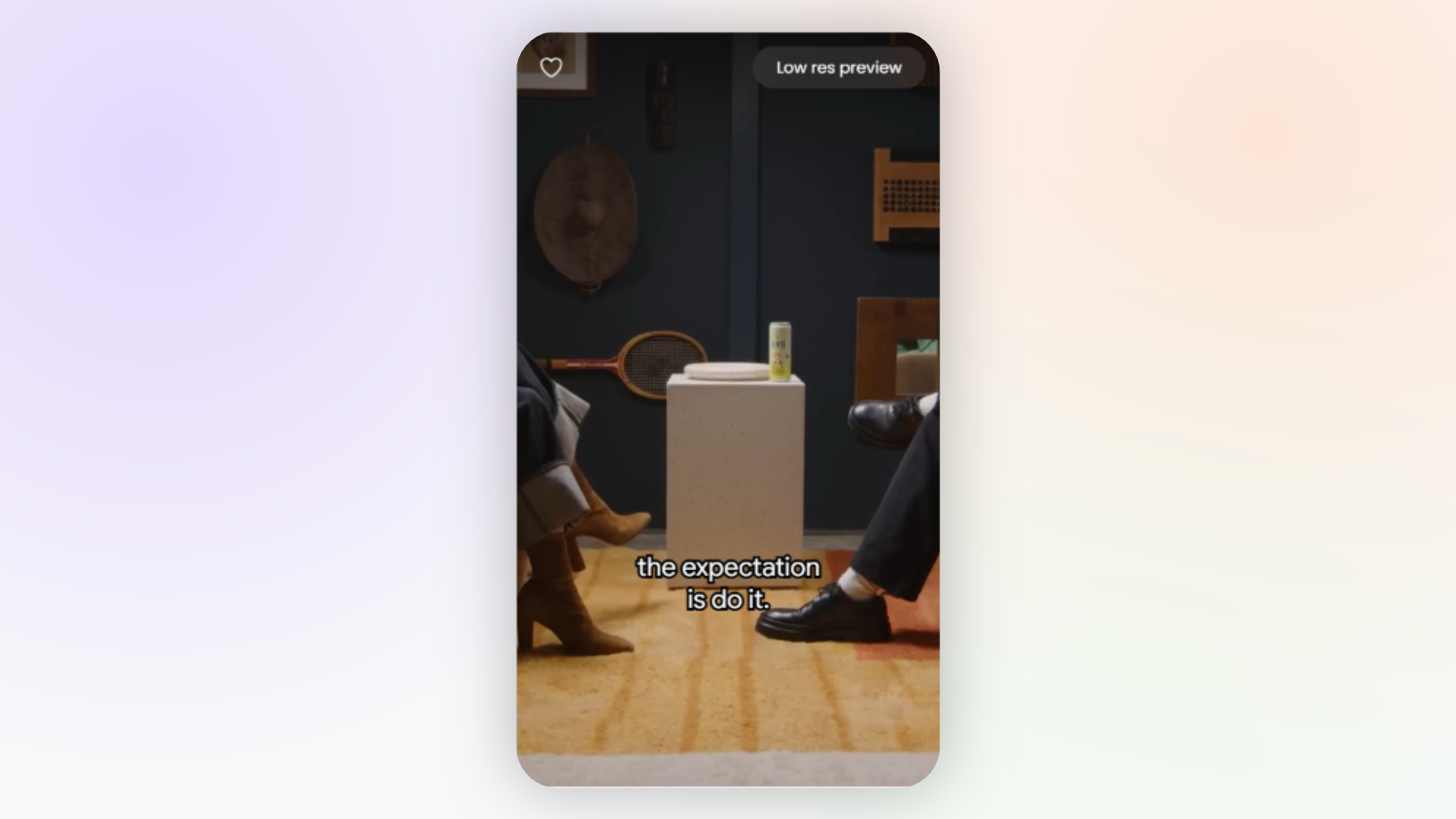
Another noticeable difference was how the platforms handled the endings:
Two of Choppity's reviewed clips ended naturally, while the third had a slightly abrupt ending. However, we it was still publishable without additional editing.
Klap had more noticeable issues in our selected examples. The salary negotiation clip ended after the word "and", while the first-date clip cut off mid-word. Its side hustle clip had a complete ending, although we felt its opening needed more context.
Ease of Use and Customisation
Another criterion to compare these two AI clipping platforms is how easy they are to use, how straightforward their workflows are, and how much customisation they allow when creating short clips.
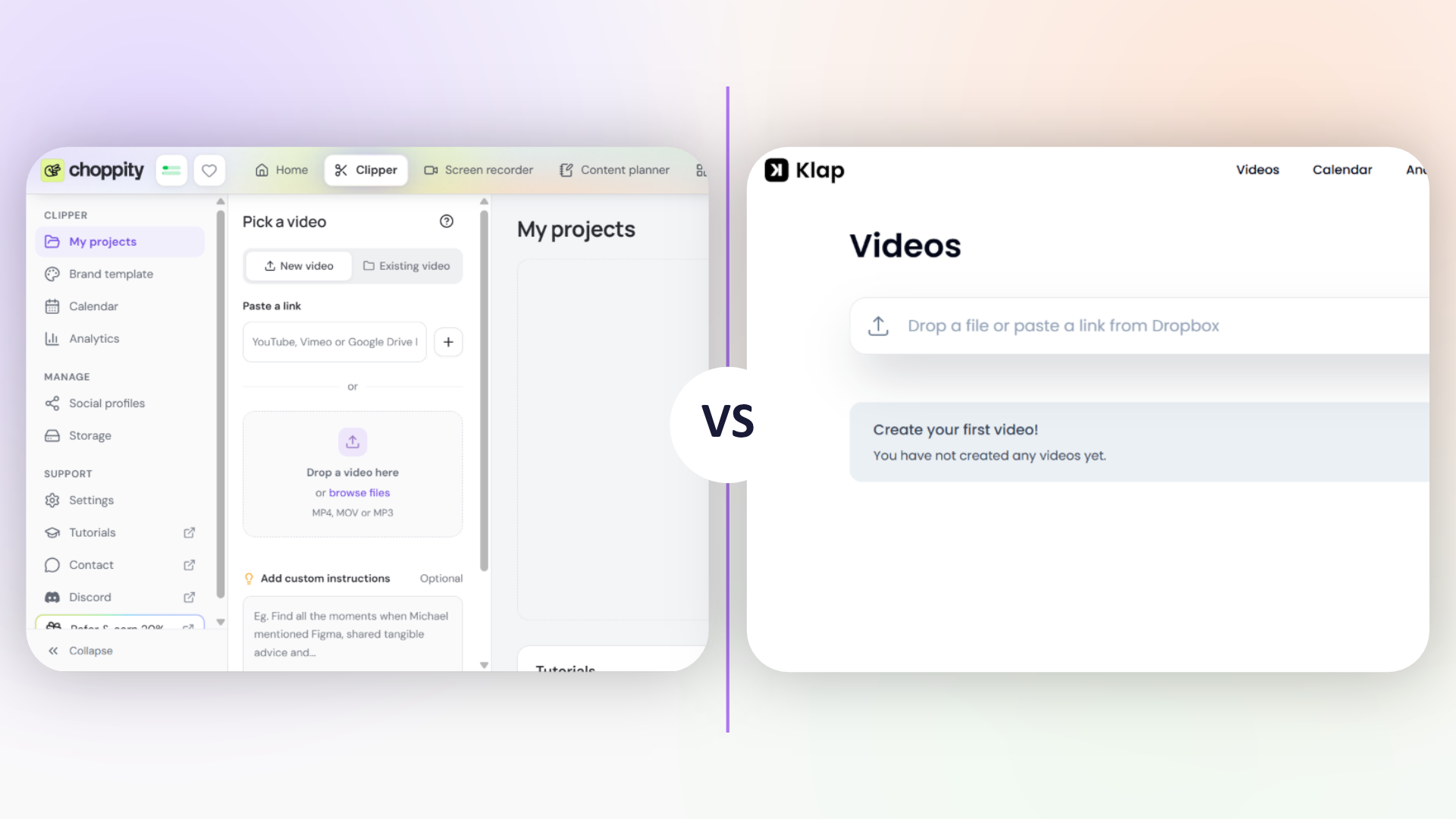
Getting Started: Which Platform Is Easier to Use?
In our experience, Choppity was easier to use than Klap. Both platforms made it straightforward to upload a video and generate clips, but Choppity offered a more guided experience, with settings that were easier to find.
Our Experience on Choppity
Right off the bat, when you open Choppity, here’s what its dashboard looks like:
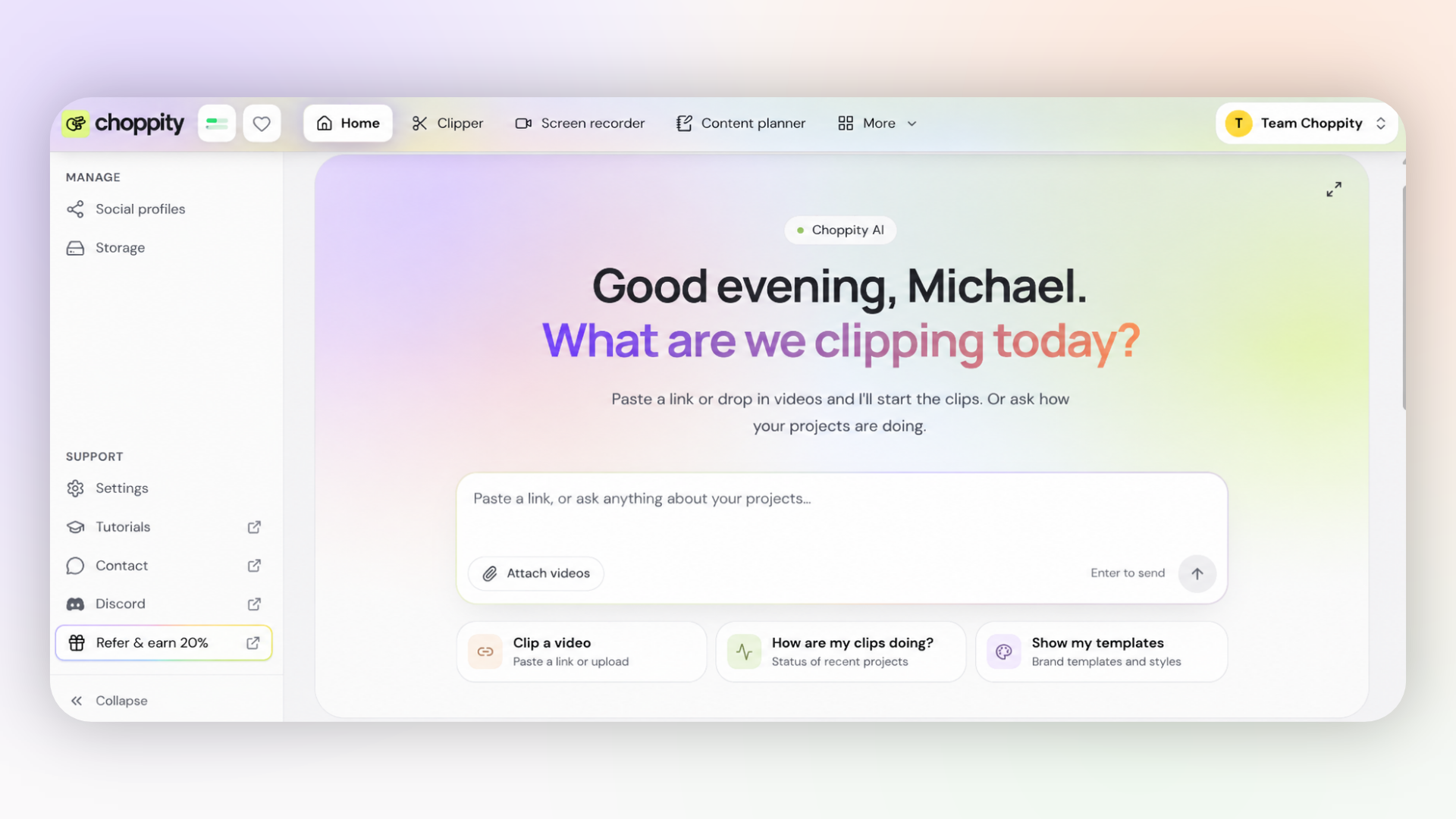
Choppity has an AI assistant that you can talk to about your project. You can ask it questions, give it instructions to improve your clips, or even start the clipping process directly from there.
For this test, we started our clipping from the AI Clipper. Here’s what its dashboard looks like:
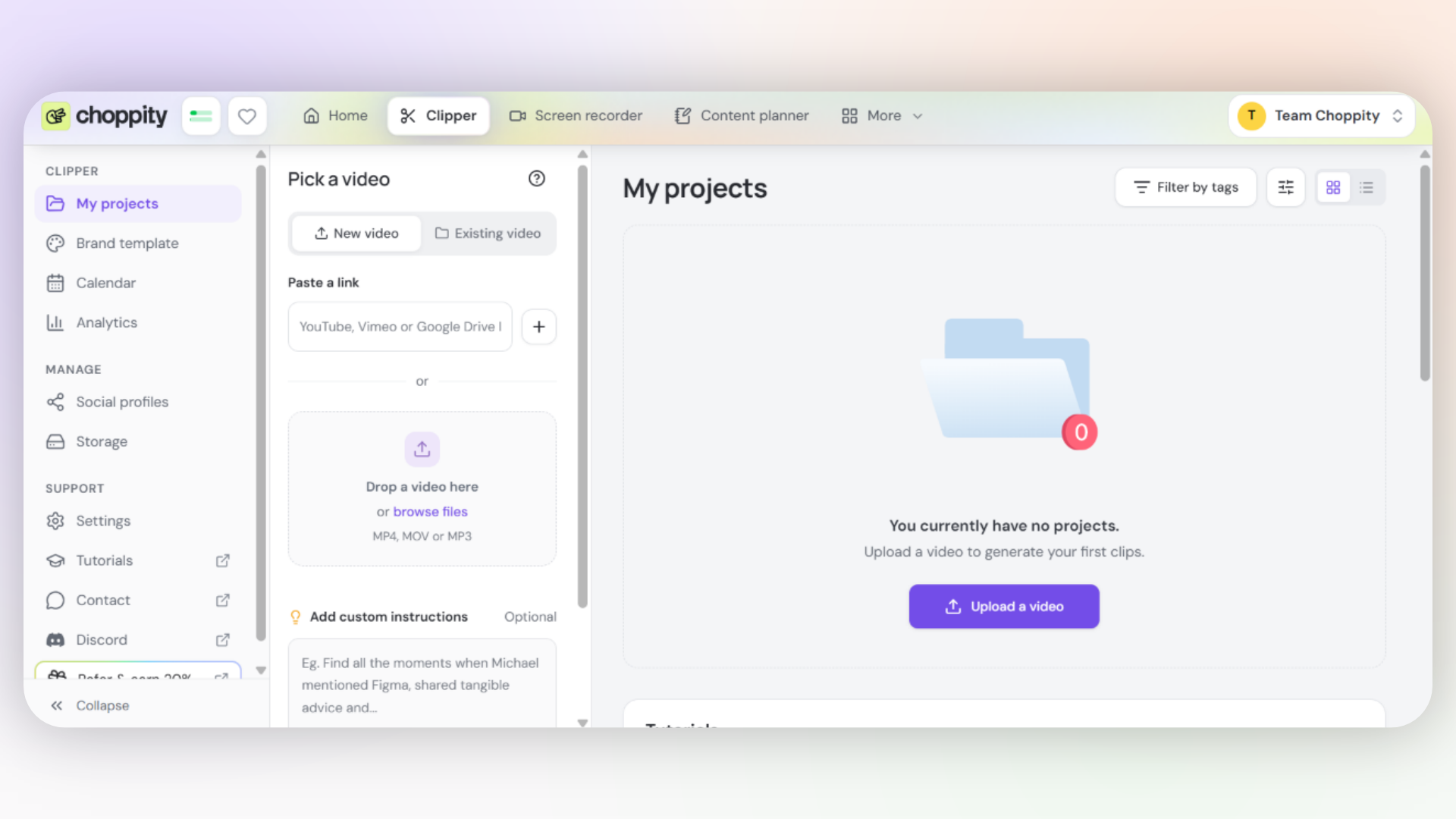
We particularly liked how straightforward it was to upload our video. You can either click the purple upload button to select a video from your device or simply paste a YouTube link into the provided field.
That’s what we did, and Choppity immediately recognised the podcast. It was also easy to spot the custom instructions field and paste our instructions there.
Once we clicked the Generate short clips button, Choppity asked us to configure a few settings, including:
Clip length
Video format
Language
Caption template
Everything was straightforward and quick to set up. All we had to do was click the final Generate clips now button and let Choppity do its work.
Our Experience on Klap
Klap’s developers definitely seem to love minimalism because its dashboard contains only a few elements, mainly the essentials you need to generate your first clips.
The interface is quite simple. You get a field where you can paste a video link or upload a file, with support for several sources, including YouTube, Twitch, Vimeo and Loom.
After adding your video, you can customise your clipping experience by choosing an existing template or creating your own. However, some customisation options were less obvious.
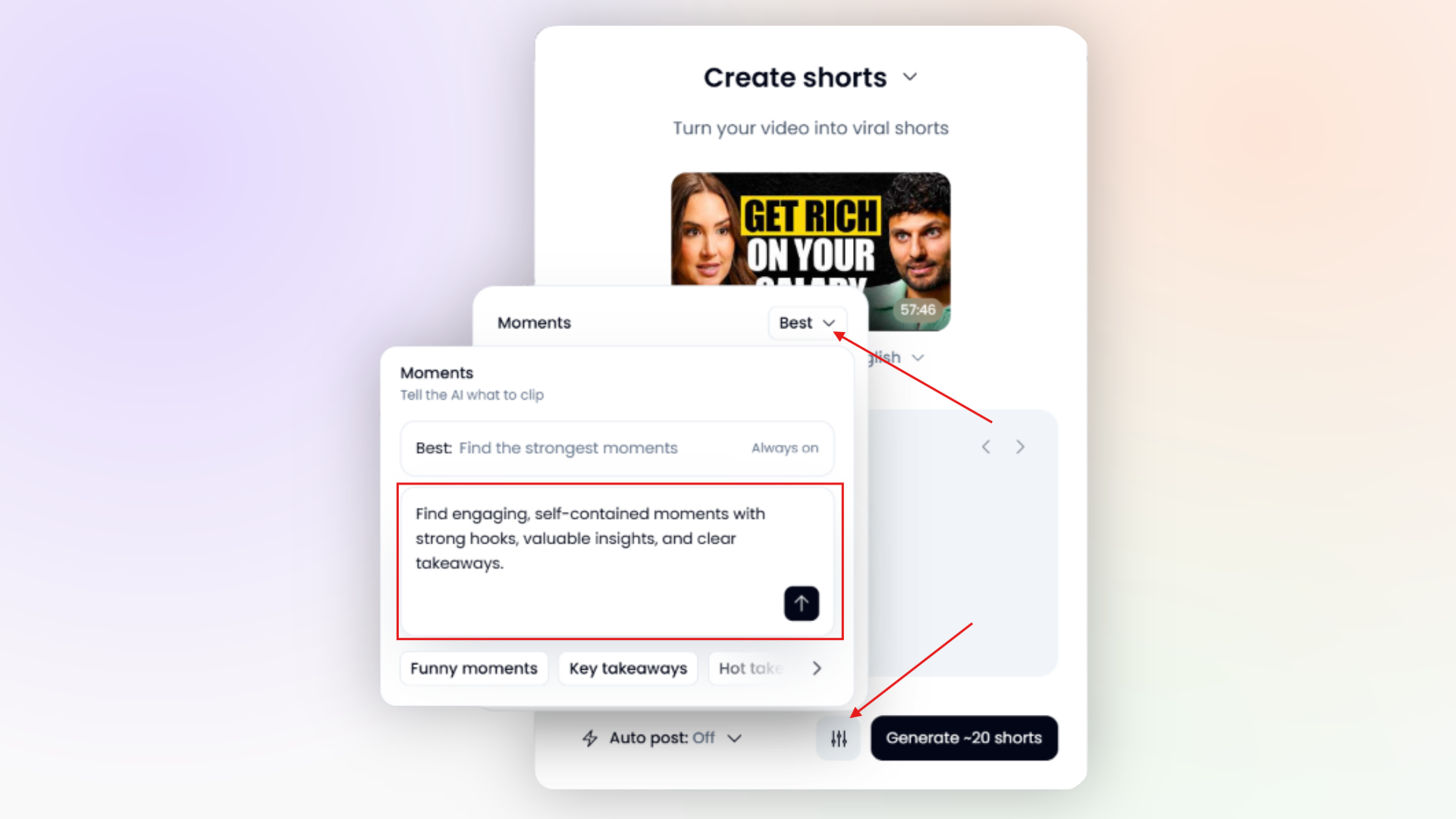
For example, we tried to find the custom instructions field, but it took us some time to locate it because it was hidden behind a settings icon, then we had to click on "Moments".
Branding and Caption Customisation
Choppity offers a more guided branding experience, while Klap gives users tools to customise their templates manually. We found Choppity’s approach more straightforward.
Choppity’s Brand Template Wizard
One tool we particularly liked about Choppity was its Brand Template Wizard.
Instead of manually setting up every branding element, you can use the wizard to automatically detect branding from a YouTube channel and create a reusable template.
For this test, we used Jay Shetty’s YouTube channel, and Choppity generated a brand template based on its branding.
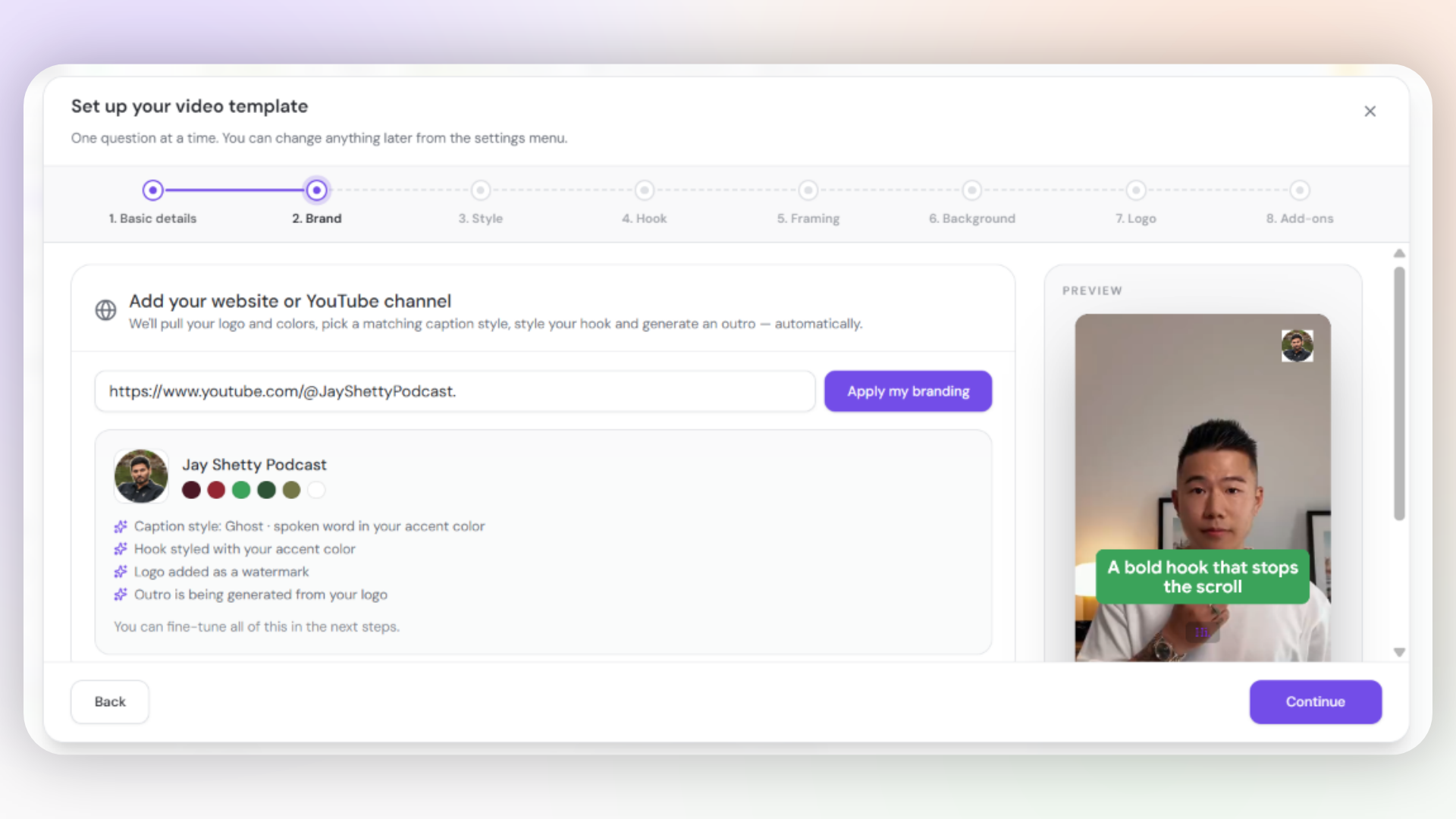
You can then customise different elements of your clips, including:
Brand colours and logo
Fonts and caption styles
Caption colours and sizes
Speaker-specific caption colours
Hook styling
We particularly liked this feature because it makes it easier to keep your clips visually consistent without having to recreate your branding every time. When you're finished setting up your template, you can save it and reuse it for future videos.
Klap’s Template Customisation
Klap also allows you to create and customise templates for your generated clips. However, unlike Choppity’s guided Brand Template Wizard, we had to configure the template manually.
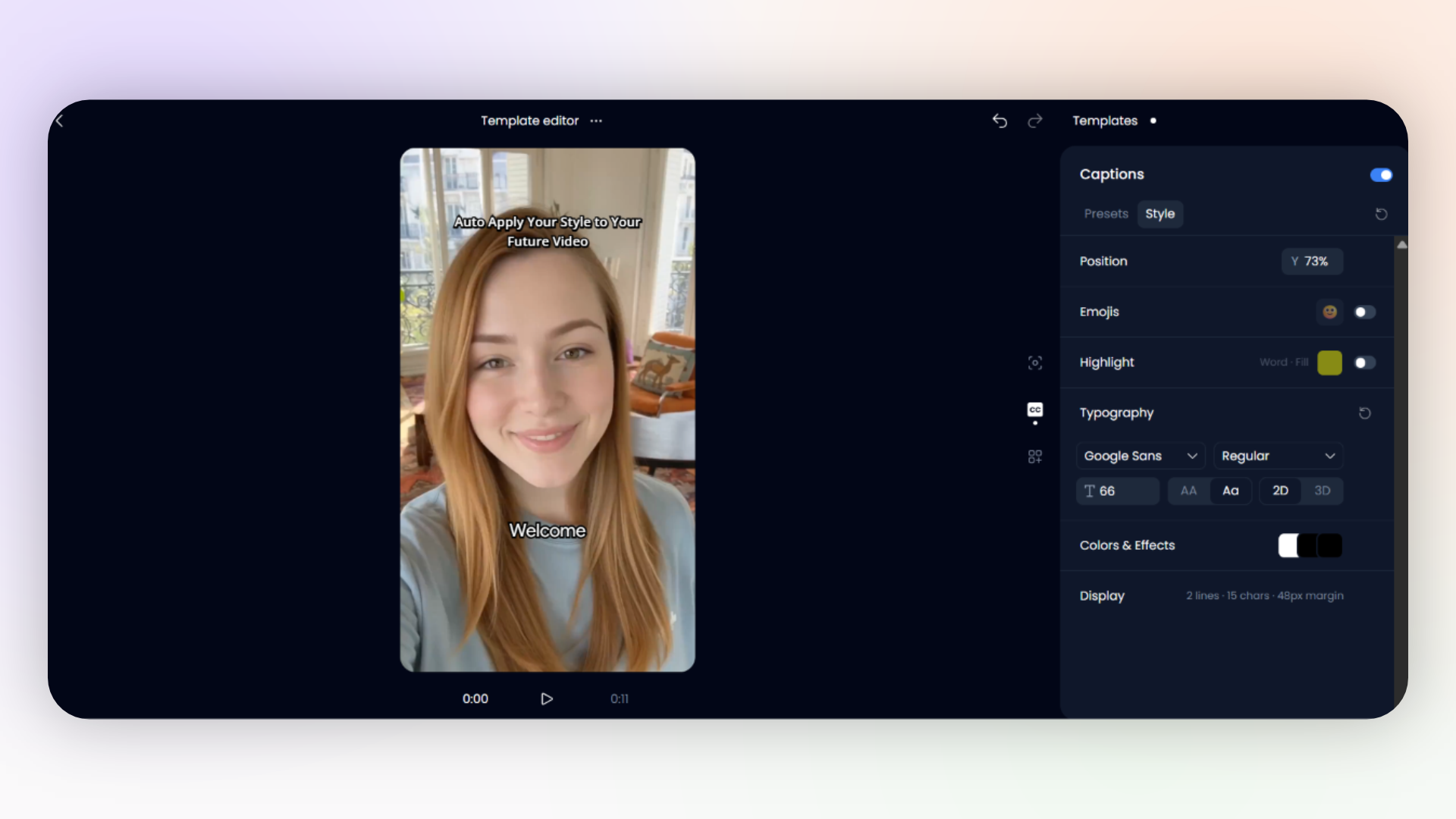
During our test, we explored the available caption customisation options, including:
Fonts and font sizes
Caption colours
Caption styling
Reusable templates
For example, we selected Google Sans with a font size of 66 to customise the appearance of our captions, as you can see on the image above.
The available options were useful, but we found the template creation process less intuitive than Choppity’s. Some controls took longer to locate, and we didn’t find the same guided approach to automatically detecting a YouTube channel’s branding.
Our verdict: Choppity wins on ease of use and customisation.
Video Editing and Automatic B-roll
After your clips have been generated, you might want to edit some of them, and that's where the video editor comes into play.
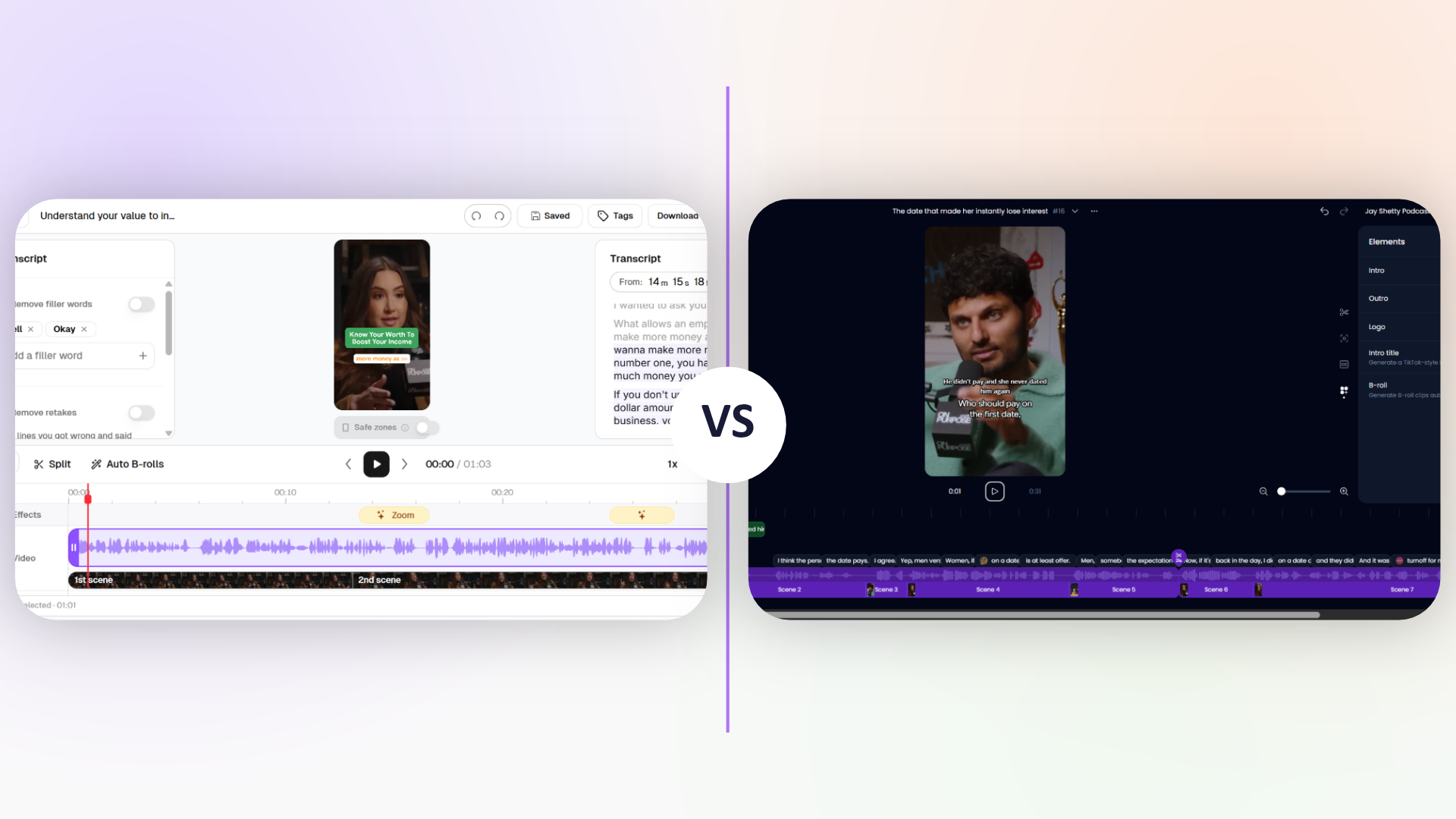
Both Choppity and Klap allow you to edit your AI-generated clips, but there are some differences in their editing features and workflows.
Video Editing Features
Choppity had the more intuitive editing interface in our testing. Both platforms offered the tools needed to make changes to AI-generated clips, but we found Choppity’s controls easier to locate and use.
Choppity’s Video Editor
When we opened a generated clip in Choppity’s editor, we found a clean, well-organised workspace.
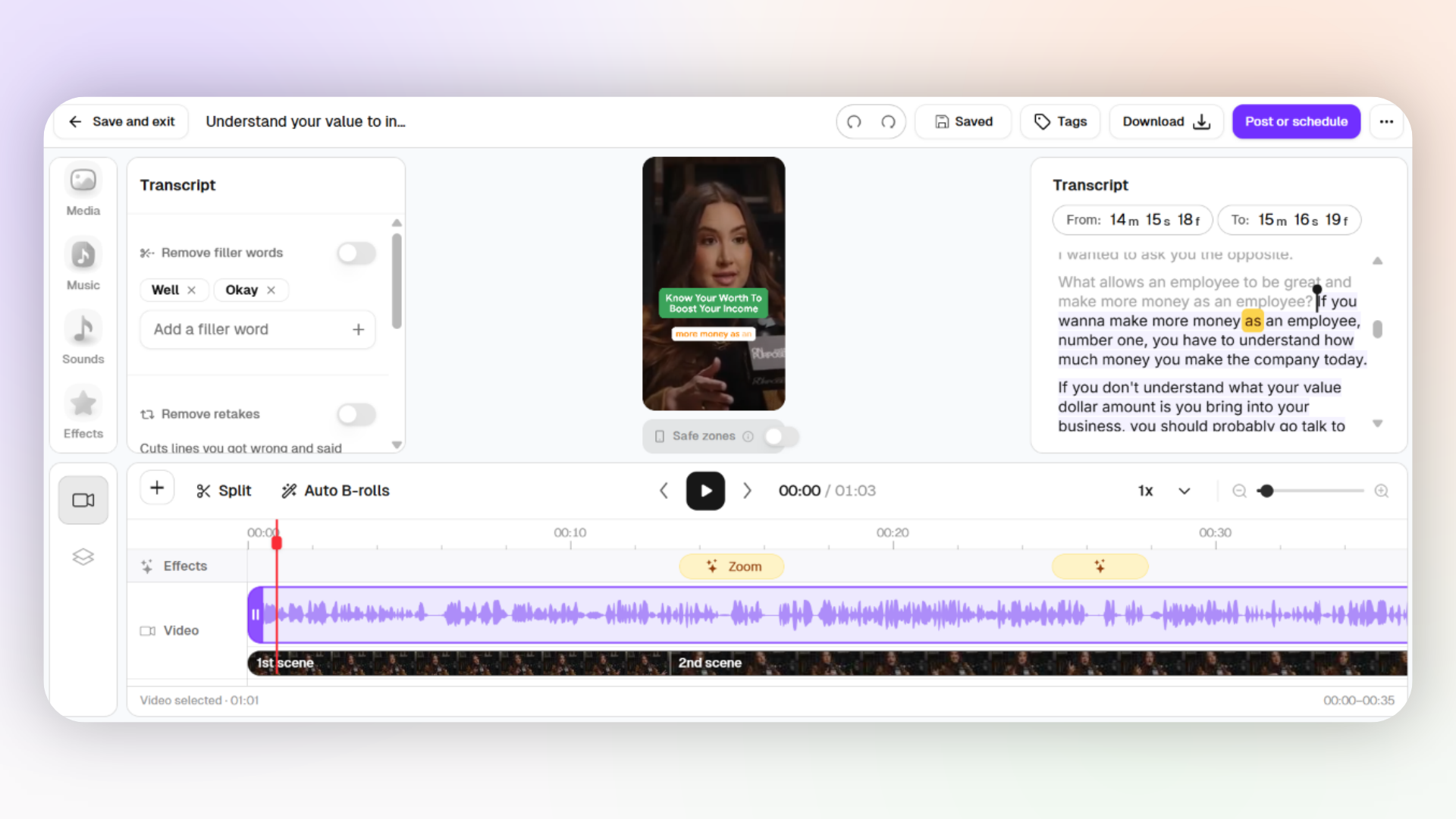
The editing tools were clearly labelled and easy to access. We particularly liked how easy it was to navigate between the transcript, timeline and other editing controls. We could also see the automatic zoom effects on the timeline, which made it easier to understand how the clip had been edited.
Klap’s Video Editor
Klap also offers a video editor that's still minimalistic. Ironically, we found its interface less intuitive.
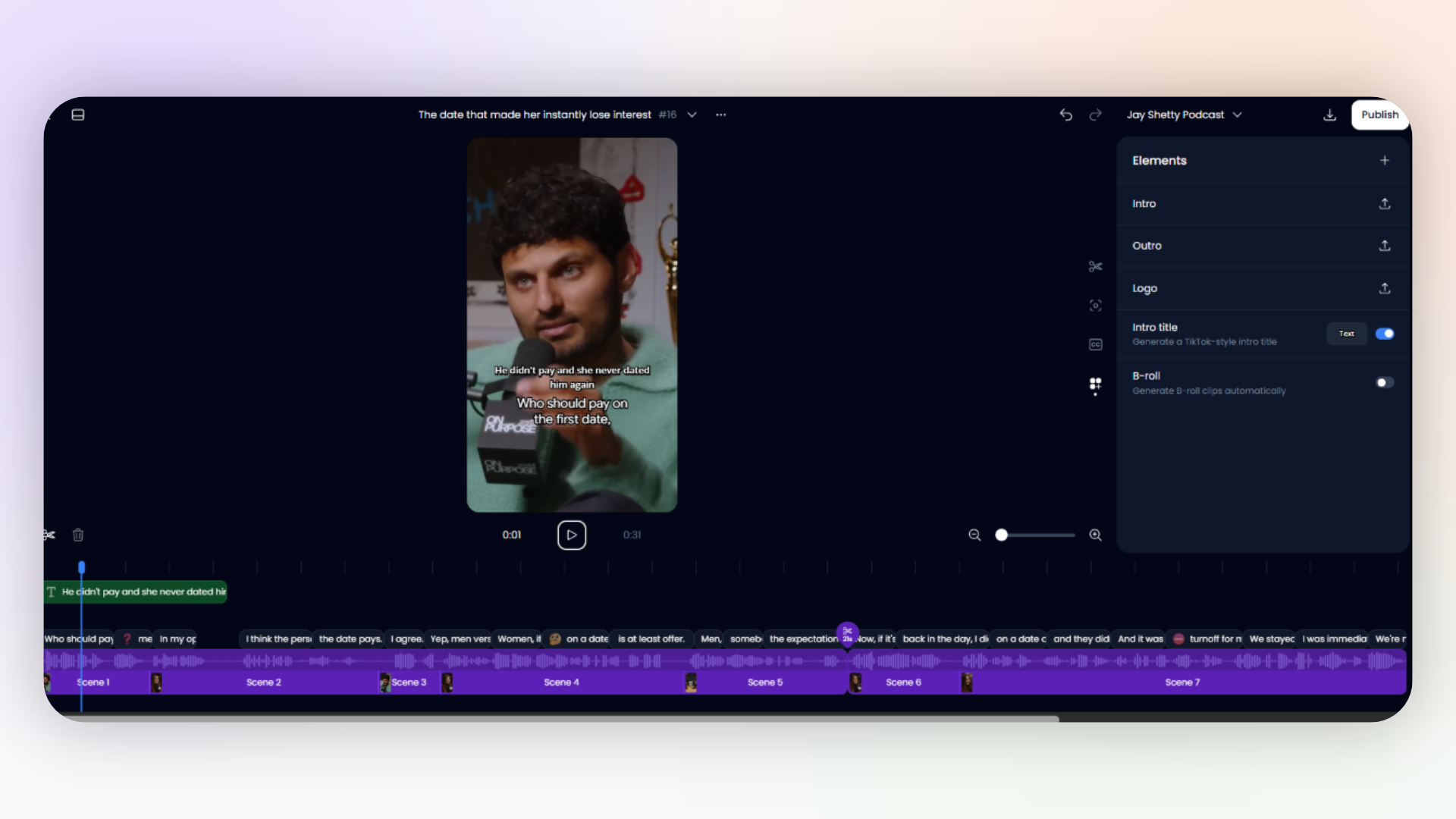
The editor includes the basics:
Transcript editing
Timeline trimming
Caption customisation
Manual reframing
Intros, outros, logos and B-roll
To fix the clip where the ending felt abrupt, we adjusted the clip using the timeline handles, and the captions updated as we made changes. So that part was great.
And regarding the clip where we saw the speaker's feet instead of the actual person talking, we managed to fix it using the manual reframing option.
However, some tools were hidden and not put in obvious places, they used very small icons that we had to open one by one to find what we were looking for. And the dark interface felt cluttered, so if you're someone who prefers light mode, you wouldn't appreciate it. We also tried enabling automatic B-roll, but Klap couldn't add them even after we added stock footage (more details about this in next section).
So, both platforms provide the essential tools to edit AI-generated shorts, but Choppity made the editing process feel more intuitive and easy.
Automatic B-roll: Which Platform Performed Better?
Choppity successfully inserted relevant automatic B-roll during our test, while we couldn't get Klap's automatic B-roll feature to produce a result.
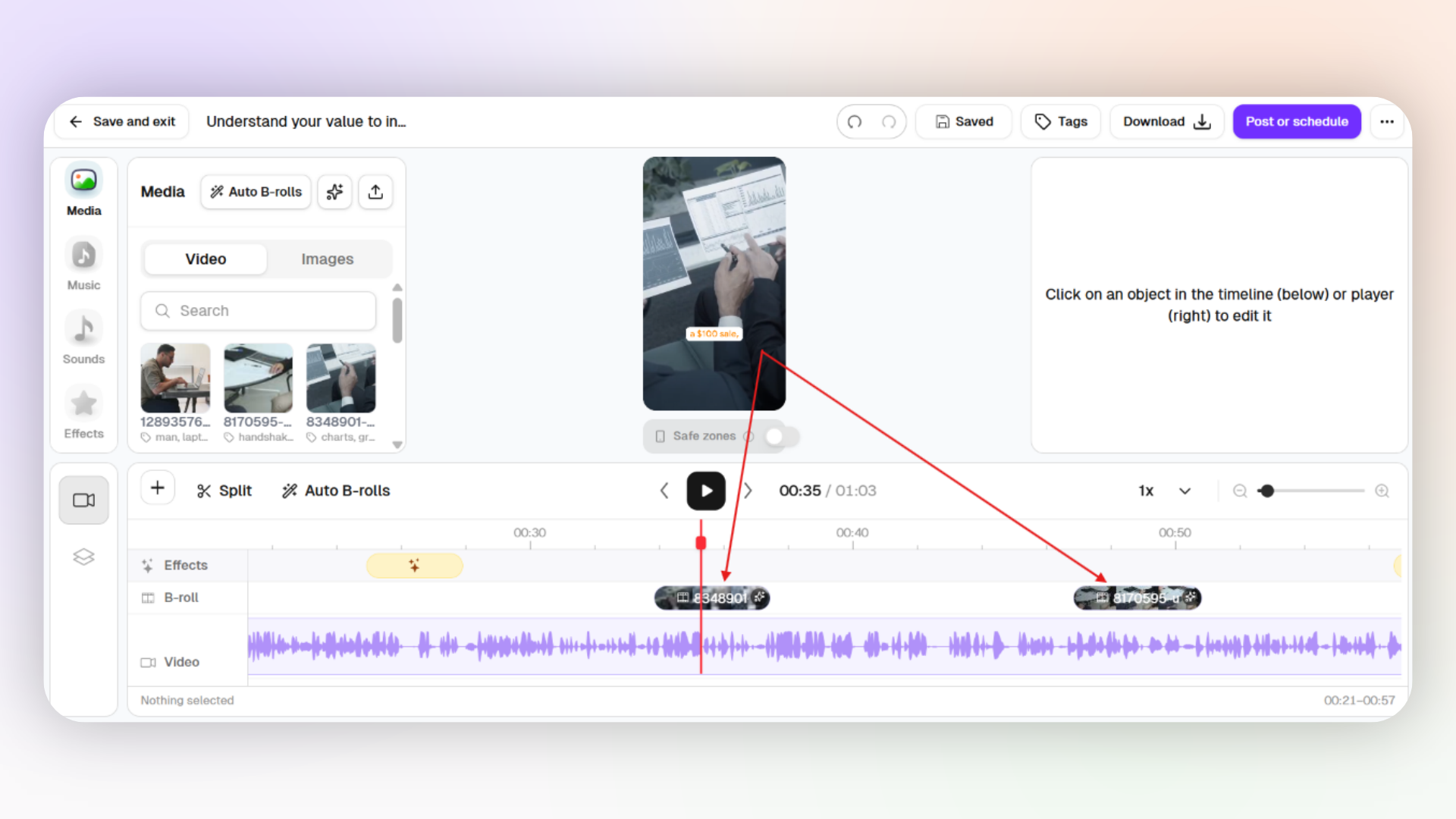
To get these results on Choppity, we uploaded three short MP4 videos that were relevant to the context of our salary negotiation clip.
Result: Choppity automatically inserted two B-roll cutaways: one showing business analysis and another showing a salary negotiation.
When we watched the result, we found that:
Both cutaways were relevant to the spoken content.
The timing felt natural.
The footage looked great in the vertical frame.
Neither cutaway needed manual adjustments.
What about Klap's automatic B-roll?
When we enabled Klap's automatic B-roll feature, it displayed the message "No relevant B-rolls found.".
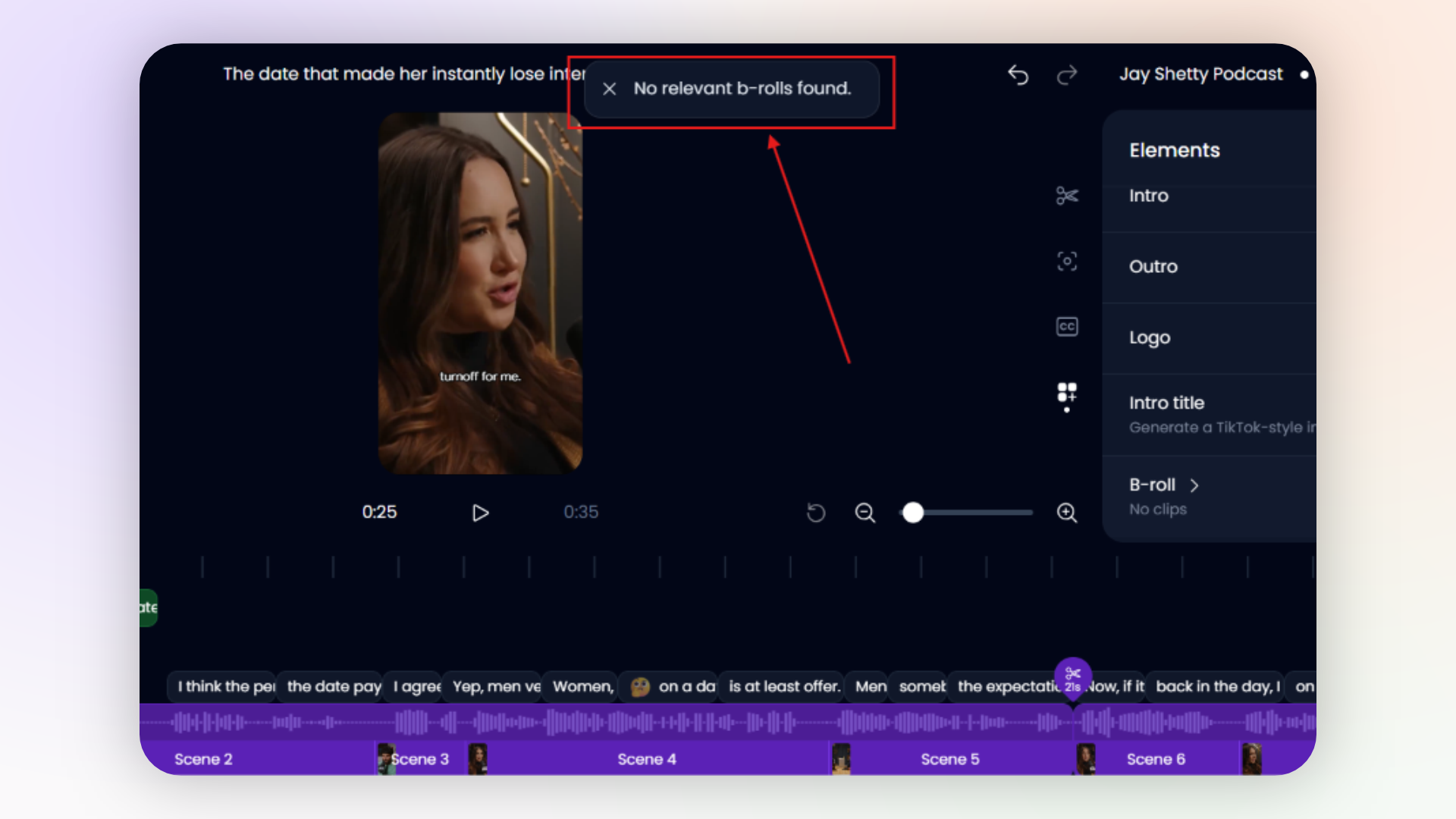
Although we could search for stock footage and insert it manually, we couldn't get the automatic feature to place any footage during our test.
So overall, Choppity performed better in our automatic B-roll test. It automatically identified and placed relevant footage without us having to position each cutaway ourselves.
Klap also provides B-roll tools, but we couldn't verify successful automatic placement during our test.
Social Media Scheduling
This is the part where you’ll feel like you really own a content business - you have a bunch of clips ready to go, and you can schedule them to be posted even when you’re away.
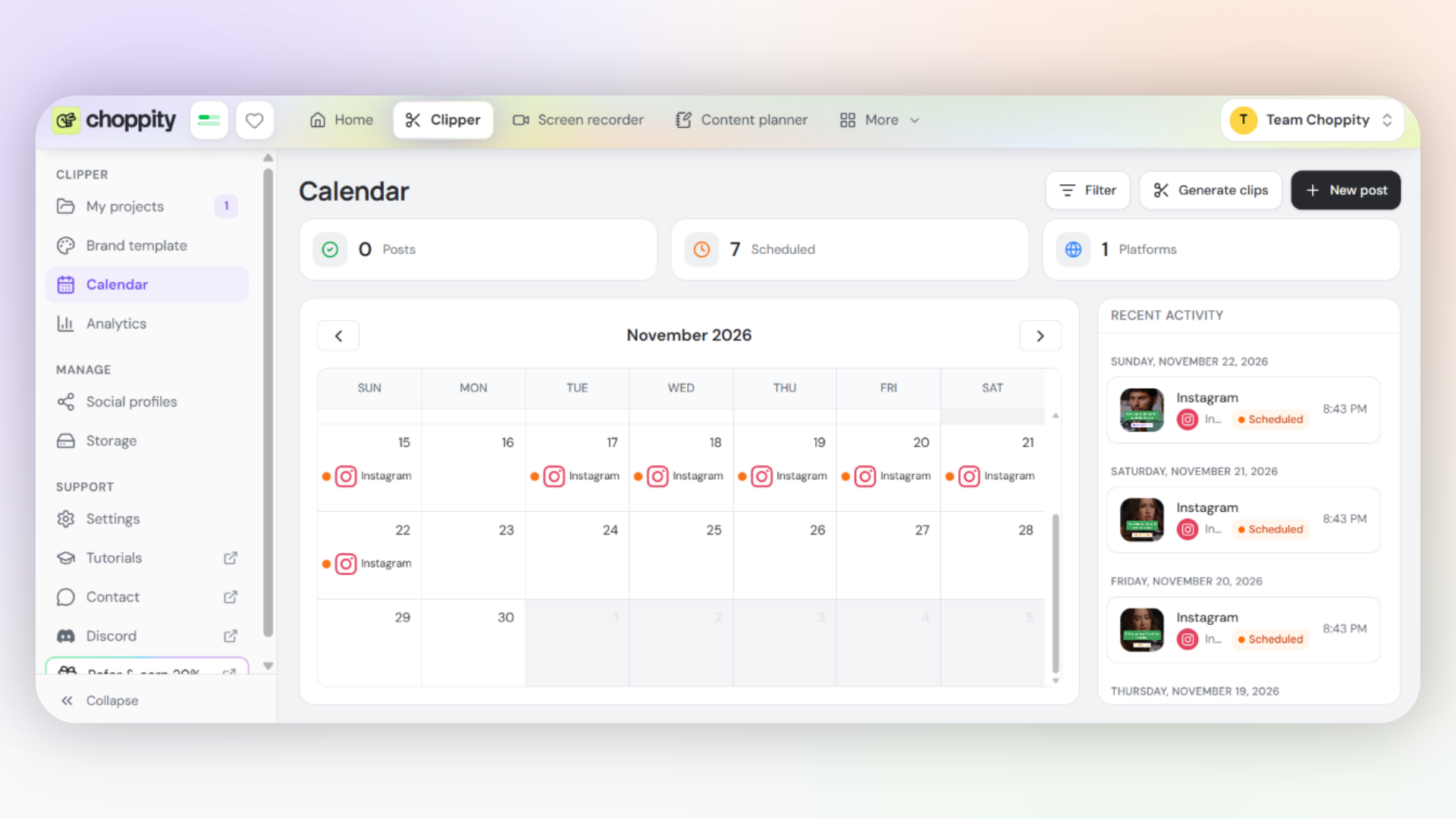
Choppity's Social Media Scheduler
On Choppity, you can publish your finished clips directly from the clip page. All you have to do is click the Post or schedule button, and you'll be able to publish your clips immediately or schedule them for later.
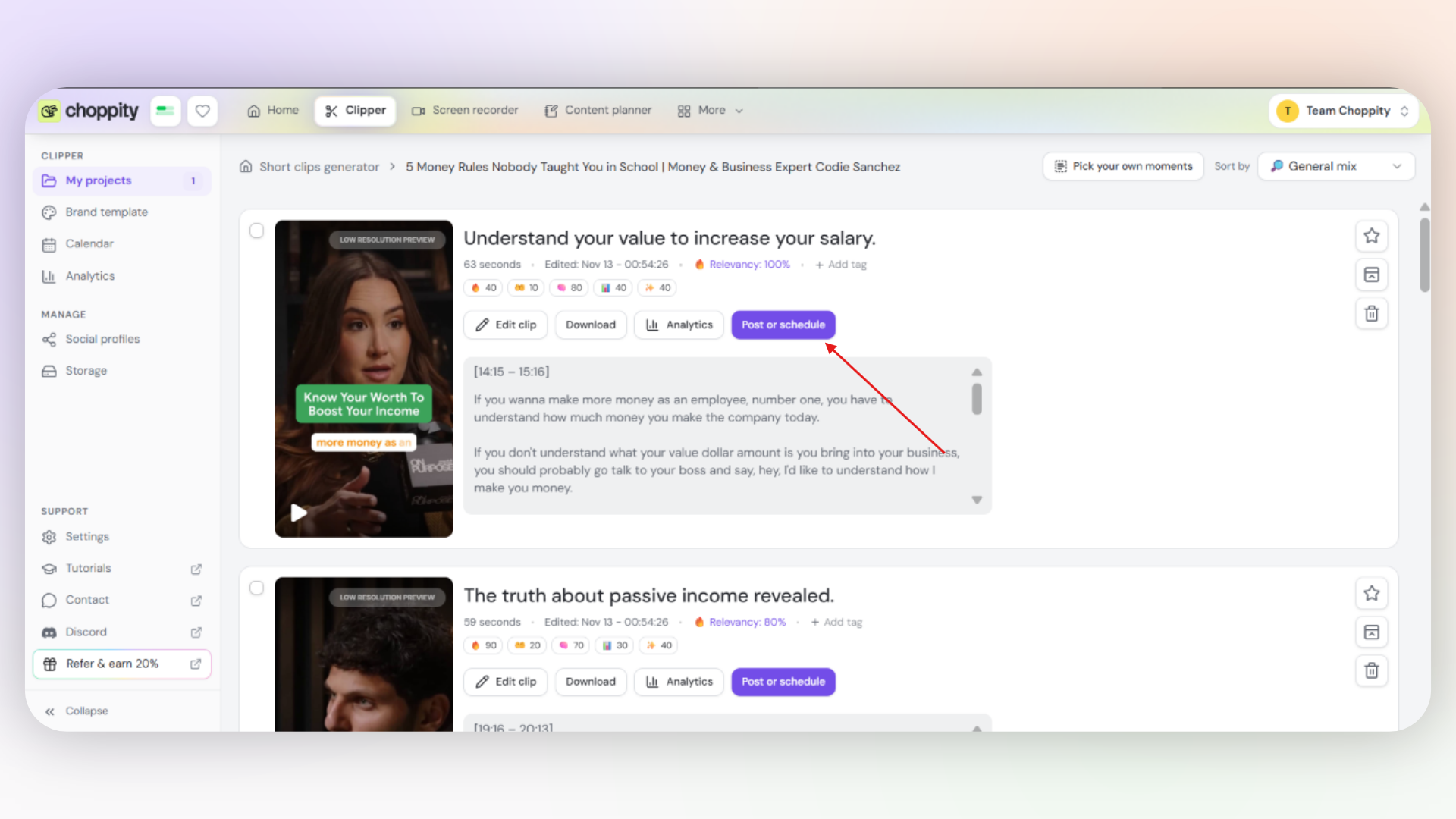
You can also customise your posts by adjusting captions, titles and platform-specific settings before publishing. And if you want to prepare and schedule multiple posts in advance you can use bulk scheduling tool.
And for those who like to keep things organised, Choppity offers a Content Planner where you can organise your ideas, notes, media and draft posts before scheduling them.
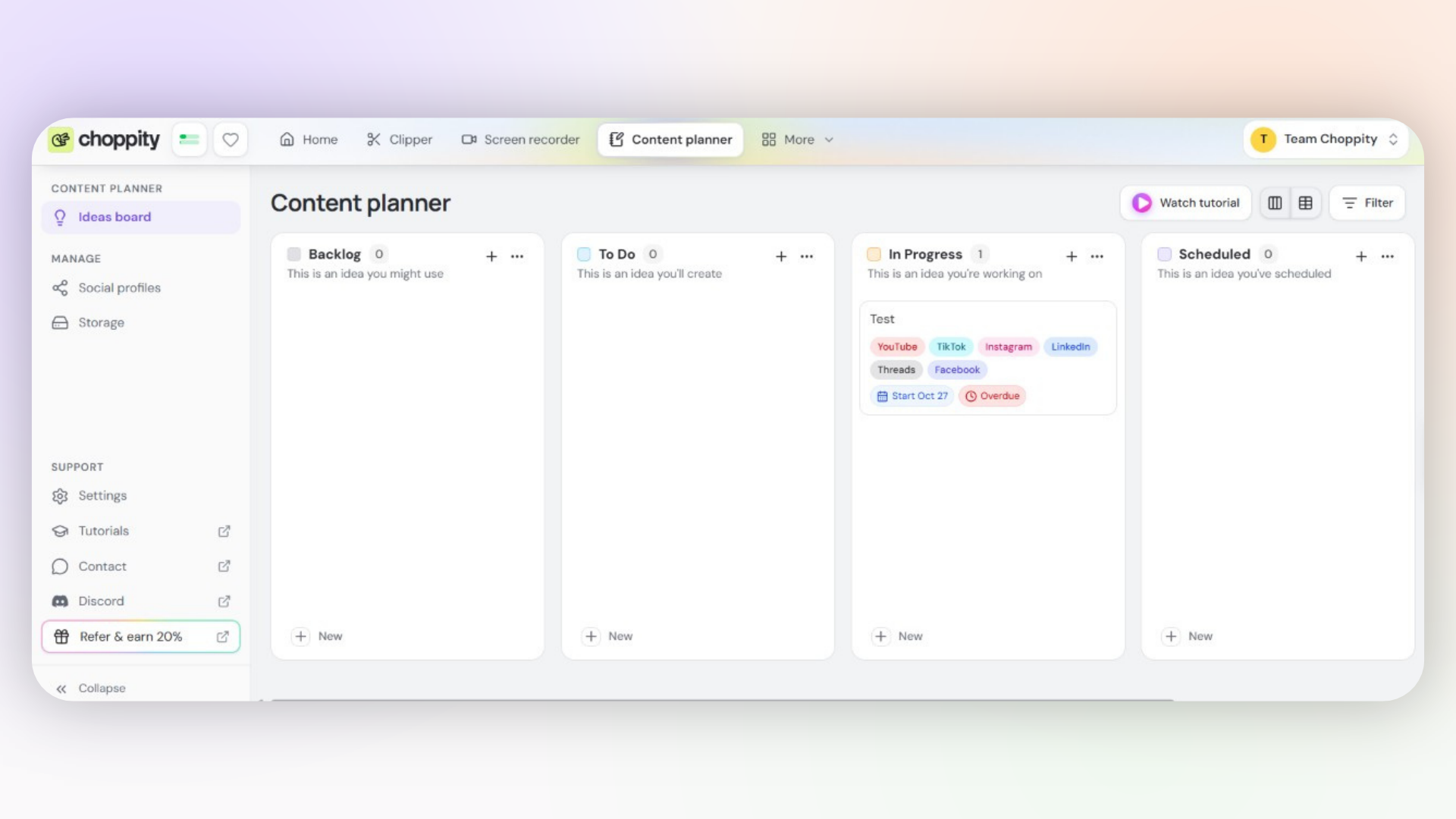
All these features and tools make Choppity way more than just an AI clipper. It's an end-to-end video content platform that lets you go from generating clips to editing, planning and publishing your content, all in one place.
Klap's Social Media Scheduler
During our test, we found the Schedule Post button directly below a generated clip. However, when we tried to connect our Instagram account, the authentication process failed, even after several attempts.
So we couldn't complete a scheduled publication during our test. But this doesn't mean Klap doesn't supports social media scheduling! It definitly does, and its main scheduling features include:
Social publishing: Schedule clips to TikTok, Instagram, YouTube, Facebook and LinkedIn.
Content calendar: Manage your upcoming scheduled posts.
AI-generated captions: Generate, edit or regenerate captions before publishing.
Posting schedules: Set preferred publishing days, times and frequency.
Bulk scheduling: Schedule multiple clips in advance.
Post analytics: Track performance metrics such as views and likes.
Choppity vs Klap: Which Is More Affordable?
Choppity is cheaper to get started with, with paid plans starting at $24/month compared with Klap's $29/month.
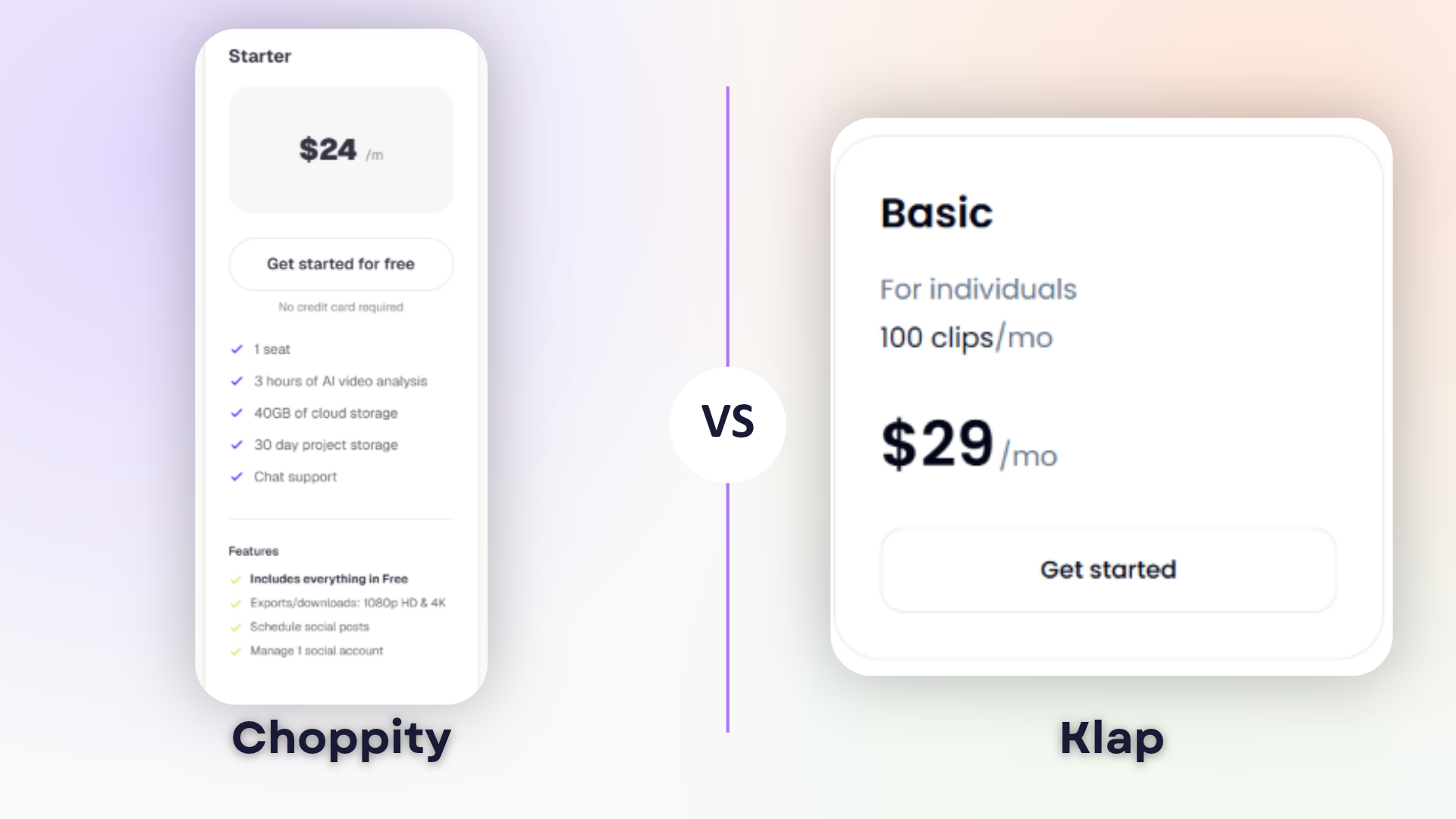
But the biggest difference here isn't just the price. It's how the two platforms charge you for using their AI clipping tools.
Choppity Pricing
Choppity charges by AI video analysis, aka, how many video hours will you analyse. It offers a forever free plan and three main paid plans:
Free ($0/month): 1 hour of AI video analysis, with no downloads.
Starter ($24/month): 3 hours of AI analysis, 4K exports and social scheduling.
Creator ($32/month): 5 hours of AI analysis, bulk uploads and brand templates.
Team ($48/month): 5 hours of AI analysis, unlimited seats and shared workspaces.
What we like about Choppity's pricing is how straightforward it is. You're mainly paying for the number of hours of video you want to analyse, which makes it easier to plan your monthly content production.
Klap Pricing
Klap on the other hand doesn’t charge based on video analysis hours, it charges according to the number of clips you generate. Its paid plans include:
Basic ($29/month): 100 clips.
Pro ($59/month): 300 clips.
Pro+ ($189/month): 1,000 clips.
Klap also offers a free trial, but you'll need a paid subscription to download your generated clips.
Its pricing model can be useful if you know approximately how many clips you want to create each month.
Is Choppity a Good Free Klap Alternative?
Definitely, yes! Choppity is a good free Klap alternative, especially if you don’t necessarily want to pay a subscription when trying AI video clipping.
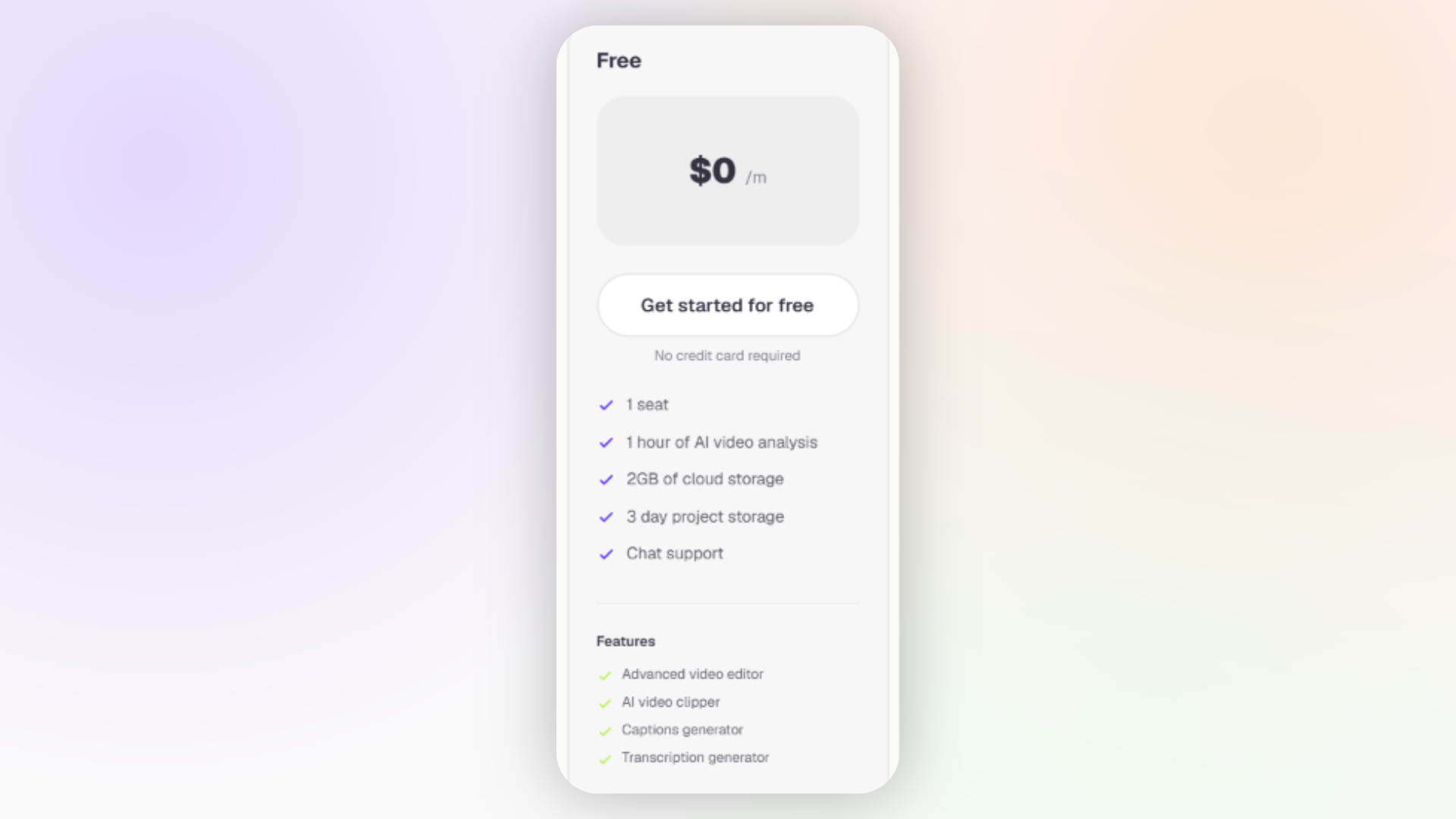
Both platforms let you generate short clips for free, but there's an important difference:
Choppity: Offers a forever free plan with one hour of AI video analysis, 2GB of cloud storage, an AI Clipper, video editor and caption generator.
Klap: Offers a free trial that lets you process only one video, preview the generated clips and try its editing features.
But downloading your finished clips for free is not possible on either platform. However, we prefer Choppity's approach because its free plan isn't limited to a single trial video like Klap’s. You can freely explore the platform before deciding whether to upgrade.
And when you're ready to download your clips, Choppity's paid plans start at $24/month, compared with Klap's $29/month.
Choppity vs Klap: Which Should You Choose?
After testing both AI clipping tools, we'd recommend Choppity for creators who want faster clip generation, a straightforward editing experience and more publish-ready results.
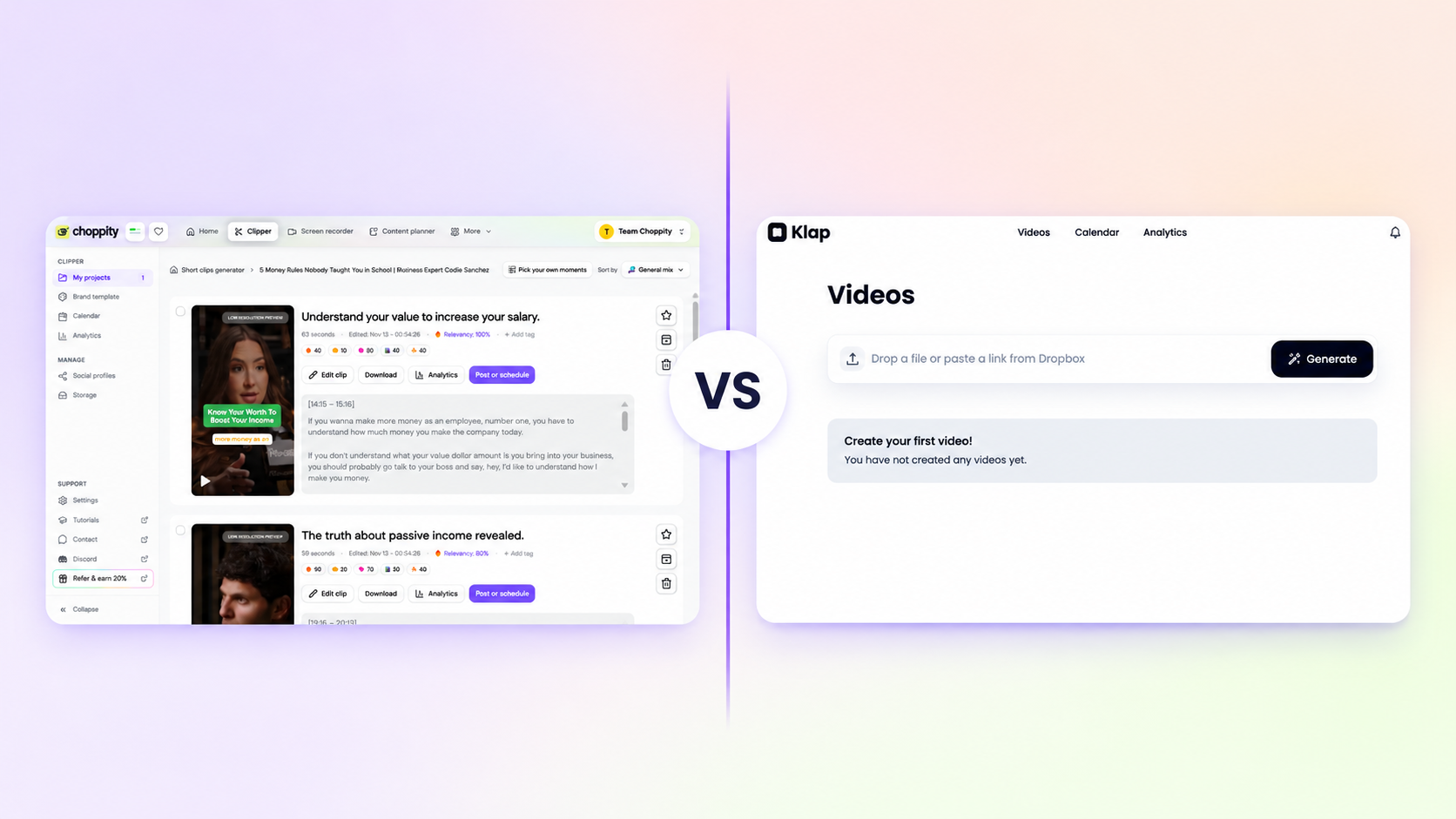
That said, Klap is still good, depending on what matters most to you.
Choose Choppity If You:
Want faster processing: Choppity generated 26 clips in 6 minutes and 12 seconds, while Klap took 12 minutes and 5 seconds to generate 30.
Prefer clips that need less editing: All three Choppity clips we reviewed were publishable without additional edits
Want an intuitive editing experience: We found Choppity's interface easier to navigate.
Care about consistent branding: The Brand Template Wizard can automatically identify your branding and help you create reusable templates.
Want more than an AI clipper: Its Screen Recorder, Content Planner and Social Scheduler support a broader content production workflow.
Choose Klap If You:
Want more generated clips per run: Klap produced 30 clips compared with Choppity's 26 in our test, although more clips don't necessarily mean better results.
Prefer a minimalist interface: We saw how Klap's dashboard keeps the initial upload process simple.
Prefer clip-based pricing: Its subscriptions offer defined monthly allowances of 100, 300 or 1,000 generated clips.
Ultimately, if you want to build a real clipping business that goes from creating, editing, branding, planning and scheduling short-form content, Choppity is the platform you need. Klap is worth considering if you prefer a simpler tool focused primarily on AI clipping.
Ready to turn your long videos into short-form content? Get started with Choppity's free plan and explore its AI Clipper, video editor and other content creation tools.
Frequently Asked Questions
1. Is Choppity better than Klap?
Choppity was better than Klap in our test when it comes to clipping speed, clip quality, and editing experience. It's also more of an all-in-one platform that would support your whole content creation from start to finish with additional features like a screen recorder, content planner, automatic B-roll, and social media scheduling. This doesn't mean Klap didn't perform well, it also generated good clips and it offers basic editing, scheduling and social media management features. So ultimately, the better choice depends on whether you want a more comprehensive content creation platform or a simpler tool focused primarily on turning long videos into short clips..
2. Is Choppity faster than Klap?
Yes it can be. Choppity was faster than Klap in our test. It generated 26 clips from a 57-minute podcast in 6 minutes and 12 seconds, while Klap took 12 minutes and 5 seconds to generate 30 clips.
3. Is there a free alternative to Klap?
Yes. Choppity gives you a forever free plan to try it out with one hour of AI video analysis, an AI Clipper and video editing tools. Klap offers a free trial as well, but it only allows you to process one video. Both require a paid subscription to download finished clips under the plans we reviewed.
4. Which is cheaper, Choppity or Klap?
Choppity has the cheaper entry-level paid plan at $24/month. Klap, on the other hand, starts at $29/month.