You publish long-form content — podcast episodes, YouTube interviews, webinar recordings — but growth in 2026 happens on Shorts, Reels, and TikTok. The bottleneck isn't filming more; it's turning one 60-minute video into a week of vertical clips without spending hours in a timeline editor.
We tested and compared 11 AI video editors to find which tools actually turn long videos into shorts — not just add captions or trim timelines. This guide ranks the best options for podcasters, YouTubers, and course creators who repurpose long-form content for social media. For a focused clipping comparison, see our guide to the best AI clip maker tools.
TL;DR — Why Choppity wins for long-form repurposing
- ✅ Custom AI criteria — tell it what moments to find before it runs
- ✅ Fastest processing — 60-minute videos analyzed in minutes
- ✅ Animated captions, face tracking, and multi-platform export
- ✅ Native scheduling + cross-platform analytics
- ✅ From $20/mo — clip, edit, schedule, and measure in one tool
Winner: Choppity — the best AI video editor we tested for turning long-form videos into platform-ready shorts.
Switching from another clip tool? Browse our AI clip tool alternatives for side-by-side Opus Clip, Vizard, Vidyo, and Submagic comparisons.
At a Glance: Best AI Video Editors Compared (2026)
We tested and compared every tool below. Here's the snapshot before the full reviews.
| Tool | Best for | Starting price | AI clip detection | Native posting | Our pick |
|---|---|---|---|---|---|
| Choppity | Long-form → shorts workflow with scheduling & analytics | $20/mo | Excellent | Yes | ✅ #1 |
| Opus Clip | Hands-off clip volume with virality scoring | $15/mo | Good | Limited | — |
| Descript | Text-based editing before manual clip selection | $24/mo | Manual | No | — |
| Vizard | Browser clips from webinars and interviews | $29/mo | Good | Yes | — |
| Klap | Polished brand-consistent clips with 4K export | $29/mo | Good | No | — |
| Submagic | Animated captions on pre-trimmed clips | $19/mo | Poor | Yes | — |
| Kapwing | Free browser editor for budget teams | $24/mo | Good | Yes | — |
| Riverside | Recording + basic Magic Clips | $29/mo | Basic | No | — |
| Vidyo.ai | Template-driven repurposing for beginners | $29/mo | Basic | Yes | — |
| CapCut | Free manual editing with AI captions | Free | No | Yes | — |
| Repurpose.io | Auto-distributing finished clips | $35/mo | No | Advanced | — |
Pricing as of June 10, 2026 — verified on each tool's /pricing page (monthly billing, lowest paid plan). Free tiers include restrictions.
Our Testing Methodology
We evaluated each tool on this list using long-form podcast and interview content, focusing on processing time, AI accuracy, caption quality, and export options — the performance factors content creators care about most.
Metrics we tracked
- Processing time - How long each tool took to analyze and generate clips
- AI accuracy - How well each tool identified genuine viral moments and hook-worthy segments
- Caption quality - Accuracy of transcription and visual appeal of subtitle styling
- Export resolution - Quality and format options for different social platforms
Our testing revealed dramatic differences in both speed and quality. While some tools took over 45 minutes to process our test video, others completed the same task in under 10 minutes. More importantly, the AI accuracy varied wildly - some tools generated genuinely engaging clips that could drive viral growth, while others produced generic segments that would likely be scrolled past.
Why Choppity Is Our #1 Pick for Turning Long Videos into Shorts
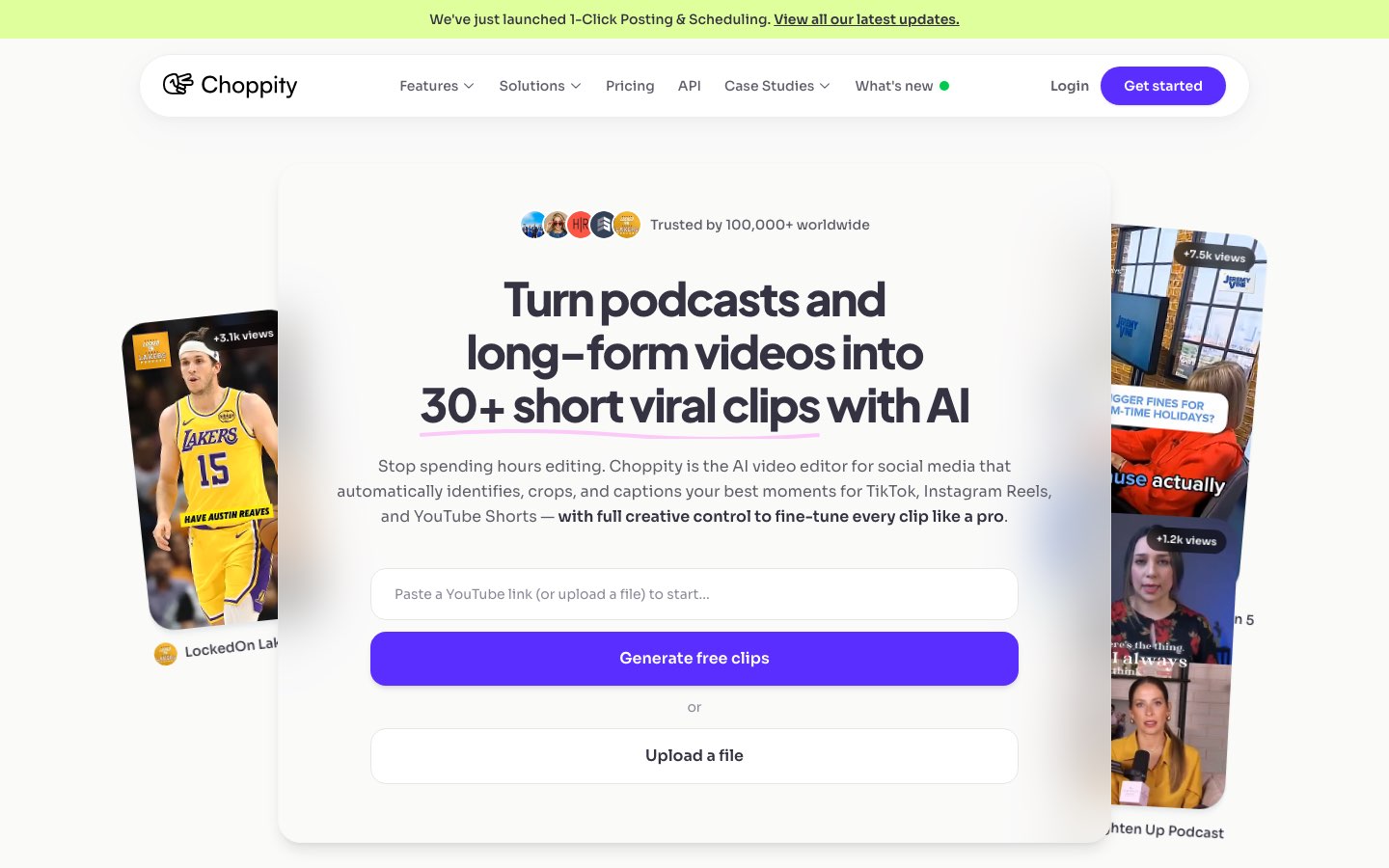
Choppity is the best AI video editor we tested in 2026 because it understands conversational long-form content — not just loud moments. It's a full content operating system: AI analysis with custom criteria, transcript-native editing, animated captions with magic reframe for multi-speaker video, native posting to TikTok/Instagram/YouTube/LinkedIn, scheduling, Ideas Board planning, and cross-platform analytics — in one browser tab.
The "Aha!" Moment
Most AI video editors give you a grid of clips ranked by generic "virality" scores. Choppity's custom AI criteria let you instruct the analysis before it runs: "find contrarian takes," "highlight key insights," or "pull the strongest hooks." The AI filters the entire long-form video to match — then you refine in a transcript-native editor where trimming, cutting filler words ("um," "you know"), and censoring profanity happen from the text, not a fiddly timeline.
How does Choppity work?
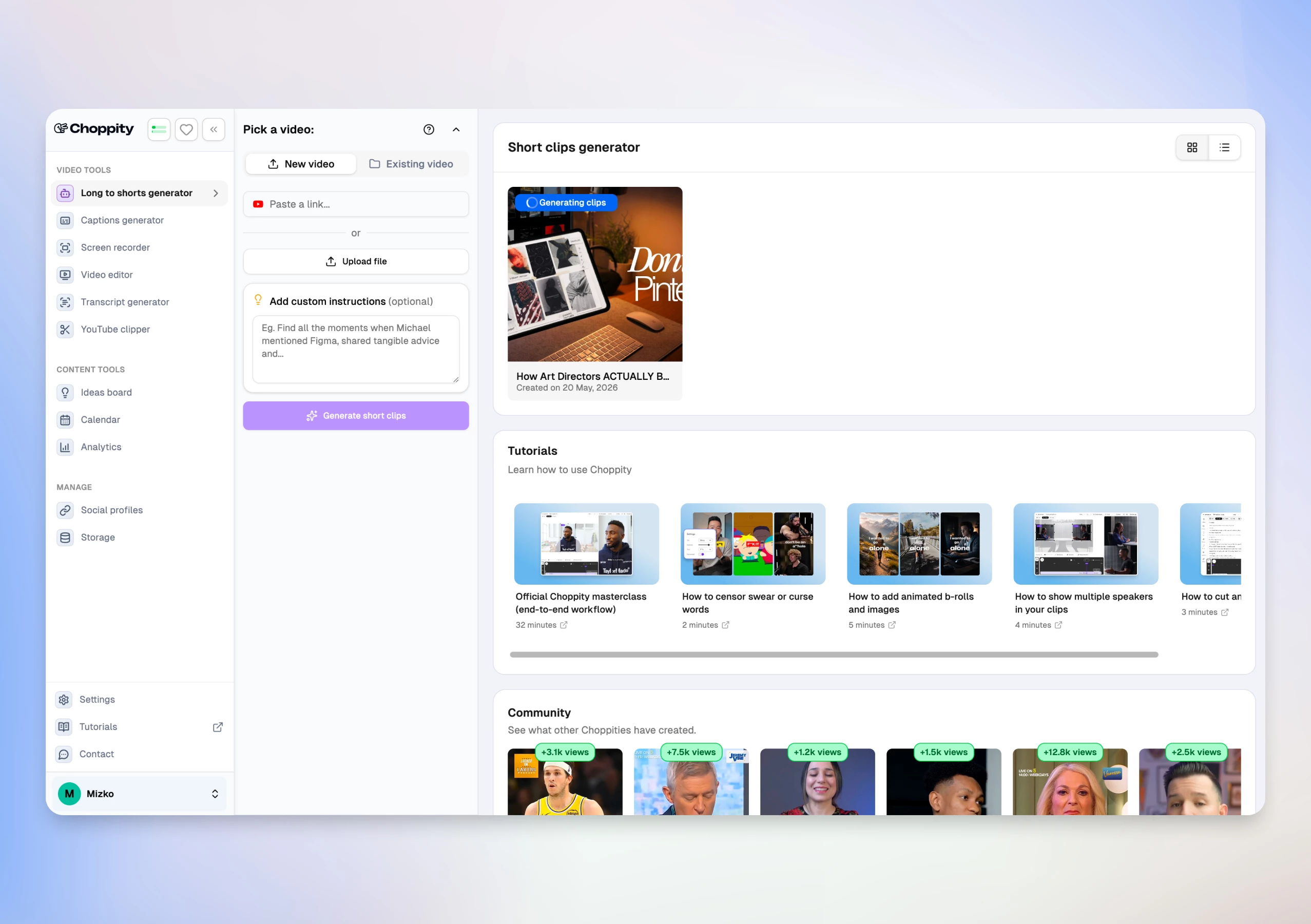
From long-form video to scheduled shorts in 3 steps:
- Upload your video or paste a YouTube link (up to 120 minutes)
- Set custom AI criteria, clip duration (15–180s), caption style, and magic reframe template for speaker tracking
- Review AI clips, edit in the browser, then post or schedule to TikTok, Instagram, YouTube, and LinkedIn
Find your best podcast moments in minutes
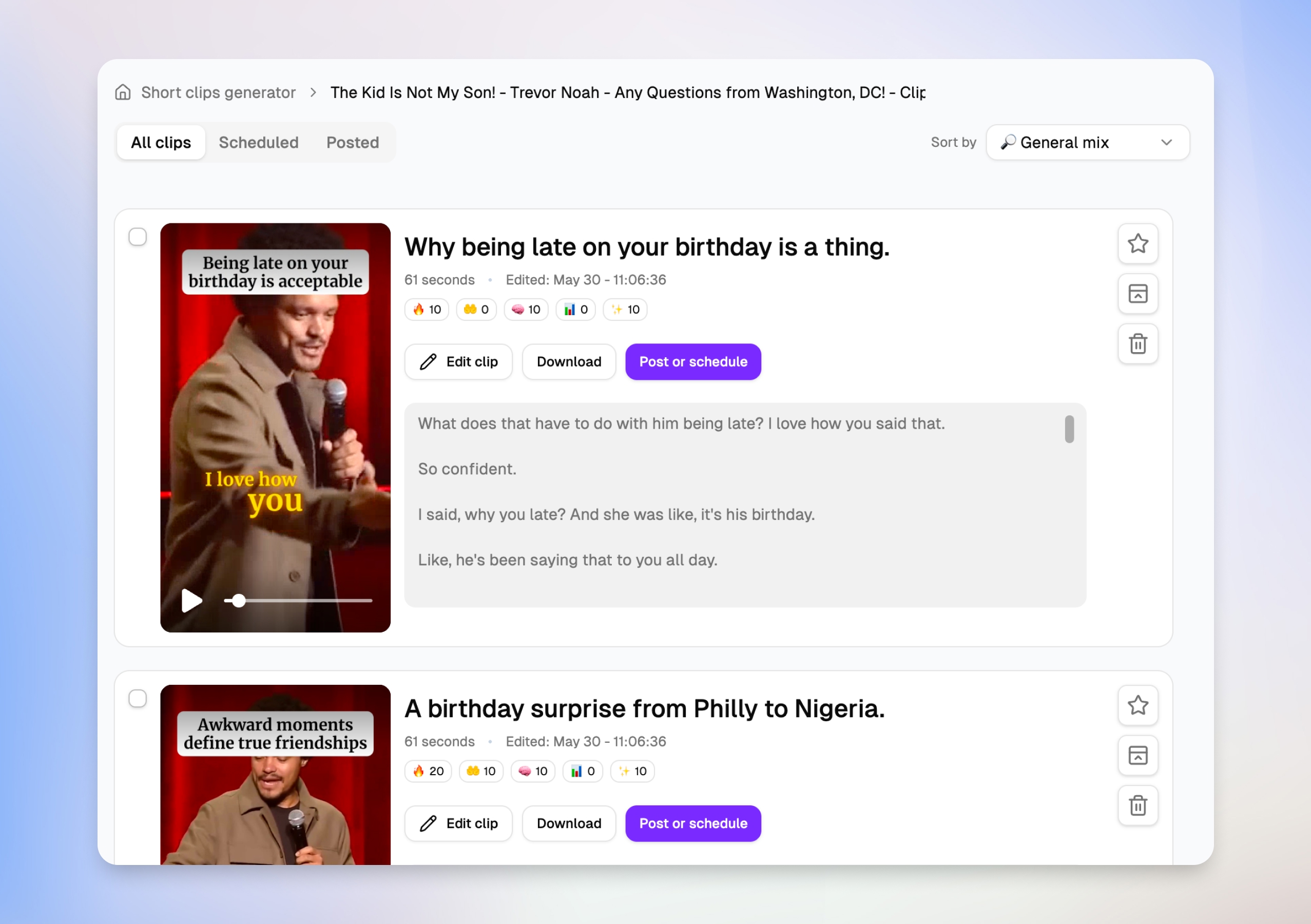
After you upload an episode, Choppity surfaces dozens of clip suggestions — each with a title, duration, engagement scores, and a transcript preview. Podcasters can scan what each short will actually say before opening the editor, then favorite, schedule, or jump straight to Edit clip without downloading anything.
Edit episodes by transcript, not timeline
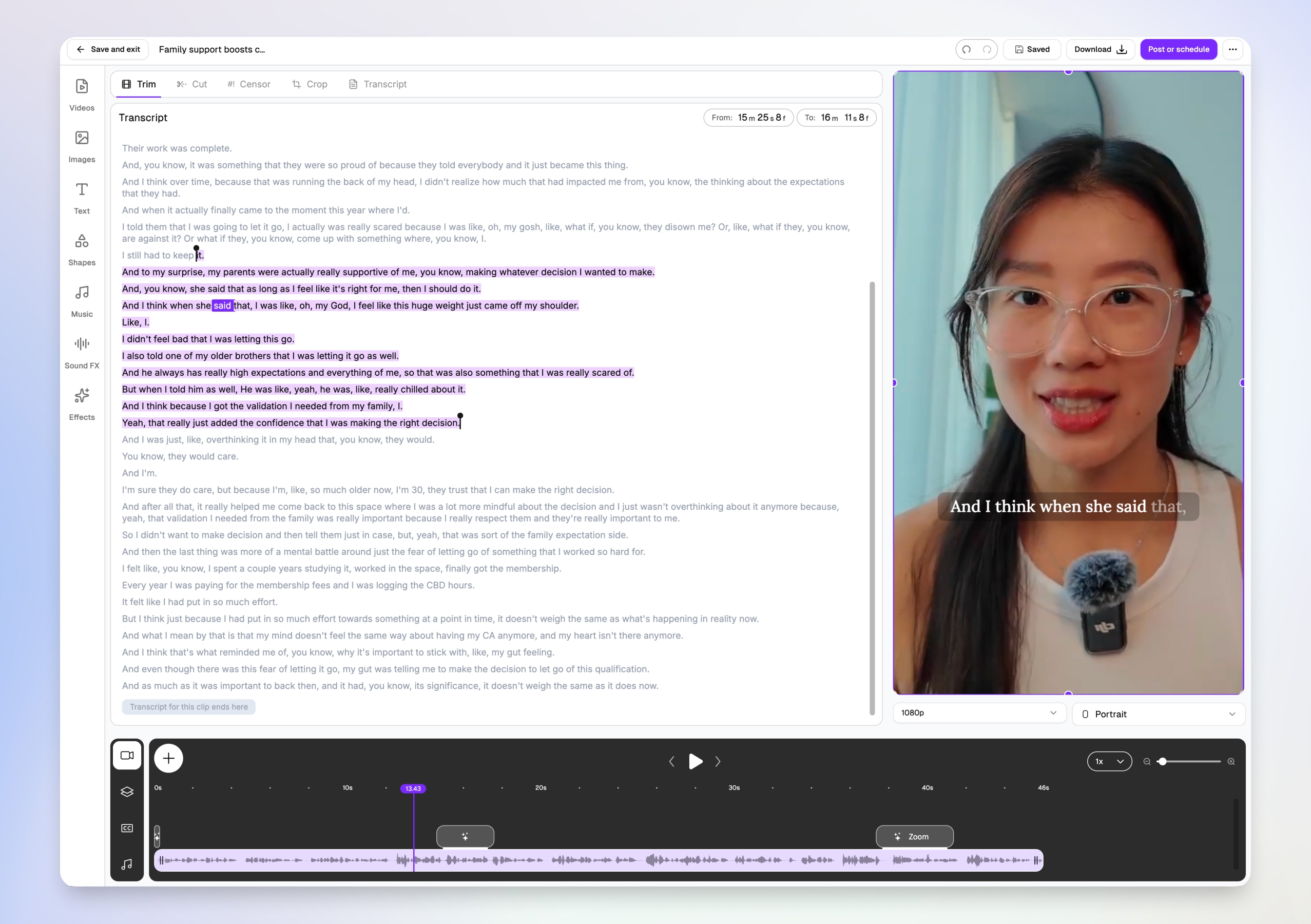
Podcasters don't need Premiere skills. Choppity's transcript-native editor lets you trim, cut, and censor by highlighting text — the video updates automatically. Word-level karaoke captions sync to the speaker in real time, and you can add B-roll, music, and effects from the same browser tab.
Multi-speaker face tracking for interview podcasts
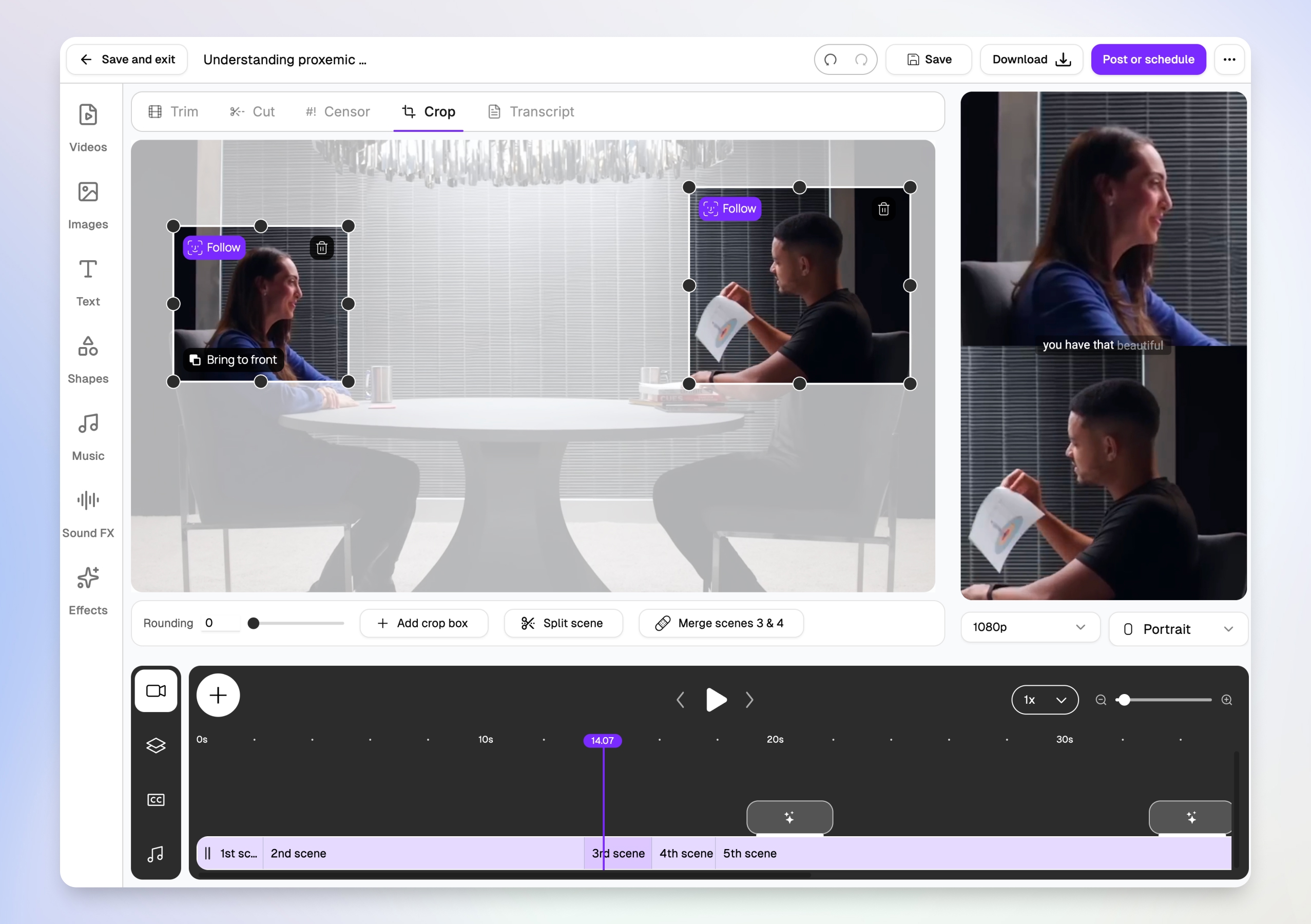
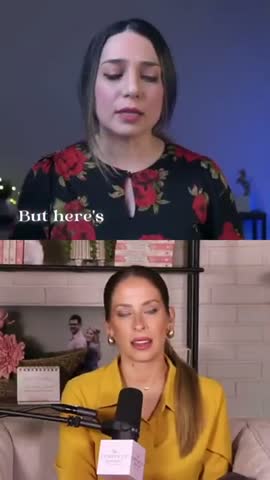
Two-person interview podcasts are brutal to crop manually. Choppity's magic reframe follows each speaker with Follow tracking boxes, then outputs stacked split-screen layouts for TikTok, Reels, and Shorts — so both host and guest stay visible in vertical 9:16 without hours of keyframing.
Post or schedule to every platform from one modal
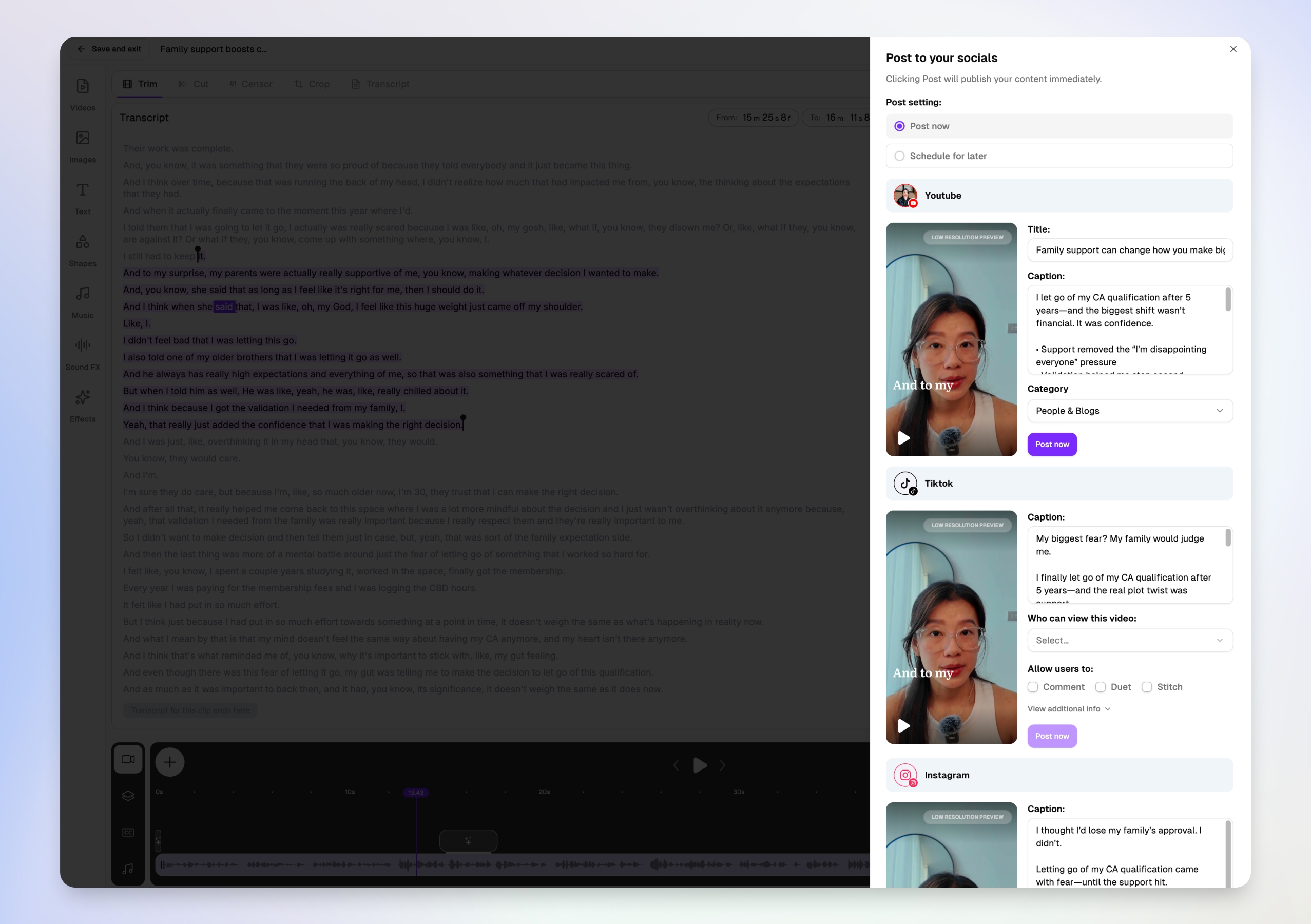
Downloading MP4s and re-uploading to five apps is where podcast repurposing dies. Choppity's Post to your socials modal lets you write platform-specific titles and captions for YouTube Shorts, TikTok, and Instagram in one view — then post now or schedule for later without leaving the editor.
More than a clip maker — full create → publish → measure loop
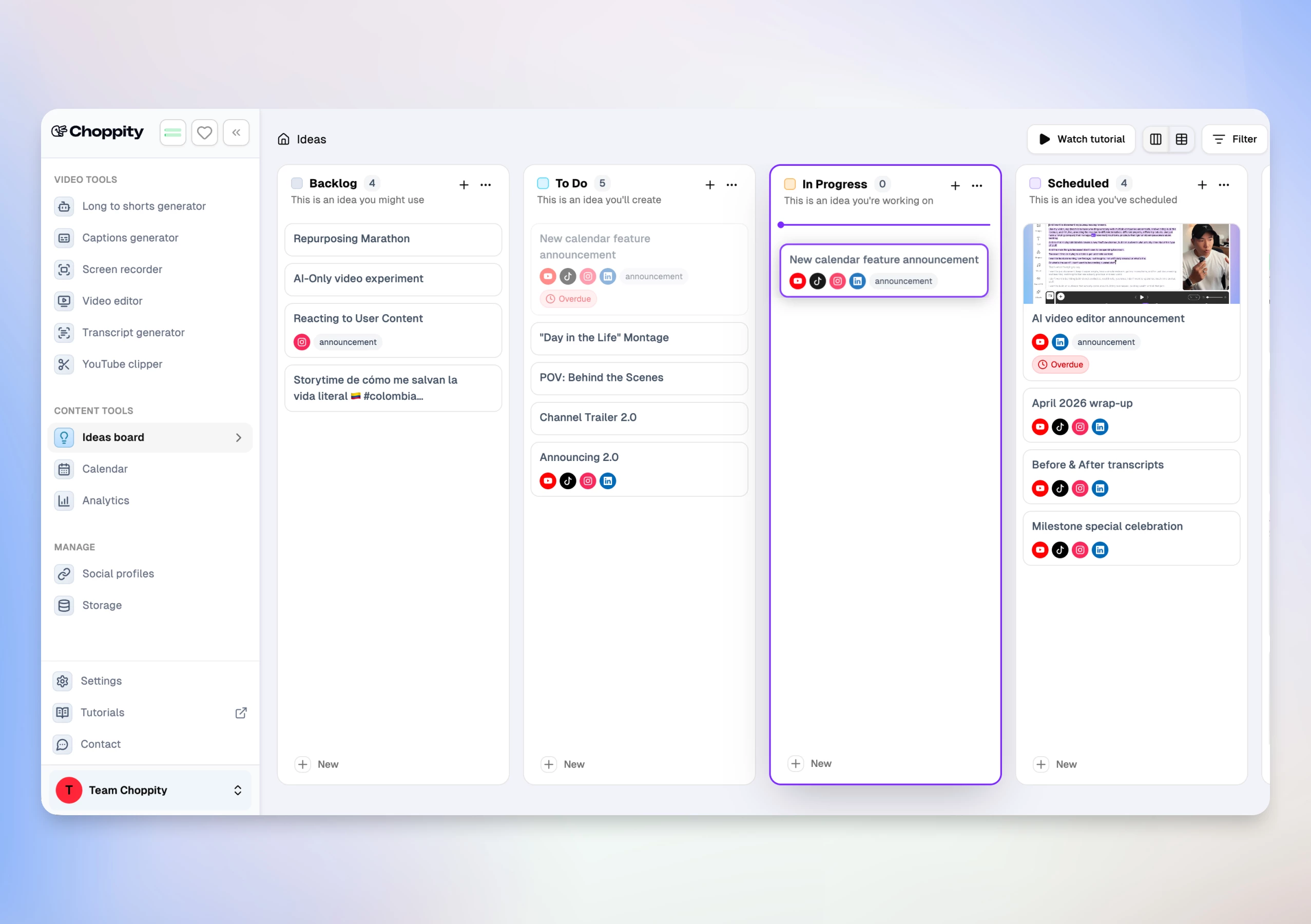
Competitors like Opus Clip and Descript excel at one step. Choppity covers the cycle creators otherwise stitch together with 3–4 subscriptions:
- Transcript-native editor — trim, cut, semantic search ("find the part where they explain…"), profanity censor, B-roll, music, and 20+ caption styles with CFX effects
- Native posting & scheduling — per-platform captions, scheduled posts, and reconnect flows for expired OAuth
- Analytics dashboard — impressions, likes, comments, shares across posted clips
- Ideas Board + Calendar — Kanban from content idea → clip → published post, integrated with clip folders
Real Use Case
A podcast host uploaded one 60-minute interview and received 16 clip suggestions in under 12 minutes. After setting custom criteria for "highlight key insights," they scheduled a week of TikTok and Shorts posts without leaving Choppity — a workflow that took 5+ hours across Opus Clip + CapCut + manual uploads in our parallel test.
Here are real podcast clips created with Choppity:
Pros
- Fastest end-to-end workflow — analysis, edit, post, and analytics in one product
- Custom AI criteria tuned for conversational long-form content
- Clip picker with engagement scores and transcript previews — decide what to post before you edit
- Multi-speaker face tracking with stacked split-screen layouts for interview podcasts
- Transcript-native editing (trim, cut, censor, semantic search) — rare in clip-only tools
- Magic reframe with Follow tracking for 9:16, 1:1, and 16:9 output
- Per-platform titles and captions in one post-or-schedule modal (YouTube, TikTok, Instagram)
- 20+ caption presets plus CFX dynamic effects and word-level karaoke
- 97-language transcription and caption pipeline
- Native posting to YouTube, TikTok, Instagram, and LinkedIn
- Cross-platform analytics and Ideas Board for team planning
- Profanity filter and filler-word cleanup in the Cut workspace
Cons
- Free tier is preview-only — no downloads or full AI features until Starter ($20/mo)
- Best suited for talking-head and interview content (less ideal for cinematic B-roll-heavy videos)
- Maximum upload 120 minutes / 10 GB (sufficient for most long-form uploads)
Opus Clip
Opus Clip uses AI to analyze long-form videos and automatically generate short clips for social media platforms. The tool focuses on identifying compelling moments within longer content and reformatting them for vertical video platforms.

Pros
- Processes multiple video formats and lengths
- Includes basic caption generation and timing
- Offers clip scoring to rank potential viral moments
Cons
- Limited customization options for generated clips
- Caption styling options are basic compared to competitors
- Processing times can be slow with longer source videos
Considering a switch? See our Choppity vs Opus Clip comparison for pricing, workflow, and feature differences.
Descript
Descript approaches video editing through text-based editing, allowing users to edit videos by modifying transcripts rather than traditional timeline editing. The platform includes AI features for clip generation and audio enhancement.

Pros
- Text-based editing interface simplifies complex edits
- Includes audio enhancement and noise reduction features
- Supports collaborative editing for team workflows
Cons
- Steeper learning curve for users new to text-based editing
- AI clip detection is less sophisticated than specialized tools
- Higher pricing for advanced features compared to clip-focused alternatives
Vizard
Vizard analyzes long-form content to create short clips suitable for social media distribution. The platform includes basic editing tools and caption generation capabilities for repurposing webinars, interviews, and educational content.

Pros
- Handles various input formats including screen recordings
- Includes templates optimized for business and educational content
- Provides basic analytics on clip performance potential
Cons
- AI accuracy varies significantly depending on content type
- Limited visual customization options for branding
- Export quality can be inconsistent with complex source material
Considering a switch? See our Choppity vs Vizard comparison for pricing, workflow, and feature differences.
Klap
Klap positions itself as the premium visual option for repurposed clips — cleaner crops, 4K exports, and brand-consistent output for creators who care about on-brand social presence.
Pros
- Polished visual output and 4K exports on Pro
- Strong speaker tracking and brand template controls
- Good for teams prioritizing aesthetic consistency across platforms
Cons
- Fewer clips per upload than Opus Clip at the same price tier ($29/mo for ~10 uploads)
- No native multi-platform scheduling or analytics dashboard
- Less emphasis on transcript-native deep editing
Submagic
Submagic specializes in creating animated subtitles and captions for social media videos. The platform focuses on making text overlays visually engaging with various animation styles and formatting options.

Pros
- Extensive subtitle animation and styling options
- Accurate transcription with manual editing capabilities
- Templates designed specifically for viral social media formats
Cons
- Limited video editing capabilities beyond caption creation
- No free tier available for testing features
- Requires separate tools for video cutting and clip generation
Considering a switch? See our Choppity vs Submagic comparison for pricing, workflow, and feature differences.
Kapwing
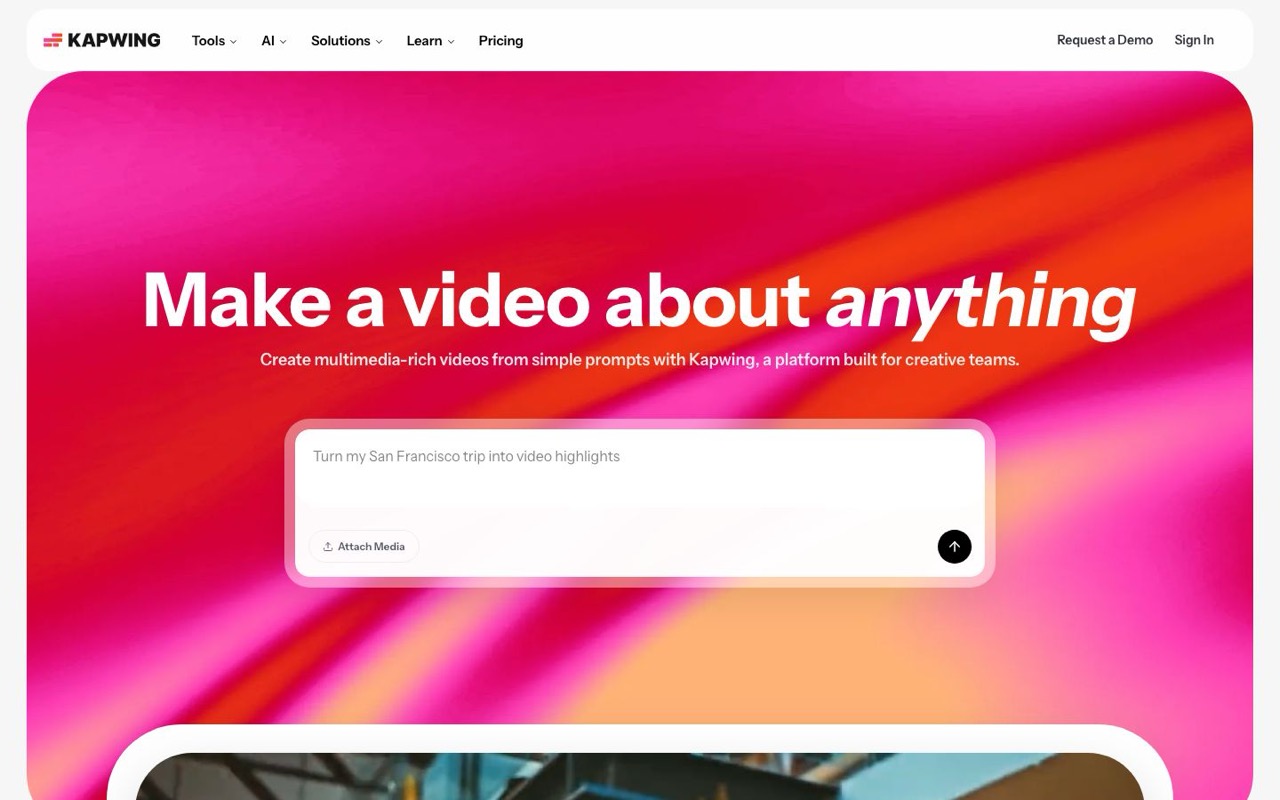
Kapwing is the strongest free starting point for creators on a budget. Browser-based AI clip detection, filler word removal, and 100+ language translation — with collaborative workspaces for small teams.
Pros
- Generous free tier — no credit card to start
- AI highlight detection plus manual editor in one browser tab
- Brand kit templates and team workspaces
Cons
- Watermark on free exports
- Less context-aware AI than Choppity for multi-topic long-form content
- No native cross-platform analytics
Riverside
Riverside combines high-quality remote recording capabilities with AI-powered editing tools. The platform targets podcasters and interview creators who need both recording and post-production solutions.

Pros
- High-quality remote recording with local file backup
- Integrated editing tools eliminate need for separate software
- Automated transcription included with recording features
Cons
- AI clip generation is secondary to recording features
- Higher pricing due to comprehensive feature set
- Learning curve for users who only need editing capabilities
Vidyo.ai
Vidyo.ai focuses on converting long-form videos into short clips through automated analysis and cutting. The platform targets podcasters and interview-style content creators who need to repurpose existing content for social platforms.

Pros
- Simple interface requires minimal learning curve
- Affordable pricing structure for individual creators
- Supports direct upload from various video hosting platforms
Cons
- Limited AI sophistication in identifying engaging moments
- Basic caption styling with few customization options
- Processing can be unreliable with videos containing multiple speakers
Considering a switch? See our Choppity vs Vidyo comparison for pricing, workflow, and feature differences.
CapCut
CapCut provides mobile-first video editing with AI features for automatic cutting, effects, and caption generation. The platform targets creators who primarily edit on mobile devices and need quick turnaround times.

Pros
- Free tier includes most essential editing features
- Mobile app optimized for vertical video editing
- Large library of trending effects and templates
Cons
- AI features are basic compared to specialized platforms
- Limited processing power for longer or higher-resolution content
- Desktop version lacks feature parity with mobile app
Repurpose.io
Repurpose.io focuses on automating content distribution across multiple social media platforms rather than video editing itself. The platform handles reformatting and scheduling content for various channels after editing is complete.

Pros
- Automates posting across multiple social platforms
- Handles format conversion for different platform requirements
- Integrates with popular content creation and hosting platforms
Cons
- No video editing or AI clip generation capabilities
- Requires content to be edited elsewhere before distribution
- Limited customization for platform-specific optimization
Head-to-Head Comparison
Side-by-side on the features that matter for turning long-form videos into daily shorts.
| Tool | AI clip detection | Transcript editor | Multi-speaker tracking | Native posting | Analytics | Custom AI criteria | Best for |
|---|---|---|---|---|---|---|---|
| Choppity | Excellent | Yes | Yes | Yes | Yes | Yes | Full long-form → clip → post → analytics workflow |
| Opus Clip | Good | Limited | Yes | Limited | No | No | Hands-off viral scoring from long videos |
| Descript | Manual | Yes | Basic | No | No | No | Text-based editing before clipping |
| Vizard | Good | Basic | Yes | Yes | No | No | Fast team clipping for interviews and webinars |
| Klap | Good | Yes | Yes | No | No | No | Polished brand-consistent repurposed clips |
| Submagic | Poor | No | Basic | Yes | No | No | Caption effects on pre-trimmed clips |
| Kapwing | Good | Yes | Yes | Yes | No | No | Free browser editor for budget teams |
| Riverside | Basic | Basic | Basic | No | No | No | Remote recording + Magic Clips in one platform |
| Vidyo.ai | Good | Basic | Yes | Yes | No | No | Marketing teams repurposing long-form content |
| CapCut | None | No | Manual | Yes | No | No | Free manual editing for new creators |
| Repurpose.io | None | No | No | Advanced | Yes | No | Auto-distributing finished clips |
Pricing as of June 10, 2026 — verified on each tool's /pricing page (monthly billing, lowest paid plan). Free tiers include restrictions.
Pricing Comparison (2026)
What creators actually pay once you're ready to publish clips without a watermark:
| Tool | Free tier? | Paid from | Annual discount | What you get on paid |
|---|---|---|---|---|
| Choppity | Yes — preview AI, no downloads | $20/mo | Yes (~30% off annually) | Starter: 3 hrs upload/mo, AI clips, transcript editor, captions, posting, scheduling, analytics, Ideas Board |
| Opus Clip | Yes — watermark | $15/mo | Yes (~$14.50/mo annual) | Virality scoring, AI B-roll, team seats on Pro |
| Descript | Yes — limited | $24/mo | Yes (~35% off annually) | Hobbyist: filler removal, overdub, screen recording, full timeline |
| Vizard | Yes — watermark | $29/mo | Yes (~50% off annually) | Creator: 600 credits/mo, 4K export, brand kits, scheduling |
| Klap | Limited trial | $29/mo | Yes (~50% off annually) | Standard: 10 uploads/mo, 100 clips, HD export |
| Submagic | Yes — watermark | $19/mo | Yes (~41% off annually) | Starter: 15 videos/mo, premium caption effects, clip detection |
| Kapwing | Yes — watermark | $24/mo | Yes (~33% off annually) | Pro: no watermark, team collab, 4K exports |
| Riverside | Yes — limited | $29/mo | Yes (~17% off annually) | Pro: 4K recording, Magic Clips, 15 hrs multi-track/mo |
| Vidyo.ai | Yes — limited | $29/mo | Yes (~50% off annually) | Lite: 100 credits/mo, 1080p exports, AI clips & captions |
| CapCut | Yes (fully free) | Free | N/A | Full editor — manual clipping only |
| Repurpose.io | No | $35/mo | Yes (~17% off annually) | Starter: 5,000 published videos/mo, 3 accounts per network |
Pricing as of June 10, 2026. All "Paid from" prices are monthly billing on each tool's lowest paid tier.
How to Choose an AI Video Editor for Long-Form Repurposing
Content format fit
Solo talking-head videos, multi-guest interviews, and screen-share webinars each stress AI differently. Multi-speaker face tracking matters for interview and panel content. Custom AI criteria help when your best moments aren't the loudest — thoughtful insights, guest revelations, and callback jokes often get missed by virality-only scoring.
Clip detection vs. full workflow
Getting 20 clip suggestions is table stakes. The bigger question is what happens after: transcript editing, brand templates, native posting, and analytics. Clip-only tools mean 2–3 more subscriptions. Choppity, Descript (for editing), and Kapwing (for free browser editing) cover more of the repurposing pipeline than Opus Clip or Submagic alone.
Posting and analytics
Downloading MP4s and manually uploading to five platforms is where repurposing workflows die. Native posting (Choppity, Vizard, Kapwing) and distribution automation (Repurpose.io) solve different parts of this. Only Choppity combines posting, scheduling, and per-post analytics in the same product as clip generation.
Budget and team size
Solo creators on a tight budget should start with Kapwing's free tier or CapCut for manual work. Teams with weekly long-form drops need volume, team seats, and scheduling — where Choppity's Starter ($20/mo) or Riverside's record-and-clip bundle may fit. Repurpose.io is an add-on for distribution, not a video editor.
Frequently Asked Questions
What is the best AI video editor for turning long videos into shorts?
The best AI video editor for repurposing long-form content analyzes hour-long videos, suggests short segments for TikTok, Reels, and YouTube Shorts, and formats clips with captions and vertical reframing. Advanced tools like Choppity also include editing, posting, and analytics in the same platform.
What is the best AI video editor in 2026?
Based on our hands-on comparison of every tool in this roundup, Choppity is the best AI video editor in 2026 for turning long videos into shorts. It's the only tool we tested that covers AI clip detection with custom criteria, transcript-native editing, multi-speaker face tracking, native multi-platform posting, scheduling, and cross-platform analytics without switching tools. Opus Clip is the best alternative if you want fully hands-off virality scoring and don't need deep editing or analytics.
Is there a free AI video editor for repurposing?
Yes. Kapwing offers the strongest free tier for AI-assisted clipping (watermarked exports). CapCut is completely free but requires manual clip selection — no AI moment detection. Choppity and Opus Clip offer free previews so you can test AI accuracy on your long-form content before upgrading to a paid plan.
Choppity vs Opus Clip — which is the better AI video editor?
Opus Clip wins on hands-off virality scoring and clip volume with minimal decisions after each upload. Choppity wins on the full workflow: custom AI criteria for conversational content, transcript-native editing, multi-speaker tracking, native posting/scheduling, Ideas Board planning, and analytics. Choose Opus Clip for speed-only clipping; choose Choppity if you want one tool from upload to published post.
Can AI video editors handle multi-speaker long-form content?
Yes — but quality varies. Choppity and Opus Clip both track multiple speakers in interview-style videos. Descript handles multi-speaker transcripts well for editing but requires manual clip selection. Submagic and Repurpose.io don't analyze full videos for highlights. Test with your actual content format before committing.
How long does AI clipping take for a 60-minute video?
For a 60-minute video, expect 5–15 minutes on Choppity, Opus Clip, and Vizard. Descript and CapCut depend on how much manual work you add. Riverside varies based on whether you're recording first or clipping an existing file.
Which AI video editor has the best captions?
Submagic leads on pure caption animation aesthetics. Choppity offers 20+ caption presets plus CFX dynamic effects, word-level karaoke, and 97-language support — the best balance of style and multi-speaker transcription accuracy in our test.
Can I turn long YouTube videos into shorts with AI?
Yes. Choppity, Opus Clip, Vizard, and several others accept YouTube URL import — paste your video link without downloading first. This is ideal for YouTubers and podcasters who publish long-form on YouTube. For a focused clipping comparison, see our best AI clip maker guide.
The Verdict
After comparing 11 AI video editors in this roundup, the market splits into three tiers: clip-only tools (Opus Clip, Vizard, Submagic), editing-first tools (Descript, CapCut), and full-workflow platforms (Choppity). SERP articles overwhelmingly recommend Opus Clip for virality or Riverside for record-and-clip — valid picks if clipping is your only step.
If you need one tool from long-form upload to published shorts with analytics, Choppity is the clear winner. Custom AI criteria, multi-speaker tracking, transcript-native editing, magic reframe, native posting, and cross-platform analytics put it in a different category than clip generators that hand you watermarked MP4s.
For a podcast-specific deep dive, read our best AI clip maker for podcasters comparison. Ready to test with your own video? Start free below.






Written by
Michael WongFounder & CEO · Founder of Choppity
Content creator for 12+ years with 215K+ YouTube subscribers and an active presence across YouTube, Instagram, LinkedIn, and X. As founder of Choppity, Michael has personally tested every major AI clip maker — giving him a unique perspective on what works and what doesn't for real creators.