


Opus Clip made AI clipping mainstream — paste a YouTube link, get viral-scored shorts in minutes. But as your repurposing workflow grows, the cracks show: limited post-clip editing, scheduling gated to higher tiers, no cross-platform analytics, and a credit model that punishes volume. If you're exporting watermarked MP4s and manually re-uploading to TikTok, Reels, and Shorts, you're paying for half a workflow. The AI clip maker we rank #1 below closes those gaps with built-in editing, scheduling, and analytics.
We tested and compared 12 Opus Clip alternatives to find which tools actually deliver better editing depth, native posting, and transparent pricing. This ranked guide covers comparison tables, verified monthly pricing, and our honest #1 pick for creators switching away from Opus Clip in 2026.
At a Glance: Opus Clip Alternatives Compared (2026)
We tested and compared every tool below, including hands-on time with Opus Clip Starter ($15/mo). Here's the snapshot before the full reviews.
| Tool | Best for | Starting price | Native posting | Our pick |
|---|---|---|---|---|
| Choppity | Full clip → edit → post → analytics workflow | $20/mo | Yes | ✅ #1 |
| Vizard | Fast team clipping with brand kits | $29/mo | Yes | — |
| Descript | Text-based precision editing | $24/mo | No | — |
| Klap | Polished brand-consistent visuals | $29/mo | No | — |
| Submagic | Caption effects on pre-trimmed clips | $19/mo | Yes | — |
| Kapwing | Free browser editor with AI assist | $24/mo | Yes | — |
| Riverside | Record + clip in one platform | $29/mo | No | — |
| Vidyo.ai | Marketing teams repurposing webinars | $29/mo | Yes | — |
| Repurpose.io | Auto-distributing finished clips | $35/mo | Advanced | — |
| CapCut | Completely free manual editing | Free | Yes | — |
| Castmagic | Podcast → written content ecosystem | ~$29/mo | No | — |
| Munch | Marketing analytics on repurposed clips | ~$49/mo | Yes | — |
Pricing as of June 10, 2026 — verified on each tool's /pricing page (monthly billing, lowest paid plan). Castmagic and Munch estimates marked ~ where pricing varies by plan. Free tiers include restrictions.
TL;DR — Why Choppity wins for Opus Clip switchers
- ✅ Everything Opus Clip does — plus transcript-native editing, custom AI criteria, and native scheduling
- ✅ No credit traps — hour-based upload limits with transparent Starter pricing
- ✅ Magic reframe + 20+ animated caption styles with CFX effects
- ✅ Native posting to YouTube, TikTok, Instagram, and LinkedIn with cross-platform analytics
- ✅ Ideas Board + calendar for planning beyond one-off clip exports
- ✅ From $20/mo — replaces Opus Clip + CapCut + manual upload grind
Leaving Opus Clip? Read our detailed Choppity vs Opus Clip comparison for migration steps and side-by-side metrics. For the broader market view, see our best AI clip maker guide — Choppity ranks #1 there too.
Our Testing Methodology
We evaluated each tool on this list using long-form interview content and the criteria below — clip duration targets (30–90 seconds), processing time, AI accuracy, caption quality, and post-clip workflow. We also compared each against our hands-on experience with Opus Clip Starter.
Metrics we tracked
- Processing time: How long from upload to first usable clip suggestions
- AI accuracy: Did it find complete thoughts and hooks — or random loud moments?
- Caption quality: Transcription accuracy, styling depth, and multi-language support
- Post-clip workflow: Editing depth, native posting, scheduling, and analytics — the gaps that push creators off Opus Clip
Top SERP articles for "opus clip alternatives" (Autoposting.ai, Klap, Zapier) consistently recommend Opus Clip itself, Vizard, or Klap for clip volume. None emphasize the full create → publish → measure loop that Opus Clip users hit a wall on. That gap — transcript editing plus native multi-platform posting — is where Choppity differentiated in our tests.
Why Choppity Is Our #1 Pick for Opus Clip Switchers
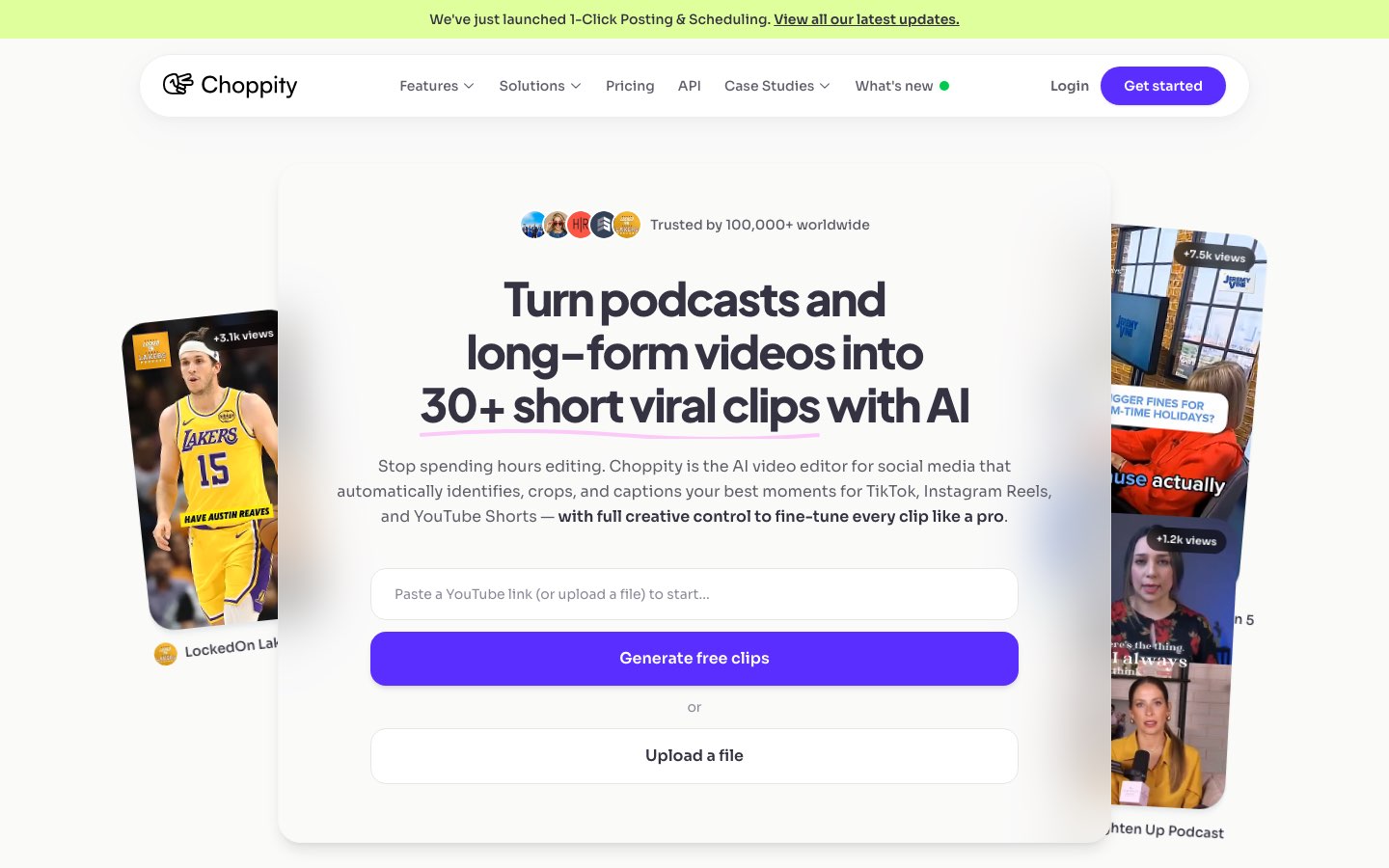
Choppity is the best opus clip alternative we tested in 2026 because it solves the exact workflow gaps that push creators away from Opus Clip. You still get fast AI clip detection from long-form video — but Choppity doesn't stop at a grid of suggestions. It's a full content operating system: custom AI criteria, transcript-native editing, animated captions with magic reframe, native posting to TikTok/Instagram/YouTube/LinkedIn, scheduling, Ideas Board planning, and cross-platform analytics — in one browser tab.
See the full Choppity vs Opus Clip comparison →
The "Aha!" Moment
Opus Clip users know the feeling: 20 clip suggestions, pick three, export, open CapCut to fix captions, then manually upload to each platform. Choppity collapses that chain. Custom AI criteria let you instruct the analysis before it runs — "find product demos," "highlight contrarian takes," or "pull calls to action" — then you refine in a transcript-native editor where trimming, cutting filler words, and censoring profanity happen from the text, not a fiddly timeline.
How does Choppity work?
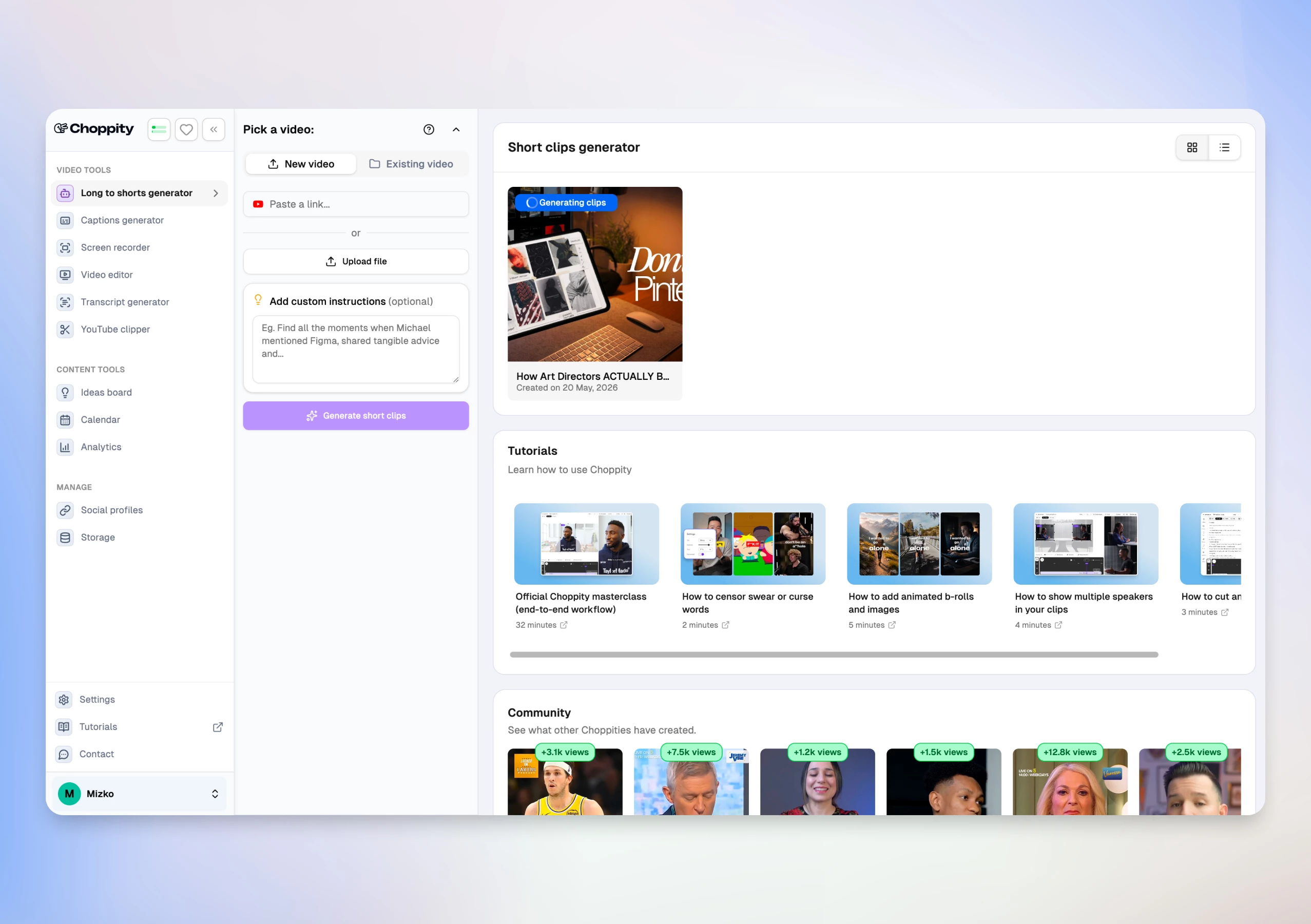
From Opus Clip export loop to scheduled shorts in 3 steps:
- Upload your video or paste a YouTube link (up to 120 minutes)
- Set custom AI criteria, clip duration (15–180s), caption style, and magic reframe template
- Review AI clips, edit in the browser, then post or schedule to TikTok, Instagram, YouTube, and LinkedIn
Find your best moments in minutes
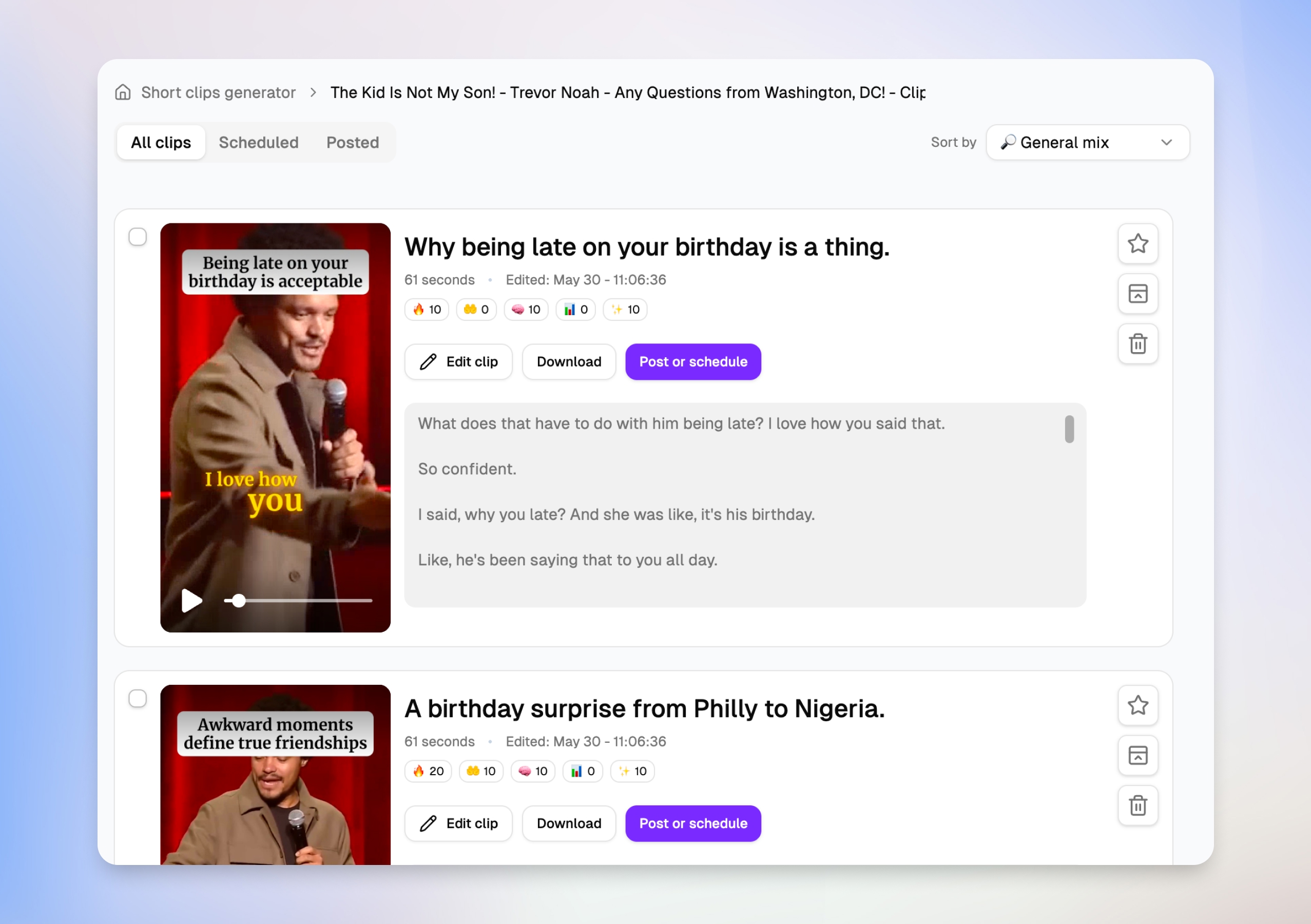
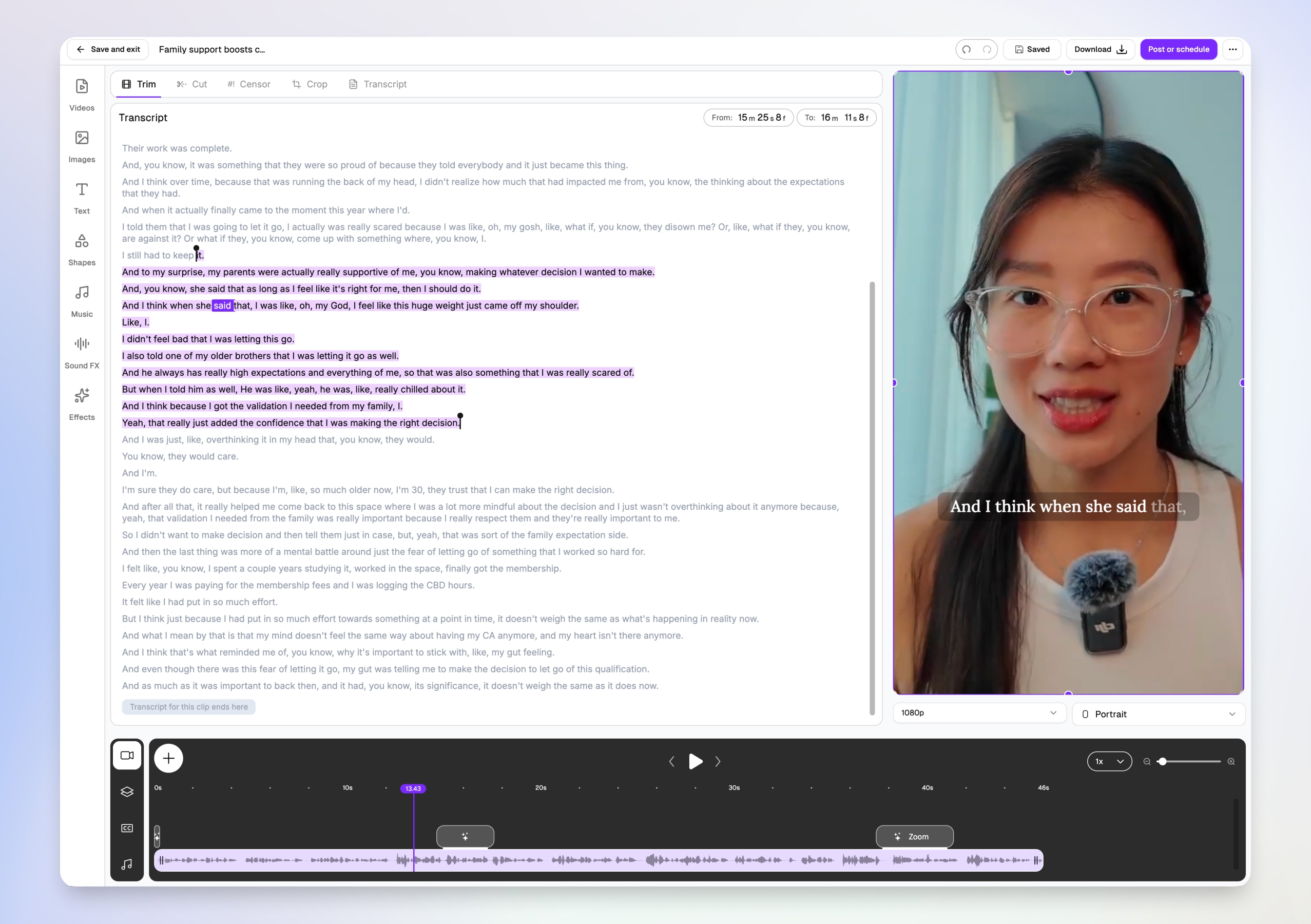
After you upload a long-form video, Choppity surfaces dozens of clip suggestions — each with a title, duration, engagement scores, and a transcript preview. You can scan what each short will actually say before opening the editor, then favorite, schedule, or jump straight to Edit clip without downloading anything.
Edit video by transcript, not timeline
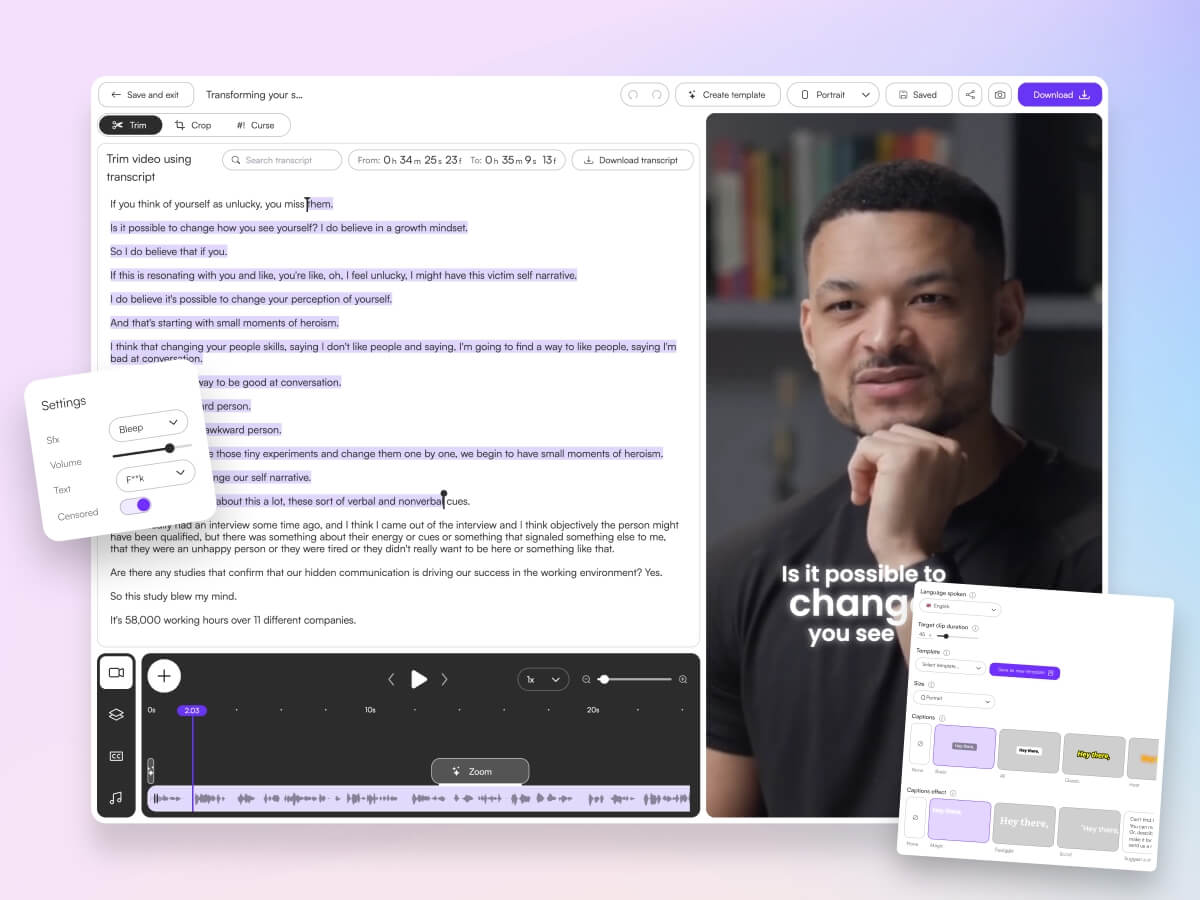
You don't need Premiere skills. Choppity's transcript-native editor lets you trim, cut, and censor by highlighting text — the video updates automatically. Word-level karaoke captions sync to the speaker in real time, and you can add B-roll, music, and effects from the same browser tab.
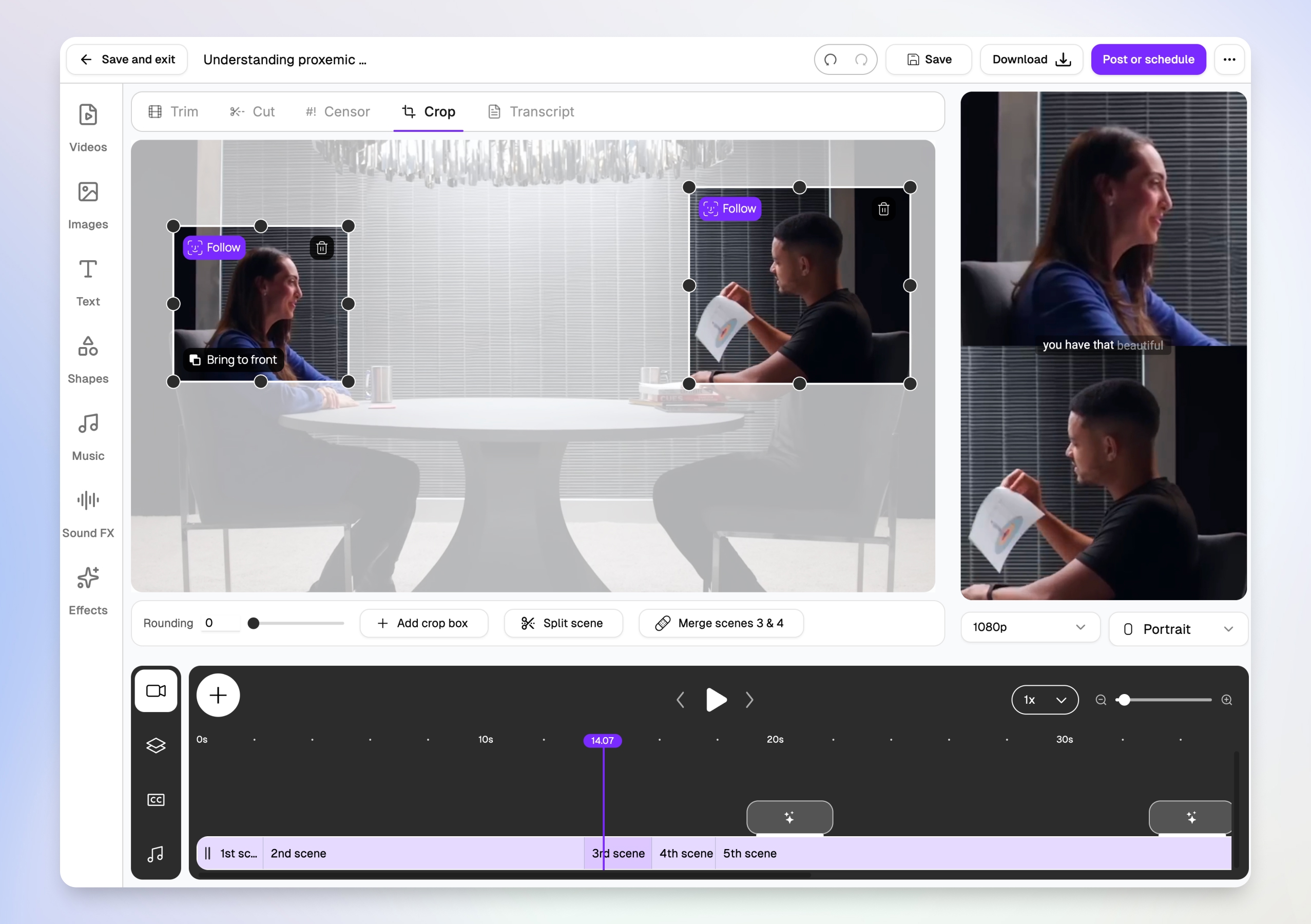
Multi-speaker face tracking for interviews
Two-person interviews are brutal to crop manually. Choppity's magic reframe follows each speaker with Follow tracking boxes, then outputs stacked split-screen layouts for TikTok, Reels, and Shorts — so both speakers stay visible in vertical 9:16 without hours of keyframing.
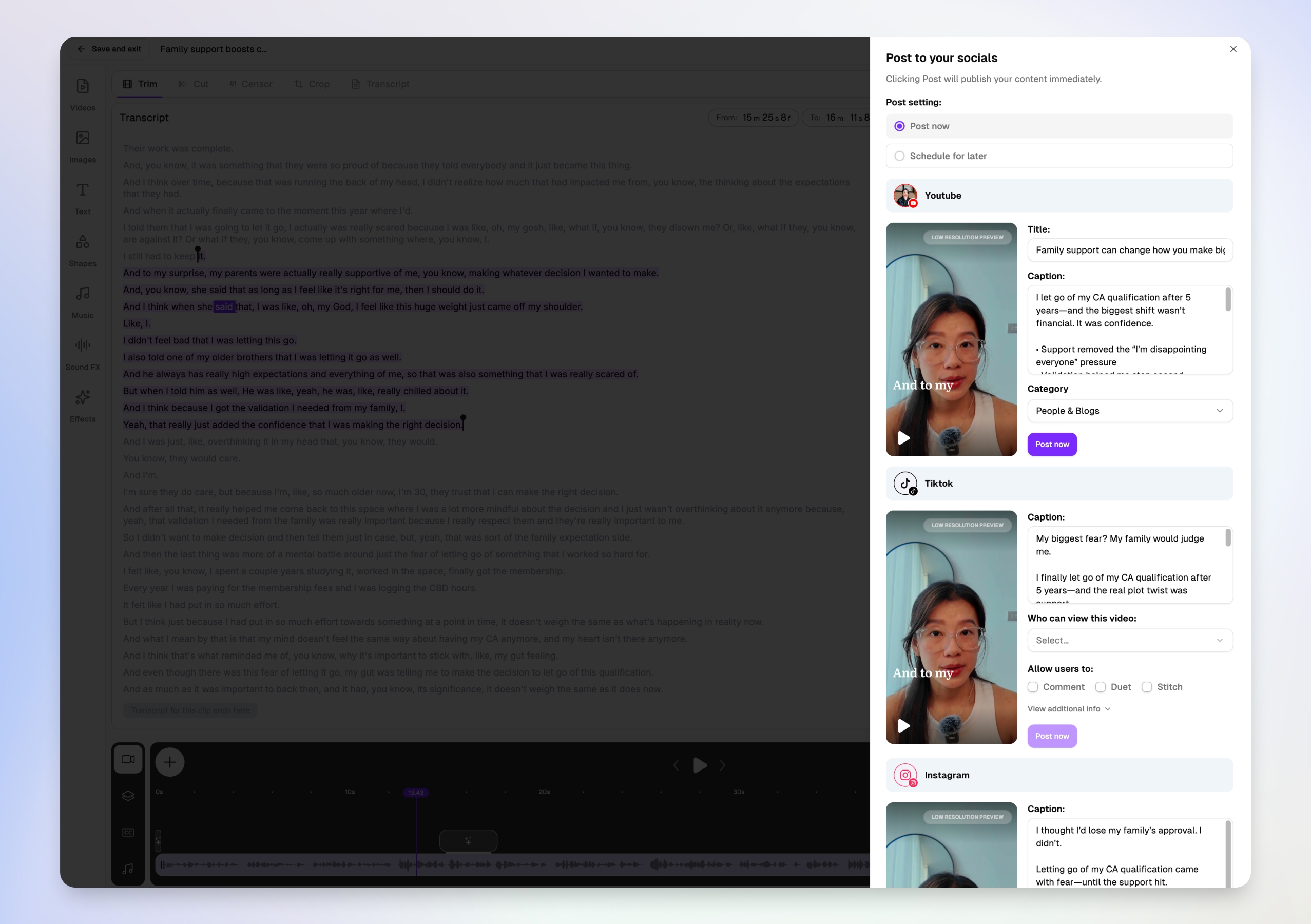
Post or schedule to every platform from one modal
Downloading MP4s and re-uploading to five apps is where video repurposing dies. Choppity's Post to your socials modal lets you write platform-specific titles and captions for YouTube Shorts, TikTok, and Instagram in one view — then post now or schedule for later without leaving the editor.
What Opus Clip users gain by switching
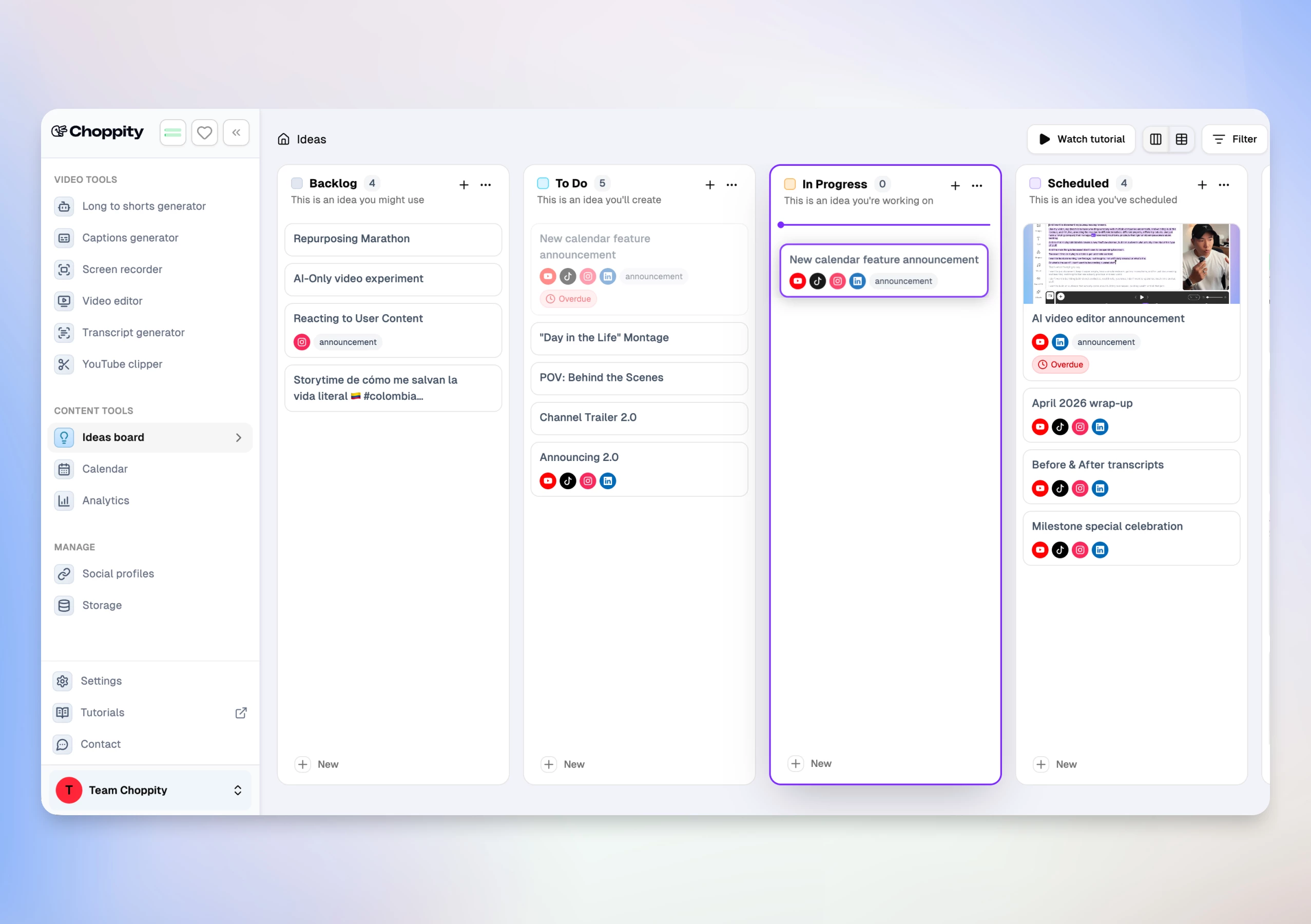
Opus Clip excels at virality scoring. Choppity matches that clip detection and adds the stack Opus Clip users typically bolt on with 2–3 more tools:
- Transcript-native editor — trim, cut, semantic search ("find the part where…"), profanity censor, B-roll, music, and 20+ caption styles with CFX effects
- Native posting & scheduling — per-platform captions, scheduled posts, and reconnect flows for expired OAuth
- Analytics dashboard — impressions, likes, comments, shares across posted content
- Ideas Board + Calendar — Kanban from idea → script → published post, integrated with clip folders
Real Use Case — switching from Opus Clip
A marketing team migrated from Opus Clip Pro after hitting credit limits on a weekly webinar series. They uploaded one 60-minute recording to Choppity, set custom criteria for "product demo moments," and received 18 clip suggestions in under 12 minutes. They scheduled a week of LinkedIn and Shorts posts without leaving the app — a workflow that took 5+ hours across Opus Clip + CapCut + manual uploads in our parallel test.
Here are real podcast clips created with Choppity:
Pros
- Fastest end-to-end workflow — analysis, edit, post, and analytics in one product
- Custom AI criteria with natural-language clip selection instructions
- Clip picker with engagement scores and transcript previews — decide what to post before you edit
- Multi-speaker face tracking with stacked split-screen layouts for interviews
- Transcript-native editing (trim, cut, censor, semantic search) — rare in clip-only tools
- Magic reframe with Follow tracking for 9:16, 1:1, and 16:9 output
- Per-platform titles and captions in one post-or-schedule modal (YouTube, TikTok, Instagram)
- 20+ caption presets plus CFX dynamic effects and word-level karaoke
- 97-language transcription and caption pipeline
- Native posting to YouTube, TikTok, Instagram, and LinkedIn
- Cross-platform analytics and Ideas Board for team planning
- Hour-based pricing without Opus Clip's credit consumption surprises
Cons
- Free tier is preview-only — no downloads or full AI features until Starter ($20/mo)
- Maximum upload 120 minutes / 10 GB (sufficient for most podcasts and webinars)
- $5/mo more than Opus Clip Starter — justified only if you use editing, posting, or analytics
Vizard
Vizard is the most common Opus Clip alternative in SERP roundups. It targets teams that need fast browser-based clipping with brand kits and collaboration — strong for interview-style content and multi-seat agency workflows.

Pros
- Fast processing — under 5 minutes for 60-minute videos in benchmarks
- Brand kits and team collaboration for agencies
- Native social scheduling on Creator plan and above
- 100+ language transcription support
Cons
- Higher starting price ($29/mo Creator) vs Opus Clip ($15/mo) and Choppity ($20/mo)
- Less depth in post-clip editing than Choppity or Descript
- No cross-platform analytics dashboard
Considering a switch? See our Choppity vs Vizard comparison.
Descript
Descript pioneered text-based video editing — delete a word in the transcript and the video cuts. Opus Clip users who need surgical precision on podcast audio often land here, though AI clip generation requires more manual selection than dedicated clippers.

Pros
- Best-in-class transcript editing and filler word removal
- Screen recording, overdub, and full timeline for complex productions
- Excellent for teams that edit long-form before clipping
Cons
- Not a one-click clip maker — more manual than Opus Clip or Choppity
- No native social posting or scheduling
- Steeper learning curve for creators who only need shorts
Klap
Klap positions itself as the premium visual alternative to Opus Clip — cleaner crops, 4K exports, and brand-consistent output. SERP head-to-head testing favors Klap when "looks like us" matters more than raw clip volume.
Pros
- Polished visual output and 4K exports on Pro
- Strong speaker tracking and brand template controls
- Good for agencies prioritizing aesthetic consistency over speed
Cons
- Fewer clips per video than Opus Clip at the same price tier ($29/mo for ~10 uploads)
- No native multi-platform scheduling or analytics dashboard
- Less emphasis on transcript-native deep editing
Submagic
Submagic is the caption-first alternative Opus Clip users pair with manual trimming. It's exceptional at animated subtitle effects — but weak at automatically finding the best moments in long-form video without you selecting segments first.

Pros
- Outstanding caption animations and emoji styling
- Fast workflow once you have a trimmed clip
- Good TikTok-native aesthetic out of the box
Cons
- Weak long-form moment detection — often needs manual segment selection
- No full NLE, analytics, or content planning
- Caption-first tool, not a complete Opus Clip replacement
Considering a switch? See our Choppity vs Submagic comparison.
Kapwing
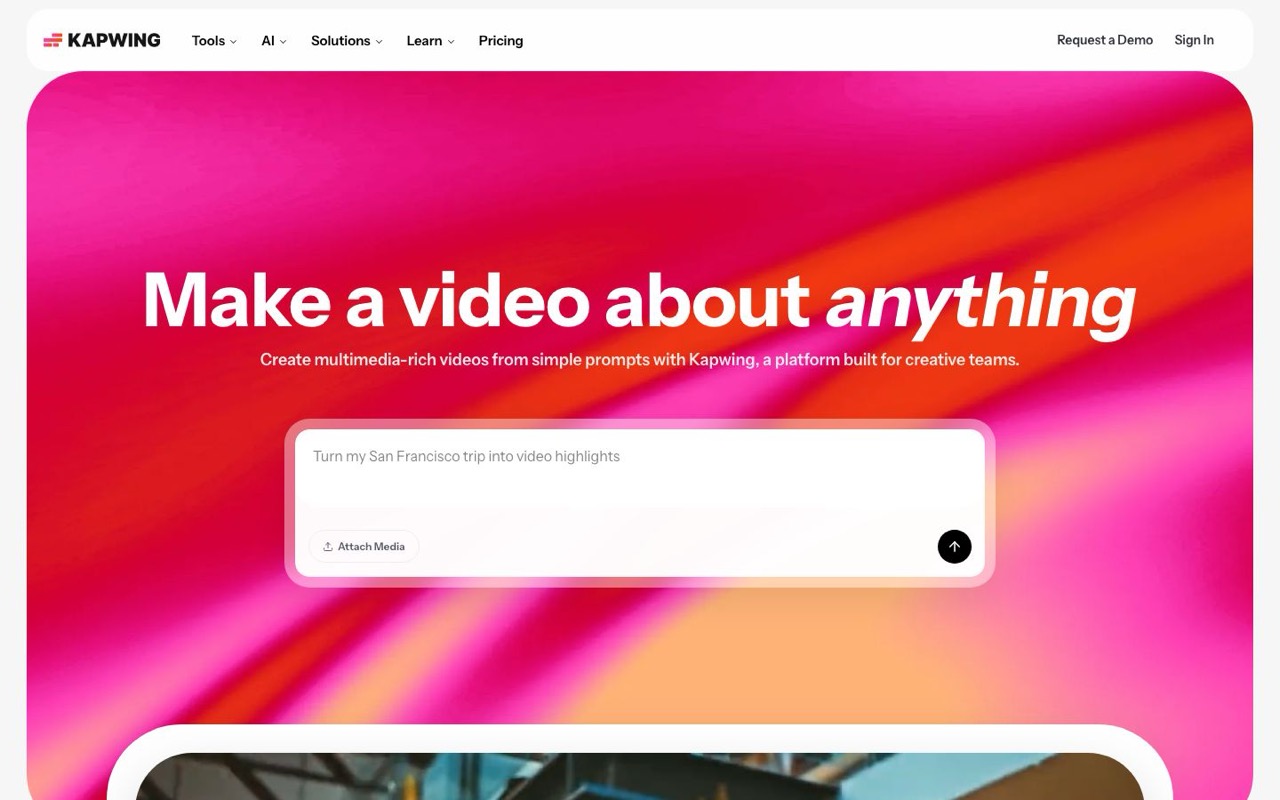
Kapwing is the strongest free starting point for Opus Clip users on a budget. Browser-based AI clip detection, filler word removal, and 100+ language translation — with collaborative workspaces for small teams.
Pros
- Generous free tier — no credit card to start
- AI highlight detection plus manual editor in one browser tab
- Brand kit templates and team workspaces
Cons
- Watermark on free exports
- Less context-aware AI than Choppity for multi-topic long-form
- No native cross-platform analytics
Riverside
Riverside combines remote recording with Magic Clips AI. Opus Clip users who also record podcasts often evaluate Riverside when they want record → clip in one platform — though clip quality trails dedicated clippers.

Pros
- 4K remote recording with separate audio tracks per guest
- Magic Clips built into the recording workflow
- Strong for podcasters who record and repurpose in one tool
Cons
- AI clip selection less sophisticated than Choppity or Opus Clip
- Expensive if you only need clipping, not recording ($29/mo Pro)
- No Ideas Board, deep transcript editor, or cross-platform analytics
Vidyo.ai
Vidyo.ai (positioning as Quso in some markets) focuses on marketing teams repurposing webinars and thought-leadership content into social snippets — a common Opus Clip use case with more scheduling integrations.

Pros
- Straightforward UI for non-editors
- Social scheduling integrations for marketing teams
- Blog-to-video repurposing for content-heavy orgs
Cons
- Higher starting price ($29/mo Lite) with fewer editing controls
- Limited caption customization vs Choppity's 20+ presets
- Weaker multi-speaker handling in our test
Considering a switch? See our Choppity vs Vidyo comparison.
Repurpose.io
Repurpose.io solves the distribution pain Opus Clip users feel after export — once clips exist, it pushes them across platforms via RSS and workflows. It does not identify moments in your source video.

Pros
- Excellent multi-platform distribution automation
- Strong analytics for cross-channel tracking
- Saves hours on the upload-and-caption grind Opus Clip leaves you with
Cons
- Zero AI clip detection — requires Opus Clip, Choppity, or another tool upstream
- No editing, captions, or reframing built in
- Best as an add-on ($35/mo Starter), not a standalone Opus Clip replacement
CapCut
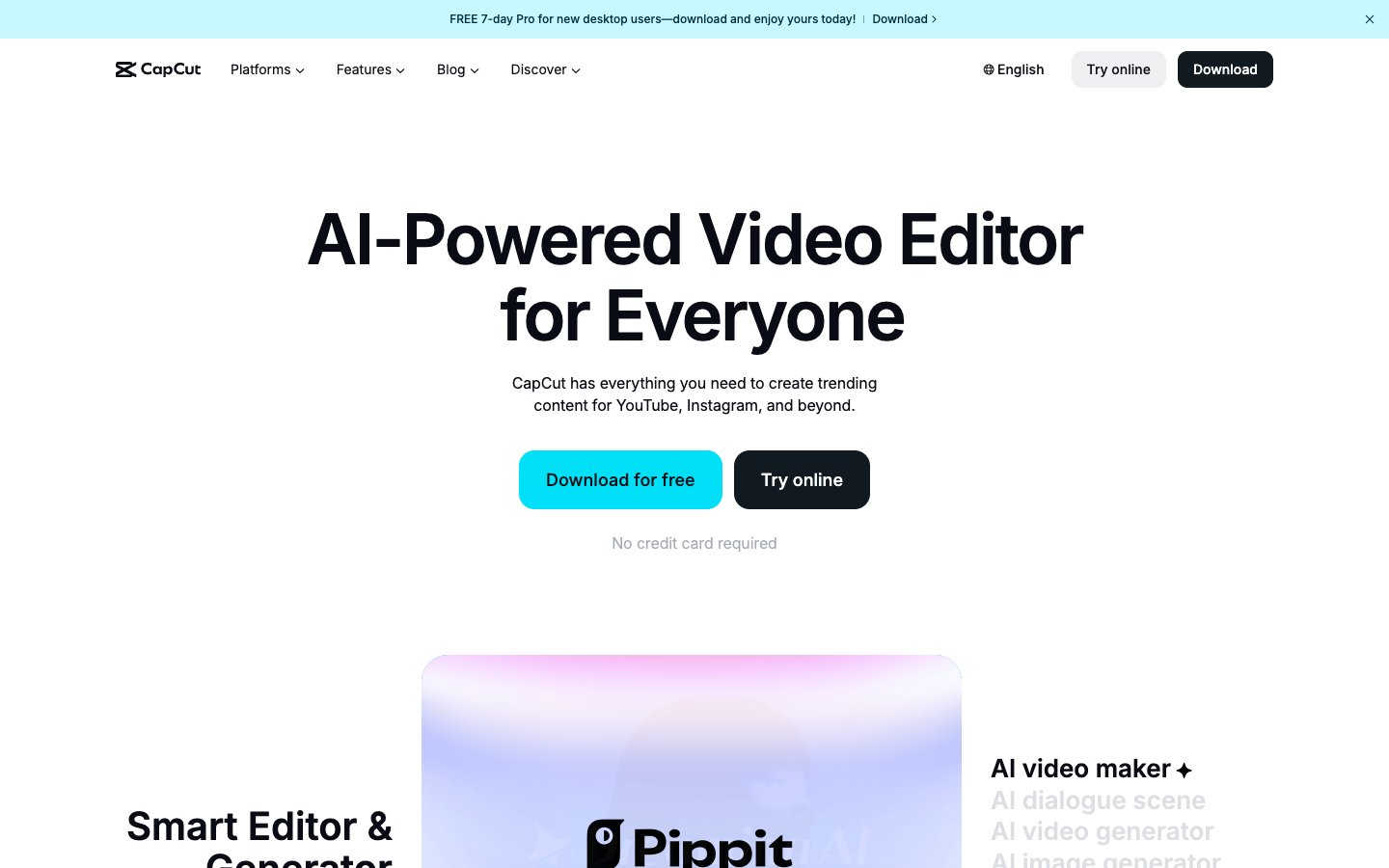
CapCut is what many Opus Clip users open after export — free manual editing with full timeline, templates, and effects. It has no AI moment detection for long-form video, so expect hours of scrubbing without a clipper upstream.
Pros
- Completely free with no watermark on exports
- Massive template library and effects
- Full manual control for creators who enjoy editing
Cons
- No AI clip detection from long-form uploads
- No native analytics, scheduling, or team planning
- Time-intensive for weekly repurposing at scale
Castmagic
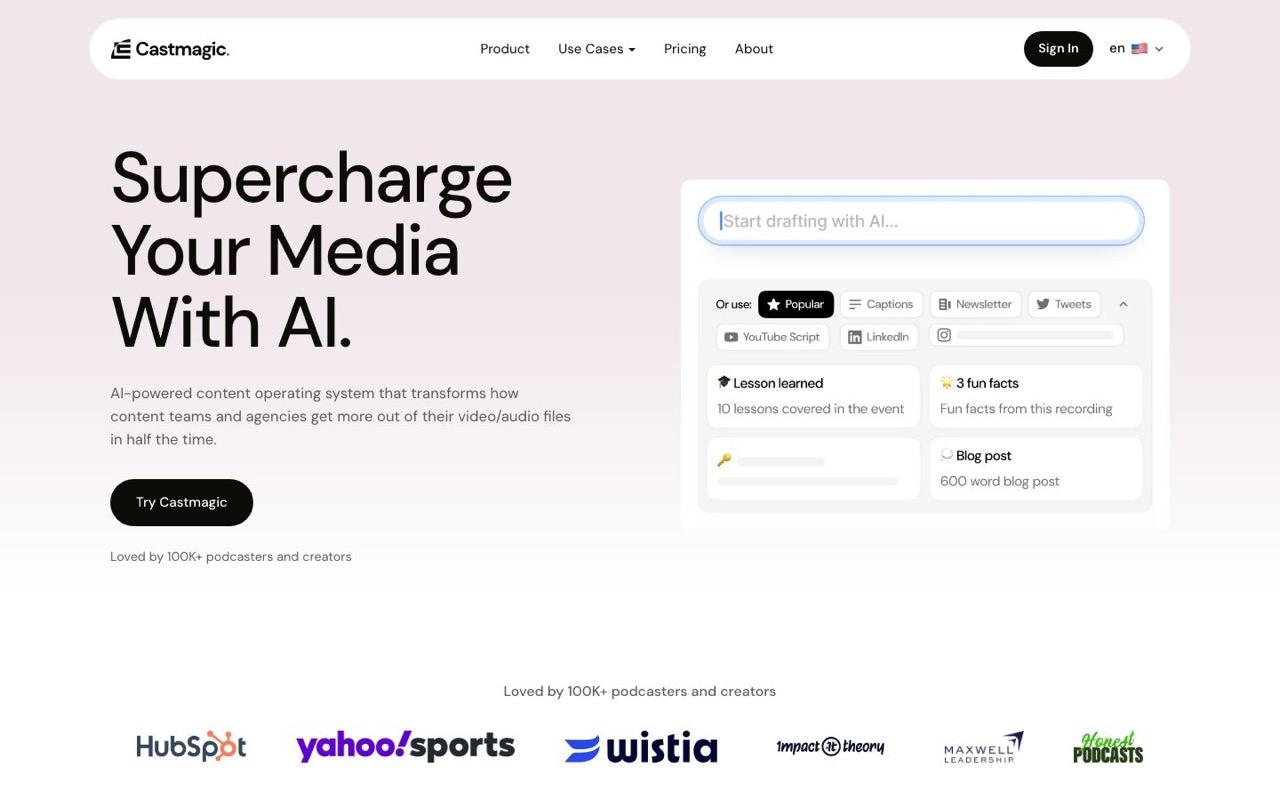
Castmagic takes a different angle than Opus Clip — it's less about generating video clips and more about turning podcast audio into a full content ecosystem: show notes, blog posts, social captions, timestamps, and highlight quotes. Useful if your Opus Clip workflow also needs written assets.
Pros
- Excellent written content generation from audio (show notes, blogs, newsletters)
- Speaker-labeled transcripts with timestamps
- Good for podcasters who need text assets alongside video clips
Cons
- Not a video clip maker — no reframing, captions, or vertical export
- No native video posting or scheduling
- ~$29/mo for meaningful usage — pairs with, not replaces, a clipper
Munch
Munch targets marketing teams who want AI clipping plus content performance analytics. It's positioned above Opus Clip on price (~$49/mo) with emphasis on trend analysis and campaign-level insights rather than hands-off clip volume.
Pros
- Marketing analytics layered on top of AI clip suggestions
- Trend-aware content recommendations for social campaigns
- Good for teams measuring repurposing ROI, not just clip count
Cons
- Highest starting price on this list (~$49/mo)
- Less transcript editing depth than Choppity or Descript
- Overkill for solo creators who just need fast clips and posting
Head-to-Head Comparison
Side-by-side on the features Opus Clip users care about most when evaluating alternatives.
| Tool | AI clip detection | Transcript editor | Magic reframe | Native posting | Analytics | Custom AI criteria | Best for |
|---|---|---|---|---|---|---|---|
| Choppity | Excellent | Yes | Yes | Yes | Yes | Yes | Full clip → edit → post → analytics workflow |
| Vizard | Good | Basic | Yes | Yes | No | No | Fast team clipping with brand kits |
| Descript | Manual | Yes | Basic | No | No | No | Text-based precision editing |
| Klap | Good | Yes | Yes | No | No | No | Polished brand-consistent visuals |
| Submagic | Poor | No | Basic | Yes | No | No | Caption effects on pre-trimmed clips |
| Kapwing | Good | Yes | Yes | Yes | No | No | Free browser editor with AI assist |
| Riverside | Basic | Basic | Basic | No | No | No | Record + clip in one platform |
| Vidyo.ai | Good | Basic | Yes | Yes | No | No | Marketing teams repurposing webinars |
| Repurpose.io | None | No | No | Advanced | Yes | No | Auto-distributing finished clips |
| CapCut | None | No | Manual | Yes | No | No | Free manual editing |
| Castmagic | None | Text only | No | No | No | No | Podcast → written content ecosystem |
| Munch | Good | Basic | Yes | Yes | Yes | No | Marketing analytics on repurposed clips |
Pricing as of June 10, 2026 — verified on each tool's /pricing page (monthly billing, lowest paid plan). Free tiers include restrictions.
Pricing Comparison (2026)
What you'll actually pay once you're ready to publish clips without a watermark — compared to Opus Clip Starter at $15/mo:
| Tool | Free tier? | Paid from | Annual discount | What you get on paid |
|---|---|---|---|---|
| Choppity | Yes — preview AI, no downloads | $20/mo | Yes (~30% off annually) | Starter: 3 hrs upload/mo, AI clips, transcript editor, captions, posting, scheduling, analytics, Ideas Board |
| Opus Clip (replaced) | Yes — watermark | $15/mo | Yes (~$14/mo annual) | Starter: virality scoring, AI B-roll on Pro, limited post-clip editing |
| Vizard | Yes — watermark | $29/mo | Yes (~50% off annually) | Creator: 600 credits/mo, 4K export, brand kits, scheduling |
| Descript | Yes — limited | $24/mo | Yes (~35% off annually) | Hobbyist: filler removal, overdub, screen recording, full timeline |
| Klap | Limited trial | $29/mo | Yes (~50% off annually) | Standard: 10 uploads/mo, 100 clips, HD export |
| Submagic | Yes — watermark | $19/mo | Yes (~41% off annually) | Starter: 15 videos/mo, premium caption effects, clip detection |
| Kapwing | Yes — watermark | $24/mo | Yes (~33% off annually) | Pro: no watermark, team collab, 4K exports |
| Riverside | Yes — limited | $29/mo | Yes (~17% off annually) | Pro: 4K recording, Magic Clips, 15 hrs multi-track/mo |
| Vidyo.ai | Yes — limited | $29/mo | Yes (~50% off annually) | Lite: 100 credits/mo, 1080p exports, AI clips & captions |
| Repurpose.io | No | $35/mo | Yes (~17% off annually) | Starter: 5,000 published videos/mo, 3 accounts per network |
| CapCut | Yes (fully free) | Free | N/A | Full editor — manual clipping only |
| Castmagic | Yes — limited | ~$29/mo | Yes | Hobby: transcripts, show notes, social copy — no video clips |
| Munch | Yes — limited | ~$49/mo | Yes | Pro: AI clips, trend analytics, multi-platform posting |
Pricing as of June 10, 2026 — verified on each tool's /pricing page (monthly billing, lowest paid plan). Castmagic and Munch marked ~ where pricing varies by plan.
How to Choose Between Opus Clip Alternatives
Clip detection vs. full workflow
Opus Clip optimizes for one metric: how many viral-scored clips you get per upload. That's table stakes every alternative on this list matches. The bigger question is what happens after AI suggests clips. If you need transcript editing, brand templates, native posting, and analytics, staying on Opus Clip means 2–3 more subscriptions. Choppity, Vizard, and Kapwing cover more of the pipeline than clip-only tools.
Why creators leave Opus Clip
The most common switch triggers we hear: credit limits on high-volume workflows, watermark on free tier, scheduling gated to Pro, no transcript-native editing, and export-then-manually-upload friction. Map your pain point to the right alternative — Vizard for team brand kits, Descript for precision editing, Repurpose.io for distribution-only, Choppity for the full loop.
Posting and analytics
Downloading MP4s and manually uploading to five platforms is where Opus Clip workflows die. Native posting (Choppity, Vizard, Kapwing, Vidyo.ai) and distribution automation (Repurpose.io) solve different parts of this. Only Choppity combines posting, scheduling, and per-post analytics in the same product as clip generation.
Budget reality check
Opus Clip Starter at $15/mo is the price floor for AI clipping — but the true cost includes CapCut time, scheduling tools, and analytics subscriptions. Choppity at $20/mo, Submagic at $19/mo, and Kapwing Pro at $24/mo are the sweet spot for solo creators. Munch (~$49/mo) and Repurpose.io ($35/mo) make sense for marketing teams with distribution volume, not hobbyists.
Frequently Asked Questions
What are Opus Clip alternatives?
Opus Clip alternatives are AI video tools that analyze long-form content (podcasts, webinars, interviews) and generate short clips for TikTok, Reels, and YouTube Shorts — with varying depth in editing, posting, and analytics. The best alternatives go beyond clip suggestions to include transcript editing, native scheduling, and cross-platform analytics. Choppity is our top pick for creators who want the full workflow Opus Clip doesn't offer.
What is the best Opus Clip alternative in 2026?
Based on our head-to-head testing with identical 60-minute source video, Choppity is the best Opus Clip alternative in 2026. It's the only tool we tested that covers AI clip detection, transcript-native editing, native multi-platform posting, scheduling, and cross-platform analytics without switching tools. Vizard is the best alternative if you prioritize team brand kits; Klap if visual polish matters most.
Is there a free Opus Clip alternative?
Yes. Kapwing offers the strongest free tier for AI-assisted clipping (watermarked exports). CapCut is completely free but requires manual clip selection — no AI moment detection. Choppity offers a free preview so you can test AI accuracy before upgrading. Opus Clip's free tier also works but adds a watermark and limits exports.
Choppity vs Opus Clip — which is better?
Opus Clip wins on hands-off virality scoring and the lowest paid entry price ($15/mo vs Choppity's $20/mo). Choppity wins on the full workflow: custom AI criteria, transcript-native editing, native posting/scheduling, Ideas Board planning, and analytics. Choose Opus Clip for speed-only clipping at minimum cost; choose Choppity if you want one tool from upload to published post. See our full Choppity vs Opus Clip comparison.
Why are creators switching from Opus Clip?
The top reasons: credit consumption on high-volume uploads, limited post-clip editing, no cross-platform analytics, scheduling locked behind Pro plans, and the export → CapCut → manual upload loop. Creators who post daily shorts need editing depth and native scheduling — gaps that Choppity, Vizard, and Kapwing address more completely.
Is Vizard better than Opus Clip?
Vizard offers faster team workflows, brand kits, and native scheduling that Opus Clip lacks on lower tiers. Opus Clip counters with stronger virality scoring and a lower starting price ($15/mo vs Vizard Creator at $29/mo). For solo creators on a budget, Opus Clip is cheaper; for agencies needing brand consistency and collaboration, Vizard wins. For the full edit → post → analytics loop, Choppity beats both.
Can I use Repurpose.io instead of Opus Clip?
Not as a direct replacement. Repurpose.io automates distribution of clips you've already created — it has zero AI moment detection. The typical stack is Opus Clip or Choppity for clipping, plus Repurpose.io for multi-platform publishing automation. Choppity includes native posting, so many creators drop Repurpose.io entirely when switching.
How much do Opus Clip alternatives cost?
Paid plans start at $19/mo (Submagic Starter), $20/mo (Choppity Starter), $24/mo (Descript Hobbyist, Kapwing Pro), $29/mo (Vizard Creator, Klap, Riverside Pro, Vidyo Lite, Castmagic), $35/mo (Repurpose Starter), and ~$49/mo (Munch). CapCut is free. Opus Clip Starter remains the cheapest paid AI clipper at $15/mo — but factor in the tools you'll need for editing and posting that Opus Clip doesn't include.
Do Opus Clip alternatives work with YouTube links?
Most do. Choppity, Opus Clip, Vizard, Klap, and Vidyo.ai all accept YouTube URL import. Descript and Riverside work better with direct uploads or recordings. Test with your actual content — multi-speaker interviews challenge every tool differently.
Which Opus Clip alternative has the best captions?
Submagic leads on pure caption animation aesthetics. Choppity offers 20+ caption presets plus CFX dynamic effects (Magic, Squiggle, Sides), word-level karaoke, and 97-language support — the best balance of style and transcription accuracy for Opus Clip switchers who were frustrated by limited caption customization.
The Verdict
After comparing 12 Opus Clip alternatives in this roundup, the market splits into three tiers: clip-only tools (Vizard, Klap, Submagic), editing-first tools (Descript, CapCut), and full-workflow platforms (Choppity, Munch). SERP articles overwhelmingly recommend Vizard or Klap as the default Opus Clip swap — valid picks if clipping is your only step and you don't mind the export loop.
If you're leaving Opus Clip because the workflow breaks after clip generation, Choppity is the clear winner. Custom AI criteria, transcript-native editing, magic reframe, native posting, and cross-platform analytics put it in a different category than clip generators that hand you watermarked MP4s. At $20/mo — $5 more than Opus Clip Starter — you replace the CapCut + scheduling + analytics stack most Opus Clip users assemble anyway.
For the broader AI clipping landscape, read our best AI clip maker guide. For a detailed migration path, see Choppity vs Opus Clip. Ready to test with your own footage? Start free below.







Written by
Michael WongFounder & CEO · Founder of Choppity
Content creator for 12+ years with 215K+ YouTube subscribers and an active presence across YouTube, Instagram, LinkedIn, and X. As founder of Choppity, Michael has personally tested every major AI clip maker — giving him a unique perspective on what works and what doesn't for real creators.